Using Rego for Database DevOps Steps
This guide explains how to use Harness Policy Agent to enforce policies on DataBase Devops steps. Rego is a declarative policy language used by Open Policy Agent (OPA) for policy-based control.
Before you begin
- Rego knowledge: Basic understanding of the Rego policy language and OPA is recommended.
Write a Rego policy for Database DevOps steps
A Rego policy can validate that changesets conform to specific rules, such as enforcing naming conventions or restricting certain SQL operations.
Example policy: restrict DROP TABLE
Go to DB Governance section and create a new policy
package db_sql
policies := [
{
        "error_message": "Dropping of table is not allowed.",
        "rules": [
            {
                "types": [
                    "jdbc:sqlserver","jdbc:mysql","jdbc:postgresql","jdbc:oracle:thin"
                ],
                "regex": [
                    "drop"
                ]
            }
        ]
}
]
deny[msg] {
    some i,j,k,l
    policy := policies[i];
    type := input.dbInstance.type;
    rule := policy.rules[j];
    type = rule.types[_];
    regex.match(lower(concat("",[".*",rule.regex[k],".*"])),lower(input.sqlStatements[l]));
    msg := concat("",["Policy violation:\n The following sql statement:\n",input.sqlStatements[l],"\n\n Matches the following regex: \n",rule.regex[k]])
}
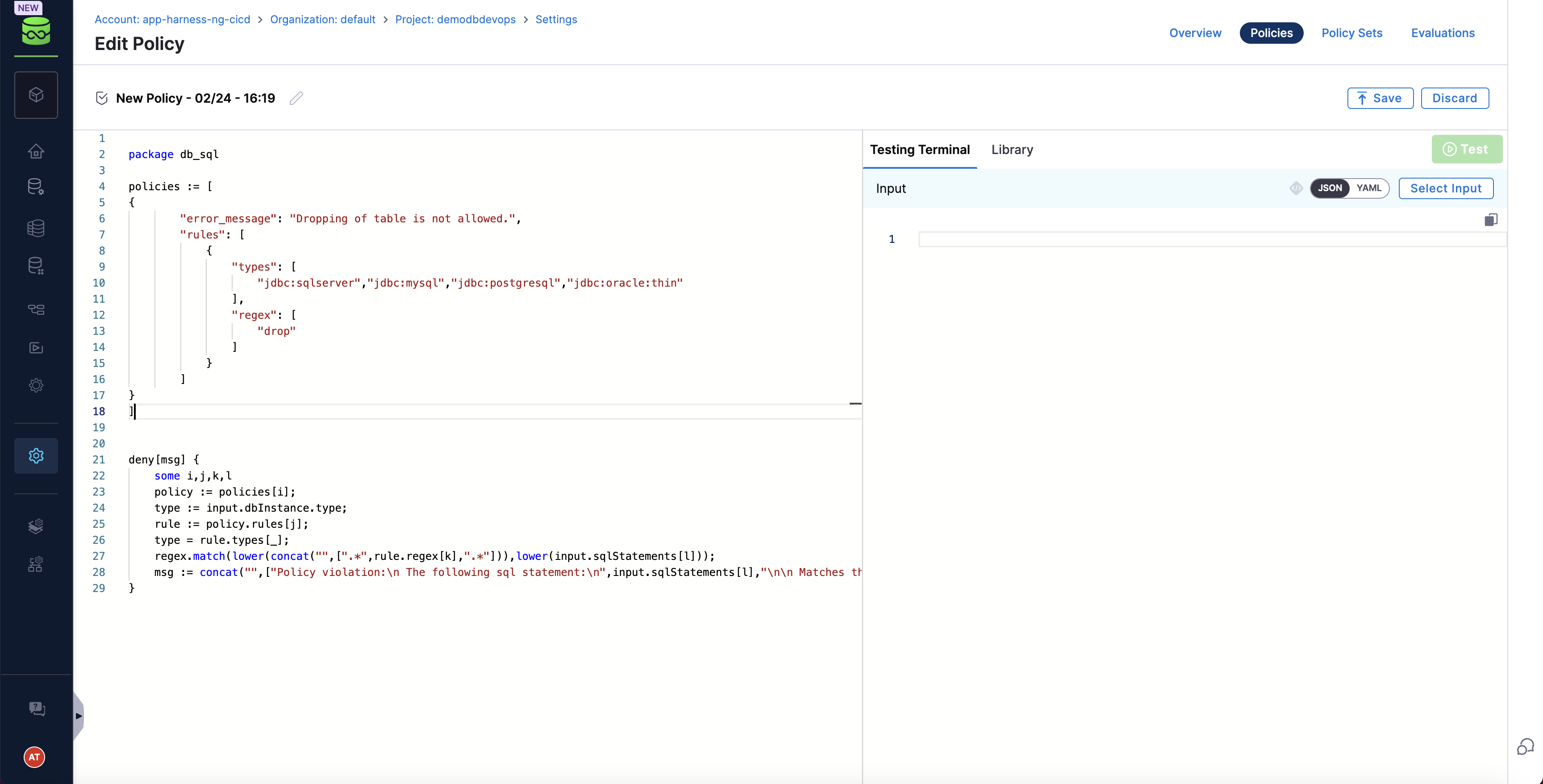
Sample payload
You can test the policy on sample payloads
{
  "dbInstance": {
    "dbConnectionUrl": "jdbc:sqlserver://35.xxx.125.32:1433;trustServerCertificate=true;databaseName=db_oajzu",
    "identifier": "enkkMcacHU",
    "name": "enkkMcacHU",
    "tags": {
      "tag1": "val1",
      "tag2": "val2"
    },
    "type": "jdbc:sqlserver"
  },
  "dbSchema": {
    "identifier": "CTJPjhVwkU",
    "name": "CTJPjhVwkU"
  },
  "sqlStatements": [
    "DROP TABLE public;"
  ]
}
Create a custom policy set and attach the policy
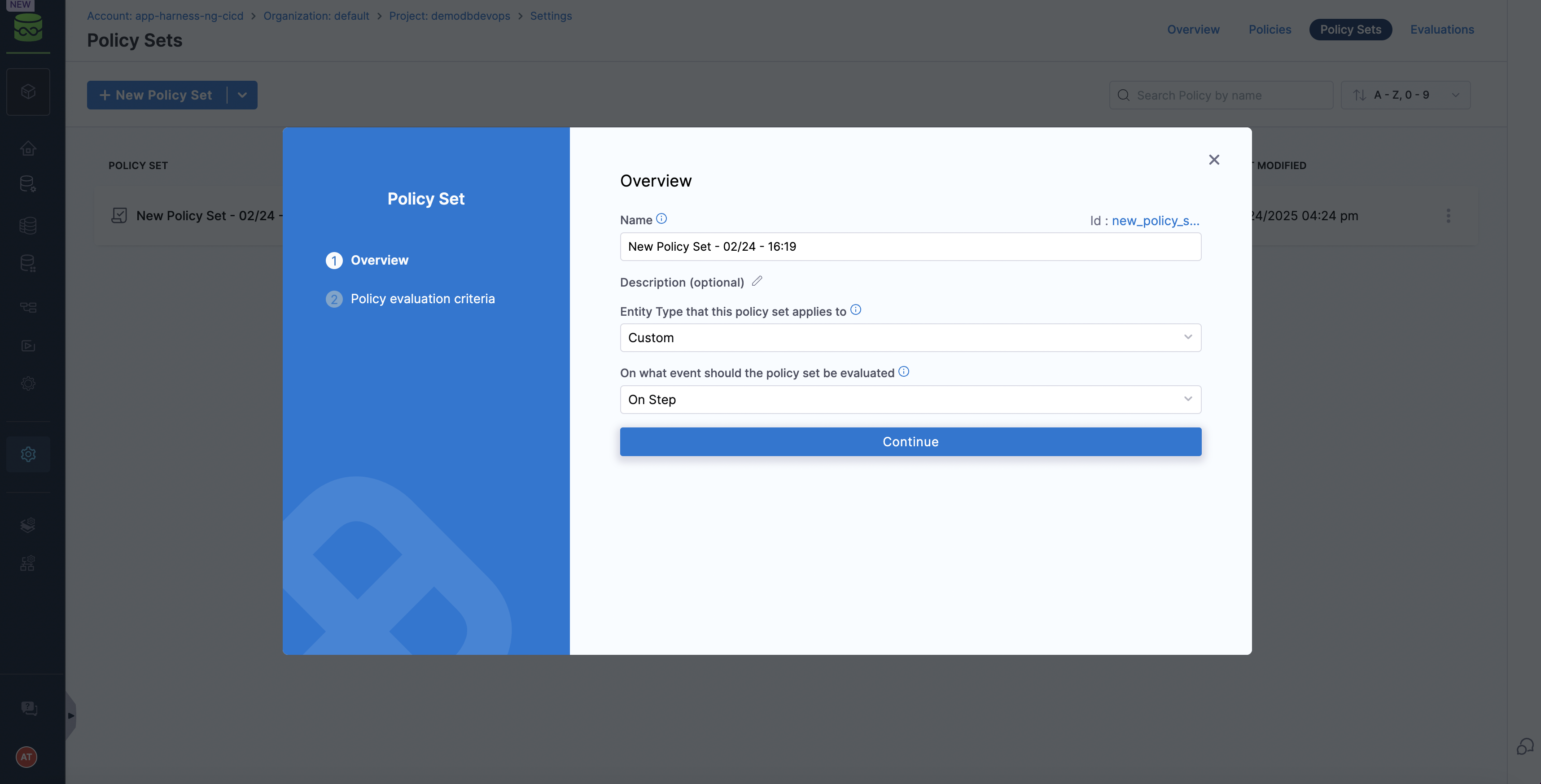 )
)
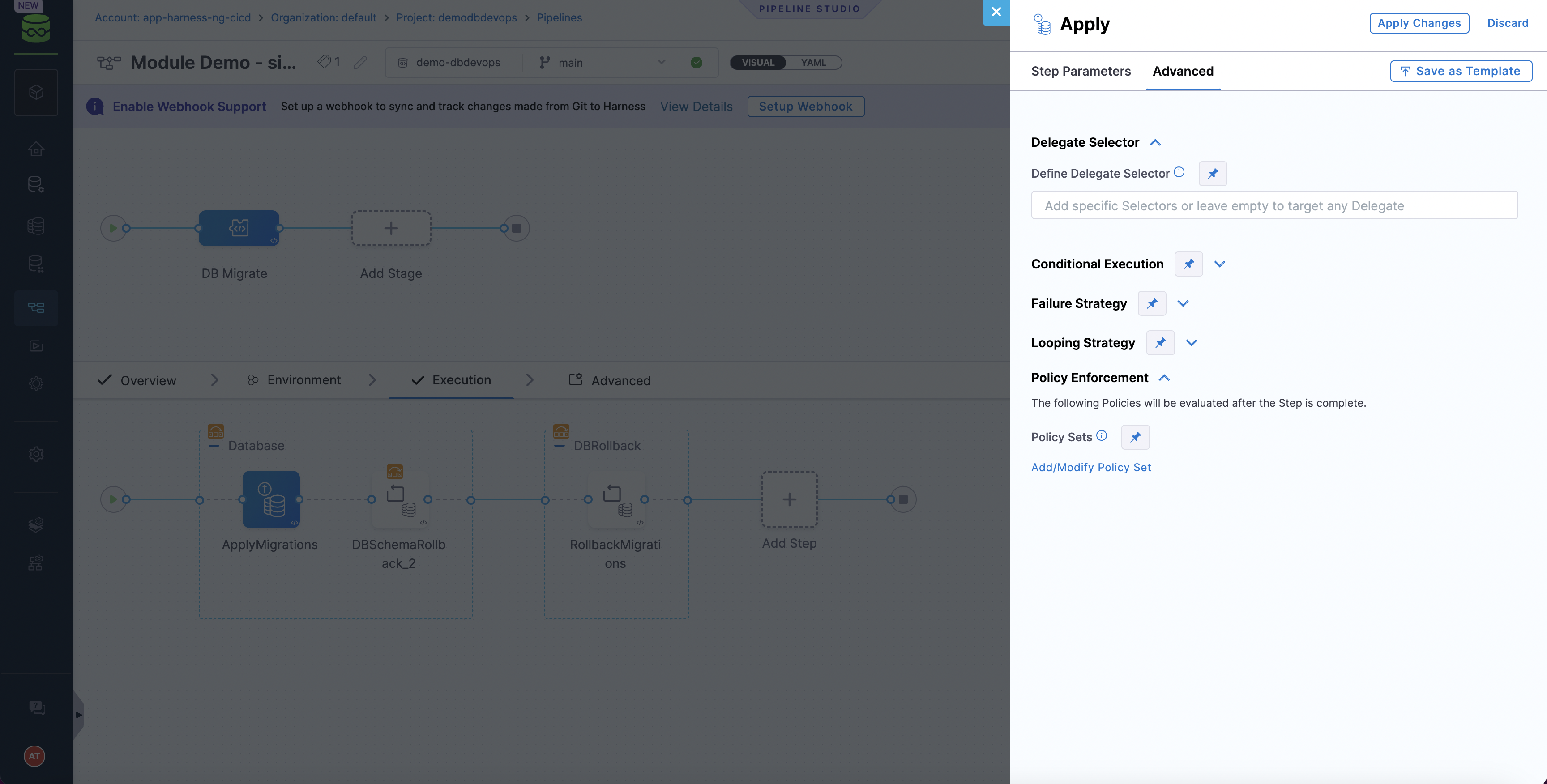
Attach the policy set in Database DevOps step configuration
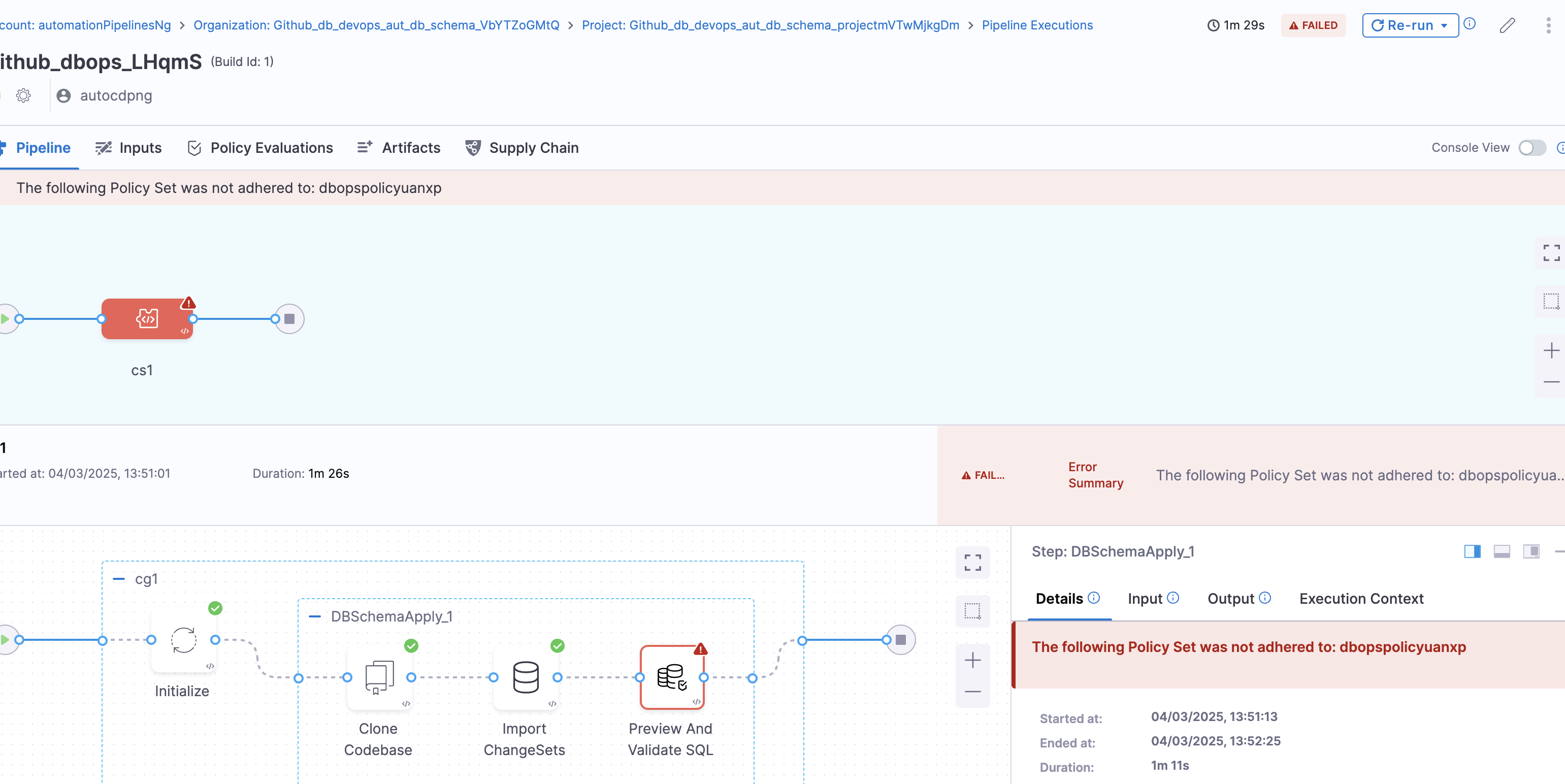
Validate Liquibase steps with OPA
Run the OPA policy check against the changeset during pipeline run:
If a violation occurs, OPA will output a message indicating the problem (e.g., "Dropping tables is not allowed: users") and result in error / warning as per configuration.
OPA policy examples
Table name limit
The function checks if any of the SQL statements in the input create a table with a name longer than 10 characters. If a match is found, it means that the table name violates the rule and the function returns a message indicating the violation.
package db_sql

deny[msg] {
    some l
    sql := lower(input.sqlStatements[l])

    # Extract table name, handling optional schema (e.g., "public.")
    matches := regex.find_n(`(?i)create\s+table\s+([a-zA-Z0-9_]+\.)?([a-zA-Z0-9_]+)`, sql, -1)

    some j
    table_name := matches[j]  # Extract match

    # If the table has a schema prefix, extract just the table name part
    parts := split(table_name, ".")
    actual_table_name := parts[count(parts) - 1]

    count(actual_table_name) > 10

    msg := sprintf("Table name '%s' exceeds 10 characters, which is not permitted", [actual_table_name])
}
Schema name limit
The existing code already has a schema name length check in the "Prevent Data Drop" section, but it could be formalized as a separate policy:
package db_sql

deny[msg] {
    some l
    sql := lower(input.sqlStatements[l])

    # Extract schema name
    matches := regex.find_n(`(?i)create\s+schema\s+([a-zA-Z0-9_]+)`, sql, -1)

    some j
    schema_name := matches[j]

    count(schema_name) > 30

    msg := sprintf("Schema name '%s' exceeds 30 characters, which is not permitted", [schema_name])
}
Prevent direct system table access
This policy checks if any SQL statement attempts to access system tables (e.g., those starting with "sys." in SQL Server). If such access is detected, it returns a violation message.
package db_sql

deny[msg] {
    some l
    sql := lower(input.sqlStatements[l])

    system_tables := [
        "sys\\.", "information_schema\\.", "pg_catalog\\.",
        "sysobjects", "syscolumns", "sysusers"
    ]

    some i
    regex.match(concat("", [".*select.*from.*", system_tables[i], ".*"]), sql)

    msg := sprintf("Direct access to system tables is not permitted: %s", [sql])
}
Prevent large transactions
package db_sql

deny[msg] {
    count(input.sqlStatements) > 50

    msg := "Transaction contains too many statements. Please break it into smaller transactions."
}
DB policy populator
The types represent the different types of databases (e.g., sybase, oracle, mssql). The regular expressions represent the SQL statements that are not allowed in each type of database. if a match is found, it means that the SQL statement violates a policy and the function returns a message indicating the violation.
package db_sql

policies := [
    {
        "error_message": "Switching to system databases is not allowed.",
        "rules": [
            {
                "types": [
                    "sybase"
                ],
                "regex": [
                    "use\\s+master",
                    "use\\s+GDMGAdmin",
                    "use\\s+GDMGSecurity",
                    "use\\s+sybsecurity",
                    "use\\s+sybsystemprocs",
                    "use\\s+SEMSAuditDb"
                ]
            }
        ]
    },
    {
        "error_message": "Creating or dropping users and roles via DDL is not allowed.",
        "rules": [
            {
                "types": [
                    "sybase"
                ],
                "regex": [
                    "sp_addlogin",
                    "sp_adduser",
                    "sp_addalias",
                    "sp_dropuser",
                    "sp_dropalias",
                    "sp_droplogin",
                    "sp_locklogin",
                    "sp_addgroup",
                    "sp_modifylogin",
                    "sp_changegroup",
                    "sp_addrole",
                    "sp_addrolemember",
                    "sp_droprole",
                    "create\\s+role",
                    "create\\s+database"
                ]
            },
            {
                "types": [
                    "oracle"
                ],
                "regex": [
                    "create\\s+user",
                    "drop\\s+user",
                    "alter\\s+user",
                    "create\\s+role",
                    "drop\\s+role"
                ]
            },
            {
                "types": [
                    "mssql"
                ],
                "regex": [
                    "sp_addlogin",
                    "sp_sec_addlogin",
                    "sp_sec_addnotification",
                    "sp_sec_denylogin",
                    "sp_sec_grantlogin",
                    "sp_sec_revokelogin",
                    "sp_sec_returnaccess",
                    "sp_sec_setuppswdproperty",
                    "sp_adduser",
                    "sp_dropuser",
                    "sp_addrole",
                    "sp_addrolemember",
                    "sp_droprole",
                    "sp_droplogin",
                    "sp_sec_modifylogin",
                    "create\\s+role",
                    "sp_changegroup"
                ]
            }
        ]
    },
    {
        "error_message": "Granting or revoking permissions to public roles is not allowed.",
        "rules": [
            {
                "types": [
                    "mssql","oracle","sybase"
                ],
                "regex": [
                    "grant.*to\\s+public",
                    "revoke.*from\\s+public"
                ]
            }
        ]
    },
    {
        "error_message": "Use of certain system stored procedures is not allowed.",
        "rules": [
            {
                "types": [
                    "mssql"
                ],
                "regex": [
                    "sp_password_sec",
                    "xp_cmdshell",
                    "xp_regwrite",
                    "sp_denylogin",
                    "sp_revokelogin",
                    "sp_addlogin_sec",
                    "sp_grantlogin",
                    "sp_changedbowner",
                    "sp_changeobjectowner",
                    "sp_addapprole",
                    "sp_dropapprole",
                    "sp_grantdboaccess",
                    "sp_addsrvrolemember"
                ]
            }
        ]
    },
    {
        "error_message": "Modifying profiles, schemas, tablespaces, databases, and systems are not allowed.",
        "rules": [
            {
                "types": [
                    "oracle"
                ],
                "regex": [
                    "create\\s+(profile|schema|tablespace|system)\\s+[^\\.]+",
                    "alter\\s+(tablespace|system)\\s+[^\\.]+"
                ]
            },
            {
                "types": [
                    "mssql","sybase"
                ],
                "regex": [
                    "create\\s+(database)\\s+[^\\.]+"
                ]
            }
        ]
    }
]

deny[msg] {
    some i
    policy := policies[i];
    type := input.db_instances[_].db_type;
    some j
    rule := policy.rules[j];
    type = rule.types[_];
    some k
    some l
    regex.match(concat("",[".*",rule.regex[k],".*"]),lower(input.sql_statements[l].sql));
    msg := concat("",["Policy violation:\n The following sql statement:\n",input.sql_statements[l].sql,"\n\n Matches the following regex: \n",rule.regex[k]])
  }
Next steps
- Go to Approval gates to require human review before applying database changes.
- Go to Audit trails to track all Database DevOps events for compliance.