General Settings in Harness 3.0
The Settings page provides centralized configuration for your Harness account. It is organized using a tabbed navigation structure that groups related settings into logical categories.
The Settings page uses a horizontal tab bar with the following categories: All, General, Account-level Resources, GitOps, Access Control, Security and Governance, Subscriptions, and External Tickets. Selecting a tab filters the visible settings cards to that category.
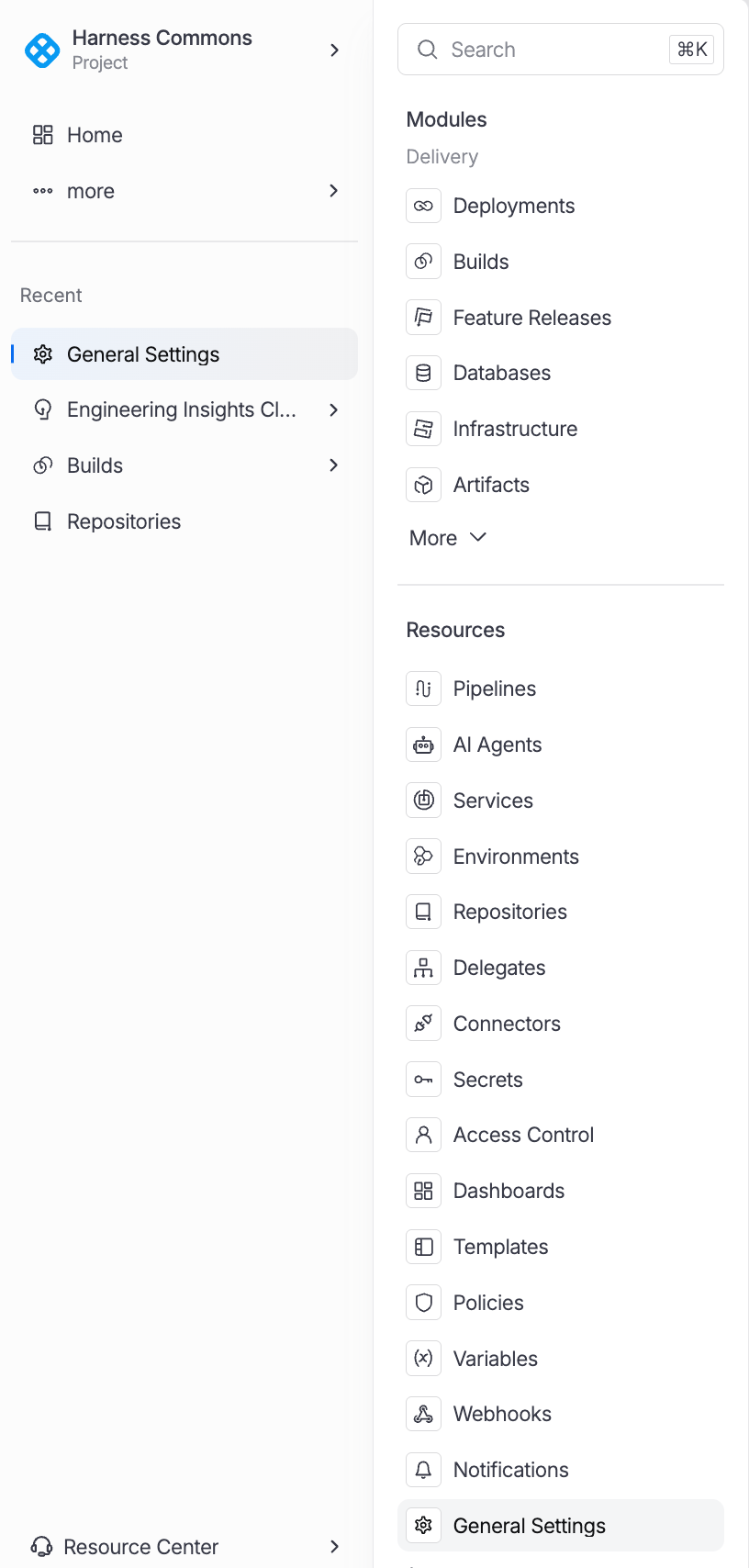
To access the Settings page, click More... on the Harness navigation menu and select General Settings.
General Settings
General settings control account-wide configuration that applies across all organizations and projects. These settings are typically configured once during initial setup and updated infrequently.
| Setting | Description |
|---|---|
| Account Details | View and edit account name, account ID, default locale, and timezone settings. Includes the account-level avatar and display configuration. |
| Default Settings | Configure default values that apply to new organizations and projects, including default connectors, secret managers, and pipeline settings. |
| Cloud Cost Integration | Set up cloud provider billing integrations for cost management. Connect AWS, GCP, and Azure billing accounts to enable Cloud Cost Management features. |
| SMTP | Configure SMTP server settings for outbound email notifications, pipeline alerts, and approval request emails. |
| Notifications | Manage notification channels and routing rules. Configure Slack, PagerDuty, email, and webhook notification endpoints. |
| Chaos Image Registry | Specify a custom container image registry for Chaos Engineering experiment images. Required when running in air-gapped environments. |
| Banners | Create and manage announcement banners that are displayed to all users in the account. Useful for maintenance windows and important notices. |
Account-level Resources
Account-level resources are shared across all organizations and projects within the account. Creating resources at the account level reduces duplication and simplifies management for platform administrators.
| Resource | Purpose | Use Case |
|---|---|---|
| Services | Define application services that can be deployed across projects. | Shared microservices referenced by multiple teams. |
| Environments | Define deployment target environments at the account level. | Shared dev, staging, and production environments. |
| Connectors | Integration endpoints for cloud providers, SCMs, and registries. | Shared AWS, GCP, GitHub, and Docker Hub connectors. |
| Delegates | Worker agents that execute pipeline tasks in your infrastructure. | Shared delegate pools for multiple projects. |
| Secrets | Secure storage for credentials, tokens, and certificates. | Shared API keys and service account credentials. |
| File Store | Managed file storage for configuration files and scripts. | Shared deployment scripts and configuration templates. |
| Templates | Reusable pipeline, stage, and step definitions. | Organization-wide pipeline standards and best practices. |
| Variables | Named values accessible via expressions in pipelines. | Shared configuration values like region names or cluster URLs. |
| Chaos Hubs | Repositories of chaos experiment definitions. | Shared chaos experiment libraries for reliability testing. |
| Overrides | Service and environment override definitions. | Account-wide variable overrides for different environments. |
| Certificates | TLS certificate management for delegate and connector communication. | Custom CA certificates for internal PKI infrastructure. |
| Webhooks | Webhook endpoint configuration for external integrations. | Event-driven integrations with external ticketing and notification systems. |
| IaCM Module Registry | Private module registry for Infrastructure as Code modules. | Shared Terraform/OpenTofu modules for standardized infrastructure provisioning. |
| Providers | Infrastructure provider configuration for IaCM workspaces. | Shared cloud provider definitions for Terraform runs. |
Create resources at the highest scope where they are shared. If a connector is used by all projects, create it at the account level. If it is specific to a single team, create it at the organization level. This reduces duplication and simplifies credential rotation.
Access Control
Access Control settings manage who can access resources and what actions they can perform. Harness uses a role-based access control (RBAC) model with users, roles, resource groups, and service accounts.
| Component | Description |
|---|---|
| User Management | Invite, manage, and remove users. Assign users to groups and roles. View active sessions and login history. |
| Role Definitions | Create and manage roles that define a set of permissions. Built-in roles include Account Admin, Organization Admin, Project Admin, Pipeline Executor, and Viewer. |
| Resource Groups | Define groups of resources that a role applies to. Resource groups can include specific resources or all resources of a given type within a scope. |
| Permission Assignments | Bind users or user groups to roles within resource groups. This is the mechanism that grants access: User + Role + Resource Group = Permission. |
| Service Accounts | Non-human identities for automated access. Service accounts are assigned roles and used for API integrations, CI/CD automation, and external tooling. |
| API Keys | Generate and manage API keys for service accounts and user accounts. API keys are used for authenticating API requests and webhook callbacks. |
Security and Governance
Security and Governance settings provide controls for authentication, network security, audit compliance, and policy enforcement across the platform.
| Setting | Description |
|---|---|
| Authentication Settings | Configure authentication methods including username/password, two-factor authentication (2FA), and session timeout policies. |
| SSO Configuration | Set up single sign-on with SAML 2.0 or OAuth 2.0 identity providers. Supports Okta, Azure AD, Google Workspace, and other SAML/OAuth providers. |
| IP Allowlisting | Restrict platform access to specific IP addresses or CIDR ranges. Separate allowlists can be configured for UI access and API access. |
| Audit Logs | View and export a comprehensive audit trail of all actions performed in the account. Audit logs capture user actions, API calls, and system events with timestamps and metadata. |
| Compliance Policies | Define and enforce compliance policies using OPA (Open Policy Agent). Policies can be applied to pipelines, deployments, and resource creation. |
| Governance Rules | Configure governance rules for cost management, resource usage, and deployment practices. Rules can generate warnings or block non-compliant actions. |
Enable SSO and two-factor authentication for all production accounts. Configure IP allowlisting to restrict access to known corporate networks. Review audit logs regularly to detect unauthorized access or configuration changes.