Policy as Code for Overrides
Harness provides governance using Open Policy Agent (OPA), Policy Management, and Rego policies.
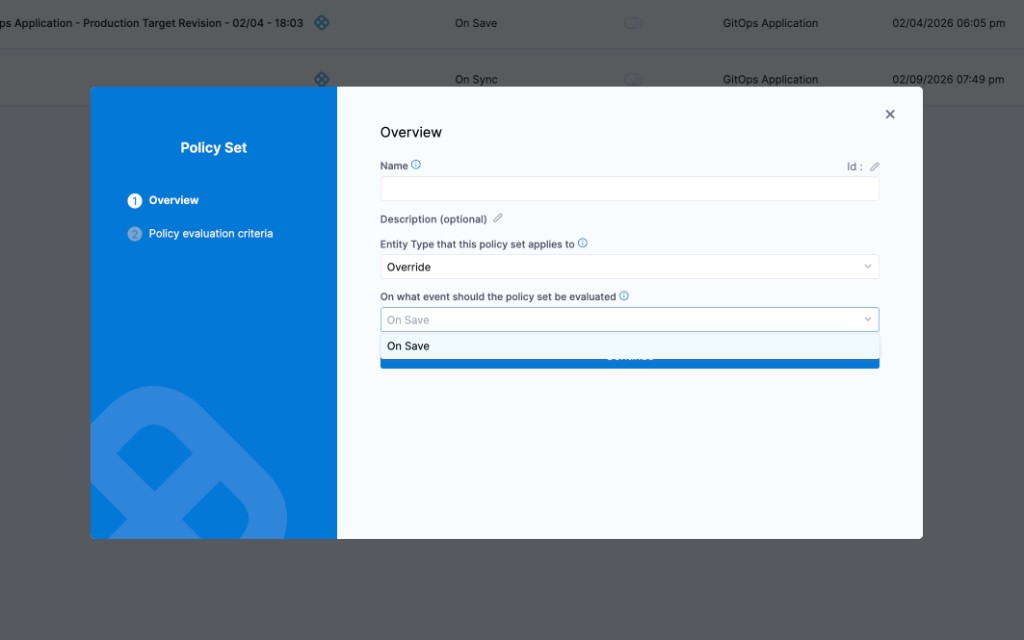
You can create a policy and apply it to all overrides in your Account, Org, or Project. The policy is evaluated on override-level events:
- On Save — evaluated when an override is created or updated.
For more details, see the Harness Governance Quickstart.
Prerequisites
- Harness Governance Overview
- Harness Governance Quickstart
- Policies use the OPA authoring language Rego. For more information, see OPA Policy Authoring.
Step 1: Add a policy
-
In Harness, go to Account Settings → Policies → New Policy.
-
Enter a Name for your policy and click Apply.
-
Add your Rego policy in the editor.
You can write your own Rego policy or use a sample from the Library panel. Select the Library tab, choose Entity: Override from the dropdown, and pick one of the built-in samples:
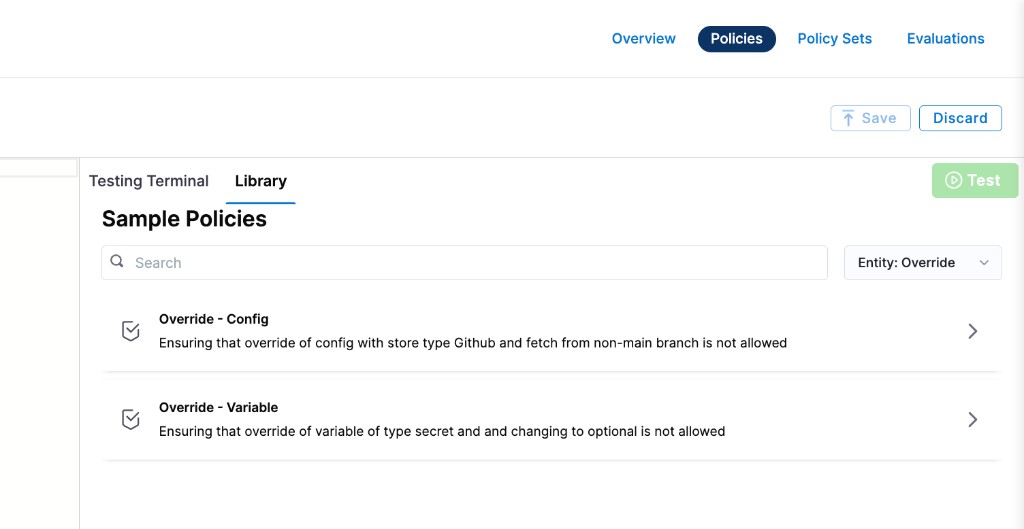
Harness ships two sample policies for overrides:
- Override – Config: Ensures that overriding config files with store type GitHub or fetching from a non-main branch is not allowed.
- Override – Variable: Ensures that overriding a variable of type Secret or changing it to optional is not allowed.
Below are the Rego policies for both samples.
Block config file overrides from GitHub or non-main branches
This policy prevents overriding config files when the store type is GitHub, and also blocks fetching config files from any branch other than main.
package override

deny[msg] {
  input.overrideEntity.configFiles[_].configFile.spec.store.type == "Github"
  msg := "Cannot override config files to fetch from Github"
}

deny[msg] {
  input.overrideEntity.configFiles[_].configFile.spec.store.spec.branch != "main"
  msg := "Cannot override config files to fetch from non main branch"
}
Block variable overrides that are optional or of type Secret
This policy prevents overriding variables to make them optional, and blocks overriding variables of type Secret.
package override

deny[msg] {
  input.overrideEntity.variables[_].required == false
  msg := "Cannot override variables to optional"
}

deny[msg] {
  input.overrideEntity.variables[_].type == "Secret"
  msg := "Cannot override secret variable type"
}
- Click Save.
Step 2: Add the policy to a policy set
After creating your policy, add it to a Policy Set before it can be enforced on overrides.
-
Go to Policies → Policy Sets → New Policy Set.
-
Enter a Name and optional Description for the Policy Set.
-
In Entity type, select Override.
-
In On what event should the Policy Set be evaluated, select On Save.
-
Click Continue.
noteExisting overrides are not automatically evaluated against new policies. Policies are applied only when an override is saved (created or updated).
-
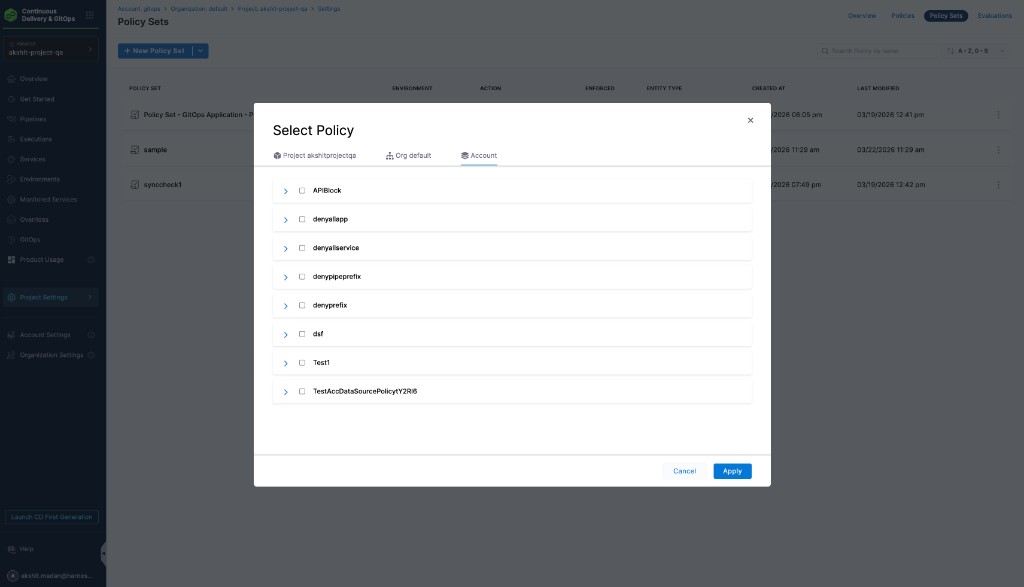
In Policy evaluation criteria, click Add Policy.
-
In the Select Policy dialog, choose the scope (Project, Org, or Account) and select the policy you created.
-
Select the severity and action for policy violations:
- Warn & continue — a warning is displayed if the policy is not met, but the override is saved and you can proceed.
- Error and exit — an error is displayed and the override is not saved if the policy is not met.
-
Click Apply, then click Finish.
-
The Policy Set is automatically set to Enforced. To disable enforcement, toggle off the Enforced button.
Step 3: Apply the policy to an override
After creating and enforcing your Policy Set, it is automatically evaluated whenever an override is saved.
-
Go to Deployments → Environments → select an environment → Service Overrides (or configure overrides at the appropriate scope).
-
Create or edit an override and click Save.
-
Based on your selection in the Policy Evaluation criteria:
- If the override meets the policy, it is saved successfully.
- If the override violates the policy and the severity is Warn & continue, it is saved with a warning.
- If the override violates the policy and the severity is Error and exit, the save is blocked and an error is displayed.
OnSave enforcement for Git-backed overrides
When an override is stored in Git, commits made directly to the Git repository bypass the Harness UI save flow. Harness now evaluates onSave policies when a Git-backed override changes via a webhook, and surfaces the result in the overrides table. An Override Validation Failed badge appears in the override row when the latest commit violates an onSave policy.
Go to Enforce onSave policies on Git entities to understand how this enforcement works across all Git-backed entity types.