Re-Run Pipeline with no Input changes
You can configure pipelines to prevent input changes during rerun. When you enable fixed inputs on rerun, the pipeline uses the same input values from the original execution and does not allow you to modify them.
Use this feature when you need consistency in rerun behavior or when input changes should be restricted after the initial execution.
What you will learn from this topic
- How to enable fixed inputs on rerun for a pipeline.
- How to rerun a pipeline with fixed inputs using different rerun options.
- How fixed inputs on rerun works with pipeline templates, remote pipelines, pipeline chaining, and API calls.
Before you begin
- Harness project: You need an existing project. For more information, refer to Organizations and Projects.
- Pipeline: You need an existing pipeline. For more information, refer to Create your first pipeline.
- Pipeline permissions: You need Pipeline: Create/Edit permission to configure settings and Pipeline: Execute permission to rerun pipelines. For more information, refer to RBAC in Harness.
Enable fixed inputs on rerun
Perform the following steps to enable fixed inputs on rerun for a pipeline.
-
In Harness, open your pipeline in Pipeline Studio.
-
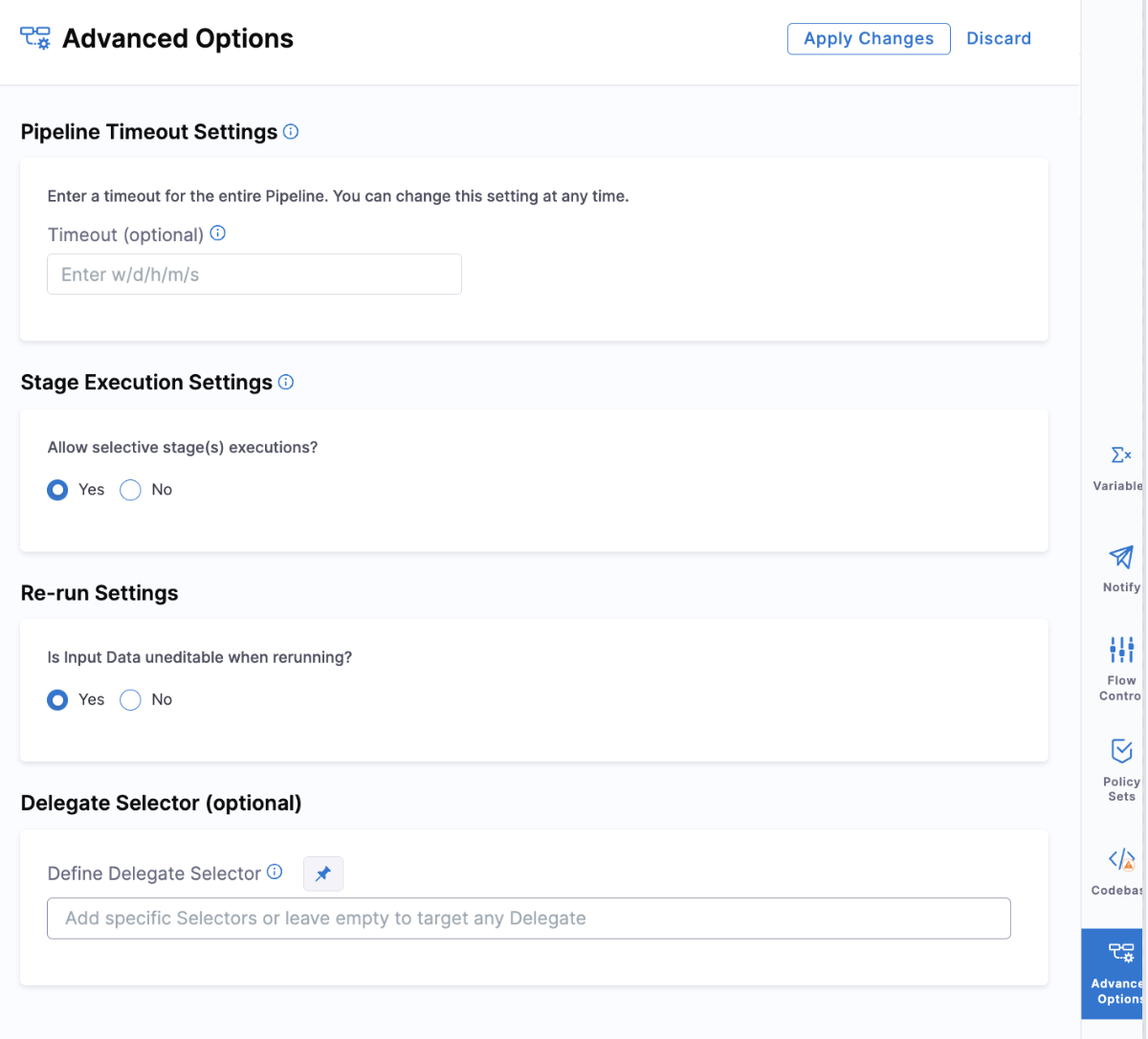
In the Pipeline Studio Visual Editor, select Advanced Options.
-
In the Re-run Settings section, select Yes for Is Input Data uneditable when rerunning?.
-
Select Save to save the pipeline.
When you select Yes, Harness automatically adds the following field to your pipeline YAML:
YAML example
pipeline:
  name: My Pipeline
  identifier: My_Pipeline
  fixedInputsOnRerun: true  # Prevent input changes during rerun
  stages:
    - stage:
        name: Build
        identifier: Build
        type: CI
        spec:
          # ... stage configuration ...
The setting value is always determined based on the latest version of the pipeline YAML, not the YAML used during the original execution. If you modify the Is Input Data uneditable when rerunning? setting after the first execution, the change takes effect during the rerun, even if the original execution had a different configuration.
Rerun pipeline with fixed inputs
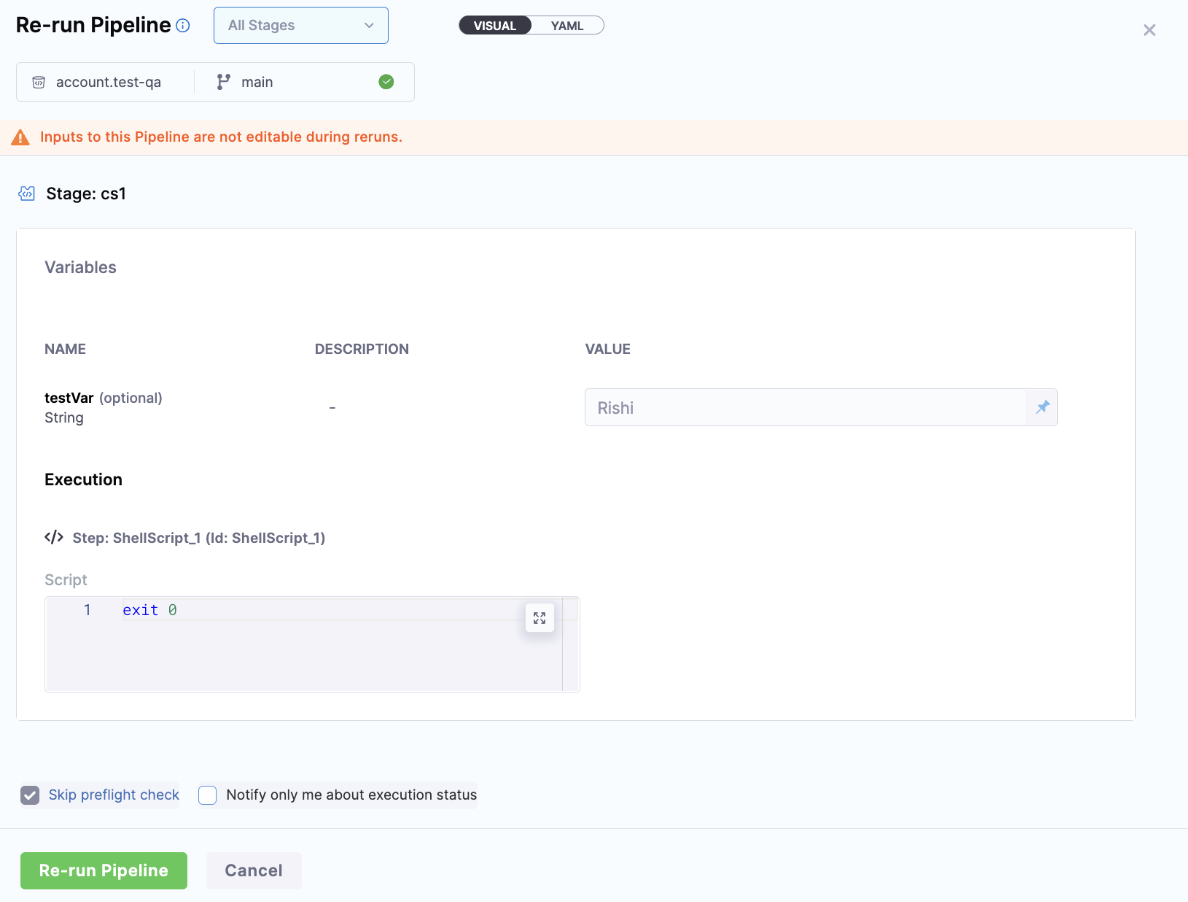
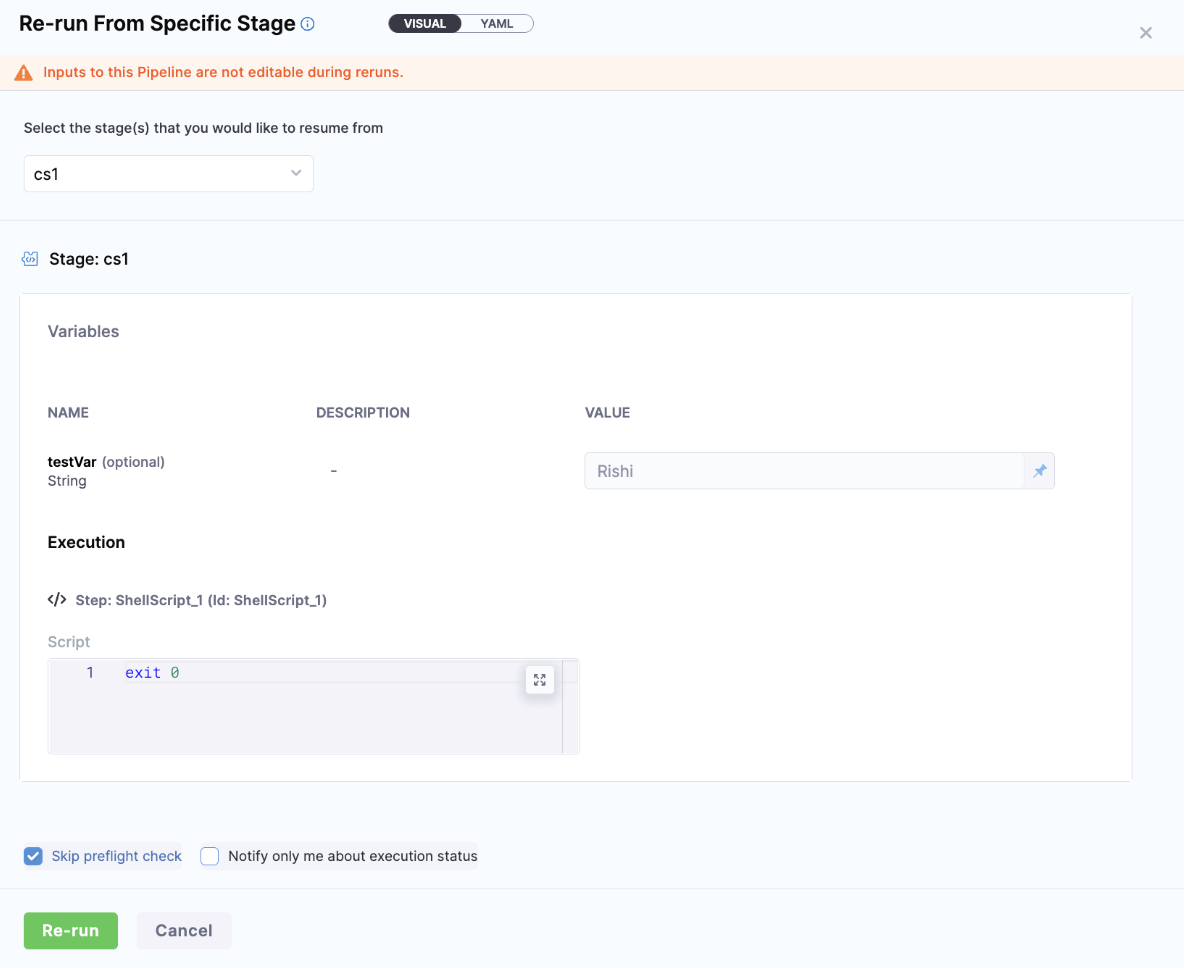
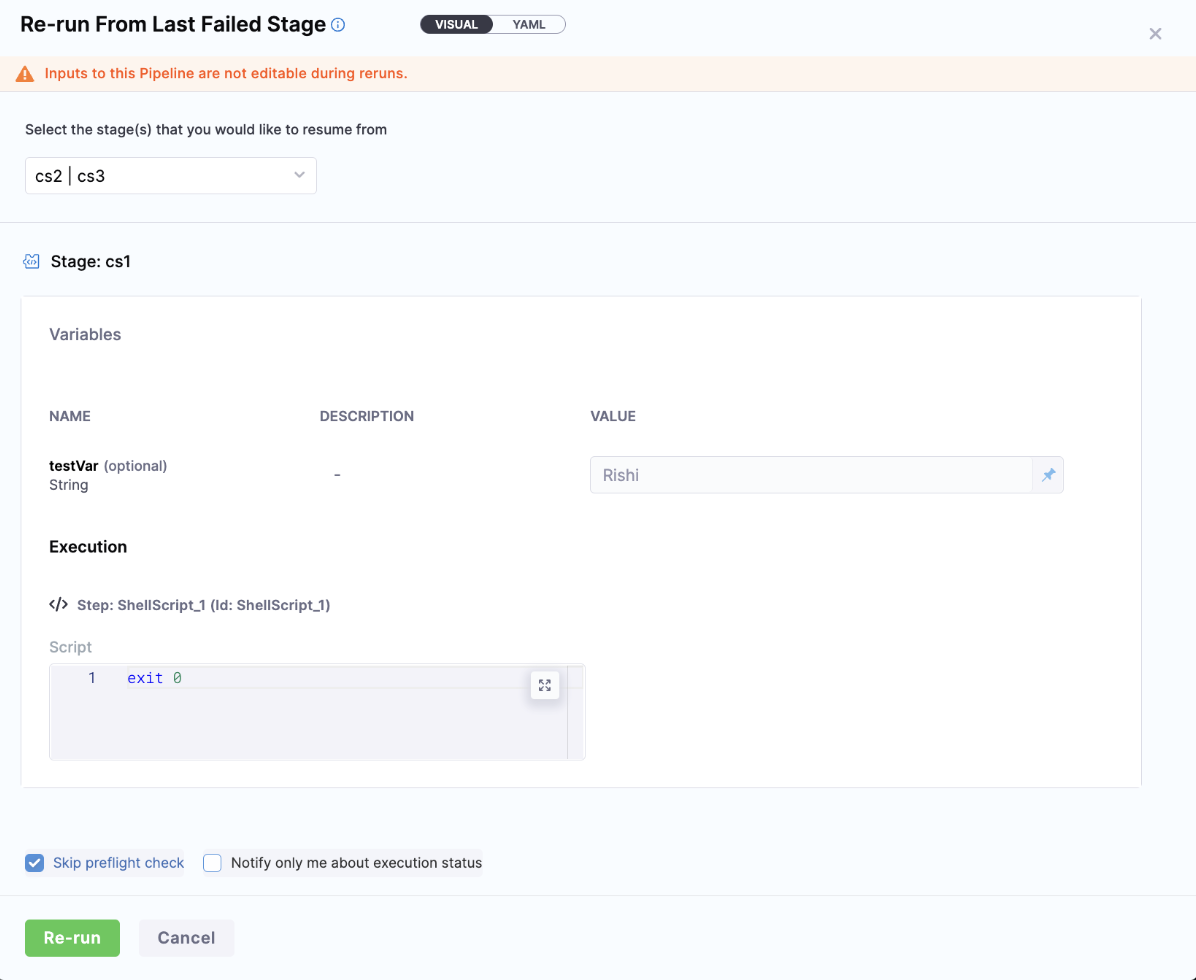
When you enable fixed inputs on rerun, the feature applies to all rerun types. When you rerun the pipeline, you see a banner message stating Inputs to this Pipeline are not editable during reruns, which indicates that you cannot change the inputs for the pipeline.
The following rerun options support fixed inputs:
Rerun entire pipeline
When you rerun the entire pipeline, all inputs remain fixed and cannot be modified.
Rerun from specific stage
When you rerun from a specific stage, all inputs remain fixed and cannot be modified.
Rerun from last failed stage
When you rerun from the last failed stage, all inputs remain fixed and cannot be modified.
Pipeline templates
When using pipeline templates, you can enable fixed inputs on rerun while creating the pipeline template. You cannot add this setting in a pipeline that uses a pipeline template. The setting must be configured in the template itself.
Remote pipelines
For remote pipelines, the behavior is the same as inline pipelines. Enable the Is Input Data uneditable when rerunning? setting in the Re-run Settings section to prevent input changes during rerun.
Pipeline chaining
Pipeline chaining behavior depends on the parent pipeline settings. If the Is Input Data uneditable when rerunning? option in the parent pipeline is set to No, the inputs in the child pipeline remain editable, even if the child pipeline has the Is Input Data uneditable when rerunning? option set to Yes.
The parent pipeline settings override the child pipeline rerun input editability, allowing inputs to be modified in the child pipeline during a rerun.
API call behavior
When fixed inputs on rerun is enabled, the API call to rerun the pipeline ignores any inputs provided in the request.
During normal reruns, inputs are sent again in the API call. However, when fixed inputs on rerun is enabled, the API ignores any inputs provided in the request and uses the inputs from the original execution.
Next steps
- Run specific stages: Select which stages to run during pipeline execution.
- Runtime inputs: Learn how runtime inputs work in pipelines.
- Rerun with original definition and inputs: Rerun pipelines with their original YAML definition.