Run specific stages
A pipeline can contain multiple stages that perform different parts of a workflow. Selective stage execution lets you run specific stages instead of running the entire pipeline.
For example, if you need to rerun a stage without running the other stages, you can select that stage when starting a pipeline execution.
What you will learn from this topic
- Understand dependent and independent stages.
- How to enable selective stage execution for a pipeline.
- How to run specific stages when executing a pipeline.
- How to rerun stages from execution history after a pipeline run completes.
Before you begin
- Harness project: You need an existing project. For more information, refer to Organizations and Projects.
- Pipeline with stages: You need a pipeline with multiple stages. For more information, refer to Add a stage.
- Pipeline permissions: You need Pipeline: Execute permission to run pipelines. For more information, refer to RBAC in Harness.
- Key concepts: Familiarity with Harness key concepts is helpful but not required.
Dependent and independent stages
Stage dependencies determine which stages you can select to run when using selective stage execution. Harness distinguishes between dependent and independent stages based on whether a stage requires input or context from another stage.
Independent stages
An independent stage is a stage that does not use settings from any other stage. Independent stages can execute without requiring input or context from another stage.
When you select an independent stage to run, you can run it individually without running other stages in the pipeline.
Dependent stages
A dependent stage is a stage that uses another stage's settings. Stages can be dependent on input from previous stages in the following ways:
- Infrastructure settings: A stage can inherit infrastructure settings from a previous stage.
- Services and Environments: Some settings can be propagated from one stage to another, such as Services and Environments.
- Expressions: You can use expressions to reference stage settings, such as stage variables, step inputs, and step outputs across stages.
To run a dependent stage, you must either:
- Provide the dependencies as runtime inputs when you run the stage.
- Run the dependent stage and all the stages it depends on.
When you select a dependent stage to run, Harness automatically selects all upstream stages that the selected stage depends on. You cannot deselect these upstream stages because they are required for the dependent stage to execute.
Enable selective stage executions
Before you can run specific stages, you must enable selective stage execution in your pipeline settings.
Perform the following steps to enable selective stage execution.
-
In Harness, open your pipeline in Pipeline Studio.
-
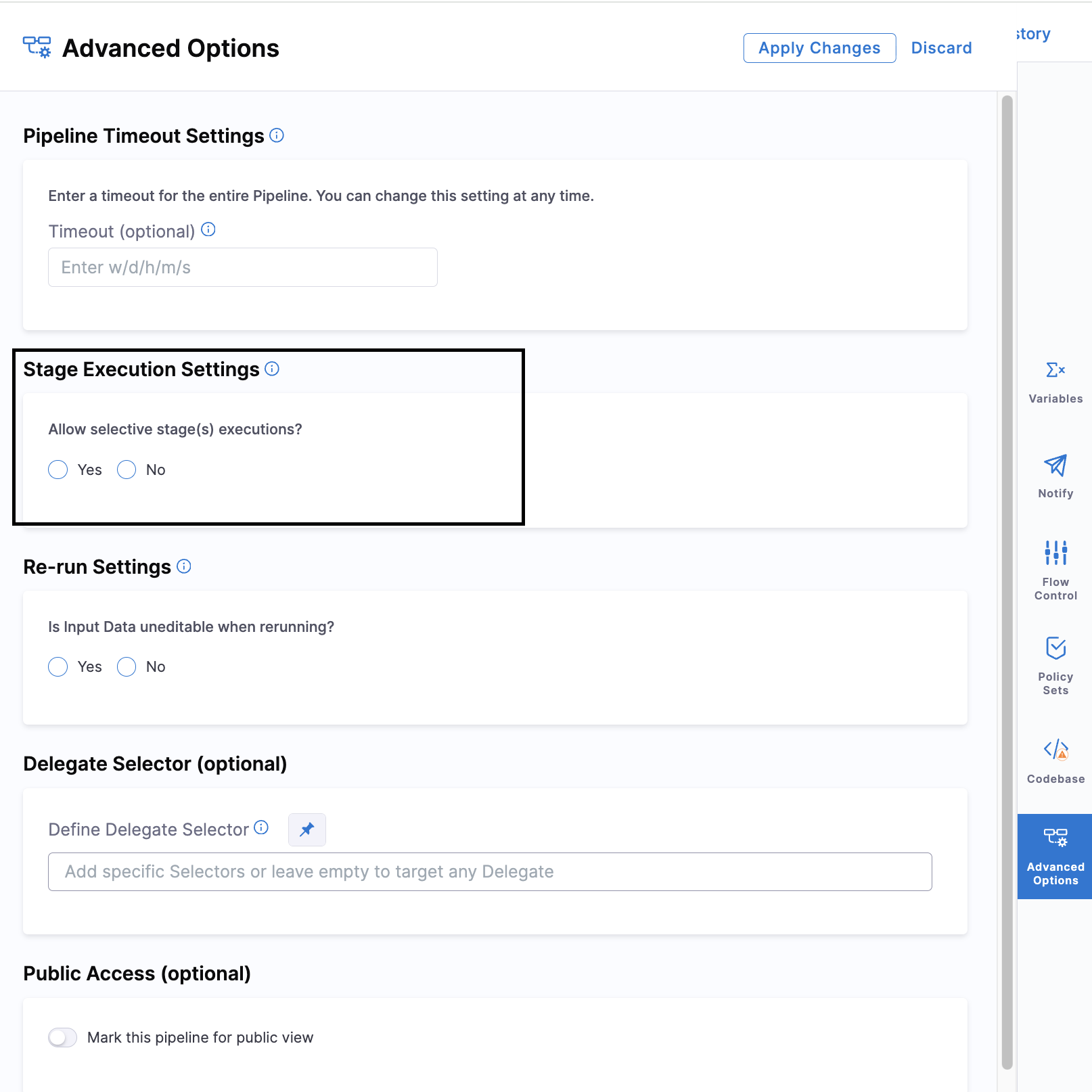
In the Pipeline Studio Visual Editor, select Advanced Options.
-
In the Stage Execution Settings section, select Yes for Allow selective stage(s) executions.
-
Select Save to save the pipeline.
YAML example
pipeline:
  name: My Pipeline
  identifier: My_Pipeline
  allowStageExecutions: true  # Enable selective stage execution
  stages:
    - stage:
        name: Build
        identifier: Build
        type: CI
        spec:
          # ... stage configuration ...
    - stage:
        name: Deploy
        identifier: Deploy
        type: Deployment
        spec:
          # ... stage configuration ...
Run specific stages
After enabling selective stage execution, you can choose which stages to run when you execute the pipeline.
Consider the following when selecting stages:
- Select stages that have all required inputs and dependencies available.
- A stage that depends on settings from another stage might require the dependent stages to be included in the execution.
- Selective stage execution determines which stages are included in the pipeline execution. It does not change the configuration of the stages.
Perform the following steps to run specific stages in a pipeline.
-
In Harness, navigate to your pipeline and select Run.
-
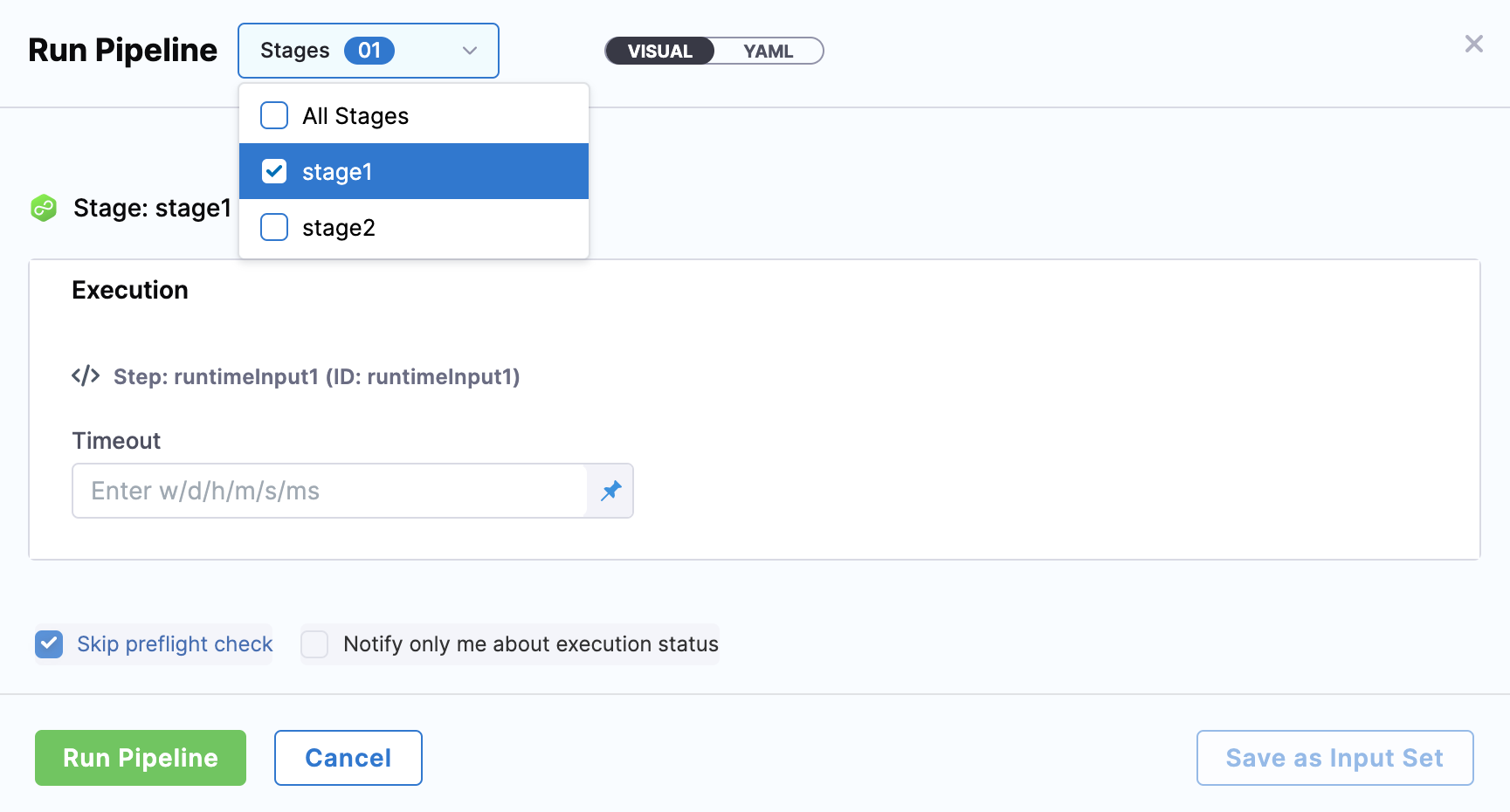
In the Run Pipeline dialog, select the Stages tab.
-
Select the independent stages you want to run. Harness automatically selects dependent stages and their upstream dependencies.
-
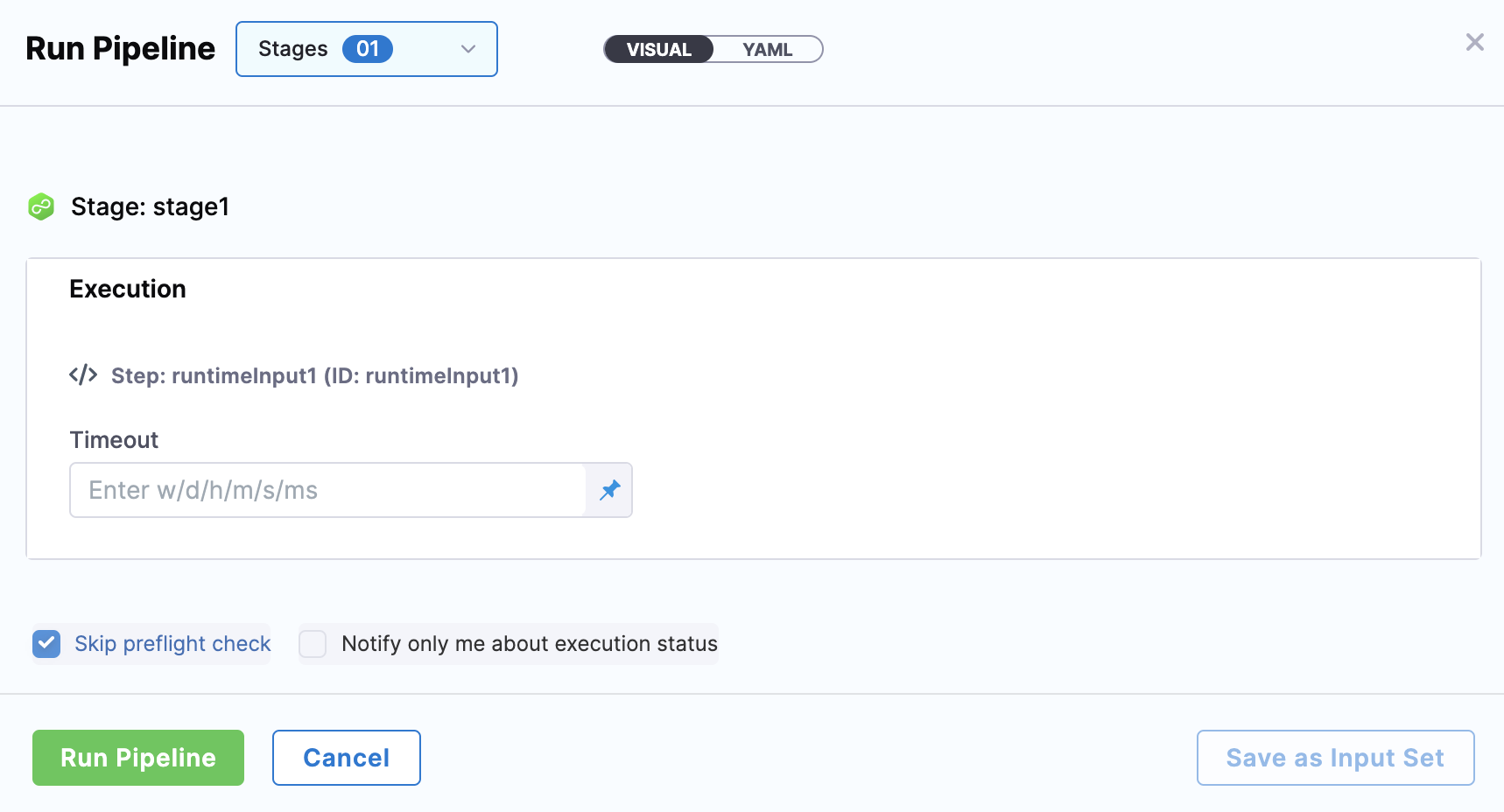
If the selected stages require runtime inputs, provide the required values.
-
Select Run Pipeline.
The pipeline executes only the selected stages and their dependencies. Stages that are not selected are skipped. You can view the execution details in the pipeline execution history.
Rerun stages from execution history
After a pipeline run completes, you can rerun a single stage from the execution history without rerunning the entire pipeline.
Perform the following steps to rerun a stage from execution history.
-
In Harness, navigate to your pipeline and select the Execution History tab.
-
Select the execution you want to rerun from.
-
In the execution details view, select Re-run Stage on the stage card you want to rerun.

-
If the stage requires runtime inputs, provide the required values in the Re-run Stage dialog.
-
Select Re-run Stage to start the execution.
You can rerun a stage from execution history even when the pipeline execution was successful. For more information on viewing execution history, go to Execution history and logs.
Selective stage execution and triggers
Selective stage execution can also be used with supported triggers to run specific stages.
For information about configuring a trigger to execute specific stages, go to Selective pipeline stage execution by using triggers.
Next steps
- Add a stage: Learn how to add and configure stages in your pipeline.
- Runtime inputs: Provide values at execution time instead of defining them in the pipeline.
- Execution history and logs: View and analyze pipeline execution history and logs.