Dashboards
The Resilience Testing (RT) module provides dashboards that visualize key metrics from your chaos testing operations. You access them under the Dashboards section of the Risk Insights left navigation.
The module ships with out-of-the-box (OOTB) dashboards for a high-level view of chaos testing across an account, and you can also build your own custom dashboards from Harness Unified Data Platform (UDP) queries.
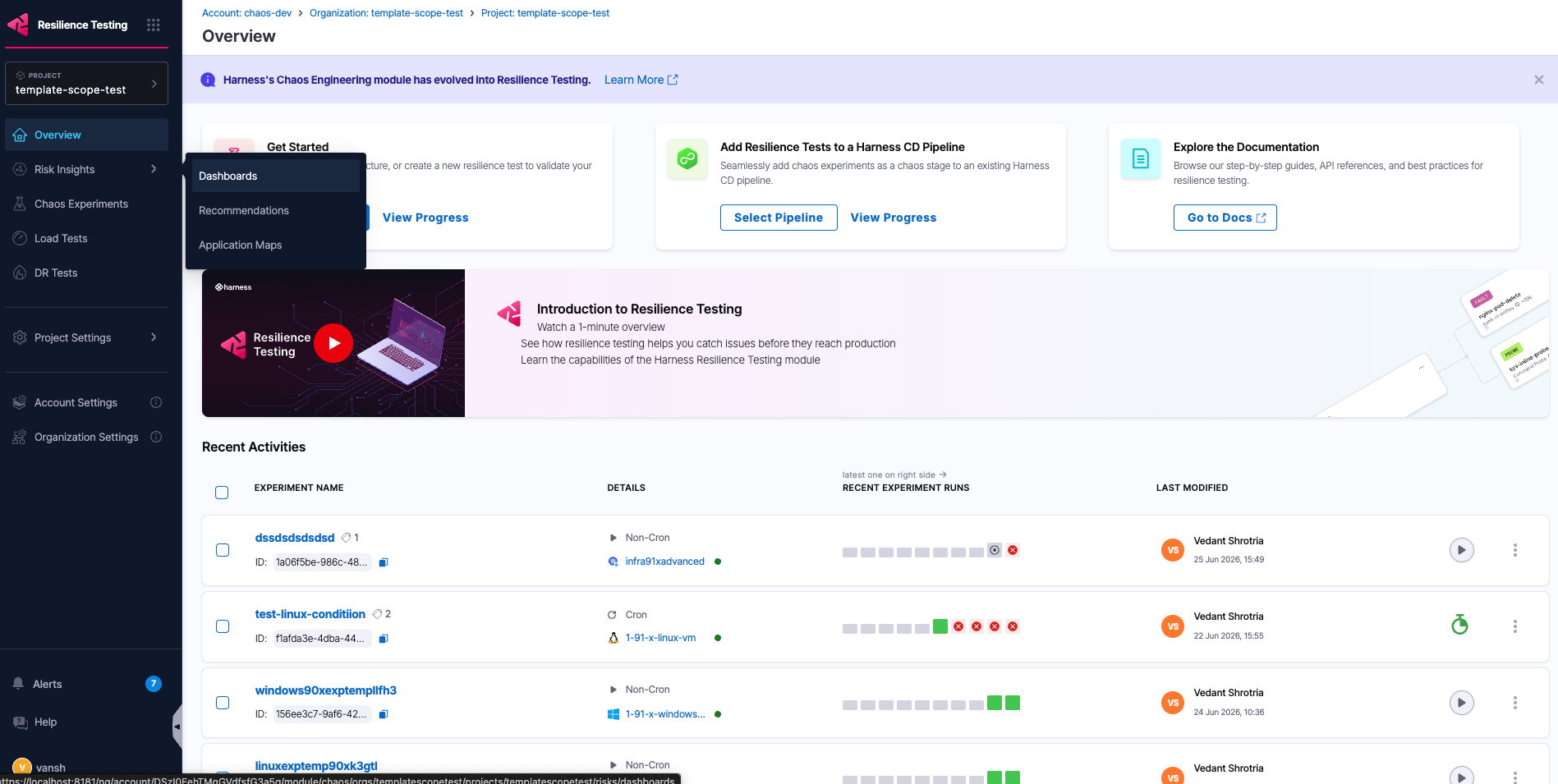
The Dashboards item under Risk Insights in the Resilience Testing module.
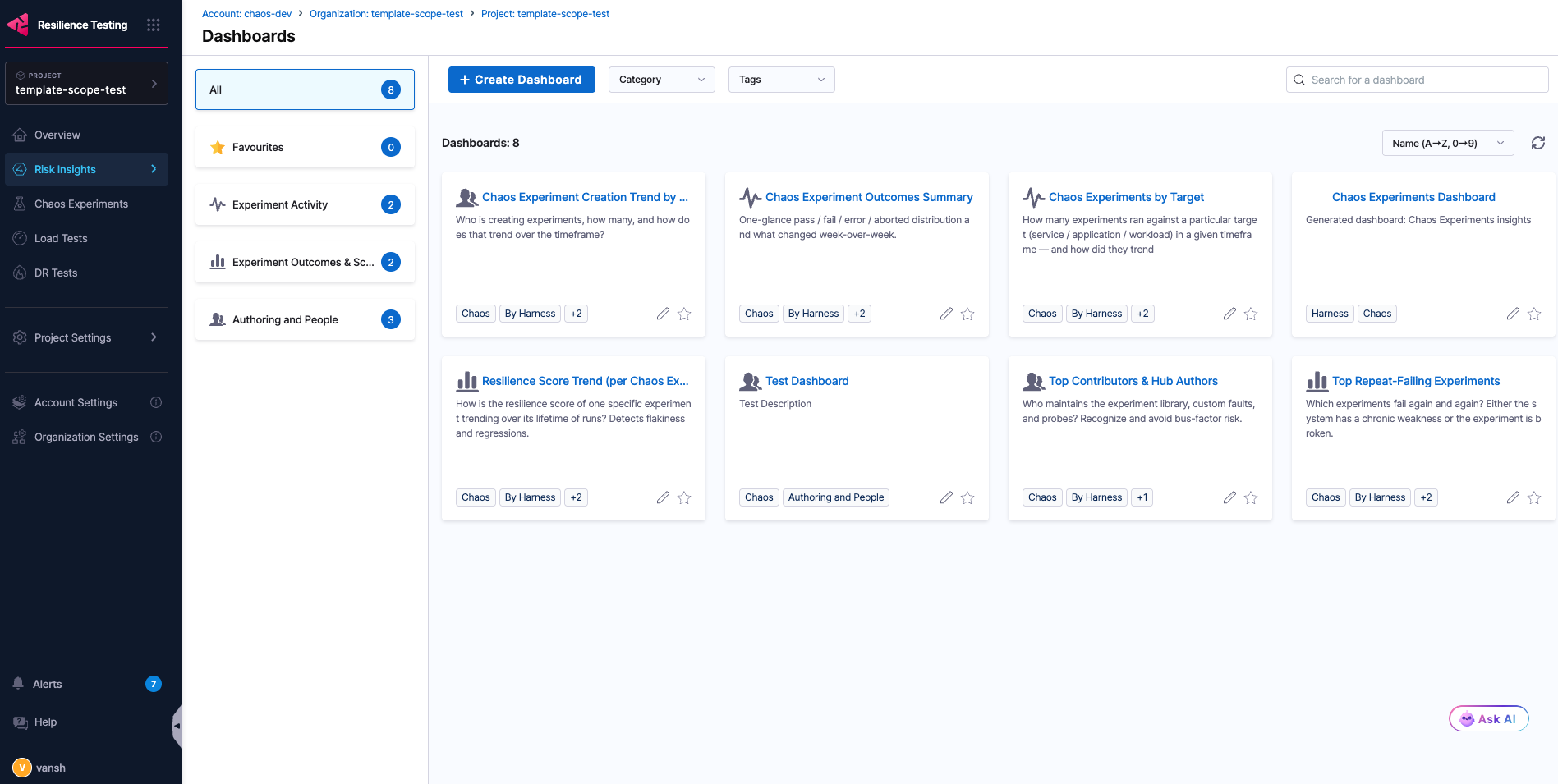
Selecting Dashboards opens the dashboards landing page.
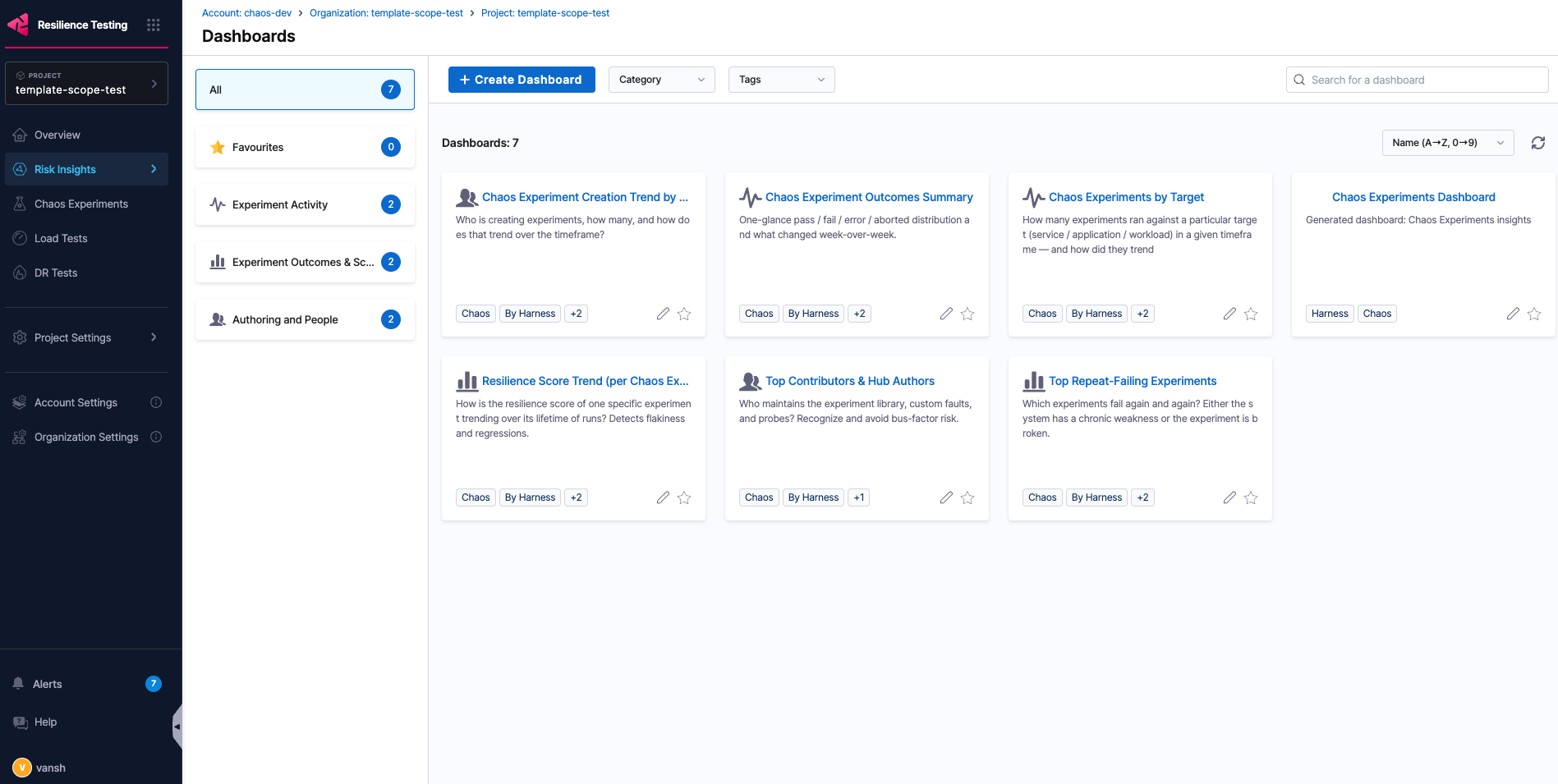
Out-of-the-box dashboards
The OOTB dashboards fall under three categories:
- Experiment Activity
- Experiment Outcomes & Scores
- Authoring & People
The following dashboards ship out of the box:
| Dashboard | Category | Key widgets |
|---|---|---|
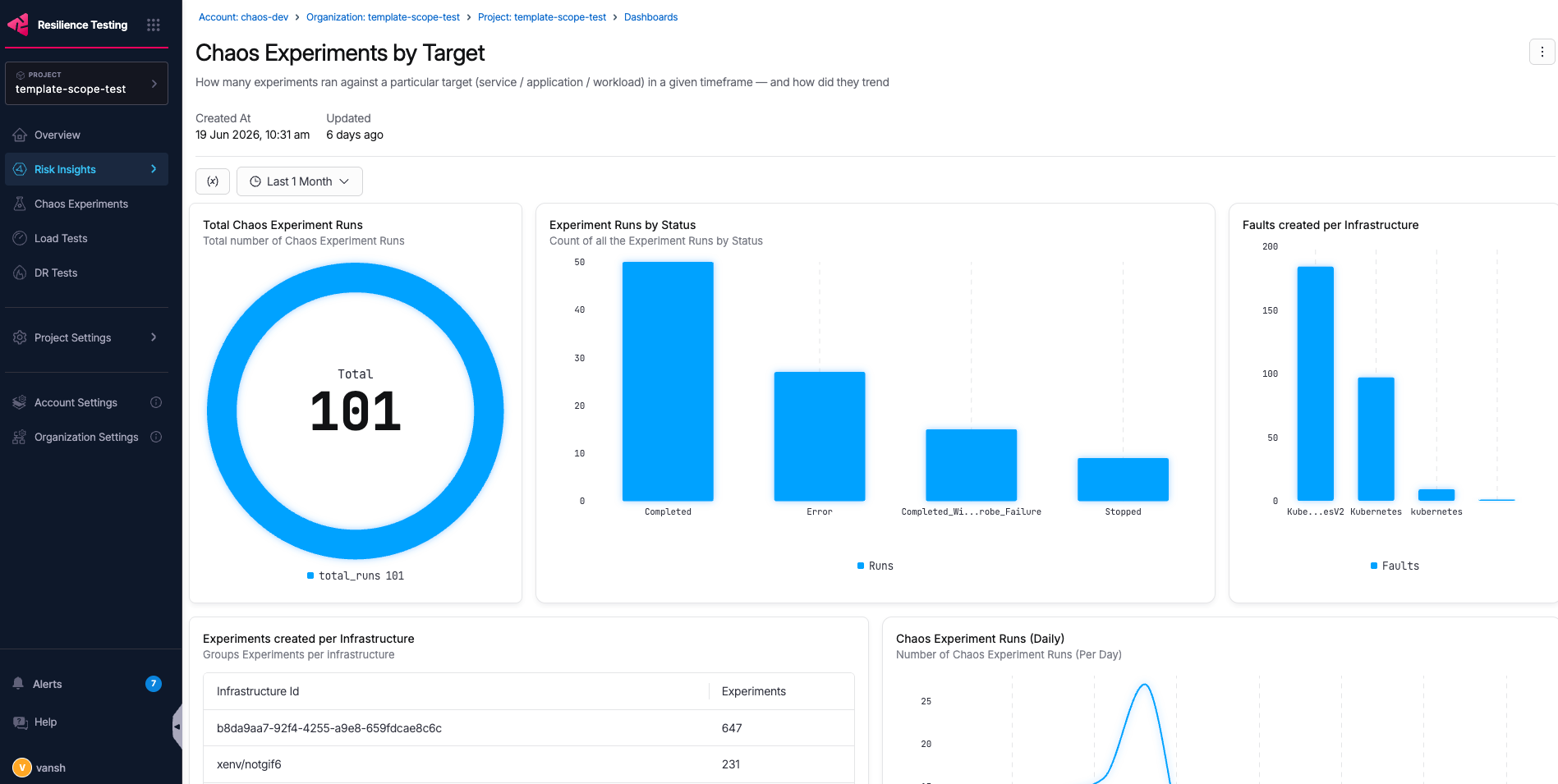
| Chaos Experiments by Target | Experiment Activity | Total Chaos Experiment Runs, Experiment Runs by Status, Faults created per Infrastructure, Experiments created per Infrastructure, Chaos Experiment Runs (Daily/Weekly), Experiment Runs per Chaos Experiment, Average & Median Resilience score, Chaos Experiment Runs (Project/Org) |
| Chaos Experiment Outcomes Summary | Experiment Activity | Total Chaos Experiment Runs, Chaos Experiment Outcome Distribution, Weekly Chaos Experiment Run Trend, Chaos Experiment Run Outcomes (Project/Org/Infrastructure) |
| Resilience Score Trend (per Chaos Experiment) | Experiment Outcomes & Scores | Chaos Experiment Run trend, Latest Run (Per Experiment), Chaos Experiment Pass Rate, Experiment Resilience score variance |
| Top Repeat-Failing Experiments | Experiment Outcomes & Scores | Repeat-failing experiments, Repeat failing experiments (User) |
| Chaos Experiment Creation Trend by User | Authoring & People | Chaos Experiments created by users, Experiment creation per user (weekly), Chaos experiment creation (new users), Chaos Experiment Runs Creation (User) |
| Top Contributors & Hub Authors | Authoring & People | Top Actions Contributors, Top Probe contributors, Top Hub contributors, Top Probe creation by Probe type |
The following is an example OOTB dashboard:
Create a custom dashboard
You can create your own dashboards to visualize the metrics that matter to your team. Complete the following steps.
- Select the nine-dot icon at the top of the left navigation bar.
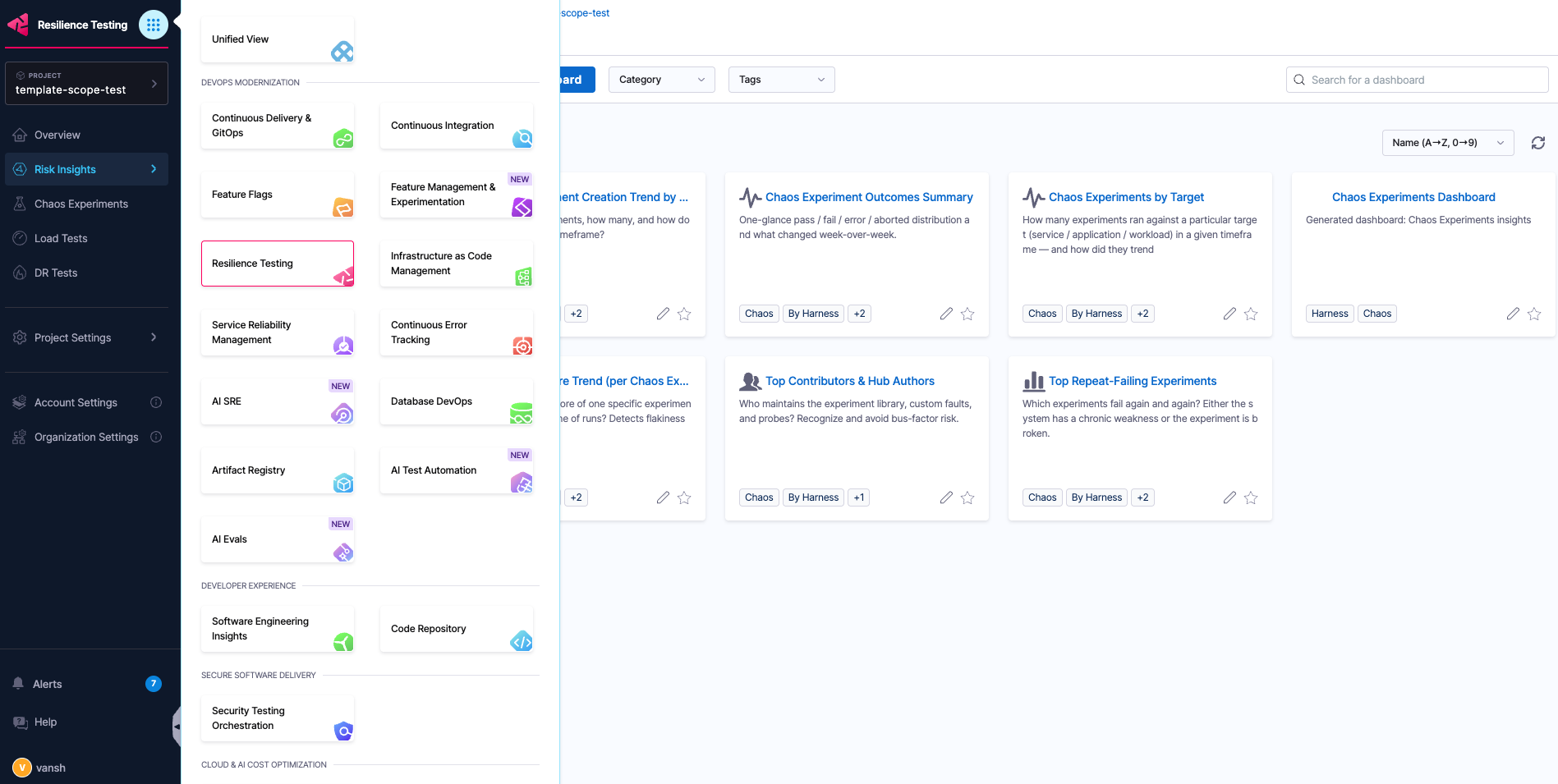
- At the bottom of the navigation bar, select Dashboards.
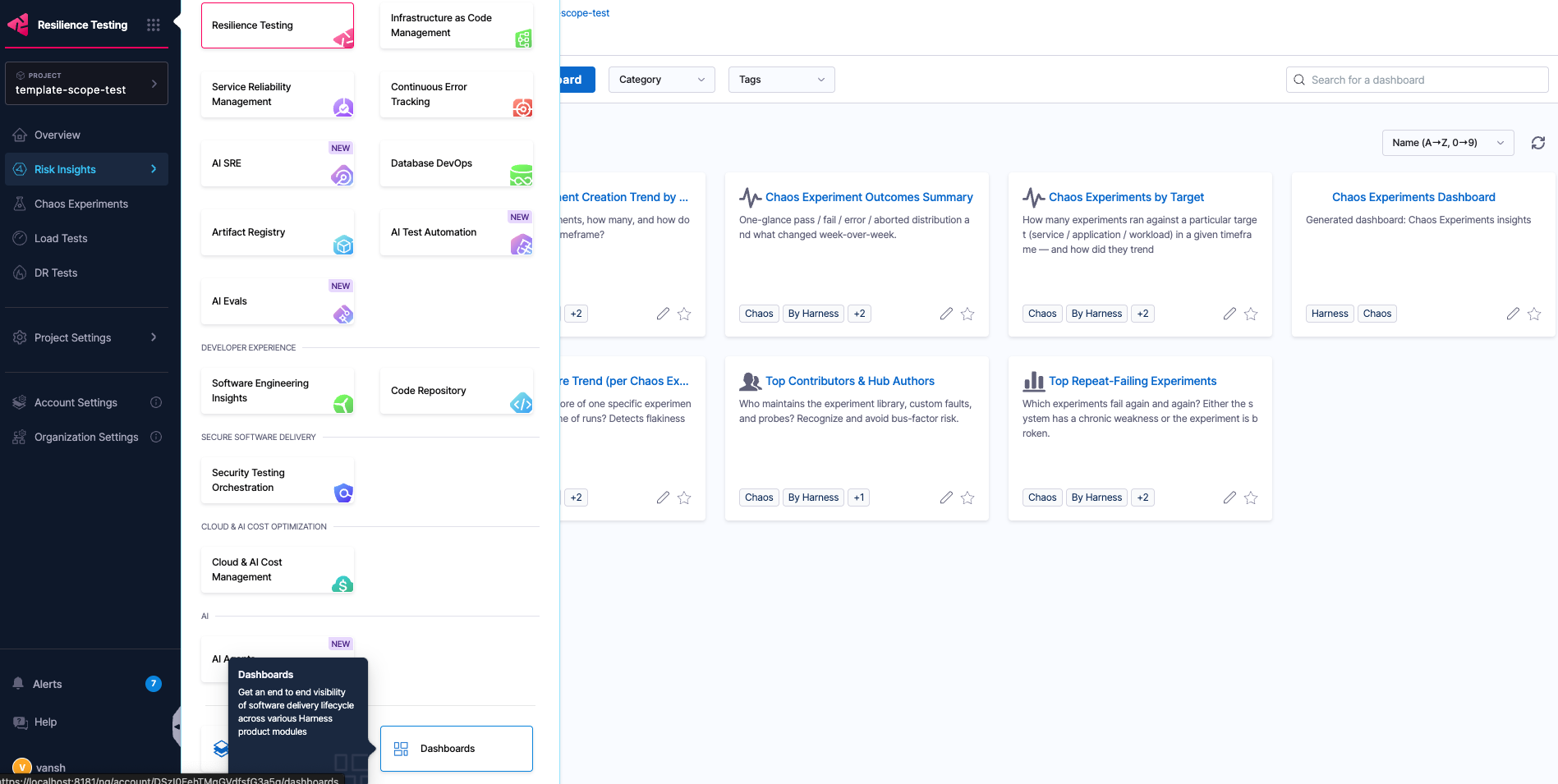
If you see a prompt to switch experiences, use the dropdown and select Switch to new experience.
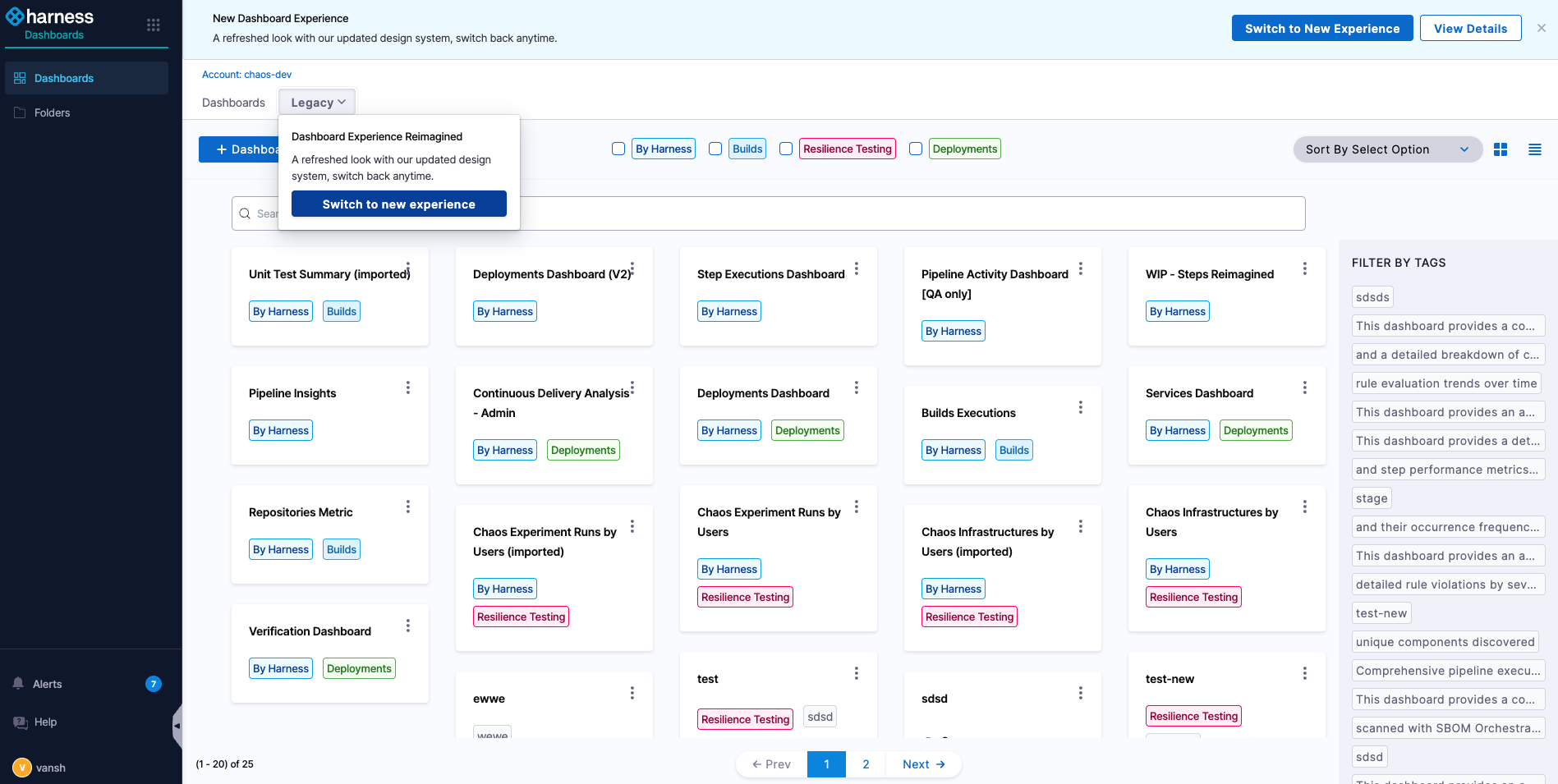
You now see the dashboards home.
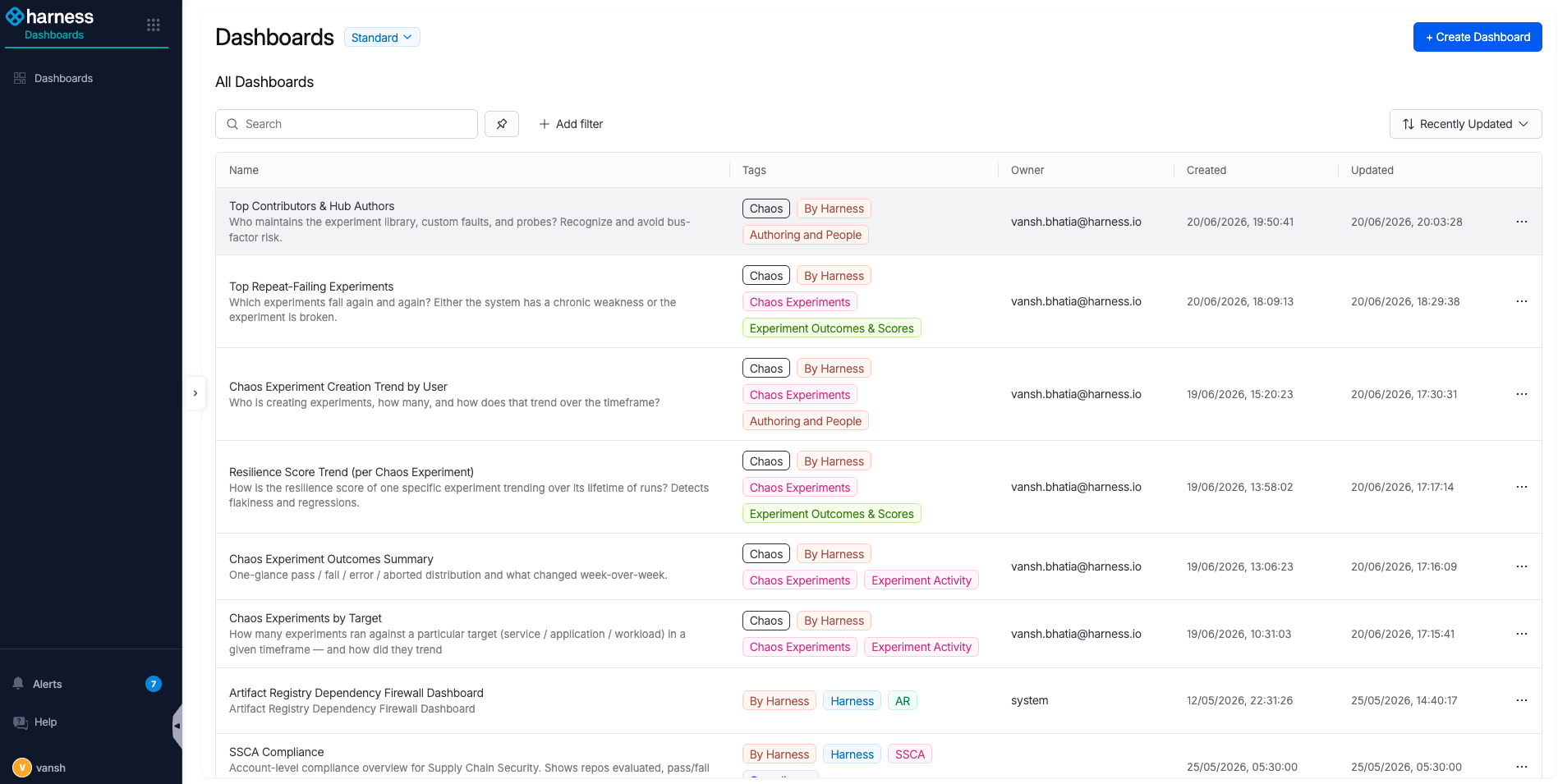
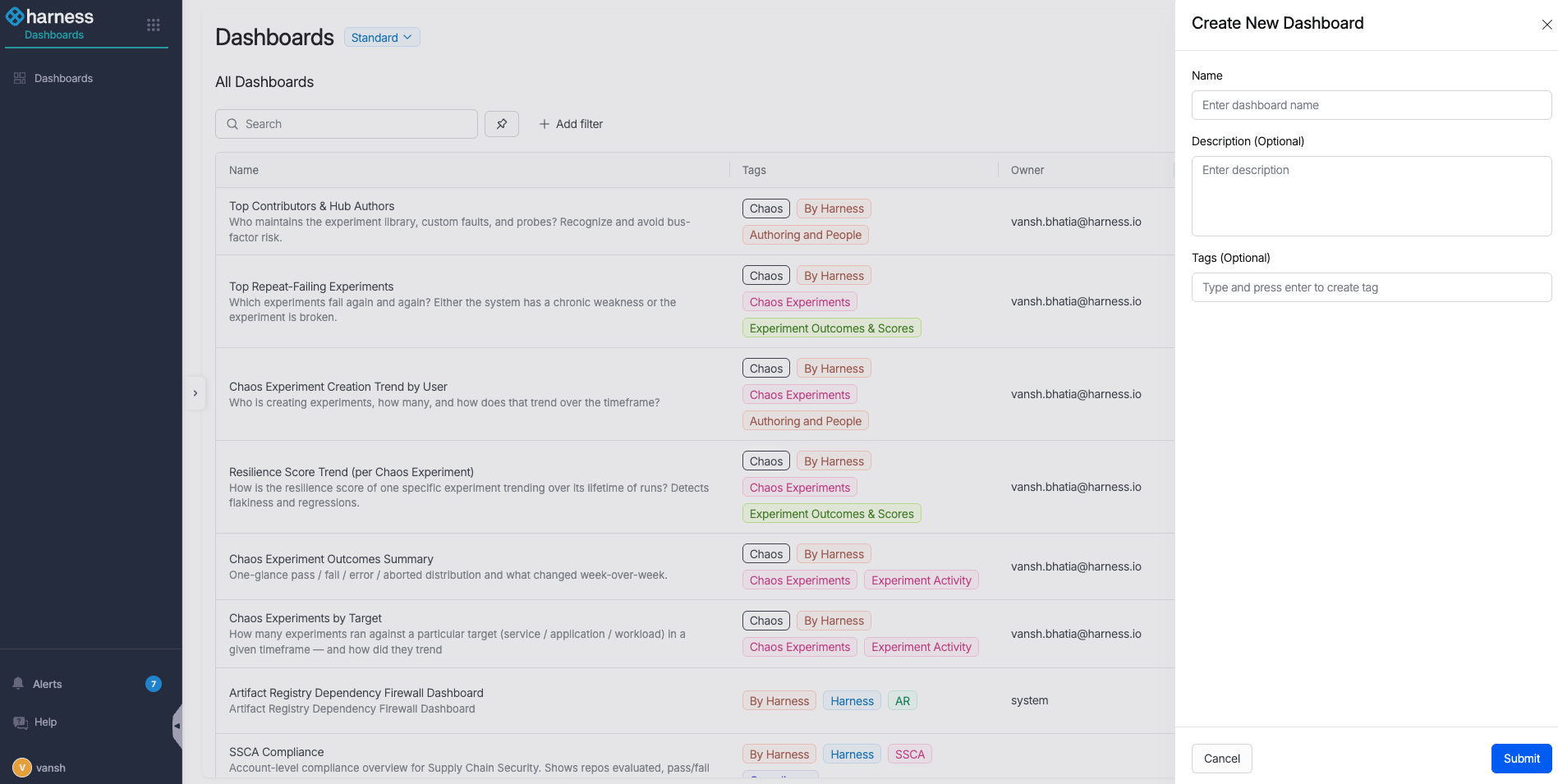
- Select + Create Dashboard. A right-side drawer opens.
-
Enter a name and description. Add two mandatory tags so the RT module can identify and classify the dashboard:
Chaos<Category>, where the category is one ofExperiment Activity,Experiment Outcomes & Scores, orAuthoring & People.
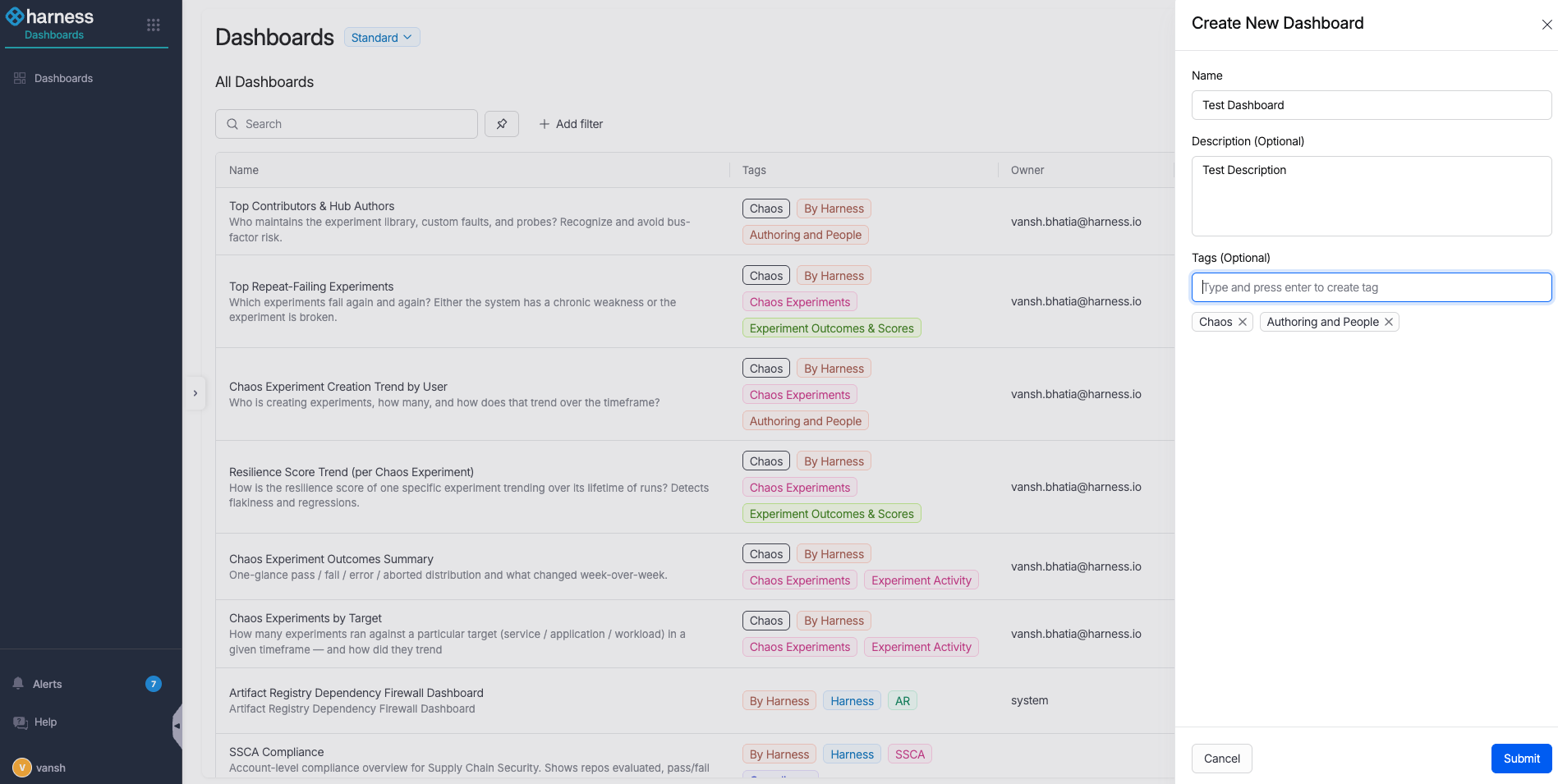
The Chaos tag and a category tag are mandatory. Without them, the RT module cannot identify or classify the dashboard, so it does not appear in the module's Dashboards section.
- Select Submit. You land on the new, empty dashboard.
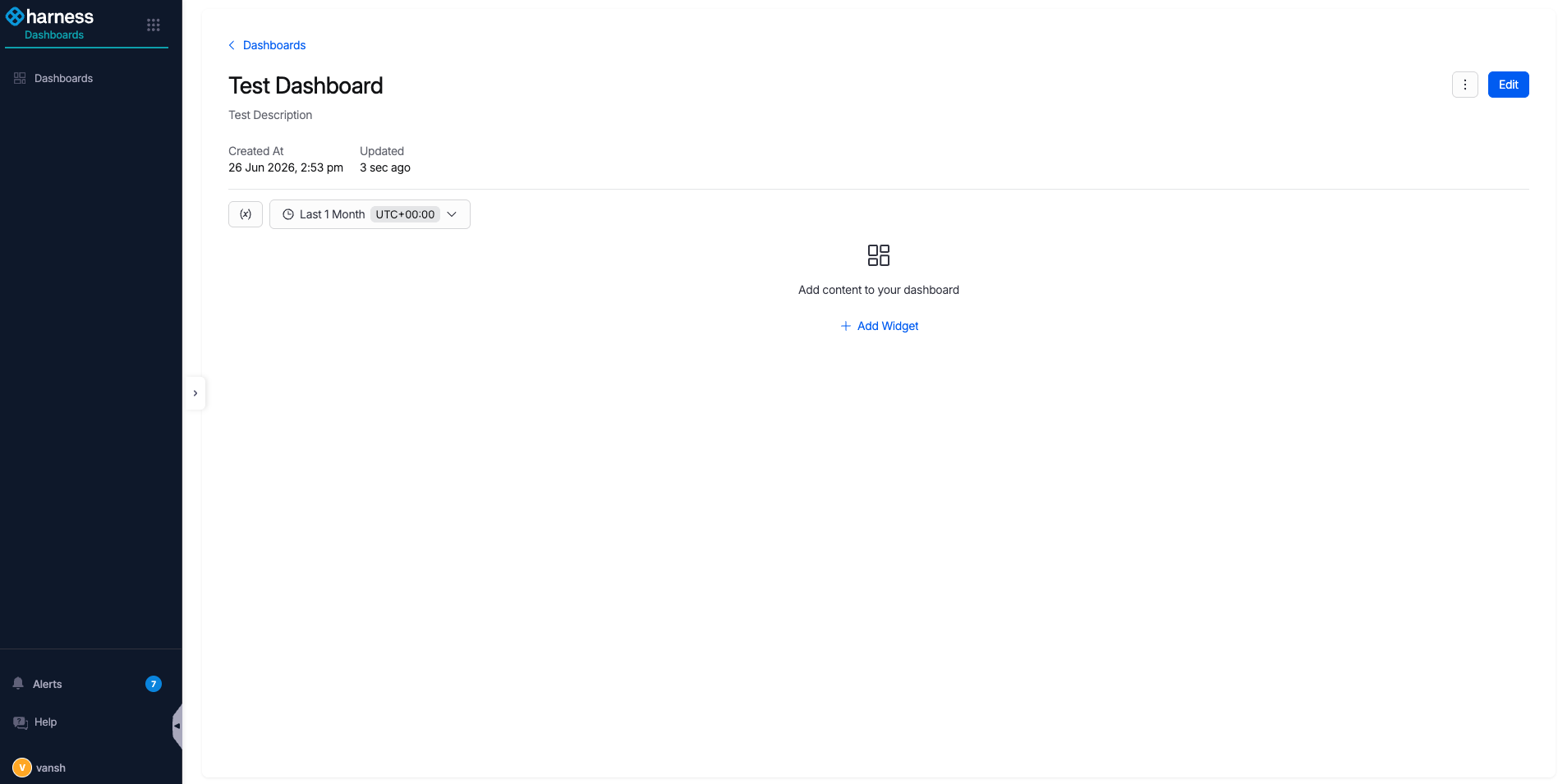
- Select + Add Widget to start adding widgets (individual tables or graphs).
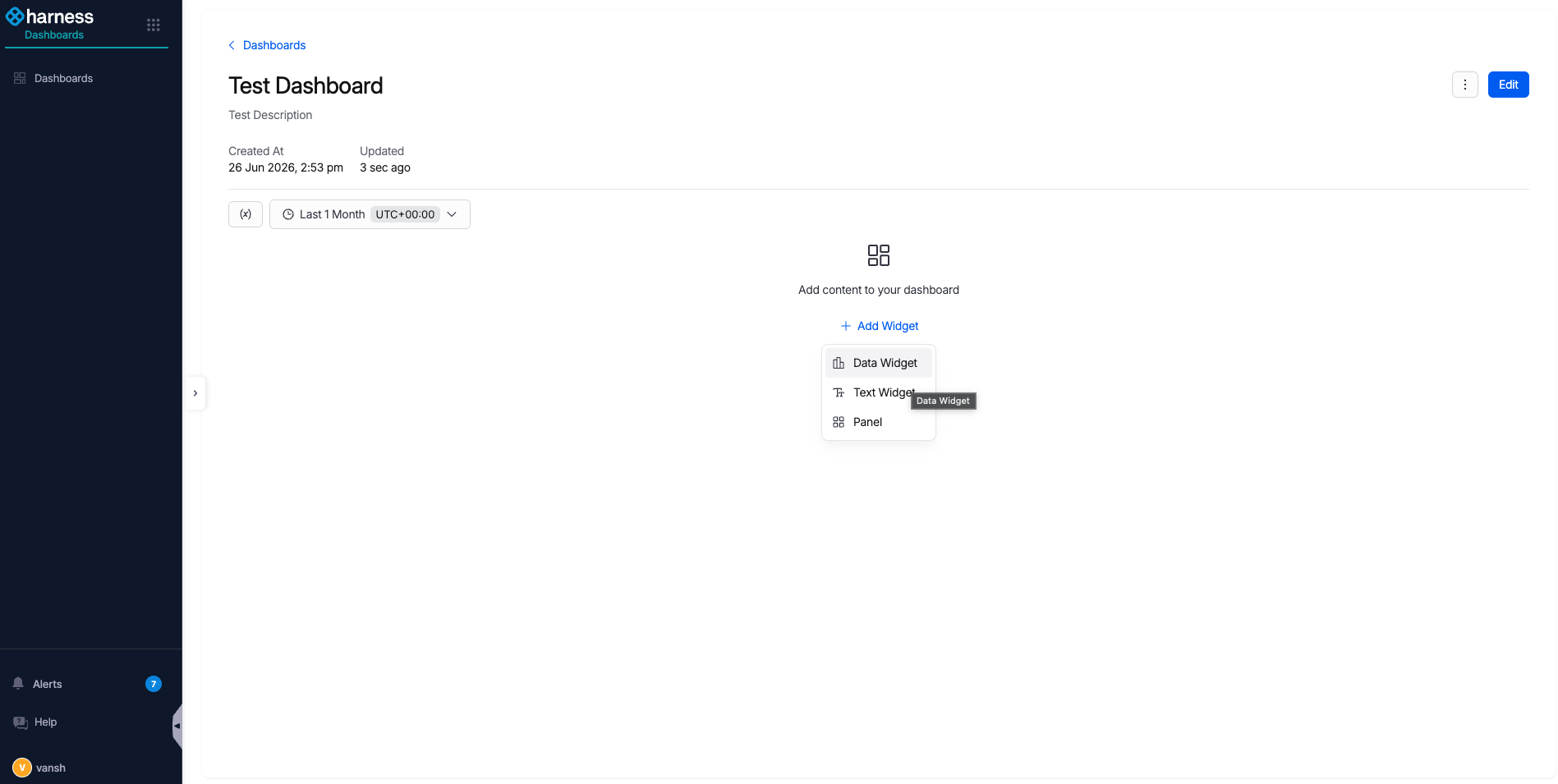
- Select Data Widget.
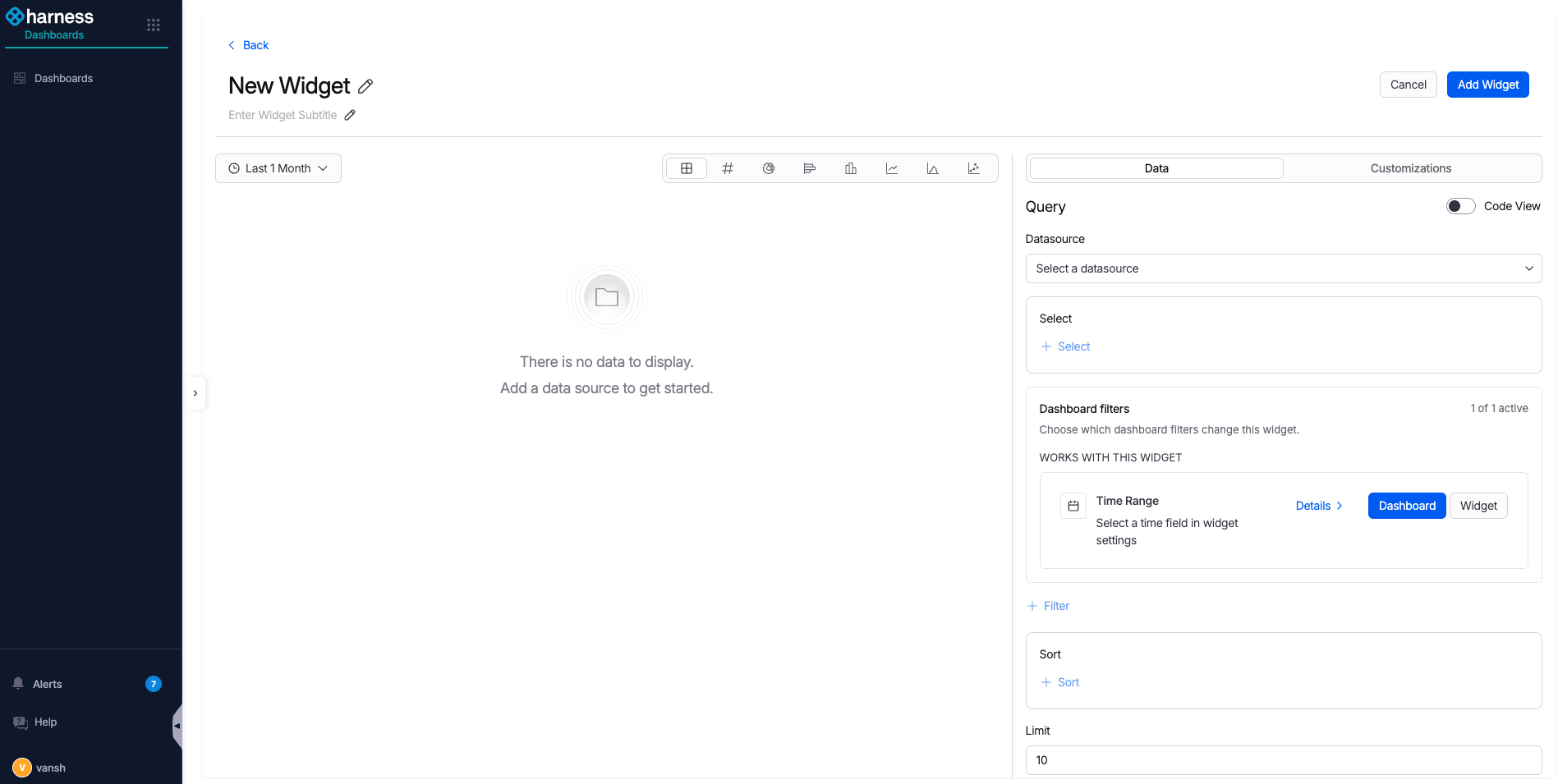
- Toggle Code View.
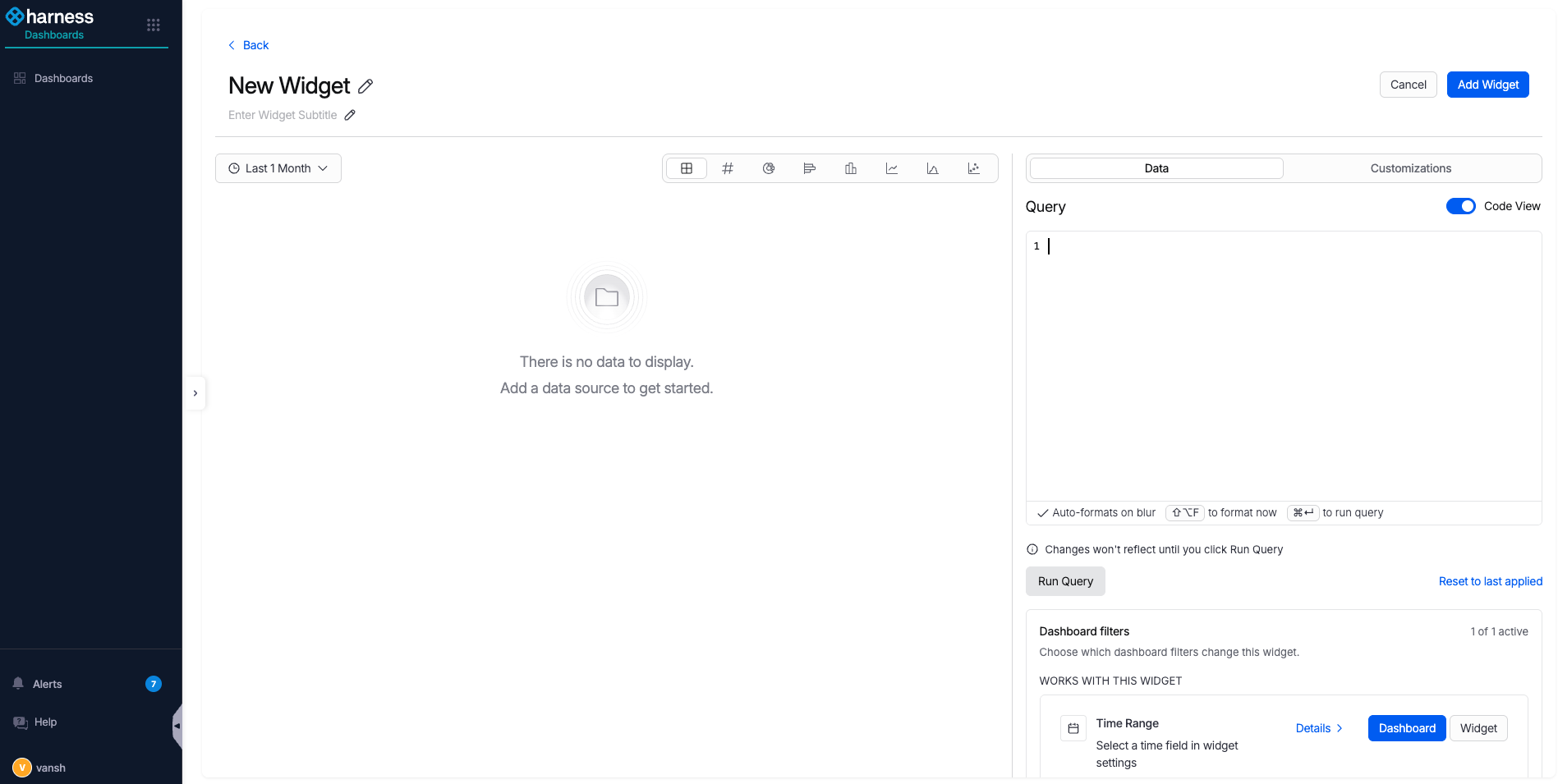
- Enter a name and description for the widget, then write your query in the Query text area. Go to Dashboard query schema to review the available event and entity types.
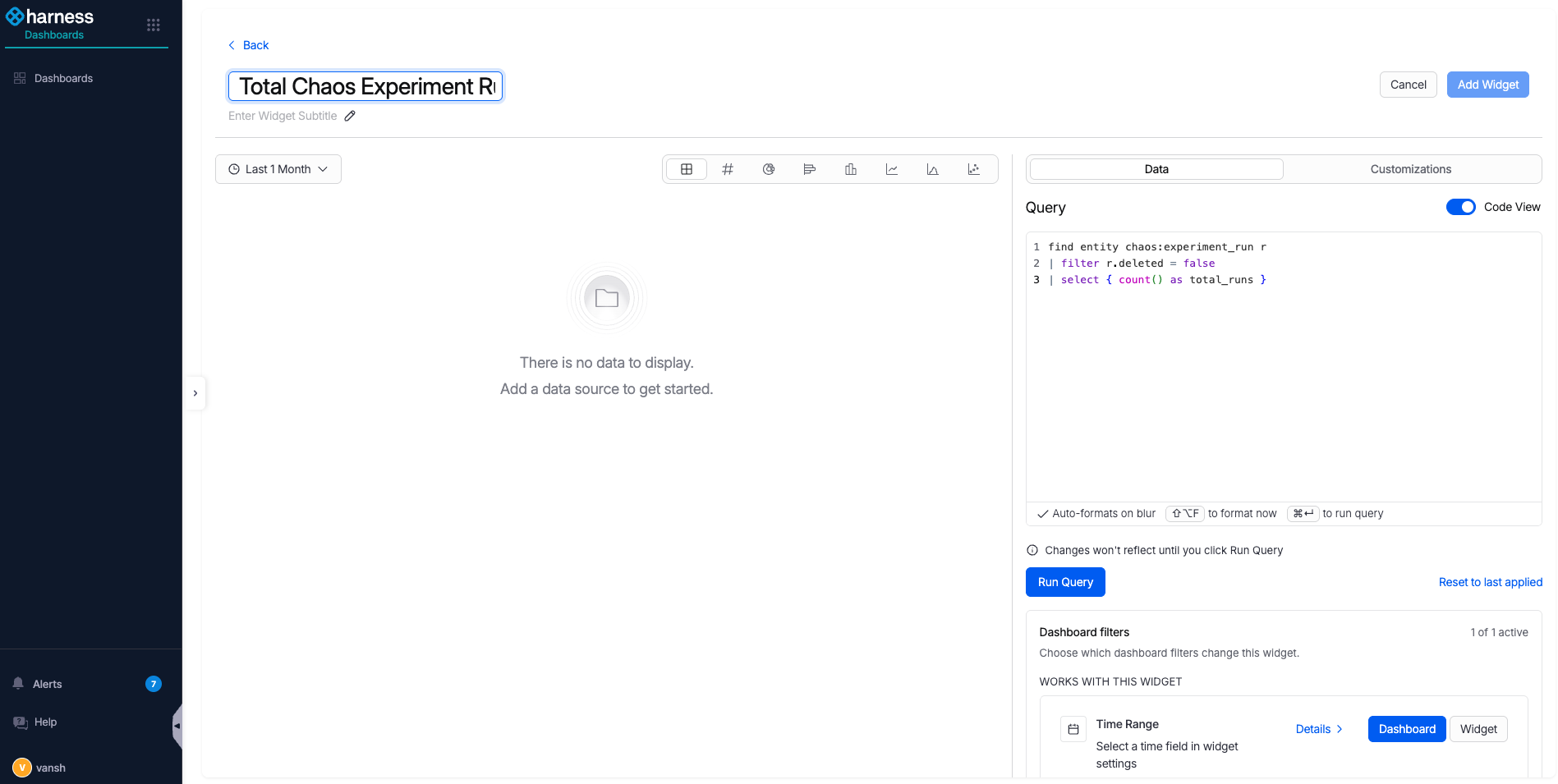
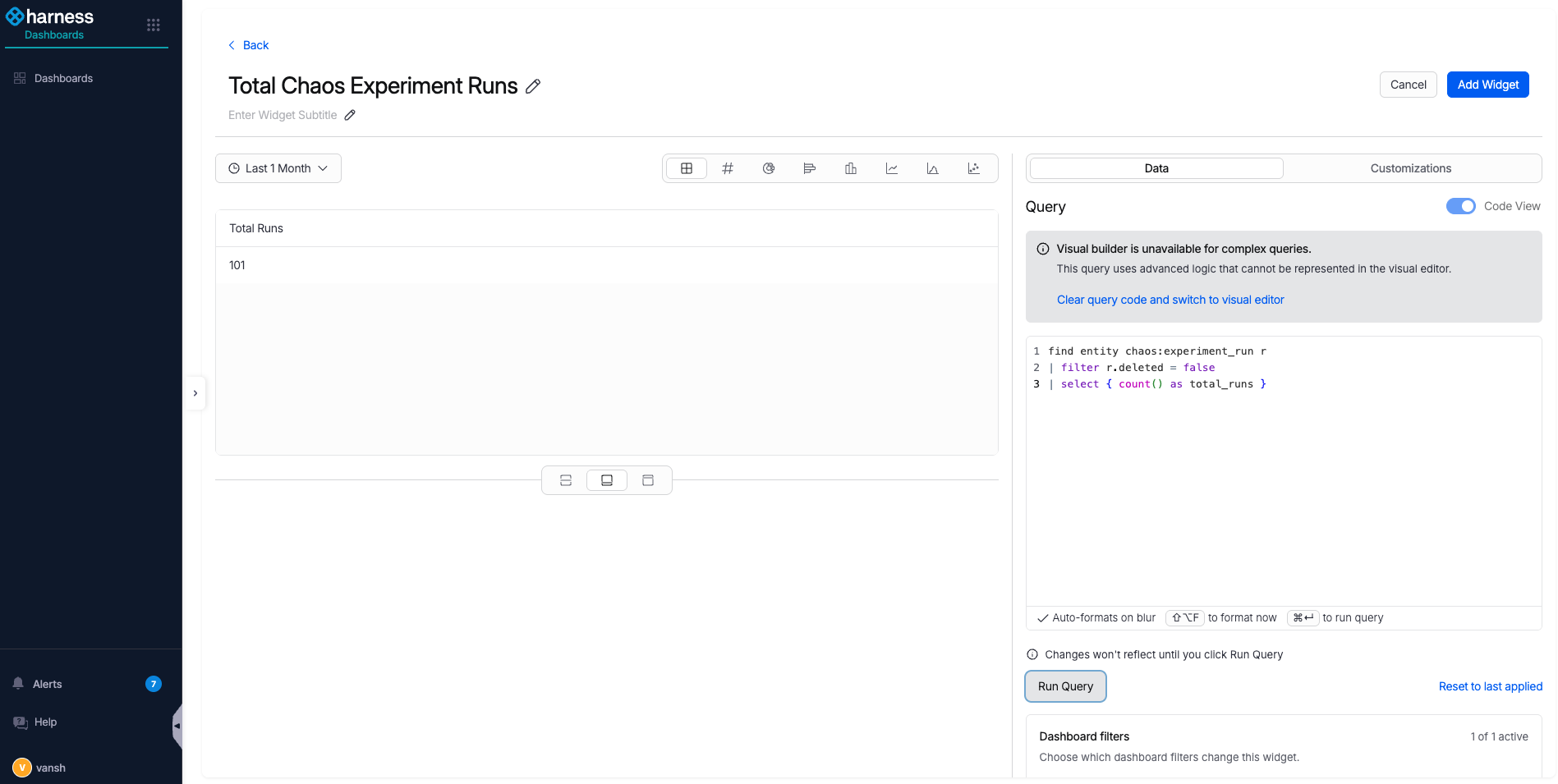
- Select Run Query to fetch data from Harness UDP.
-
Choose a visualization. The available visualizations are:
- Table View
- Metric Card
- Donut Chart
- Bar Chart
- Column Chart
- Line Chart
- Area Chart
- Scatter Chart
This example uses a Donut Chart.
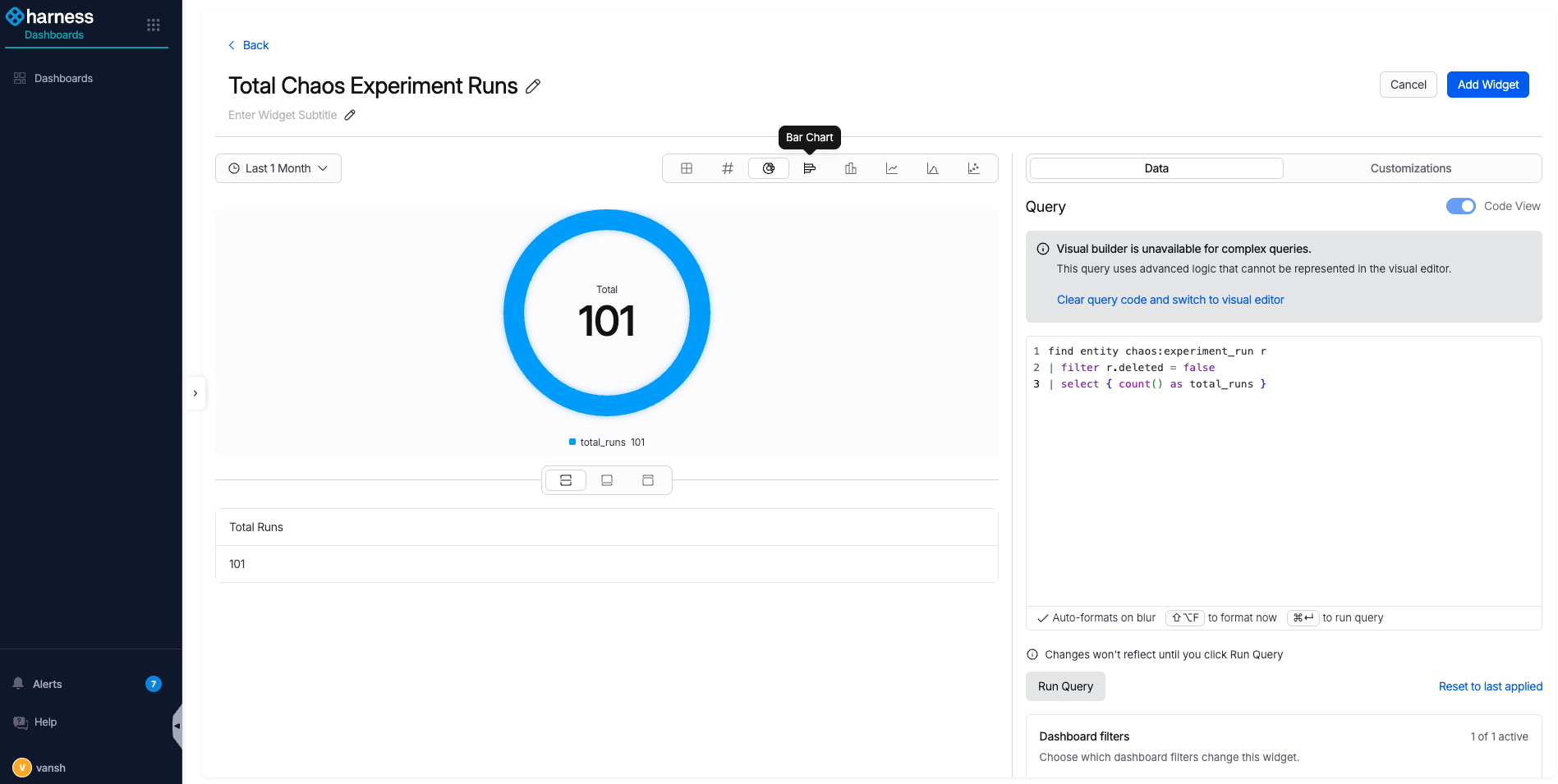
- Select Add Widget at the top right to save the widget.
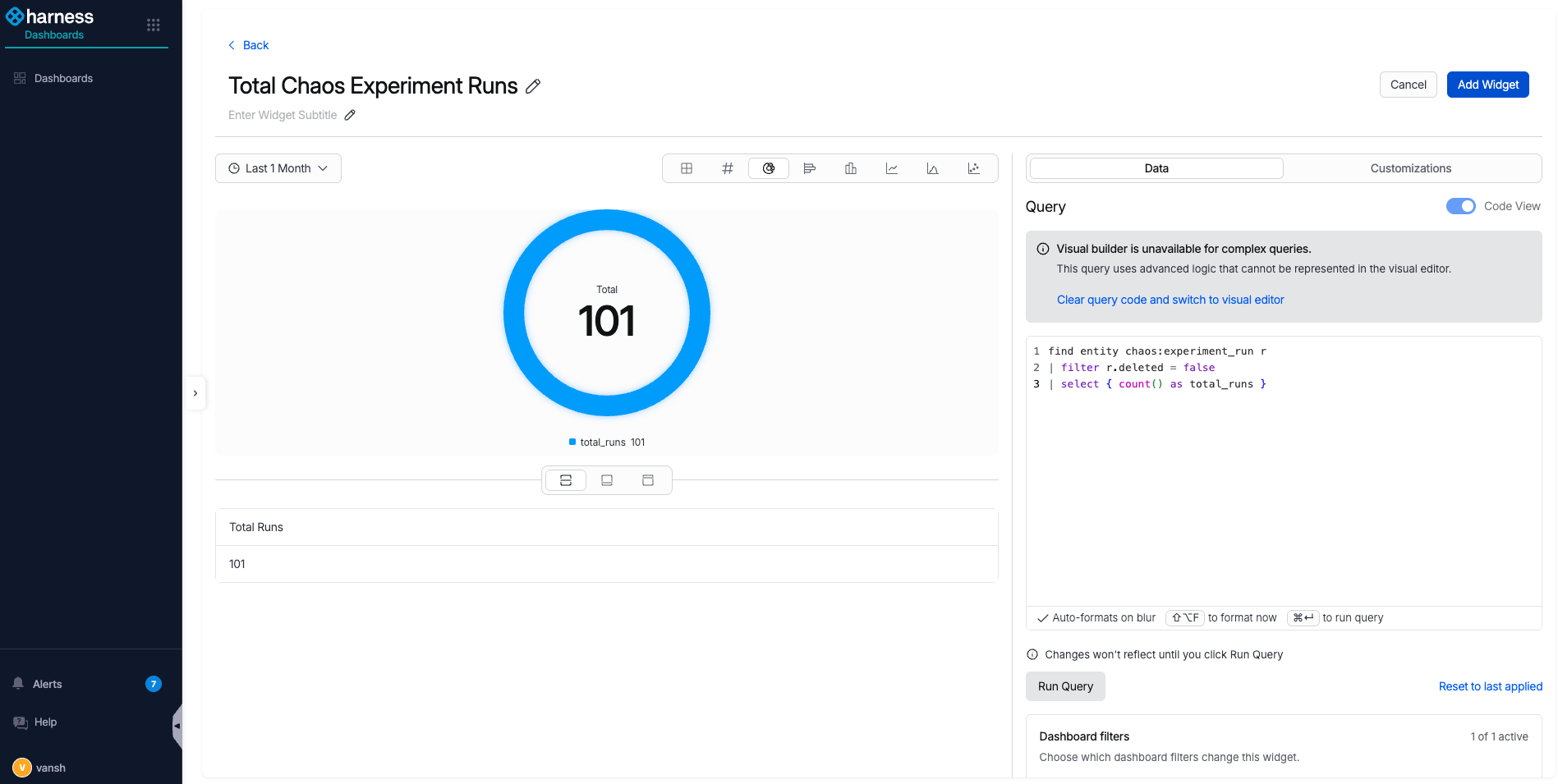
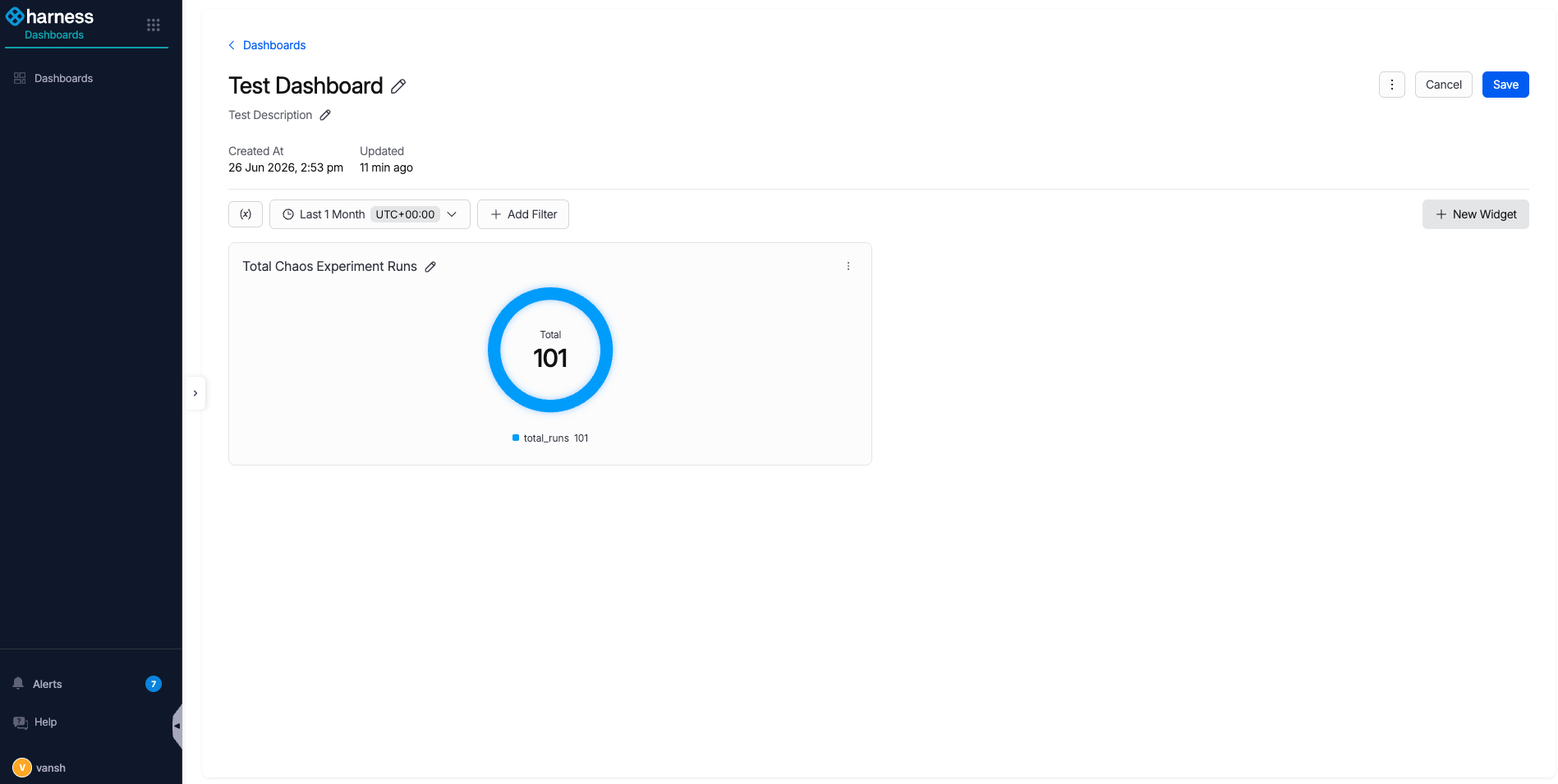
- The dashboard shows the widget you added. Add any remaining widgets, then select Save at the top right.
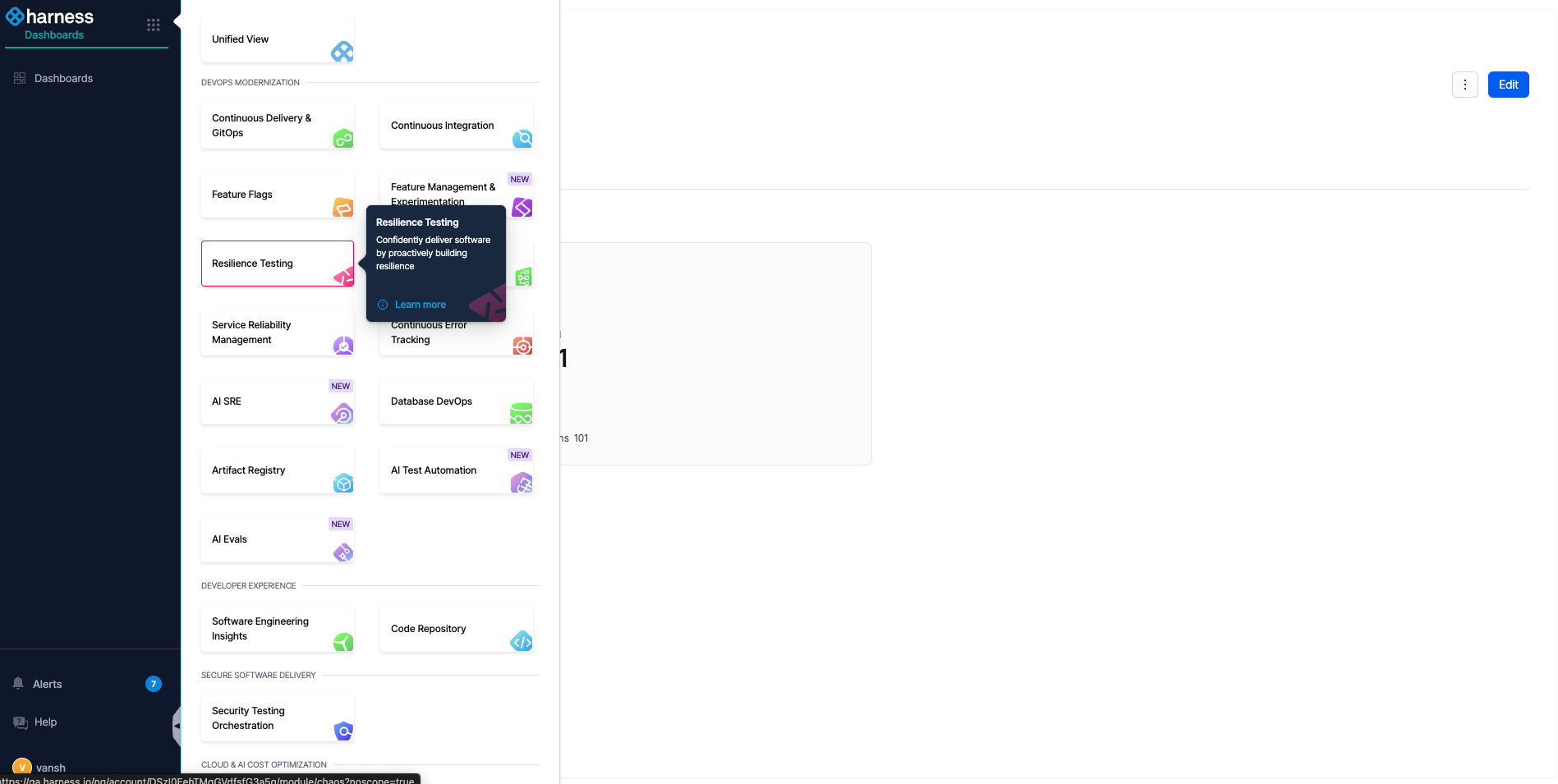
- Return to the RT module from the left navigation bar.
- In the RT module, go back to the Dashboards page under Risk Insights.
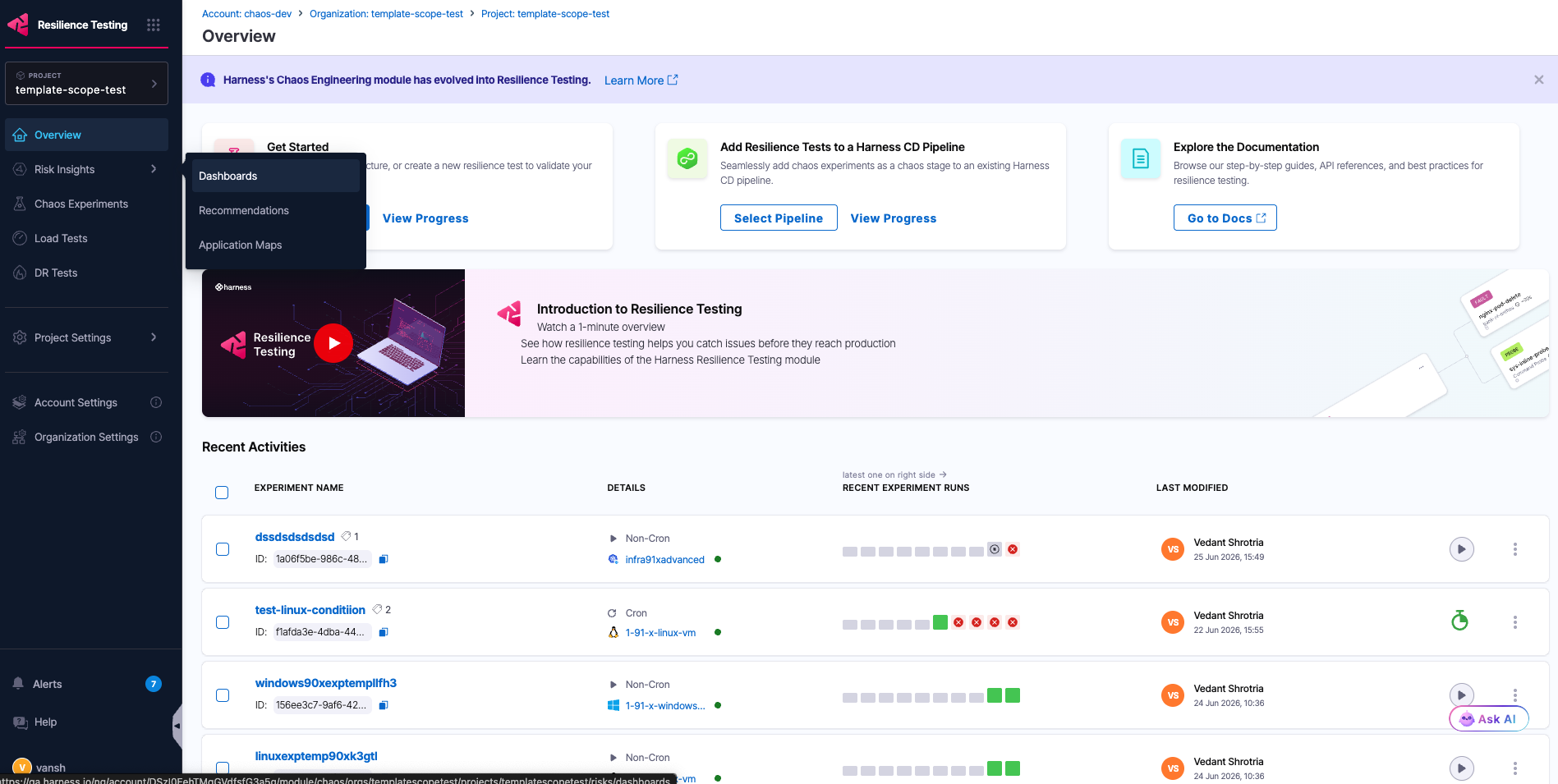
Your custom dashboard now appears in the Dashboards section, filtered under the category you tagged it with, and you can open it to see the widgets you created.
RBAC considerations
Dashboards fall under the Shared Resources category, with View and Manage permissions:
- View: Required to see the RT module in-product dashboards.
- Manage: Required to create your own dashboards.
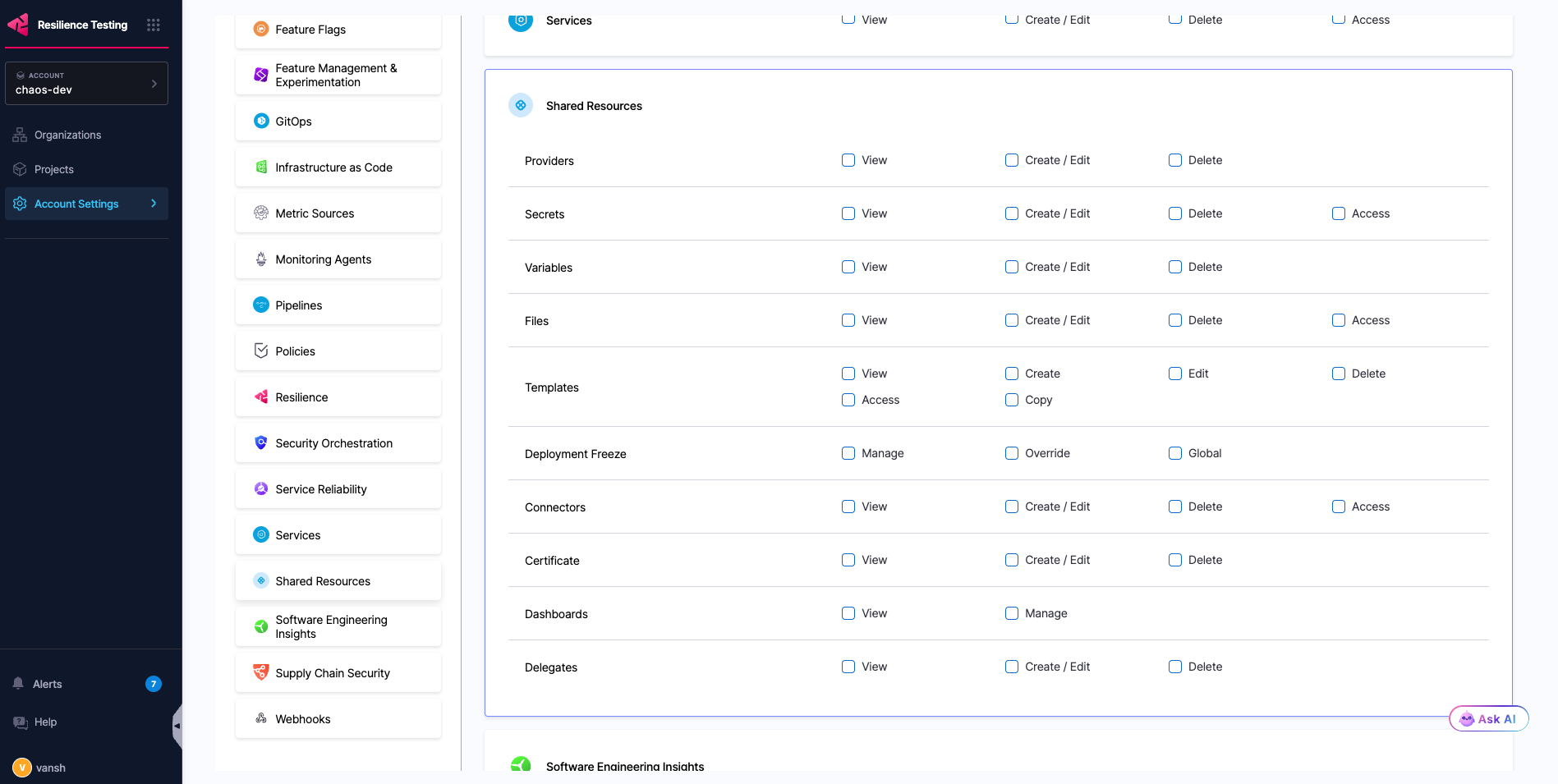
Go to RBAC in Harness to configure roles and permissions.
Dashboard query schema
Custom dashboard widgets query Harness UDP using event and entity types. The following reference lists the available types and example queries.
Event types
Chaos Experiment Runs (chaos:experiment_run_event)
find event chaos:experiment_run_event | select { created_at, resiliency_score, db_id, unique_id, parent_unique_id, last_modified_at, phase, infrastructure_id, event_timestamp, org_identifier, updated_by, fk_experiment_id, cdc_operation_type, experiment_run_id, sequence, experiment_name, project_identifier, created_by, target_services, account_identifier, yaml, deleted } | filter event_timestamp > ago(1h) | limit 10
Entity types
Chaos Action (chaos:action)
find entity chaos:action | select { created_at, description, tags, type, identifier, db_id, unique_id, parent_unique_id, last_modified_at, name, org_identifier, updated_by, account_identifier, project_identifier, created_by, infrastructure_type, deleted } | limit 10
Chaos Action Template (chaos:action_template)
find entity chaos:action_template | select { created_at, description, tags, type, identifier, db_id, unique_id, hub_identifier, last_modified_at, parent_unique_id, name, org_identifier, updated_by, account_identifier, project_identifier, created_by, infrastructure_type, deleted } | limit 10
Chaos Execution Node (chaos:execution_node)
find entity chaos:execution_node | select { experiment_id, db_id, finished_at, status, infrastructure_id, name, org_identifier, step_type, last_updated_at, experiment_run_id, spec, account_identifier, project_identifier, infrastructure_type, started_at, deleted } | limit 10
Chaos Experiment (chaos:experiment)
find entity chaos:experiment | select { created_at, description, tags, experiment_id, identifier, db_id, unique_id, parent_unique_id, last_modified_at, infrastructure_id, name, org_identifier, updated_by, account_identifier, project_identifier, created_by, infrastructure_type, deleted } | limit 10
Chaos Experiment Run (chaos:experiment_run)
find entity chaos:experiment_run | select { created_at, resiliency_score, db_id, unique_id, parent_unique_id, last_modified_at, phase, infrastructure_id, org_identifier, updated_by, fk_experiment_id, experiment_run_id, sequence, experiment_name, project_identifier, created_by, target_services, account_identifier, yaml, deleted } | limit 10
Chaos Experiment Template (chaos:experiment_template)
find entity chaos:experiment_template | select { created_at, description, tags, identifier, db_id, unique_id, hub_identifier, last_modified_at, parent_unique_id, name, org_identifier, updated_by, is_default, account_identifier, project_identifier, created_by, revision, template_uid, yaml, infrastructure_type, deleted } | limit 10
Chaos Fault (chaos:fault)
find entity chaos:fault | select { created_at, description, tags, type, identifier, db_id, unique_id, parent_unique_id, last_modified_at, name, org_identifier, updated_by, account_identifier, project_identifier, created_by, infrastructure_type, deleted } | limit 10
Chaos Fault Template (chaos:fault_template)
find entity chaos:fault_template | select { created_at, description, tags, type, identifier, db_id, unique_id, hub_identifier, last_modified_at, parent_unique_id, name, org_identifier, updated_by, is_default, account_identifier, project_identifier, created_by, revision, template_uid, yaml, infrastructure_type, deleted } | limit 10
Chaos Hub (chaos:hub)
find entity chaos:hub | select { created_at, description, tags, identifier, db_id, unique_id, parent_unique_id, last_modified_at, hub_id, name, org_identifier, updated_by, account_identifier, project_identifier, created_by, deleted } | limit 10
Chaos K8s Infrastructure V2 (chaos:k8s_infrastructure_v2)
find entity chaos:k8s_infrastructure_v2 | select { created_at, description, tags, kind, identifier, db_id, unique_id, parent_unique_id, last_modified_at, environment_identifier, name, org_identifier, updated_by, api_version, account_identifier, project_identifier, created_by, deleted } | limit 10
Chaos Linux Infrastructure (chaos:linux_infrastructure)
find entity chaos:linux_infrastructure | select { created_at, start_time, tags, description, db_id, infra_id, is_active, parent_unique_id, last_modified_at, unique_id, environment_identifier, name, version, is_infra_confirmed, is_registered, updated_by, org_identifier, account_identifier, project_identifier, hostname, created_by, last_heartbeat, deleted } | limit 10
Chaos Probe (chaos:probe)
find entity chaos:probe | select { created_at, description, tags, type, identifier, db_id, unique_id, parent_unique_id, last_modified_at, name, org_identifier, updated_by, account_identifier, project_identifier, created_by, infrastructure_type, deleted } | limit 10
Chaos Probe Template (chaos:probe_template)
find entity chaos:probe_template | select { created_at, description, tags, type, identifier, db_id, unique_id, hub_identifier, last_modified_at, parent_unique_id, name, org_identifier, updated_by, account_identifier, project_identifier, created_by, infrastructure_type, deleted } | limit 10
Related concepts
- Go to Harness Dashboards to review dashboard best practices.
- Go to RBAC in Harness to manage dashboard permissions.