Upgrade Windows infrastructure
Last updated on
Run the commands in PowerShell as Administrator on the VM where the Windows chaos infrastructure is installed.
Uninstall the current version
Replace 1.55.0 with the version currently installed:
powershell -Command "& { Invoke-WebRequest -Uri 'https://app.harness.io/public/shared/tools/chaos/windows/1.55.0/uninstall.ps1' -OutFile 'uninstall.ps1' -UseBasicParsing; .\uninstall.ps1 }"
Capture the service account
Note the account that runs the WindowsChaosInfrastructure service before uninstalling. You need the same credentials in the install step.
Install the new version
Replace 1.56.0 with the target version, and supply the captured admin credentials, infraID, and access key (both readable from C:\HCE\config.yaml):
powershell -Command "& { Invoke-WebRequest -Uri 'https://app.harness.io/public/shared/tools/chaos/windows/1.56.0/install.ps1' -OutFile 'install.ps1' -UseBasicParsing; .\install.ps1 -AdminUser '.\<your-account-username>' -AdminPass '<your-account-password>' -InfraId '<infra-id>' -AccessKey '<access-key>' -ServerUrl 'https://app.harness.io/gratis/chaos/mserver/api' }"
Notes:
.\inAdminUserindicates a local account. For a domain account, replace it with the domain.- If the VM is behind a proxy, append
-HttpsProxy <proxy>-HttpProxy <proxy>-NoProxy <bypass>to the install command.
Verify the upgrade
sc query WindowsChaosInfrastructure
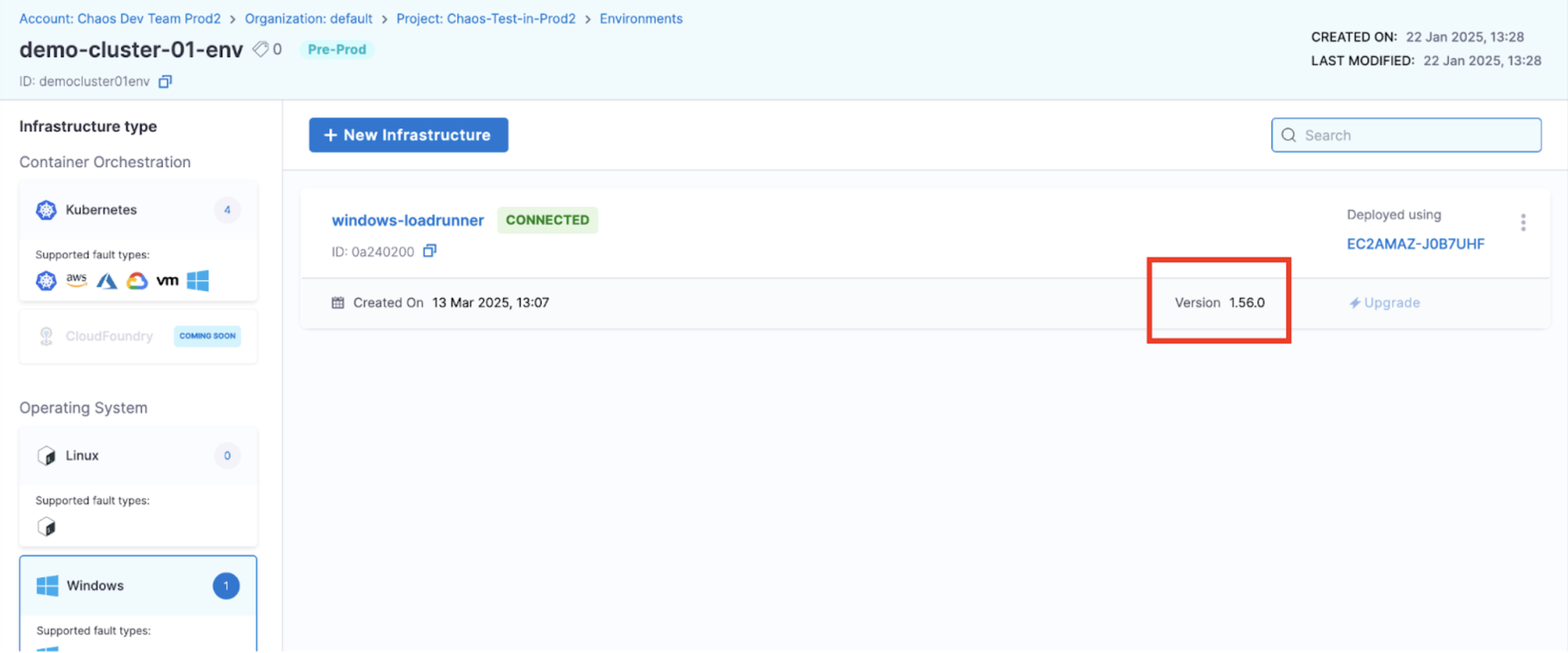
You can also confirm the version from Resilience Testing → Project Settings → Resilience Testing Infrastructures → Windows.