> For the complete documentation index, see [llms.txt](https://developer.harness.io/llms.txt). Markdown versions of documentation pages are available by appending `.md` to page URLs; this page is available as [Markdown](https://developer.harness.io/ai-dlc-insights/readme.md).

# AI DLC Insights

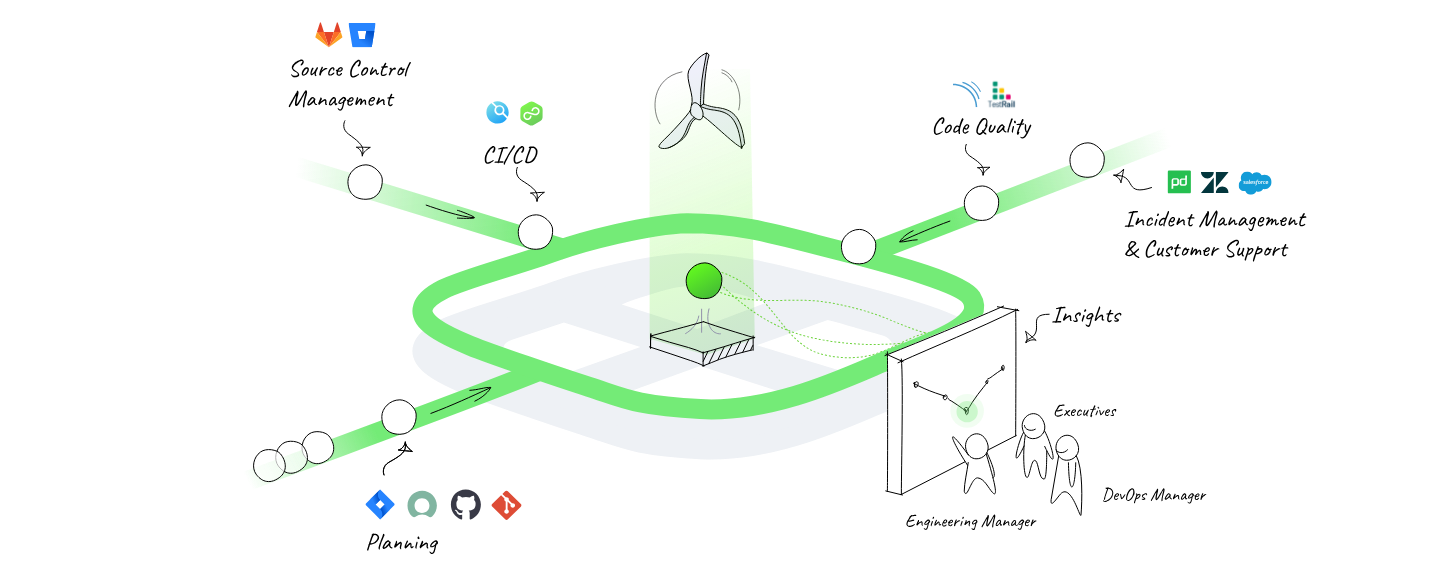
AI DLC Insights gives engineering leaders a unified view of AI adoption, spend efficiency, and delivery impact across coding agents, teams, and workflows. Track how AI-generated work moves through the development lifecycle, and understand whether your AI investment is helping your teams ship better software faster.

<a class="button primary">Release Notes</a>

<figure><img src="/files/QInrSZe34NaovMdxZB2N" alt=""><figcaption></figcaption></figure>

### Get started

<table data-view="cards"><thead><tr><th></th><th></th></tr></thead><tbody><tr><td><strong>Get started with AI DLC Insights</strong></td><td>Learn about Harness AI DLC Insights and how to get started.</td></tr><tr><td><strong>What's supported</strong></td><td>AI DLC Insights integrates with a number of third-party providers to provide a centralized visibility on engineering work.</td></tr><tr><td><strong>Key concepts</strong></td><td>This topic outlines the core concepts that power AI DLC Insights.</td></tr></tbody></table>

### Set up AI DLC Insights

<table data-view="cards"><thead><tr><th></th><th></th></tr></thead><tbody><tr><td><strong>Configure Integrations</strong></td><td>AI DLC Insights uses integrations to ingest data from your SDLC tools.</td></tr><tr><td><strong>Set up Profiles</strong></td><td>Profiles aggregate data for Efficiency, Productivity metrics, and more.</td></tr><tr><td><strong>Set up Org Trees</strong></td><td>Setup the org tree to group developers for performance visibility.</td></tr><tr><td><strong>Set up &#x26; Manage Teams</strong></td><td>Setup Teams that represents a group of developers working together within the organizational hierarchy</td></tr><tr><td><strong>API</strong></td><td>Programmatically manage developer identities and export productivity and efficiency metrics using the AI DLC Insights API.</td></tr></tbody></table>

### View AI DLC Insights

<table data-view="cards"><thead><tr><th></th><th></th></tr></thead><tbody><tr><td><strong>Measure Engineering Efficiency</strong></td><td>Use the efficiency dashboard to measure key DORA and sprint-based metrics for your team.</td></tr><tr><td><strong>Measure Developer Productivity</strong></td><td>Use the productivity dashboard to measure the key productivity metrics for your developers.</td></tr><tr><td><strong>Analyze AI Insights</strong></td><td>Understand how AI coding assistants impact developer productivity.</td></tr><tr><td><strong>Measure Business Alignment</strong></td><td>Track and analyze how engineering initiatives contribute to business outcomes.</td></tr><tr><td><strong>Analyze Security Insights</strong></td><td>Identify and analyze security hotspots and trends across your engineering organization.</td></tr></tbody></table>

### Help and more

<table data-view="cards"><thead><tr><th></th><th></th></tr></thead><tbody><tr><td><strong>Harness Support</strong></td><td>If you believe you have found a bug in Harness AI DLC Insights, create a Zendesk Support ticket.</td></tr><tr><td><strong>Troubleshooting and FAQs</strong></td><td>Use this for troubleshooting guidelines on Harness AI DLC Insights</td></tr></tbody></table>
