> For the complete documentation index, see [llms.txt](https://developer.harness.io/llms.txt). Markdown versions of documentation pages are available by appending `.md` to page URLs; this page is available as [Markdown](https://developer.harness.io/ai-sre/ai-sre-for-administrators/set-up-runbook-management/triggers/key-events.md).
# Trigger on Key Events
Run runbooks in response to incident lifecycle events.
### Integration with key events
#### Key event trigger configuration
When using key events as trigger sources:
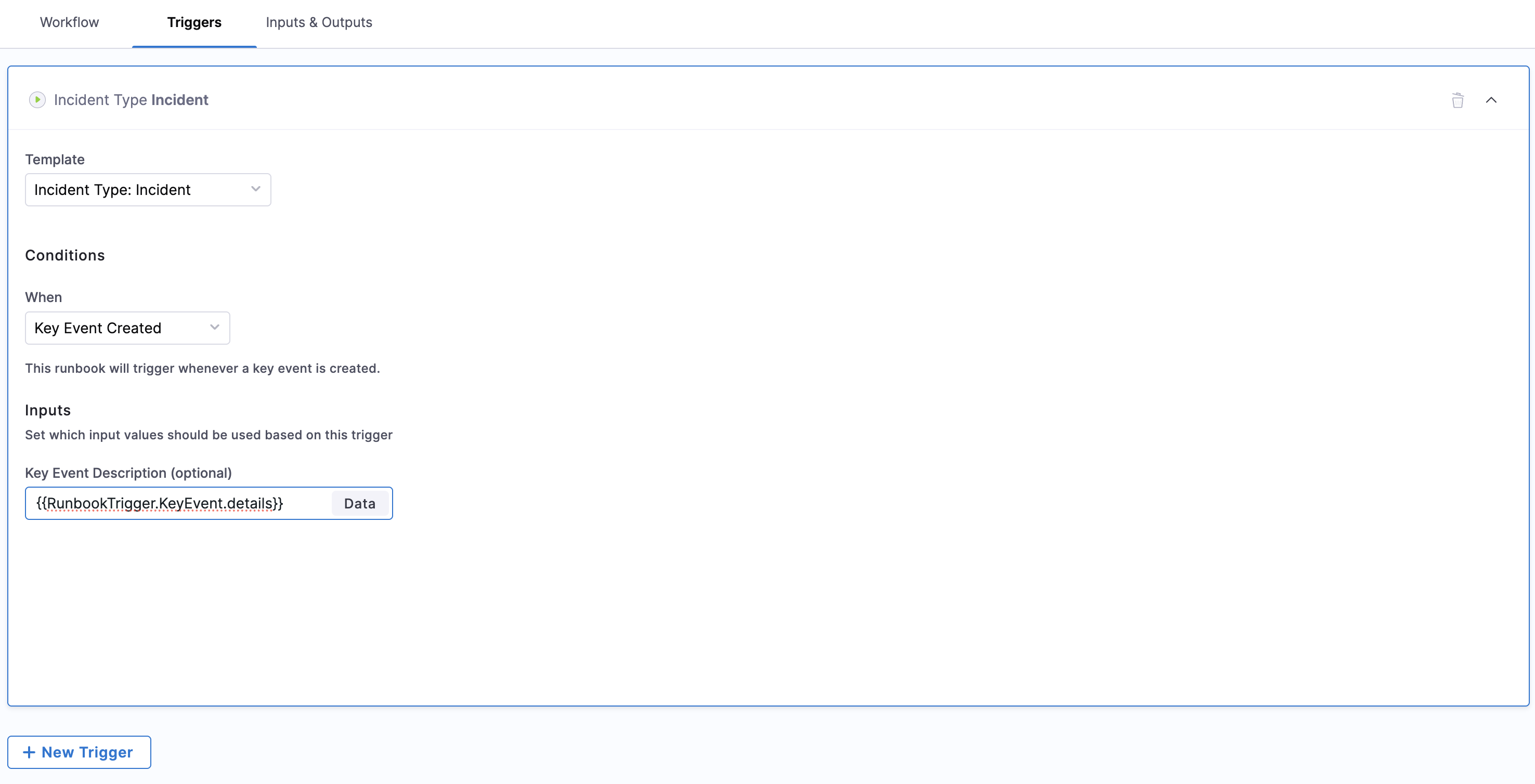
1. **Set trigger condition:** In the Triggers section, set the condition to "Key Event Created"
2. **Map event to input:** Configure how event data maps to runbook input variables
3. **Dynamic execution:** Enable automatic execution when specified key events occur
4. **Data validation:** Ensure event data meets runbook input requirements
Configuring Key Event Triggers
This approach allows for seamless integration between event detection and automated response, without requiring manual configuration of input variables for each execution.
***
### Benefits
Key event triggers provide the following operational advantages:
* **Automated response:** Immediate response to incidents and alerts without manual intervention
* **Consistent execution:** Standardized response procedures triggered by specific conditions
* **Scalable operations:** Handle increasing incident volumes without additional manual effort
* **Reduced MTTR:** Faster incident resolution through automated trigger-based responses
* **Operational efficiency:** Free up team members to focus on complex issues requiring human intervention
* **Audit trail:** Complete tracking of automated actions and their triggers
* **Flexible configuration:** Adapt trigger behavior to changing operational requirements
***
### Next steps
* Go to [Create runbook triggers](/ai-sre/ai-sre-for-administrators/set-up-runbook-management/triggers/create-trigger.md) to configure key event triggers.
* Go to [Trigger overview](/ai-sre/ai-sre-for-administrators/set-up-runbook-management/triggers/overview.md) to understand trigger fundamentals.
* Go to [Create runbooks](/ai-sre/ai-sre-for-administrators/set-up-runbook-management/create-runbook.md) to build runbooks that respond to key events.
{% hint style="info" %}
**Need Help?** Contact our support team by email at **** or visit the [Harness Documentation](https://docs.harness.io) for additional resources and troubleshooting guides.
{% endhint %}
{% @harness-feedback/feedback %}