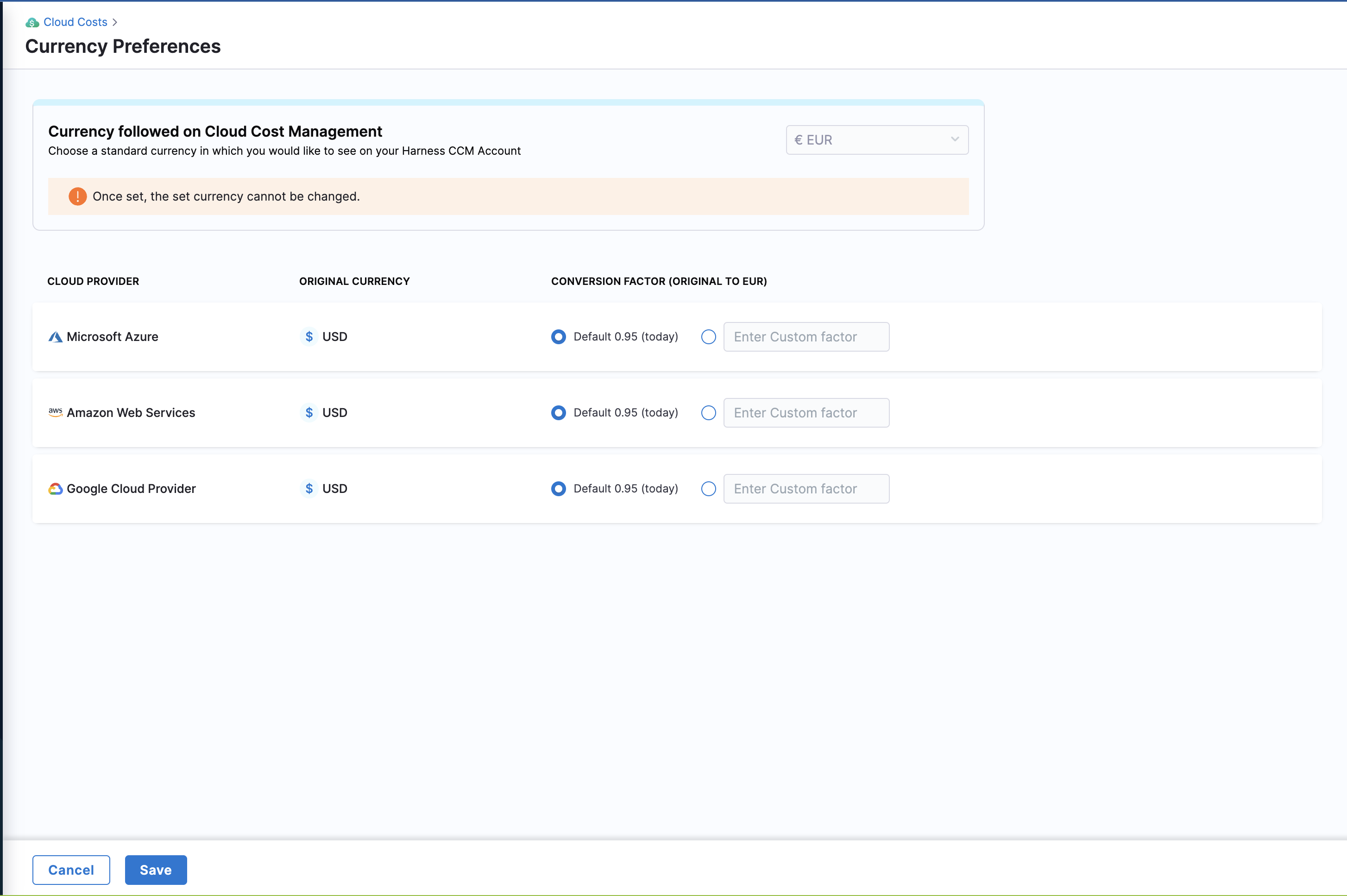
Standardize your currency across CACM
Currency Preference allows you to view your entire CACM application in your preferred currency for different cloud providers.
Harness CACM allows you to view your cloud spend data in the currency of your choice. It is easier to view reports and dashboards in your preferred currency rather than having it in different currencies and then converting them to your preferred currency. It provides more consistent, easy-to-consume, and meaningful cloud analytics across the entire business.
CACM allows you to choose from the following list of currencies and displays the cost data in the specified currency:
ARS
AUD
BRL
CAD
CNY
EUR
GBP
INR
JPY
MXN
NOK
NZD
RUB
SGD
USD
Before you begin
You must integrate your cloud accounts with Harness CACM. For more information, refer to the following topics:
Set up your preferred currency
To standardize the currency in which your cloud cost data is displayed, perform the following steps:
In the Harness application, go to Cloud Costs.
Under Setup, click Currency Preferences.
Select the currency from the Currency followed on Cloud & AI Cost Management dropdown list.

Once configured, you cannot change the currency settings. It takes up to 24 hours for data to be shown in your preferred currency. Historical data is also converted and displayed in the preferred currency.
You can use the default conversion factor or enter a custom value in the text box for each cloud service provider. This option is useful when you have a predefined negotiated rate of conversion, or you want to use a fixed rate of conversion for reporting purposes.
Click Save.
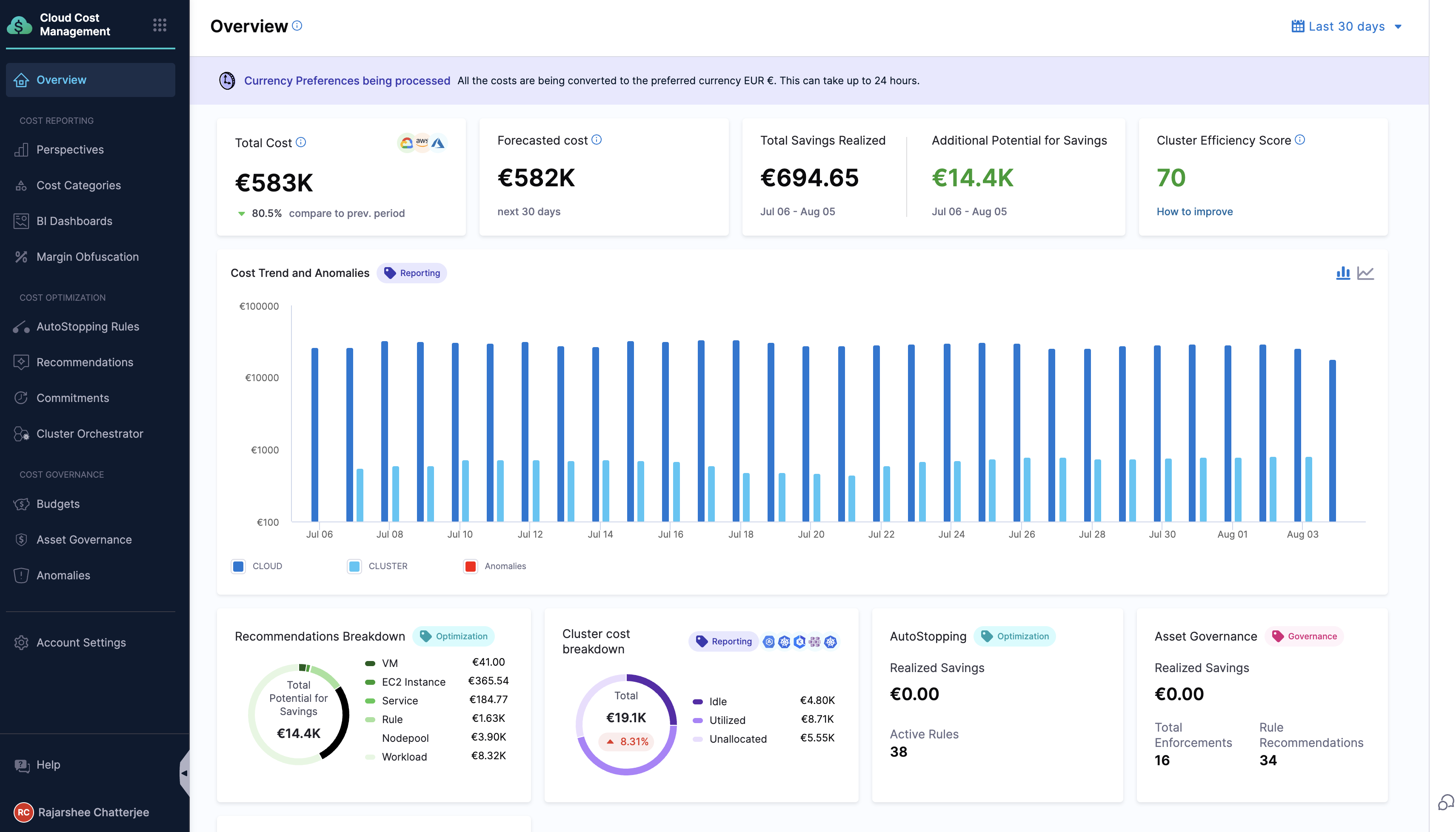
The currency standardization process begins. A banner is displayed on the Overview page. The selected currency is applied to the last two years of data. The conversion factor used for the ongoing month is applied to the current month's data, while the conversion factor used for the previous month is applied to the historical data from the past two years.

Points to remember
After configuring the currency settings, the currency symbol immediately changes to the preferred one. However, the cost data does not change and remains in the original currency. It may take up to 24 hours for the converted value to be displayed.
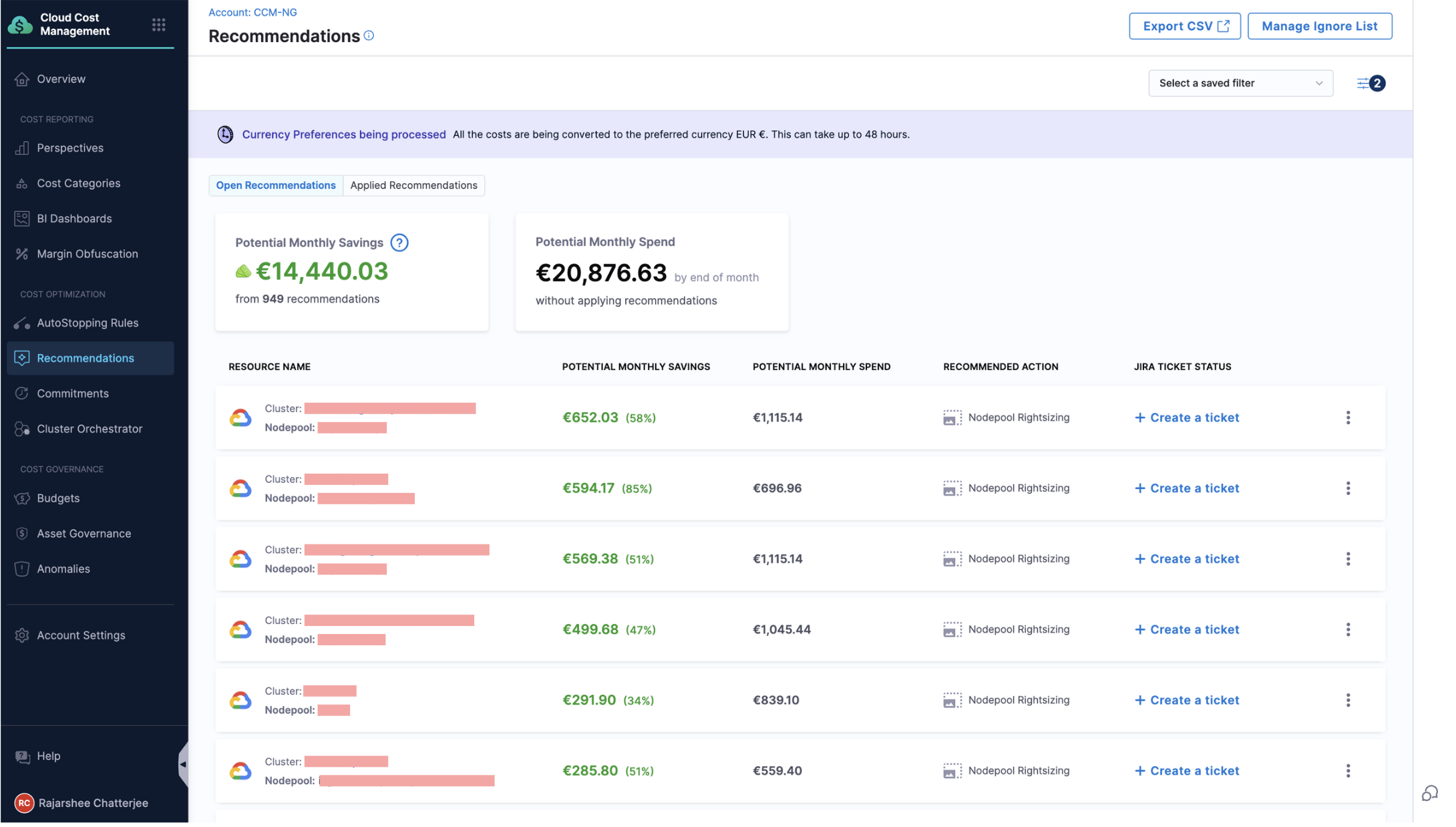
It may take up to 48 hours for data on the Recommendations page to be updated.

Currency standardization is supported only within CACM. Note that the currency symbol in Dashboards is not changed, but the cost is displayed in the preferred currency.
You can configure these settings only for your cloud accounts. Contact Harness Support to view the Kubernetes cluster data in your preferred currency.
The currency format defaults to the en-us locale. If you wish to change this, contact Harness Support. In the following example, the locale is changed from en-us to fr-be which has changed the currency representation (currency symbol appears after the digits). The format differs based on the locale.
If your preferred currency is not supported for the en-us locale, the currency code will be displayed instead of the currency symbol. If you wish to view the currency symbol instead, contact Harness support.
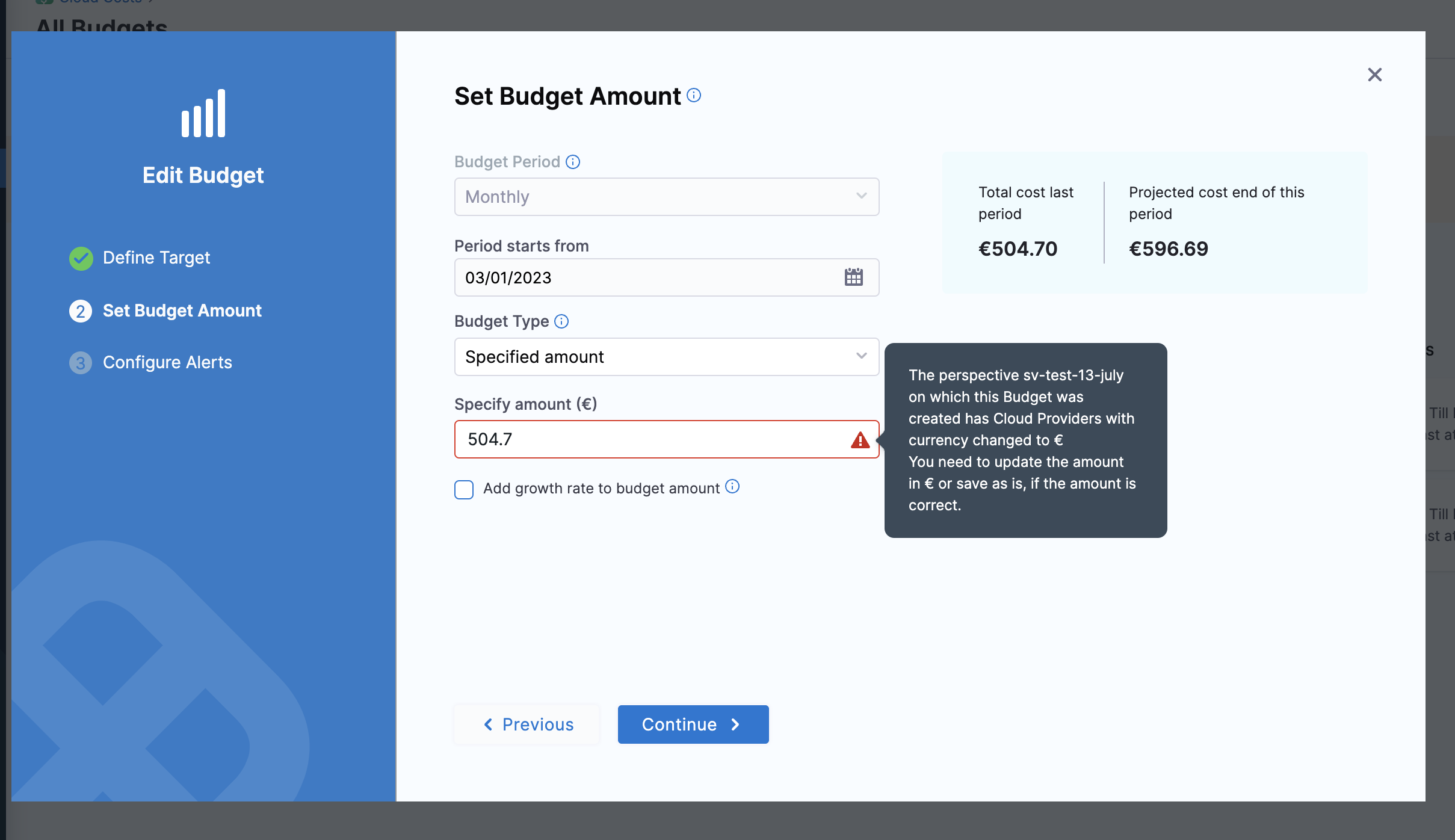
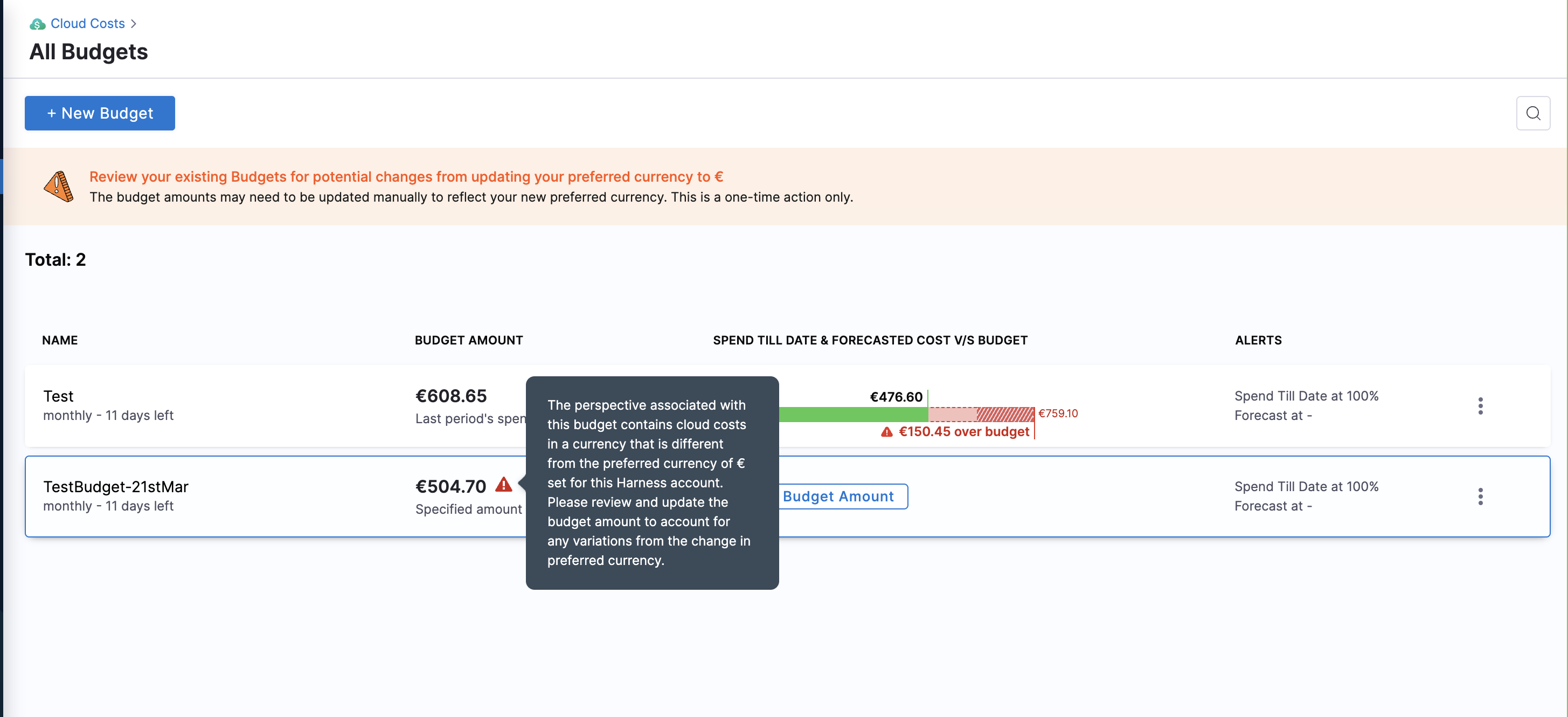
For existing budgets and new budgets, you must manually update the Specify Amount field with the converted value in the selected currency. This is because a Perspective may be associated with multiple cloud accounts and therefore cannot be updated automatically.


Last updated
Was this helpful?