> For the complete documentation index, see [llms.txt](https://developer.harness.io/llms.txt). Markdown versions of documentation pages are available by appending `.md` to page URLs; this page is available as [Markdown](https://developer.harness.io/code-repository/use-harness-code/pull-requests/revert-pr.md).
# Revert PRs
Revert merged PRs in Harness Code
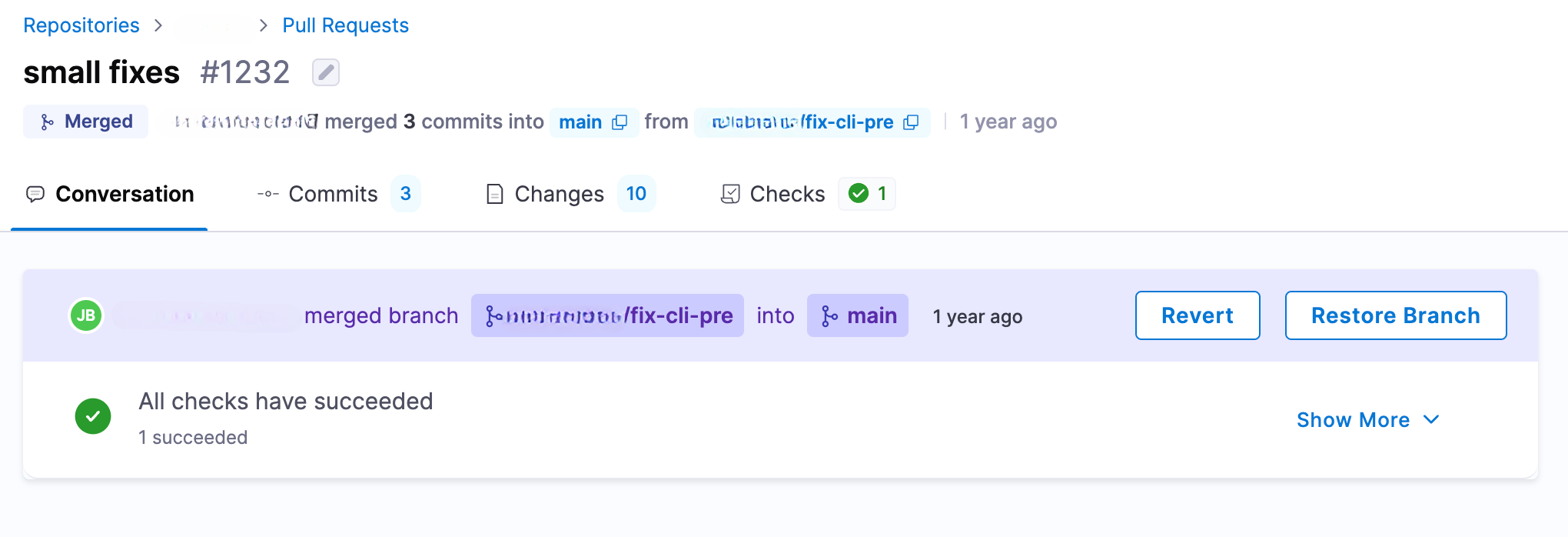
Use the **Revert** button to quickly undo changes introduced by a merged pull request. Harness automatically creates a new branch and helps you open a revert PR with minimal steps.
### Revert a pull request
You can only revert **merged** pull requests.
1. In your repository, go to **Pull Requests**, and select the merged PR you want to revert.
2. Click **Revert**.
This action does the following:
* Creates a new branch with the format:\
`revert-pullreq-{PR Number}`
* Navigates you to the **Create pull request** page, pre-filling the revert changes.
{% hint style="info" %}
If a branch with the name `revert-pullreq-{PR Number}` already exists, Harness skips creating a new branch and takes you directly to the **Create pull request** page.
{% endhint %}
### Restore branch
If the branch of the original PR was deleted after merging, you can also choose **Restore Branch** to bring it back.
{% @harness-feedback/feedback module="code-repository" pagePath="code-repository/use-harness-code/pull-requests/revert-pr" %}