> For the complete documentation index, see [llms.txt](https://developer.harness.io/llms.txt). Markdown versions of documentation pages are available by appending `.md` to page URLs; this page is available as [Markdown](https://developer.harness.io/continuous-delivery/3.0/use-deployments/kubernetes/step-library/k8s-dry-run.md).
# Kubernetes Dry Run
Validate Kubernetes manifests against the cluster without applying changes.
The Kubernetes Dry Run step runs `kubectl apply --dry-run` on your compiled manifests to show what would change without making any modifications to the cluster. Use this step to catch manifest errors and configuration issues before they reach your environment.
In the unified platform, the Kubernetes Dry Run step uses the k8s-apply plugin with dry-run mode enabled. There is no separate dry-run plugin.
***
### Before you begin
Before you configure this step, make sure you have the following in place:
* **A Kubernetes service:** Go to [Kubernetes services](/continuous-delivery/3.0/use-deployments/kubernetes/kubernetes-services.md) to set up service manifests and an artifact source.
* **A Kubernetes infrastructure:** Go to [Kubernetes infrastructure](/continuous-delivery/3.0/use-deployments/kubernetes/kubernetes-infrastructure.md) to connect your cluster and namespace.
* **A Harness delegate in the target cluster:** The delegate runs the deployment steps in the cluster.
* **Runtime configuration:** Every Kubernetes stage requires a `runtime` block specifying the connector and namespace. Go to [Kubernetes runtime configuration](/continuous-delivery/3.0/use-deployments/kubernetes/overview.md#kubernetes-runtime-configuration) to understand the required fields.
***
### Configure the step
The following parameters are available on the Kubernetes Dry Run step.
| Parameter | Description | Required |
| ----------------------- | ------------------------------------------------------------------------------------------------------------------- | -------- |
| **Name** | Display name for the step in the pipeline. | Required |
| **Encrypt YAML Output** | When enabled, Harness logs the resolved manifest output as part of the step execution. Default: `false`. | Optional |
| **Manifest Path** | One or more relative paths to the manifest files to validate, derived from the service configuration. | Optional |
| **Kubeconfig Path** | Path to the kubeconfig file, derived from the infrastructure configuration. Default: `${{infra.kube_config_path}}`. | Optional |
| **Namespace** | Target namespace on the cluster. Default: `${{infra.namespace}}`. | Optional |
| **Command Flags** | Additional flags passed to the `kubectl apply --dry-run` command. | Optional |
| **Timeout** | Maximum time the step can run before it is marked as failed. Default: `5m`. | Optional |
| **Log Level** | Verbosity of step logs. Default: `info`. | Optional |
***
#### Add command flags
Command flags let you pass additional arguments to the `kubectl apply` command that runs during the dry run.
To add a command flag:
1. In the step configuration, click **+ Add** next to **Command Flags**.
2. Enter the flag value.
The following kubectl flags are commonly used with the Kubernetes Dry Run step:
* `--server-side`: Runs the dry run against the server instead of locally. Requires Kubernetes 1.18 or later.
* `--force-conflicts`: Forces server-side apply even when field management conflicts exist.
* `--dry-run=server`: Explicitly sets server-side dry run mode.
* `--validate=strict`: Enables strict schema validation.
When you use `--server-side`, the step output shows `(server dry run)` on each resource instead of `(dry run)`.
***
### YAML example
```yaml
- name: Kubernetes Dry Run
id: k8sDryRunStep
template:
uses: k8sDryRunStep
```
***
### Step output
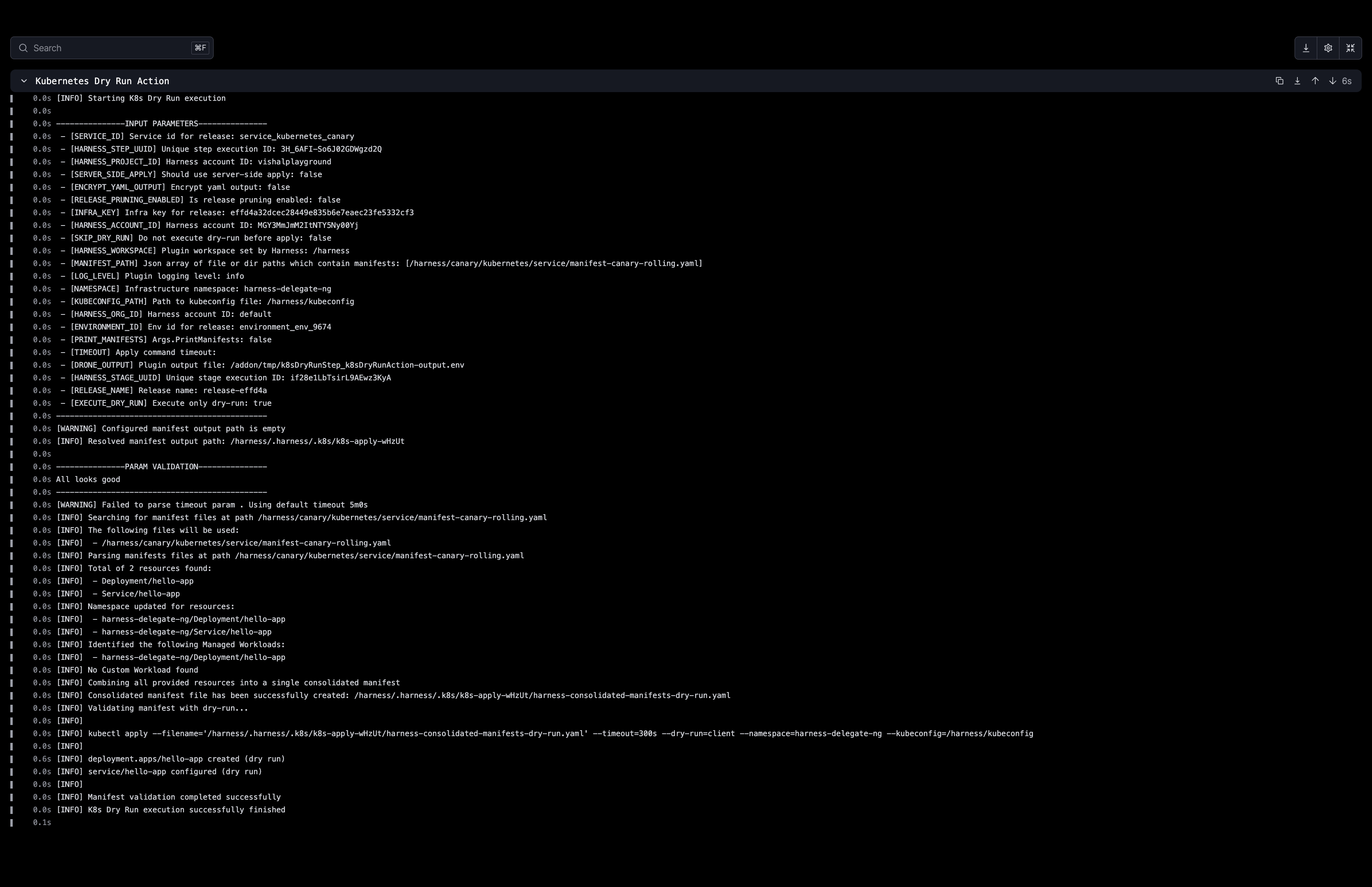
The step output log shows each resource Harness evaluated, with `(dry run)` appended to confirm no changes were applied.
Click to view full size image
Kubernetes `Secret` resources are automatically sanitized in the output. Harness replaces secret field values with `***` so they do not appear in logs. This sanitization also applies to secret values embedded in `last-applied-configuration` annotations.
***
### Advanced settings
The following advanced settings are available on the Kubernetes Dry Run step.
* **Timeout duration**: Maximum time the step is allowed to run before being terminated.
* **On failure**: Define what happens if the step fails, such as retry, mark as success, or abort.
* **Strategy**: Configure a looping strategy to run this step over a list of values.
* **Conditional execution**: Run this step only when a specified condition is true.
***
### Next steps
* Go to [Kubernetes Apply](/continuous-delivery/3.0/use-deployments/kubernetes/step-library/k8s-apply.md) to apply the manifests after validating with a dry run.
* Go to [Kubernetes Diff](/continuous-delivery/3.0/use-deployments/kubernetes/step-library/k8s-diff.md) to compare the current cluster state with your manifests.
* Go to [Kubernetes Steady State Check](/continuous-delivery/3.0/use-deployments/kubernetes/step-library/k8s-steady-state-check.md) to verify workload health after deployment.
{% @harness-feedback/feedback %}