> For the complete documentation index, see [llms.txt](https://developer.harness.io/llms.txt). Markdown versions of documentation pages are available by appending `.md` to page URLs; this page is available as [Markdown](https://developer.harness.io/continuous-delivery/use-continuous-delivery/cd-building-blocks/services/manifest-sources.md).
# CD manifest and template sources
Store and manage manifests and templates used in Harness CD service definitions.
Harness CD services reference manifest and template files that define how your application is deployed. These files, such as Kubernetes manifests, Helm charts, instance templates, and other configuration, need to be stored somewhere accessible to your pipelines.
Most deployment types support Git-based sources (GitHub, GitLab, Bitbucket) and the [Harness File Store](/continuous-delivery/use-continuous-delivery/cd-building-blocks/services/add-inline-manifests-using-file-store.md). Some deployment types support additional stores. This topic covers the supplementary manifest store options available in Harness.
## What you will learn from this topic
* How to use [Google Cloud Storage (GCS)](#google-cloud-storage-gcs) as a manifest store for MIG deployments
* How to configure the [GCP connector](#configure-the-gcp-connector) and set the required IAM permissions
* How to [provide manifest details](#provide-manifest-details) and reference a GCS-based manifest in a [service definition YAML](#yaml-example)
## Google Cloud Storage (GCS)
Google Cloud Storage can serve as a manifest store for [Google Managed Instance Group (MIG) deployments](/continuous-delivery/use-continuous-delivery/deploy-services-on-different-platforms/google-cloud-functions/mig/configure-service-environment.md). This lets you store MIG manifest files, such as instance templates, MIG configurations, autoscaler settings, and health checks, directly in a GCS bucket rather than in a Git repository.
GCS is a good fit when your team already manages infrastructure configuration in Cloud Storage, or when you want to keep GCP-specific manifests alongside other GCP resources without introducing a Git workflow.
{% hint style="info" %}
**Supported deployment types**
GCS as a manifest store is supported only for **Google Managed Instance Group (MIG)** deployments.
{% endhint %}
### Prerequisites
Before configuring GCS as a manifest store, confirm that you have the following:
* **A GCS bucket** containing your MIG manifest JSON files (instance template, MIG configuration, and so on).
* **A Harness GCP connector** with read access to the bucket. The connector can use either [OIDC (keyless) authentication](https://developer.harness.io/harness-platform/use-harness-platform/connectors/cloud-providers/connect-to-google-cloud-platform-gcp/gcs-connector-settings-reference#use-openid-connect-oidc) or a [service account key](https://developer.harness.io/harness-platform/use-harness-platform/connectors/cloud-providers/connect-to-google-cloud-platform-gcp).
* **IAM permissions**: The service account associated with the connector needs the `storage.objects.get` and `storage.objects.list` permissions on the target bucket (the **Storage Object Viewer** role covers both).
### Select GCS as the manifest store
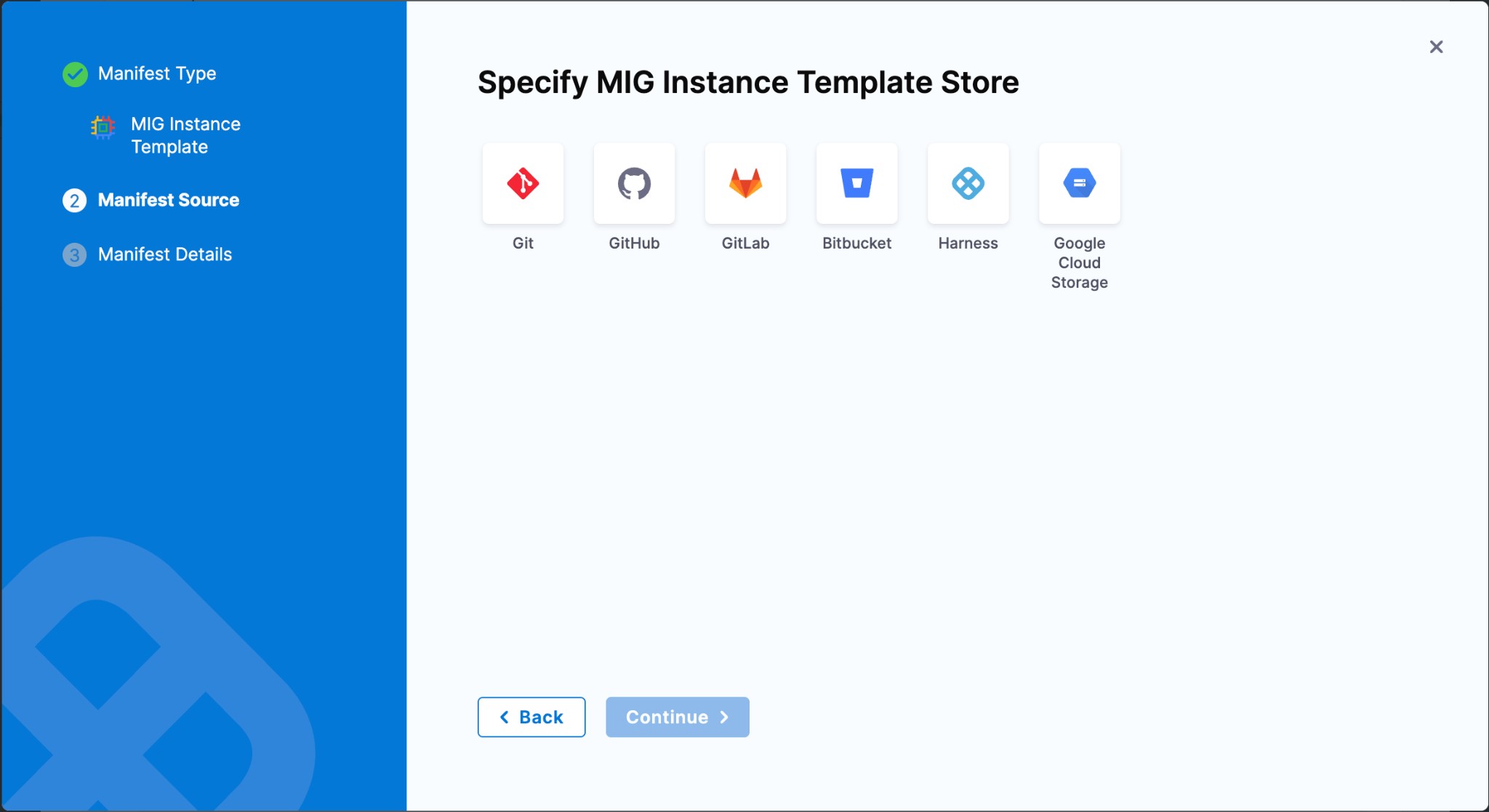
When adding a manifest to your MIG service definition (Instance Template, MIG Configuration, Autoscaler, or Health Check), Harness prompts you to select a manifest store. Select **Google Cloud Storage** from the available options.
### Configure the GCP connector
After selecting Google Cloud Storage, select an existing Harness GCP connector or create a new one. This connector authenticates Harness with your GCP account and provides access to the bucket where your manifests are stored.
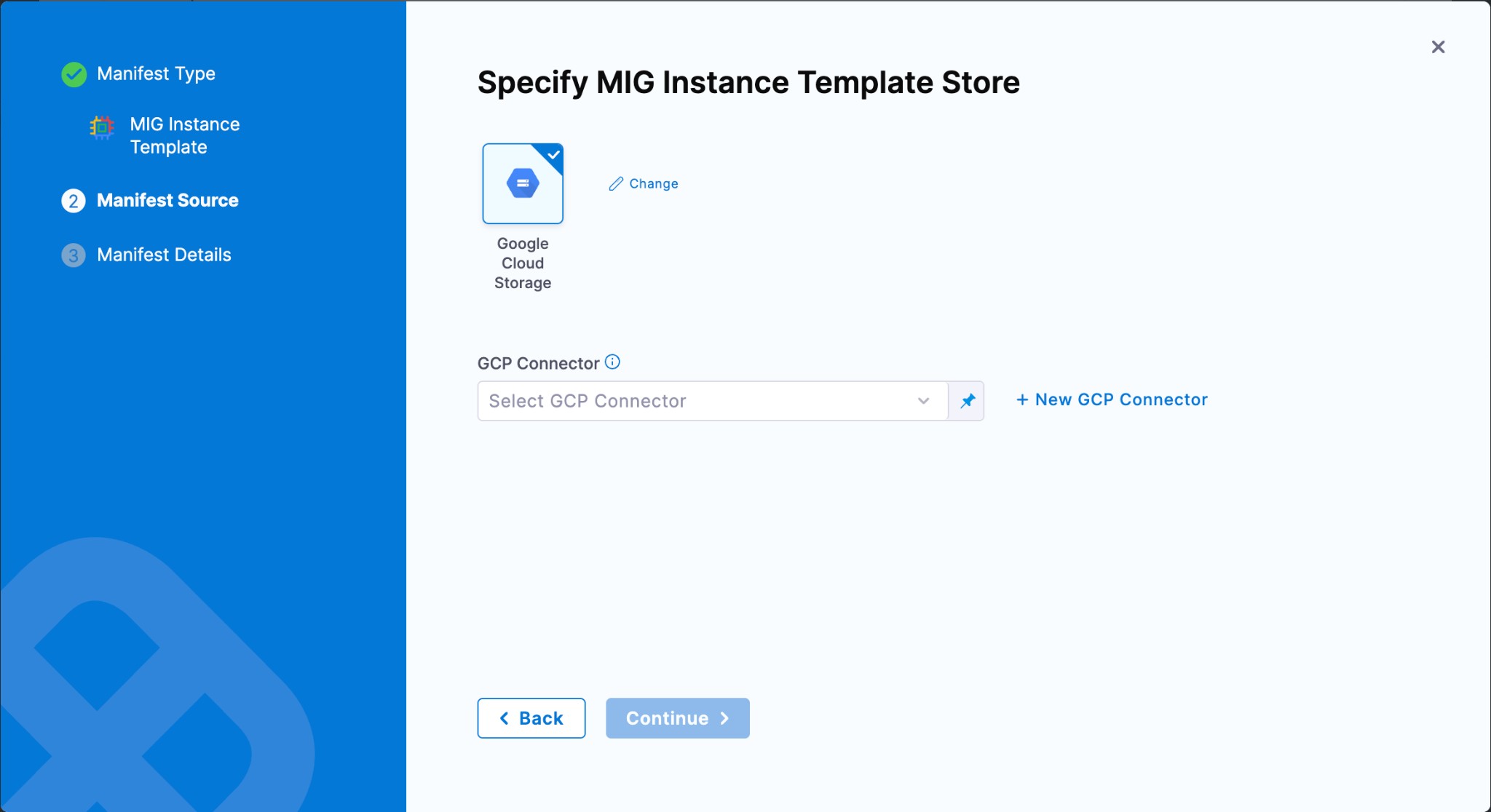
If you do not have a connector yet, select **+ New GCP Connector** and follow the setup flow. For more information, see [Create a GCP connector](https://developer.harness.io/harness-platform/use-harness-platform/connectors/cloud-providers/connect-to-google-cloud-platform-gcp).
### Provide manifest details
On the **Manifest Details** screen, enter values for the following fields:
* **Manifest Identifier**: A unique name for this manifest within the service (for example, `instancetemplate` or `migconfig`).
* **Bucket Name**: The GCS bucket that contains your manifest file. Harness lists available buckets from the connected GCP project.
* **Manifest Path**: The path to the JSON file inside the bucket (for example, `mig/templates/instance-template.json`).
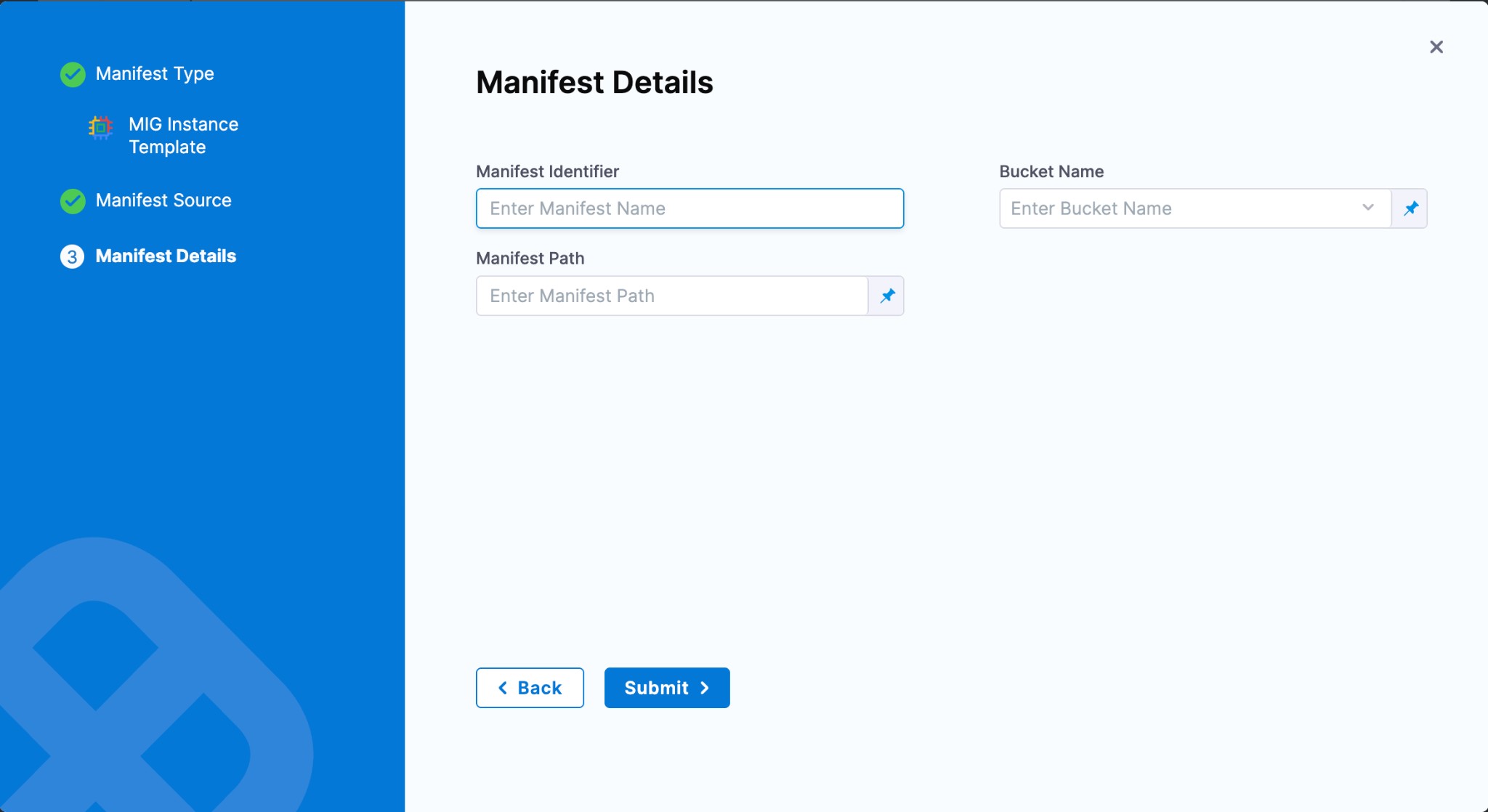
Select **Submit** to save the manifest. Repeat this process for each MIG manifest type you want to store in GCS. You can mix sources, storing some manifests in GCS and others in Git or the Harness File Store.
### YAML example
Here is a service definition that references an instance template stored in a GCS bucket:
```yaml
service:
name: my-mig-service
identifier: my_mig_service
serviceDefinition:
type: GoogleManagedInstanceGroup
spec:
manifests:
- manifest:
identifier: instancetemplate
type: GoogleMigInstanceTemplate
spec:
store:
type: GoogleCloudStorage
spec:
connectorRef: my_gcp_connector
bucket: my-manifests-bucket
path: mig/templates/instance-template.json
- manifest:
identifier: migconfig
type: GoogleMigConfiguration
spec:
store:
type: Github
spec:
connectorRef: my_github_connector
gitFetchType: Branch
paths:
- mig/my-project/mig-manifest.json
repoName: my-repo
branch: main
```
In this example, the instance template is fetched from GCS while the MIG configuration comes from GitHub, showing that you can mix manifest stores within a single service.
***
## Next steps
* [Google Managed Instance Group (MIG) deployments](/continuous-delivery/use-continuous-delivery/deploy-services-on-different-platforms/google-cloud-functions/mig/configure-service-environment.md): Learn how to configure a MIG service and environment.
* [Harness File Store](/continuous-delivery/use-continuous-delivery/cd-building-blocks/services/add-inline-manifests-using-file-store.md): Store manifests inline in Harness instead of in Git or GCS.
* [Create a GCP connector](https://developer.harness.io/harness-platform/use-harness-platform/connectors/cloud-providers/connect-to-google-cloud-platform-gcp): Set up the GCP connector used to authenticate with your GCS bucket.
{% @harness-feedback/feedback %}