> For the complete documentation index, see [llms.txt](https://developer.harness.io/llms.txt). Markdown versions of documentation pages are available by appending `.md` to page URLs; this page is available as [Markdown](https://developer.harness.io/continuous-integration/3.0/troubleshooting-and-resources/ci-subscription-mgmt.md).
# Subscriptions & Licenses
View and manage your CI subscriptions and licenses.
### View and manage subscriptions
To view and manage your Harness CI subscription in your Harness Account
* Go to Account Settings, then select Subscriptions.
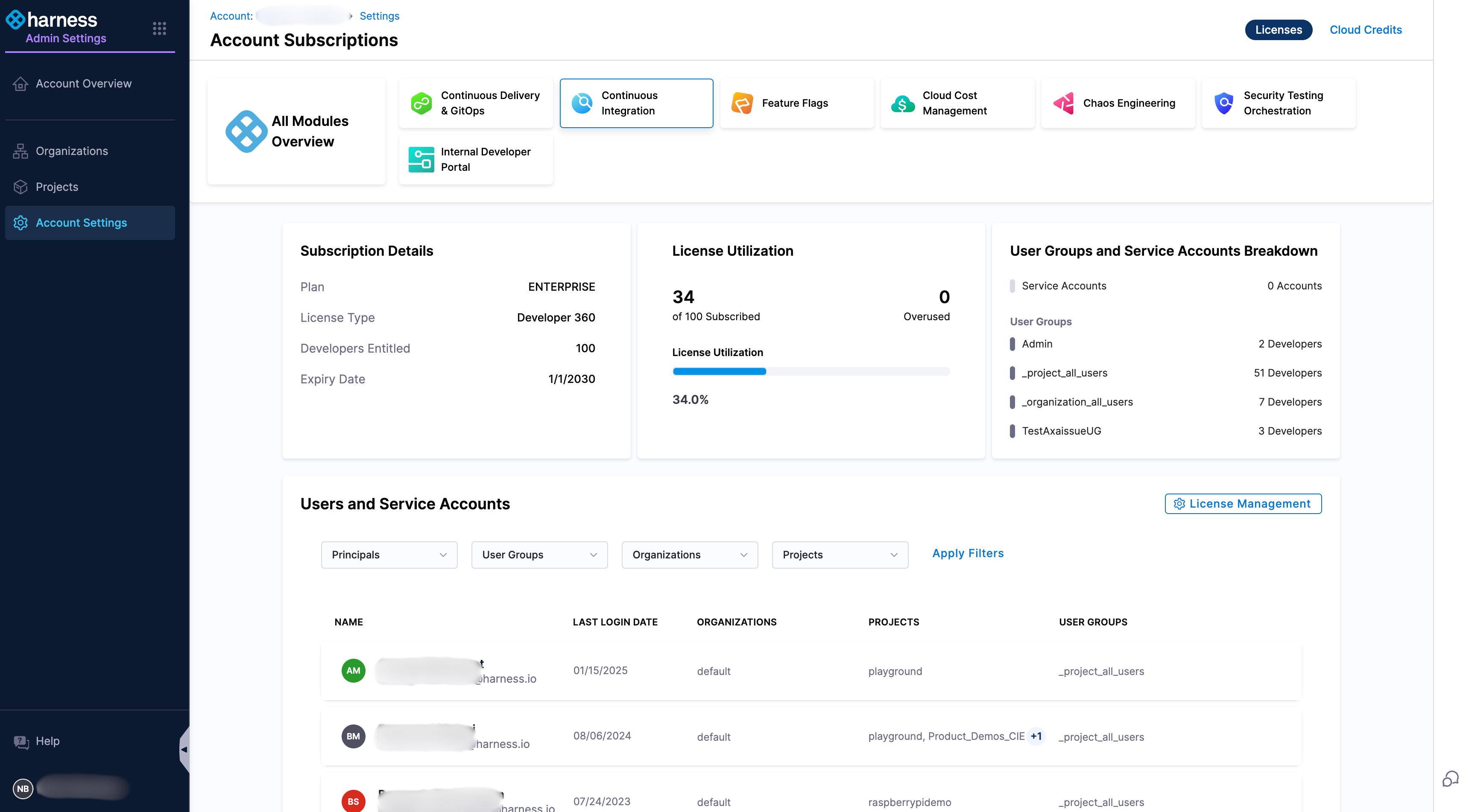
* To view **CI subscriptions** details, on the Subscriptions page, select **Continuous Integration** in the **Licenses** tab.
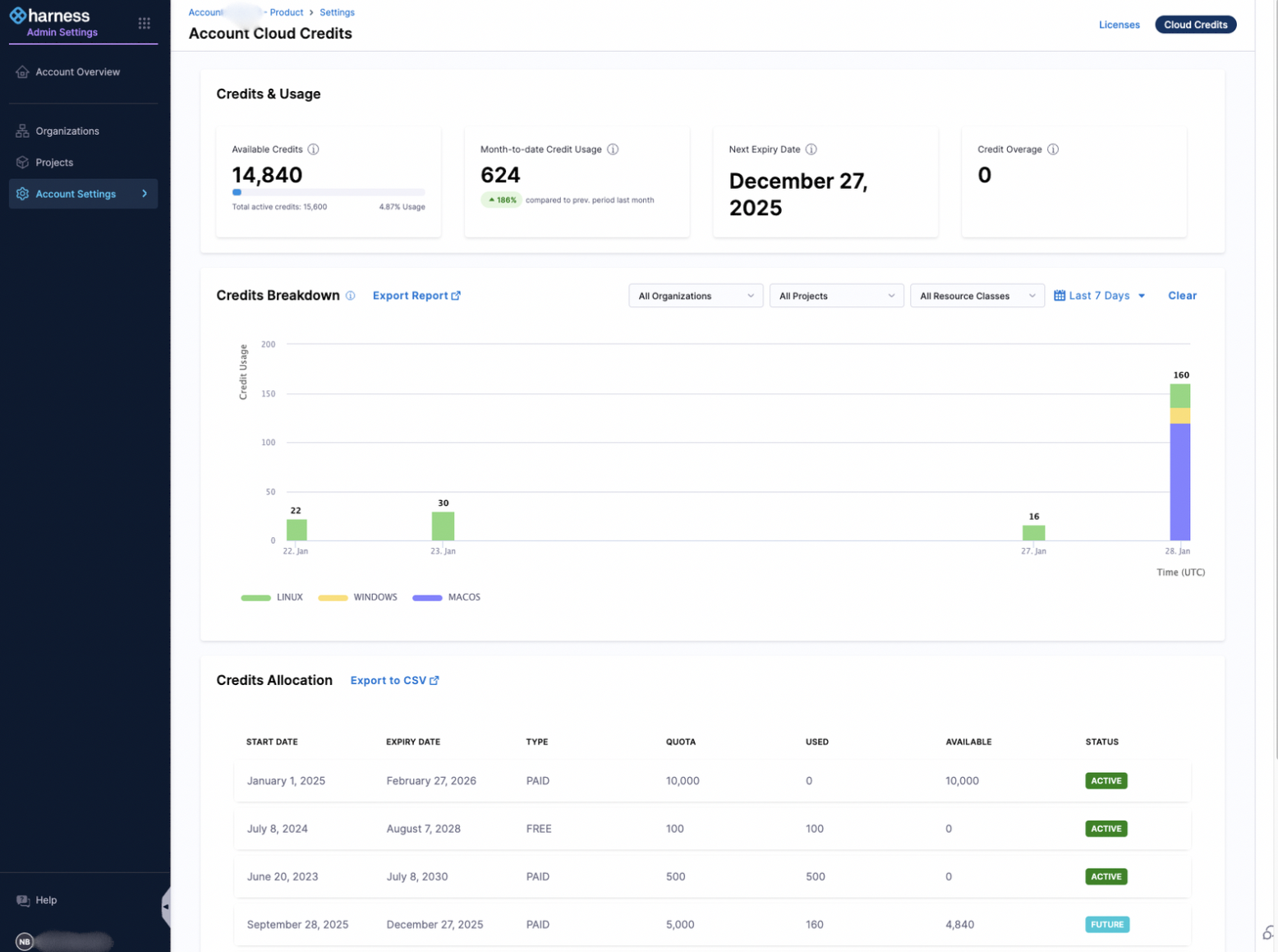
* To view **Cloud Credits** usage, on the Subscriptions page, select **Cloud Credits** tab.
#### Continuous Integration License
**Developer 360 subscription**
Harness Continuous Integration module is using the Developer 360 subscription model.
[Learn more Developer license model](/harness-platform/3.0/subscriptions-and-licenses/subscriptions.md).
#### Cloud Credits
The Cloud Credits View in Harness provides a comprehensive overview of your cloud credit consumption and allocation. It enables you to track critical details such as your available credits, month-to-date usage, upcoming credit expiry dates, and any overages.
[Learn more about Cloud Credits page](/harness-platform/3.0/subscriptions-and-licenses/subscriptions.md#cloud-credits).
[Learn more about Harness Cloud billing](#harness-cloud-billing-and-cloud-credits).
### Harness Cloud billing and Cloud credits
Harness Cloud provides Harness-managed infrastructure that can be used for various tasks in Harness such as builds, security tests and infrastructure provisioning. This section outlines how billing and credit consumption work for all Harness Cloud executions.
[Learn more about Harness Cloud](/continuous-integration/3.0/use-harness-ci/use-harness-ci/set-up-build-infrastructure/use-harness-cloud-build-infrastructure.md).
#### Credit consumption
Credits are deducted for each minute of execution on Harness Cloud, depending on factors such as the operating system and allocated resources. Multiple Harness modules (e.g., CI, Security Testing Orchestration, Infrastructure as Code Management) allow customers to run pipeline stages on Harness Cloud infrastructure, and whenever a stage is executed on Harness Cloud, the corresponding credits are consumed.
**What is build execution time?** The build execution time is the number of minutes that a build takes to complete, counted by the number of minutes used per machine type, and totaled across all machines and machine types used to complete the build.
**Rate Table**
The following table outlines the minute multipliers and per-minute pricing for each resource class, effective September 1, 2026:
| **Operating system** | **Architecture** | **Resource Class Name** | **Cores** | **Memory (GB)** | **Minute Multiplier** | **Price per minute** |
| -------------------- | ---------------- | ----------------------- | --------- | --------------- | --------------------- | -------------------- |
| **Linux** | AMD64 | xsmall | 2 | 7 | 1 | $0.005 |
| | | small | 4 | 15 | 2 | $0.010 |
| | | medium | 8 | 31 | 4 | $0.020 |
| | | large | 16 | 62 | 8 | $0.040 |
| | | xlarge | 32 | 124 | 16 | $0.080 |
| | | xxlarge | 64 | 248 | 32 | $0.160 |
| | | xxxlarge | 96 | 372 | 48 | $0.240 |
| | ARM64 | xsmall | 2 | 8 | 1 | $0.005 |
| | | small | 4 | 16 | 2 | $0.010 |
| | | medium | 8 | 32 | 4 | $0.020 |
| | | large | 16 | 64 | 8 | $0.040 |
| | | xlarge | 32 | 128 | 16 | $0.080 |
| | | xxlarge | 64 | 256 | 32 | $0.160 |
| **Windows** | AMD64 | small | 4 | 15 | 4 | $0.020 |
| | | medium | 8 | 31 | 8 | $0.040 |
| | | large | 16 | 62 | 16 | $0.080 |
| | | xlarge | 32 | 124 | 32 | $0.160 |
| | | xxlarge (2XL) | 64 | 248 | 64 | $0.320 |
| | | xxxlarge (3XL) | 96 | 372 | 96 | $0.480 |
| **macOS** | ARM64 (Apple M4) | medium | 6 | 12 | 36 | $0.180 |
Credits for Cloud minutes are calculated by multiplying the execution time (measured in minutes, rounded to the nearest minute) by the minute multiplier of the selected resource class.
Examples for credit consumption, based on the values in the table above:
* 1,000 minutes on a Linux, 4-core (small) machine = 2,000 cloud credits (1,000 minutes × 2).
* 1,000 minutes on a Windows, 4-core (small) machine = 4,000 cloud credits (1,000 minutes × 4).
* 1,000 minutes on a macOS, 6-core (medium) machine = 36,000 cloud credits (1,000 minutes × 36).
Go to [Use resource classes](/continuous-integration/3.0/use-harness-ci/use-harness-ci/set-up-build-infrastructure/use-harness-cloud-build-infrastructure.md#use-resource-classes) to learn how to select a resource class.
#### Credit allowance by plan tier
**Free plans** receive 2000 free credits every month. Any free credits that are unused at the end of the month expire automatically and do not roll over from one month to the next.
Customers on **paid plans** can purchase Harness Cloud credits. These purchased credits can be rolled over from one month to the next, but generally expire one year from purchase, unless specified otherwise in signed an Order Form with Harness.
Harness notifies you when you are running low on cloud credits, and Harness can invoice in arrears for overages. For more information, go to [Credit overages (overuse)](#credit-overages-overuse).
Cloud credits can be consumed by all users within the account registered to run pipelines on Harness Cloud.
#### Usage limits
The following sections describe limits for concurrent stage execution on Harness Cloud, Storage used by [Harness CI Intelligence](/continuous-integration/3.0/use-harness-ci/use-harness-ci/harness-ci-intelligence.md) features, and network transfers.
{% hint style="info" %}
Harness customers who need higher limits for their account can contact [Harness Support](https://support.harness.io) to request an increase.
{% endhint %}
**Concurrency**
The number of concurrent stages you can run on Harness Cloud in your account depends on the plan you are subscribed to. Once you reach your concurrency limit, any new stages are queued.
The following table lists concurrency limits for each OS type and plan tier.
| OS | Free | Startup | Enterprise |
| ------- | ---- | ------- | ---------- |
| Linux | 20 | 40 | 60 |
| Windows | 1 | 5 | 5 |
| macOS | 1 | 5 | 5 |
**Storage**
Harness stores cached data when using cache optimizing [Harness CI Intelligence](/continuous-integration/3.0/use-harness-ci/use-harness-ci/harness-ci-intelligence.md) features, in Harness managed storage. The maximum amount of cache data that you can store depends on the plan you are subscribed to:
* Free: 2 GB
* Startup: 5 GB
* Enterprise: 10 GB
Harness does not directly limit the number of caches you can store, but once you reach your storage limit, Harness continues to save new caches while automatically evicting old caches.
**Network transfers**
The network transfer limit applies to the data transferred from Harness Cloud to customer managed storage.
The limit depends on the plan you are subscribed to:
* Free: 1 GB
* Startup: 5 GB
* Enterprise: 10 GB
#### Credit overages (overuse)
As a courtesy, Harness notifies you when you are running low on [cloud credits](#credit-allowance-by-plan-tier). When you receive such a notification, Harness strongly recommends that you purchase additional credits through your account manager.
To allow you to continually execute your pipeline using Harness Cloud, Harness will allow you to continue using Harness Cloud even if you do not have enough credits in your account to cover your total execution time, but Harness will invoice you in arrears for all credits owed.
{% hint style="warning" %}
Harness reserves the right to automatically suspend your access to Harness Cloud and suspend all Harness Cloud executions if you do not promptly pay for all credits utilized by your account.
To restore your access to Harness Cloud and continue executing Harness Cloud , you must complete payment for your additional usage, and you must also purchase enough additional credits to cover all the Harness Cloud usage you intend to execute during the remainder of your License Term.
Harness will invoice you for charges due, and all amounts are due in full within 30 days of the invoice date.
Harness reserves the right to suspend your access to Harness Cloud and suspend all Harness Cloud executions if you are overdue on any amounts owed.
{% endhint %}
For more information, contact Harness Sales or your account manager.
{% @harness-feedback/feedback %}