Use AI Scribe Agent
The AI Scribe Agent is a specialized autonomous component of the Harness AI SRE platform that acts as a virtual scribe during incidents. It automatically documents communications, decisions, and actions across multiple channels to create comprehensive incident records without manual effort. The AI Scribe Agent works in conjunction with the RCA Change Agent, the Scribe captures the incident narrative, and the RCA Change Agent uses that structured data to identify root causes and drive corrective action.
The AI Scribe Agent serves as your dedicated incident management specialist, automatically capturing and organizing all incident response activities across communication platforms.
By monitoring Slack channels, Zoom, and Microsoft Teams meetings, it ensures that no critical information is lost during high-pressure incident response situations.
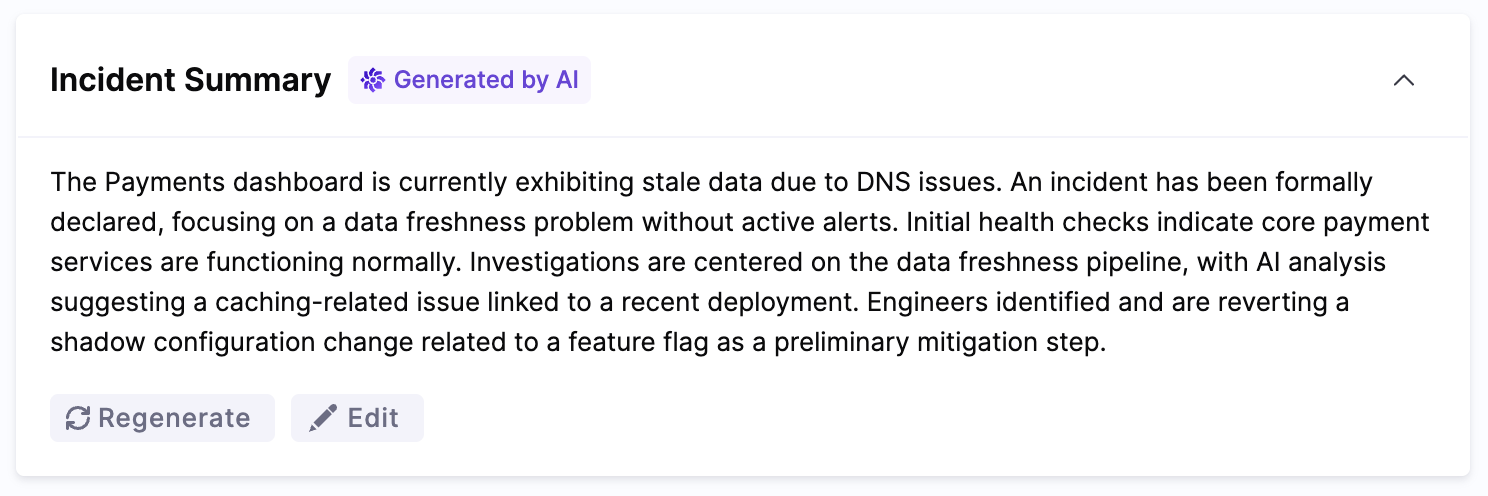
Key Capabilities
The AI Scribe Agent provides these specific autonomous functions:
Automated Documentation
- Continuous Recording: Captures all communications without human intervention
- Key Event Detection: Processes transcript chunks through an LLM to identify significant events and adds them as timeline entries. The system focuses on executive-level updates including:
- Major discoveries about root cause or impact
- Significant changes in incident scope, severity, or customer impact
- Key mitigation actions like rollbacks or deployments
- Important timeline milestones (incident start, resolution, etc.)
- Deliberately excludes routine activities like creating tickets, standard investigation steps, team coordination, and minor configuration changes
Communication Analysis
- Continuity Across the Incident: The AI Scribe maintains context by tracking conversation state and processing new messages incrementally, ensuring events from early in the incident are available when later messages are analyzed.
- Timeline Construction: Creates chronological records of events
Communication Platform Integrations
Slack Integration
The AI SRE Scribe Agent actively monitors dedicated incident channels to:
- Real-time Capture: Records all conversations as they happen
- Key Event Detection: Automatically identifies significant events from conversations and adds them to the timeline (major discoveries, key decisions, mitigation actions)
- Timeline Construction: Creates chronological event sequences
- Manual Action Items: Action items can be created manually via web UI and Slack commands
Zoom Integration
Zoom meeting transcription uses third-party services. Recall.ai deploys the meeting bot, and AssemblyAI handles audio transcription. Review the data handling and privacy policies for these services when evaluating this feature for your organization.
The AI SRE Scribe Agent joins incident war room meetings to:
- Meeting Transcription: Converts spoken discussions into searchable text
- Key Point Extraction: Identifies and highlights critical information from transcripts using the same criteria as Slack messages (major discoveries, significant changes, key mitigation actions)
- Speaker Attribution: Maintains record of who said what in the transcript
- Timeline Integration: Adds significant discussion points to the incident timeline as key events
- Action Item Detection: Automatically extracts action items from meeting transcripts where someone explicitly commits to a task, including assignee and due date if mentioned
Microsoft Teams Integration
Microsoft Teams meeting transcription uses third-party services. Recall.ai deploys the meeting bot, and AssemblyAI handles audio transcription. Review the data handling and privacy policies for these services when evaluating this feature for your organization.
The AI SRE Scribe Agent participates in Teams meetings to:
- Conversation Monitoring: Tracks all incident-related discussions
- Insight Extraction: Identifies important technical details from transcripts using the same key event detection criteria
- Speaker Attribution: Maintains record of who said what in the transcript
- Timeline Integration: Adds significant discussion points to the incident timeline as key events
- Action Item Detection: Automatically extracts action items from meeting transcripts where someone explicitly commits to a task, including assignee and due date if mentioned
Automated Documentation Features
Comprehensive Event Capture
The AI SRE Scribe Agent captures two levels of information:
Full Transcript (stored for reference):
- All messages, calls, and meeting transcripts across platforms
- Complete conversation history with timestamps and speaker attribution
Key Events (highlighted in timeline):
- Major discoveries about root cause or technical issues
- Significant changes in incident scope, severity, or customer impact
- Key mitigation actions like rollbacks, deployments, or configuration changes
- Important timeline milestones (incident start, resolution, etc.)
The Scribe deliberately focuses key events on executive-level updates, excluding routine activities like ticket creation, standard investigation commands, team coordination logistics, and minor configuration changes. This keeps the timeline focused on what matters for incident understanding and post-incident review.
Action Items (automatically detected from meeting transcripts):
- Concrete tasks where someone explicitly committed to doing something
- Assigned person's name (if mentioned in the transcript)
- Due date or deadline (if mentioned)
- Automatically deduplicated to avoid creating the same action item multiple times when mentioned repeatedly
Action items can also be created manually via the web UI or Slack commands.
Intelligent Timeline Generation
The AI SRE Scribe Agent transforms raw communications into structured incident timelines. Key events are expressed as executive-level status updates. The following examples illustrate how the Scribe interprets messages:
Examples of Automated Documentation:
Recovery Action Detection (Slack)
[14:23 UTC] DevOps Engineer: Database failover completed successfully
↓ AI SRE Scribe adds to timeline as key event:
Database failover completed successfully
Root Cause Discovery (Zoom transcript)
"After reviewing metrics, we've identified a memory leak in the payment service."
↓ AI SRE Scribe adds to timeline as key event:
Memory leak identified in payment service after metric review
Note: Key events are concise, executive-level summaries. The complete messages and full context remain available in the conversation transcript.
AI-Native Post-Mortem Generation
Currently, this feature is behind the IR_INCIDENT_POSTMORTEM feature flag. Contact Harness Support to enable the feature.
AI SRE automatically generates a structured post-incident review when an incident is closed (status → Closed). This AI-native post-mortem synthesizes the complete incident record into a comprehensive retrospective document.
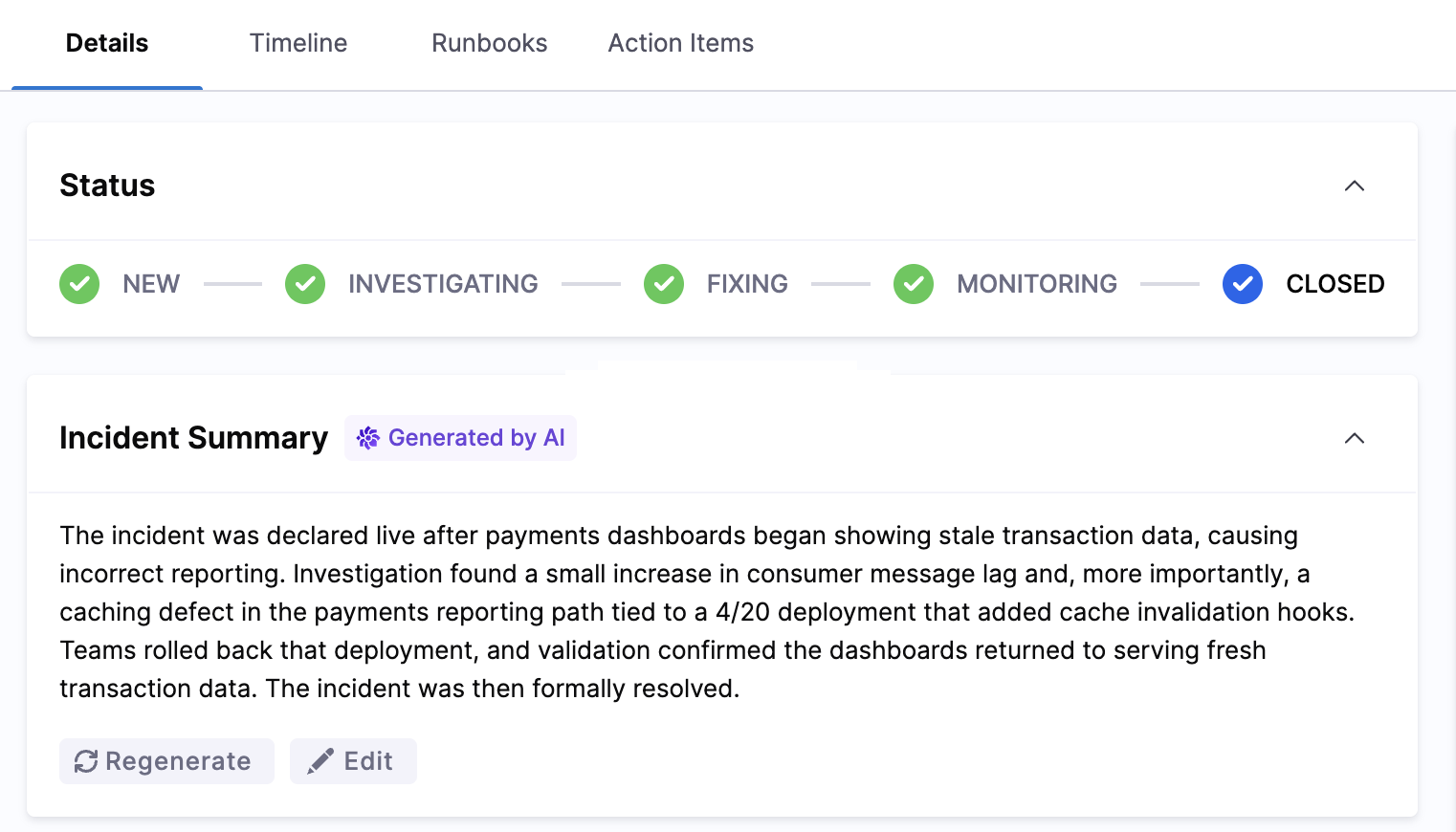
Post-Mortem Structure
The generated post-mortem contains six fixed sections:
- Summary: High-level overview of what happened and when
- Impact: Affected services, users, and business impact
- Root Cause: Identified cause based on RCA theories and investigation findings
- Resolution: How the incident was mitigated and resolved
- Insights: Key observations and patterns discovered during the incident
- Lessons Learned: Actionable takeaways for preventing similar incidents
The post-mortem structure is fixed and cannot be customized. All post-mortems follow the same six-section format to ensure consistency across incidents and facilitate pattern recognition during retrospective analysis.
Data Sources
The AI pulls context from multiple sources:
- Incident metadata: Title, severity, timestamps, impacted services, RCA theories
- Incident notes: Up to 200,000 characters of notes (newest content preserved if truncated)
- Timeline events: Nine event types including pages, escalations, runbook executions, key events, and status changes
- Action items: Follow-up tasks captured during the incident (both AI-detected and manually created)
Generation Triggers
Post-mortems can be generated in two ways:
- Automatic generation: Triggered when an incident status changes to Closed
- Manual regeneration: Available from the incident detail page if you update notes or add new information after closing
If generation fails, any previously generated post-mortem is preserved. The error message appears alongside the previous content, allowing you to retry generation without losing prior work.
RCA Change Agent Integration
The timeline and event data produced by the AI Scribe Agent serves as a primary input to the RCA (Root Cause Analysis) Change Agent. The RCA Change Agent runs in realtime as the incident collects new data, ingesting the Scribe's structured timeline alongside alert and telemetry data to identify causal chains and recommend likely root cause candidates so that engineers can focus on long term remediation.
Maximizing the AI SRE Scribe Agent
Optimal Configuration
- Dedicated Channels: Create purpose-specific incident channels
- Early Integration: Add the AI SRE Scribe Agent at incident creation
- Naming Conventions: Use consistent, searchable channel naming
- Access Management: Ensure the agent has proper permissions
- Platform Coverage: Deploy across all communication platforms
Communication Best Practices
These tips help the AI Scribe capture your intent more accurately. The Scribe uses NLP to interpret messages in context, but clear formatting makes it easier to detect what matters most:
- Decision Markers: Prefix key decisions with "DECISION:" to help the Scribe identify them reliably
- Action Formatting: Use "ACTION ITEM:" to flag tasks clearly
- Status Updates: Structure updates with timestamps and service names
- Handoff Documentation: Clearly document shift changes and handoffs
- Terminology Consistency: Use standard terms across all communications
Documentation Review
- Verification: Review AI-generated timelines for accuracy
- Enrichment: Add business context to technical details
- Completion Check: Ensure all critical events are captured
- Annotation: Add post-incident insights to the timeline
- Knowledge Base: Use documentation for training and process improvement
AI Scribe Capabilities vs. Human Scribes
| Aspect | AI Scribe Agent | Human Scribe |
|---|---|---|
| Coverage | Captures all communications in monitored channels and transcribed meetings | May miss details during fast-paced incidents |
| Availability | Always available, no scheduling needed | Requires staffing and scheduling |
| Consistency | Uniform documentation format | Varies by individual |
| Cost | Fixed platform cost | Requires dedicated staff time |
Getting Started
Quick Setup
Related Resources
Summary
By leveraging the AI Scribe Agent, teams can focus on resolving incidents faster while maintaining comprehensive documentation automatically. This specialized agent handles the documentation burden so your technical teams can concentrate on what matters most: restoring service and resolving customer-impacting issues.