CLI for Continuous Delivery
Use the Harness CLI to manage Continuous Delivery resources including services, environments, infrastructure definitions, and service overrides. Go to Harness CLI to install, authenticate, and review all supported resources.
All commands follow the harness [verb] [noun] <identifier> pattern. Every list command supports --ui for interactive browsing, --all to fetch every page, and --format table|json|jsonl|csv|tsv|markdown for output control.
Go to Continuous Delivery and pipeline commands to manage pipelines, executions, triggers, input sets, templates, and freeze windows from the CLI.
What will you learn in this topic?
By the end of this page, you will know how to:
- Create, inspect, update, and delete service definitions from the CLI.
- Manage environment entities and the
typefield that distinguishes production from pre-production targets. - Work with infrastructure definitions and why
--envis required for list, get, and delete. - Use the two service override types (
ENV_GLOBAL_OVERRIDEandENV_SERVICE_OVERRIDE). - Use the
--uiflag for interactive browsing of Continuous Delivery resources.
Before you begin
- Continuous Delivery concepts: Familiarity with services, environments, and infrastructure definitions. Go to Continuous Delivery overview to review the resource model.
- Harness CLI installed and authenticated: Go to Install and upgrade and Authenticate to set up the CLI.
- Org and project scope configured: All Continuous Delivery resources are project-scoped. Set a default org and project with
harness auth setscopeor pass--organd--projecton each command.
Services
A service represents what you deploy: the artifact, the manifest, and any configuration that defines your application. Services are reusable across environments and stay consistent regardless of the deployment target.
List services
harness list service
harness list service --all --format json
harness list service --ui

Get a service
harness get service <service_id>
harness get service <service_id> --yaml > service.yaml
Create a service
Provide a YAML file with the service definition:
harness create service <service_id> -f service.yaml
Update a service
Fetch the YAML, edit locally, and push it back:
harness get service <service_id> --yaml > service.yaml
$EDITOR service.yaml
harness update service <service_id> -f service.yaml
Delete a service
harness delete service <service_id>
Environments
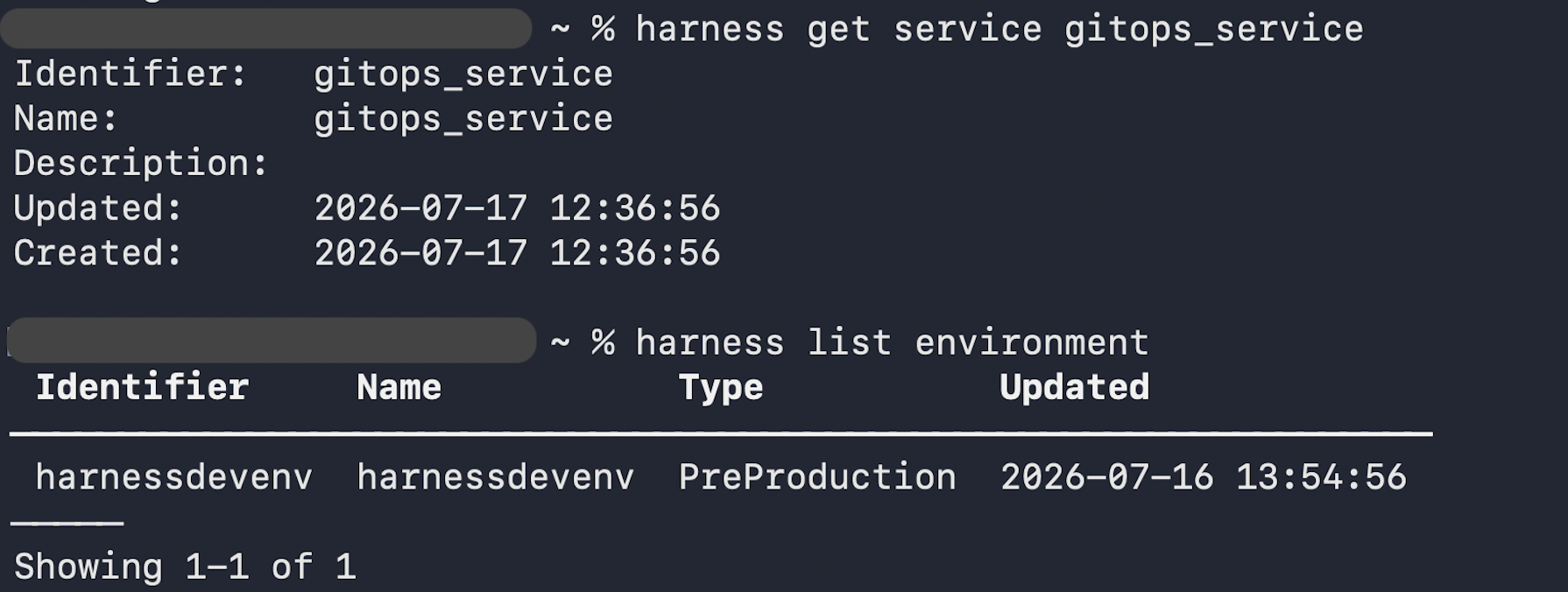
An environment represents where you deploy: production, staging, QA, or any other target. The type field accepts Production or PreProduction. Environments hold environment-specific configuration such as variables, manifests, and overrides.
List environments
harness list environment
harness list environment --all --format json
harness list environment --ui
Get an environment
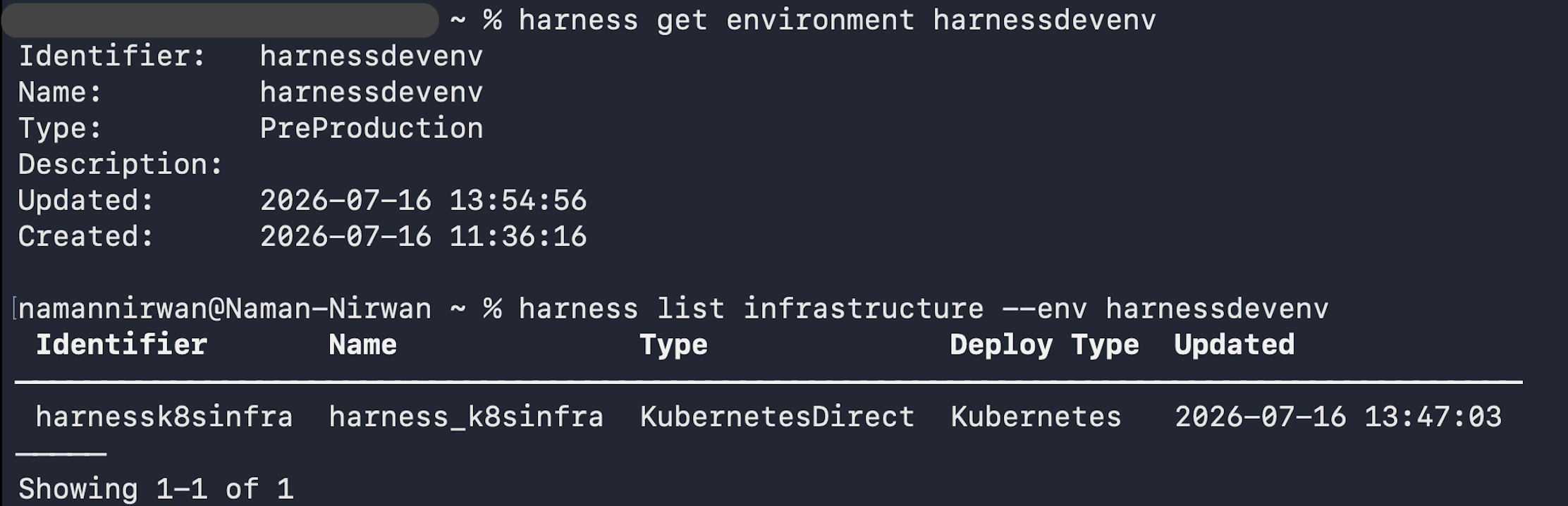
harness get environment <environment_id>
harness get environment <environment_id> --yaml > environment.yaml
Create an environment
Provide a YAML file with the environment definition:
harness create environment <environment_id> -f environment.yaml
Update an environment
Fetch the YAML, edit locally, and push it back:
harness get environment <environment_id> --yaml > environment.yaml
$EDITOR environment.yaml
harness update environment <environment_id> -f environment.yaml
Delete an environment
harness delete environment <environment_id>
Infrastructure definitions
An infrastructure definition describes the compute target where a service is deployed within an environment. It specifies the cluster, namespace, region, or other details Harness needs to execute the deployment. Infrastructure definitions always belong to an environment, so --env <environment_id> is required for list, get, and delete.
List infrastructure definitions
harness list infrastructure --env <environment_id>
harness list infrastructure --env <environment_id> --format json
harness list infrastructure --env <environment_id> --ui
Get an infrastructure definition
harness get infrastructure <infrastructure_id> --env <environment_id>
harness get infrastructure <infrastructure_id> --env <environment_id> --yaml > infra.yaml

Create an infrastructure definition
Provide a YAML file with the infrastructure definition:
harness create infrastructure <infrastructure_id> -f infra.yaml
Update an infrastructure definition
Fetch the YAML, edit locally, and push it back:
harness get infrastructure <infrastructure_id> --env <environment_id> --yaml > infra.yaml
$EDITOR infra.yaml
harness update infrastructure <infrastructure_id> -f infra.yaml
Delete an infrastructure definition
harness delete infrastructure <infrastructure_id> --env <environment_id>
Service overrides
Service overrides customize service configuration for a specific environment without modifying the base service definition. Use them to override manifests, variables, or config files so the same service stays portable across environments.
The type field accepts two values:
ENV_GLOBAL_OVERRIDE: applies to all services in the environment.ENV_SERVICE_OVERRIDE: applies to one specific service in the environment.
List service overrides
harness list service_override --env <environment_id>
harness list service_override --env <environment_id> --format json
harness list service_override --env <environment_id> --ui
Get a service override
harness get service_override <override_id>
harness get service_override <override_id> --yaml > override.yaml
Create a service override
Provide a YAML file with the override definition:
harness create service_override <override_id> -f override.yaml
Update a service override
Fetch the YAML, edit locally, and push it back:
harness get service_override <override_id> --yaml > override.yaml
$EDITOR override.yaml
harness update service_override <override_id> -f override.yaml
Delete a service override
harness delete service_override <override_id>
Interactive TUI
All list commands support --ui for a paged, interactive browser. The TUI requires a TTY on both stdin and stdout. Do not pass --ui in CI or headless environments.
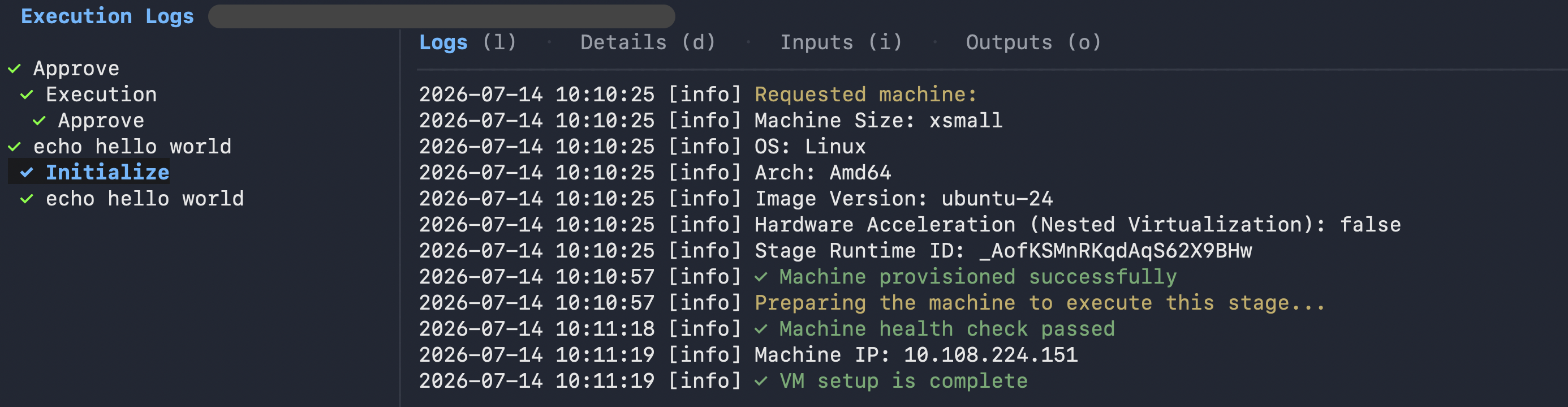
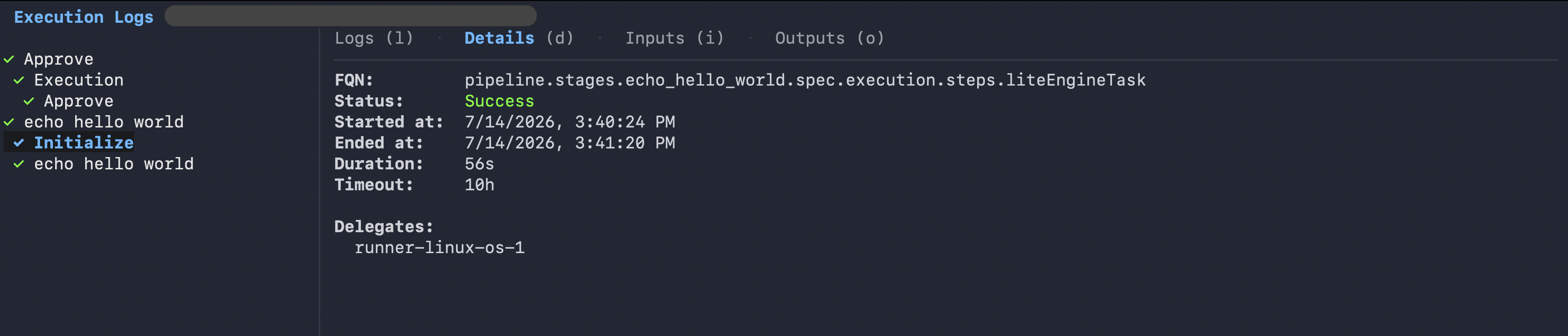
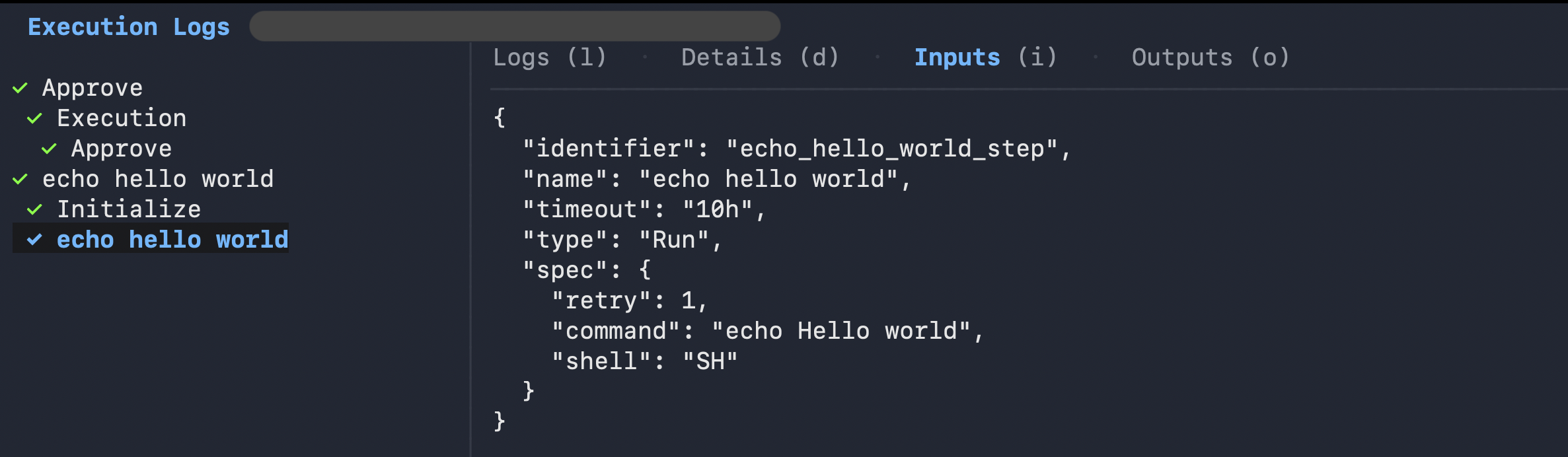
When you drill into an execution from the TUI, you can navigate between the Logs, Details, Inputs, and Outputs tabs using the keyboard shortcuts shown in the footer.
The Logs tab streams step output in real time:
The Details tab shows execution metadata including FQN, status, start and end times, duration, and the assigned delegate:
The Inputs tab shows the step configuration as JSON:
The --ui flag is mutually exclusive with --format, --out, and stream redirection. For non-interactive contexts, use --format json or --format jsonl instead.
Next steps
- Go to Continuous Delivery and pipeline commands to manage pipelines, executions, triggers, input sets, and freeze windows from the CLI.
- Go to Harness CLI overview to install, authenticate, and configure the Harness CLI.
- Go to Continuous Delivery integrations to review which platforms and tools Harness Continuous Delivery supports.
- Go to the Harness CLI GitHub repository to view source code and releases.
- Go to the Harness CLI command reference to explore the full list of available commands.