Notifications
What will you learn
- How to enable and disable notification channels at the account level
- How to restrict email notifications using domain allowlists
- How to configure email alerts for platform resource limits
Before you begin
- You must have Account Admin permissions to manage notification settings.
- Review the platform resource limits if you plan to configure limit alerts.
Notification settings allow you to control which notification channels are available across your Harness account. These settings are managed at the account scope and apply to all organizations and projects within the account.
By default, all supported notification channels are enabled. Organizations and projects inherit the account-level notification settings and cannot override them.
When a notification channel is disabled at the account level:
- No notifications are sent through that channel.
- This applies to both existing and newly configured notifications.
- Notifications resume automatically when the channel is enabled.
Harness supports the following notification channels:
- Slack
- Microsoft Teams
- Webhooks
- PagerDuty
- Datadog
Manage notification
To enable or disable a notification channel, navigate to Account Settings > Account Resources > Default Settings > Notifications, and use the corresponding toggle.
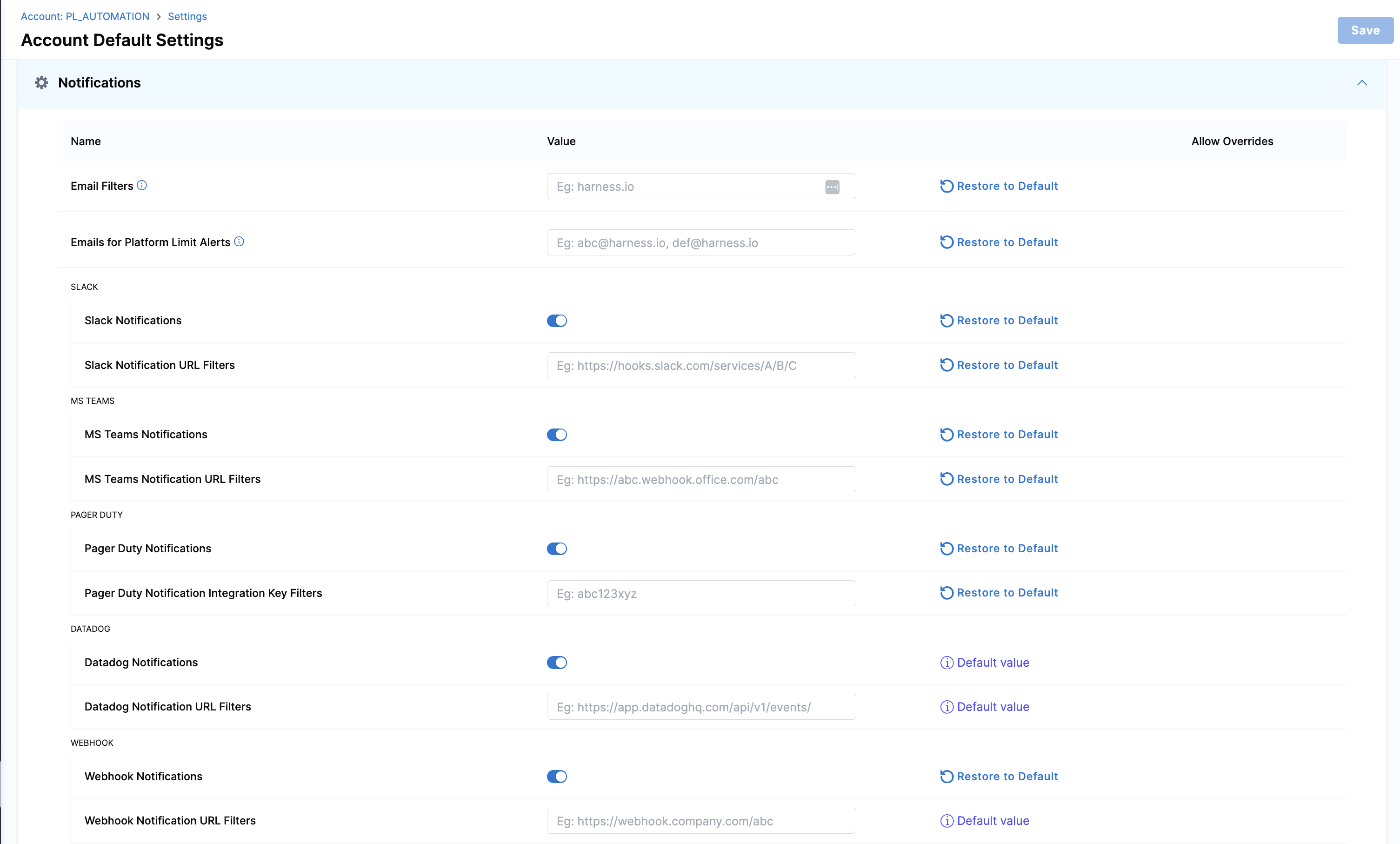
Email filters
Email filters allow you to restrict where notifications are sent by enforcing a domain allowlist at the account level. When enabled, notifications are delivered only to email addresses included in the allowlist.
Only fixed domains are supported. Expression-based URLs or dynamic domains are not allowed.
Example: If you add example.com to the email filters, only email addresses from that domain such as alerts@example.com will receive notifications.
Emails for platform limit alerts
Currently, the platform limit alerts feature is behind the feature flag PL_ENABLE_LIMIT_ALERTS_NOTIFICATIONS. Please, contact Harness Support to enable this feature.
You can configure email recipients to receive alerts as your account approaches the default platform resource limits. Email alerts are sent when usage reaches 80%, 95%, and 100% of the allowed limit, giving you visibility and time to act. You can add up to five email addresses to receive these alerts.
Platform limits are enforced at the account level, and these alerts help you proactively manage usage before limits are reached.
Platform Resource Mapping
These variables are used in email notifications to alert users when platform resources are approaching their limits. You can find more about the platform resource limits here.
| Resource Name | Resource Variable |
|---|---|
| Organizations | MULTIPLE_ORGANIZATIONS |
| Projects | MULTIPLE_PROJECTS |
| Secrets | MULTIPLE_SECRETS |
| User Groups | MULTIPLE_USER_GROUPS |
| Users | MULTIPLE_USERS |
| Service Accounts | MULTIPLE_SERVICE_ACCOUNTS |
| Variables | MULTIPLE_VARIABLES |
| API Keys | MULTIPLE_API_KEYS |
| API Key Tokens | MULTIPLE_API_TOKENS |
| Connectors | MULTIPLE_CONNECTORS |
| Secret Managers | SECRET_MANAGERS |
| Roles | CUSTOM_ROLES |
| Resource Groups | CUSTOM_RESOURCE_GROUPS |
| Role Bindings | ROLE_ASSIGNMENT |
| Audit streaming | AUDIT_STREAMING_DESTINATION |
| Delegates | MULTIPLE_DELEGATES |
| Data Sinks | DATA_SINKS |