> For the complete documentation index, see [llms.txt](https://developer.harness.io/llms.txt). Markdown versions of documentation pages are available by appending `.md` to page URLs; this page is available as [Markdown](https://developer.harness.io/feature-management-experimentation/use-fme/release-agent.md).
# Release Agent
Learn about the Release Agent capabilities in Harness FME.
Release Agent is an in-app AI chatbot designed to streamline the use of Harness Feature Management and Experimentation (FME). It offers multilingual support, rapid responses, and knowledge-based assistance by using Harness public documentation and blogs. Release Agent makes it easy for all developers to get the help they need without leaving the Harness interface.
***
### What will you learn in this topic?
By the end of this topic, you will be able to:
* [Ask Release Agent questions about FME features and configuration](#ask-release-agent).
* [Use AI Summarize to analyze feature flag and experiment metrics](#ai-summarize).
* [Enable or disable Release Agent for your team](#enable-release-agent-for-your-team).
* [Understand how Release Agent handles your data and privacy](#your-data-usage).
***
### Before you begin
Before you use Release Agent, ensure you have the following:
* **Harness FME access**: Access to the Feature Management and Experimentation module.
* **Admin permissions**: Admin role to enable or disable Release Agent for your team (required only for configuration).
* **Active feature flags or experiments**: At least one feature flag or experiment configured to use AI Summarize features (optional for Ask Release Agent).
***
### Ask Release Agent
Ask Release Agent provides conversational assistance for FME tasks and workflows. Navigate to the FME navigation menu and click **Ask Release Agent** to open the chat modal.
#### Example questions
Release Agent can answer questions across setup, configuration, best practices, and troubleshooting:
* How do I set up a JavaScript SDK in my codebase?
* How do I create and manage feature flags in FME?
* How can I integrate FME with my application using the SDK?
* What are the best practices for naming feature flags and events?
* How do I set up an A/B test in Harness FME?
* Can you explain how FME's targeting rules work?
* How can I use segments to target specific groups of users?
* What data types can I track using FME events for measurement?
* How do I interpret the metrics on my experiments' results?
* How do I export data from FME for further analysis?
* What are the implications of feature flag rollout strategies, such as canary releases?
* How do I troubleshoot issues with the FME SDK?
* Can I use FME across multiple environments, and how?
* How does Harness FME handle data privacy and security?
* What are best practices for cleaning up old flags and technical debt?
***
### AI Summarize
AI Summarize analyzes and summarizes metric results on feature flags and experiments. This feature helps you understand performance data and experiment outcomes without manual analysis.
#### Feature flag metrics
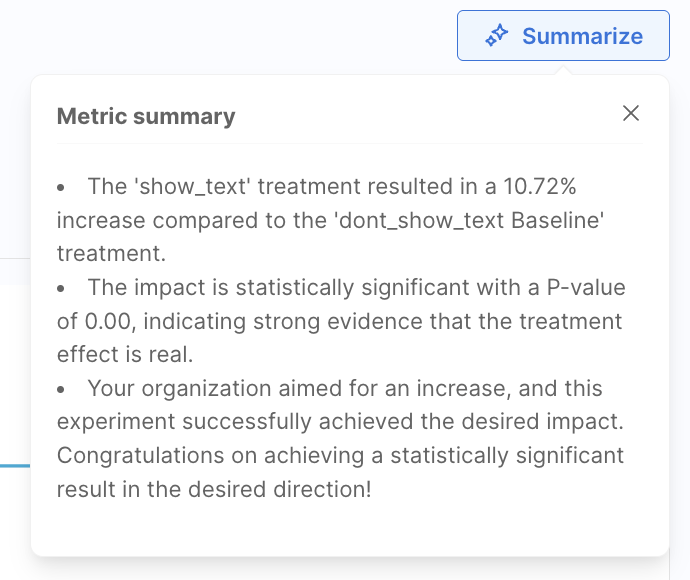
To use AI Summarize on a feature flag metric, drill into a metric tile on a feature flag's Metrics impact dashboard and click **Summarize**.
Click to view full size image
#### Experiment results and metrics
AI Summarize works on both individual experiment metrics and overall experiment results.
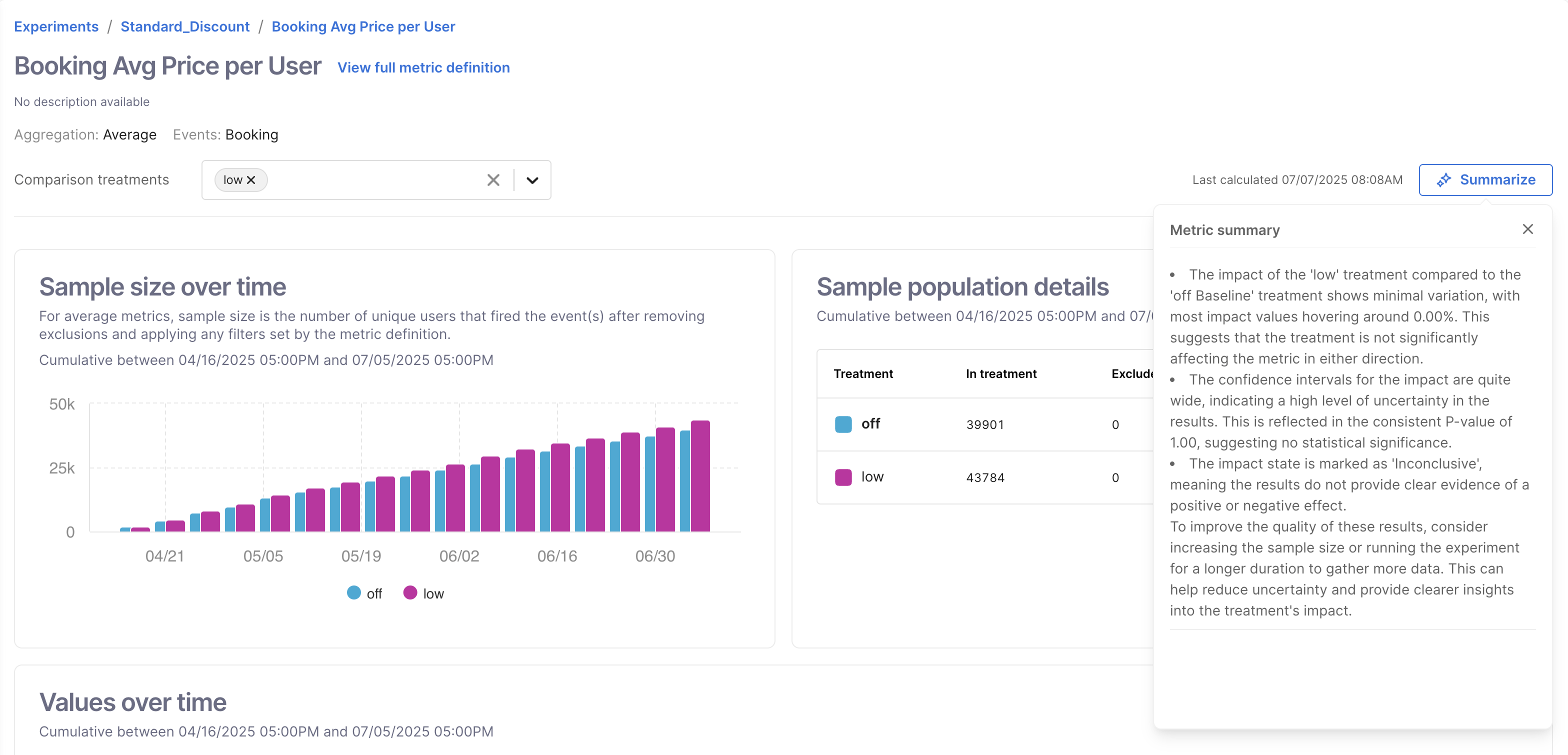
To summarize an experiment metric, drill into a metric on an experiment's Metrics dashboard and click **Summarize**.
Click to view full size image
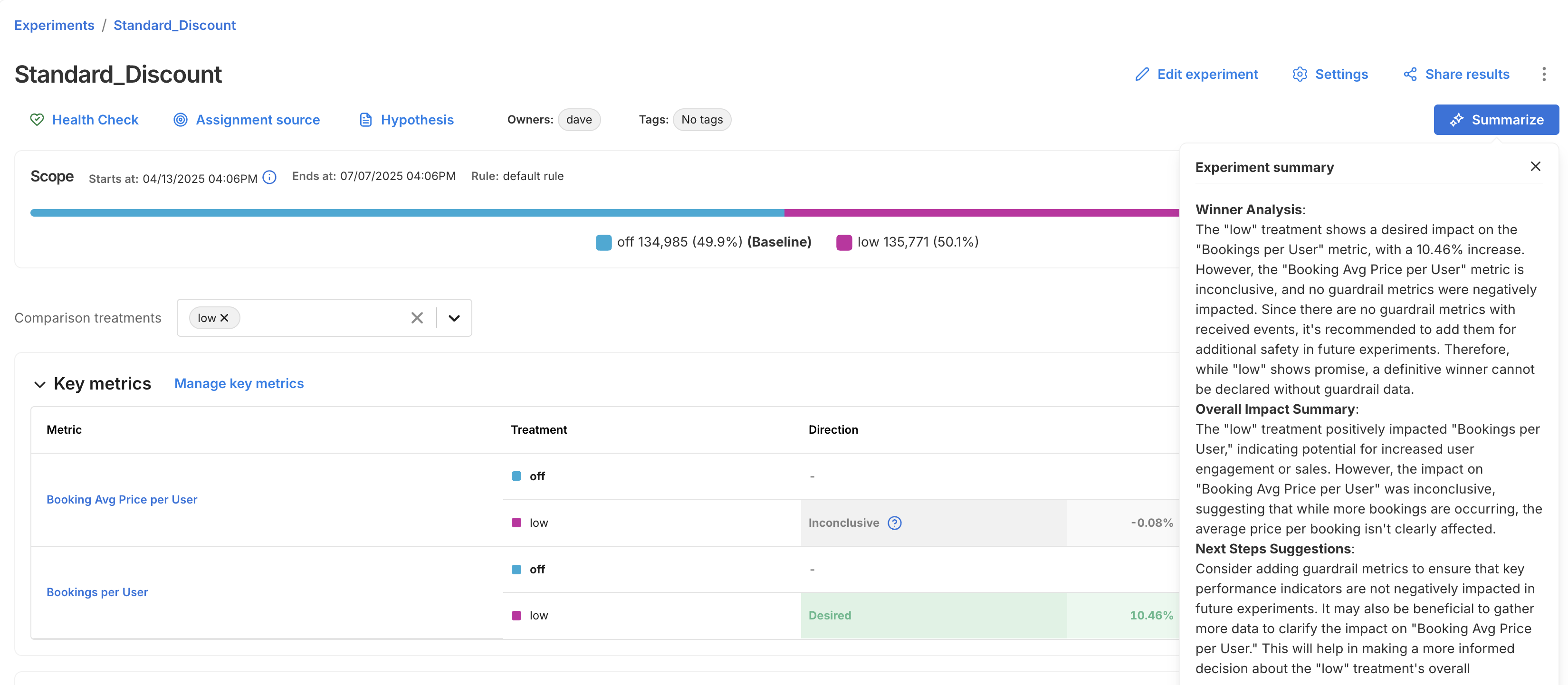
To summarize an experiment's overall results, select an experiment on the **Experiments** page and click **Summarize**.
Click to view full size image
Go to [Viewing experiment results](/feature-management-experimentation/use-fme/experimentation/experiment-results/viewing-experiment-results.md#use-ai-summarize) for more information on AI Summarize.
***
### Enable Release Agent for your team
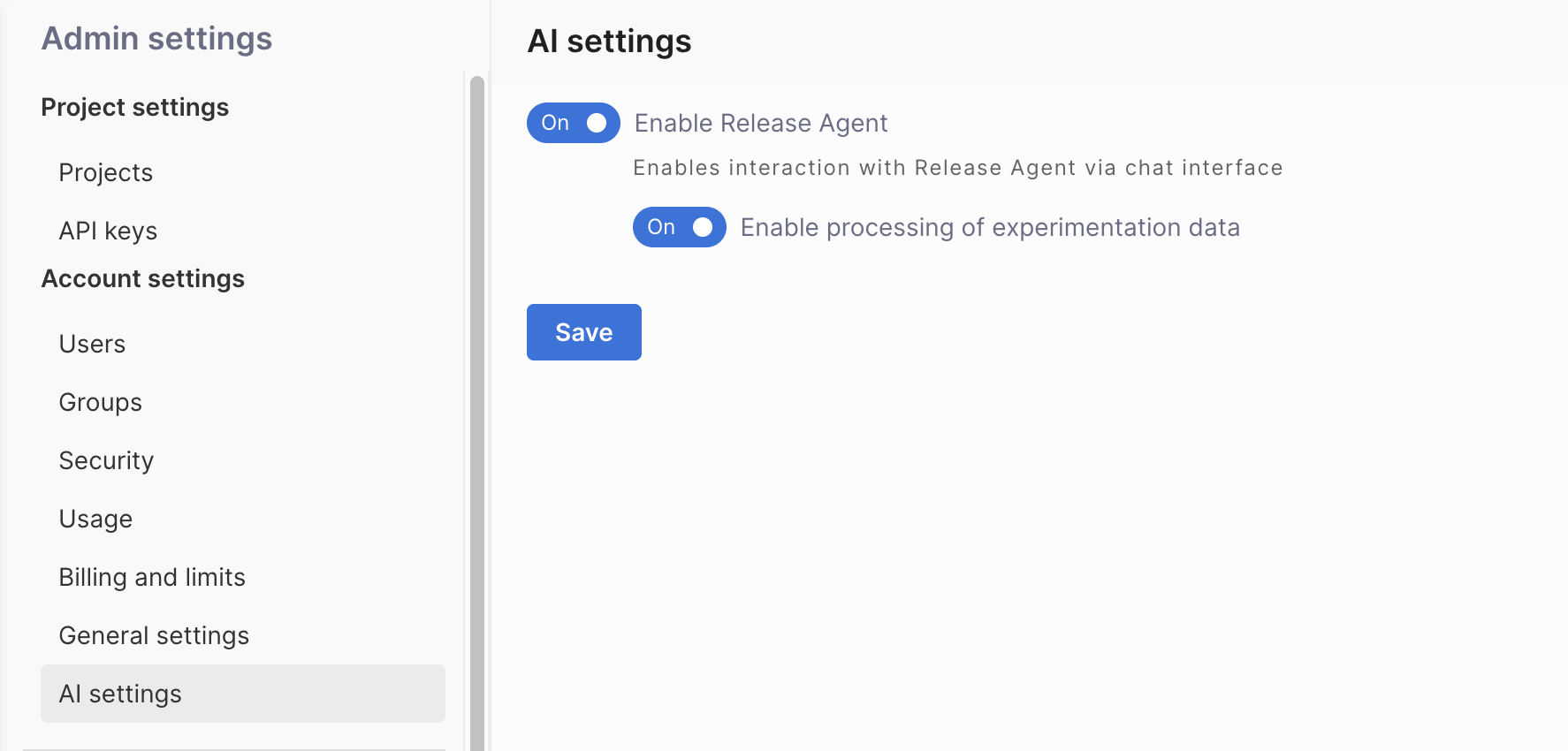
Admins can enable or disable Release Agent and control experimentation data processing through FME settings.
Click to view full size image
1. Navigate to **FME Settings** > **AI settings**.
2. Select the **Enable Release Agent** toggle to turn the chatbot on or off for your team.
3. Select the **Enable processing of experimentation data** toggle to enable or disable AI Summarize features. When you enable processing of experimentation data, the data is protected by the privacy policies described in the [Privacy section](#privacy).
4. Click **Save**.
***
### Your data usage
Release Agent processes data with accuracy and privacy standards to ensure secure and reliable AI assistance.
#### Accuracy
While Release Agent strives to provide accurate information, it cannot guarantee the accuracy, completeness, or timeliness of all information. Large Language Models (LLMs) can struggle with precision and context of numerical information.
You can reach out to if you have questions or require additional help.
#### Privacy
Your data is protected by the [Harness privacy policy](https://www.harness.io/legal/privacy), which applies when you use the product. Release Agent uses OpenAI as a data subprocessor for the data summarization feature, so your data is additionally protected by the [OpenAI Enterprise privacy policy](https://openai.com/enterprise-privacy/).
Additional ways that your privacy is protected:
* **No training on your data**: Neither Harness nor OpenAI uses your data for model training.
* **Minimal data sharing**: Harness sends OpenAI only the minimal necessary information required to create data summarization.
***
### Feedback and support
Submit support inquiries or report issues with Release Agent via .
Provide detailed descriptions and reproduction steps for issues to facilitate expedited troubleshooting. Your feedback is instrumental for the iterative enhancement of Release Agent.
***
### Next steps
* [AI-Native Software Delivery: Proven Practices to Produce High-Quality Software Faster](https://www.harness.io/resources/ai-native-software-delivery-proven-practices-to-produce-high-quality-software-faster)
{% @harness-feedback/feedback %}