> For the complete documentation index, see [llms.txt](https://developer.harness.io/llms.txt). Markdown versions of documentation pages are available by appending `.md` to page URLs; this page is available as [Markdown](https://developer.harness.io/infrastructure-as-code-management/platform/workspaces/cloud-cost-management-integration.md). Agents can also search and read this documentation through its [MCP server](https://developer.harness.io/~gitbook/mcp).
# Cost Management Agent integration
Show the actual cost of a workspace's resources, and the savings findings for them, from the Cost Management Agent.
The Cost Management Agent shows the actual cost of the resources a workspace manages, including enterprise discounts and agreements. The savings findings for those resources appear on the [Insights](https://developer.harness.io/infrastructure-as-code-management/platform/workspaces/insights.md) tab. From a finding, the [Remediation Agent](https://developer.harness.io/infrastructure-as-code-management/platform/workspaces/remediation-agent.md) can open a pull request.
This is separate from cost estimation. Cost estimation is the Infracost estimate of a planned change, and it does not use your contract rates. Go to [Cost estimation](https://developer.harness.io/infrastructure-as-code-management/platform/workspaces/cost-estimation.md) to enable it.
***
## Before you begin
* **Workspace access:** **View** and **Edit** on the workspace. Go to [Workspace RBAC](https://developer.harness.io/infrastructure-as-code-management/platform/workspaces/workspace-rbac.md) to configure permissions.
* **Cost Management:** The Cost Management module must be active on your account.
* **Cloud resources:** The workspace manages resources on AWS, Azure, or GCP.
{% hint style="info" %}
**Recommendations**
Cost data is available for AWS, Azure, and GCP. Savings recommendations are available for AWS and Azure only.
{% endhint %}
***
## Enable the integration
1. In your project, go to **Workspaces** and select the workspace.
2. Select the **Configuration** tab.
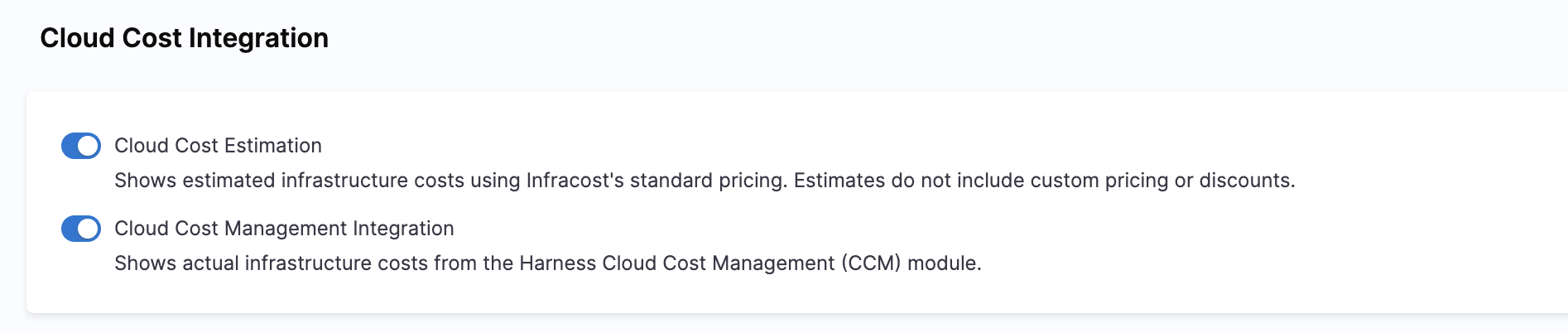
3. Under **Cloud Cost Integration**, turn on **Cloud Cost Management Integration**.
Harness syncs cost and recommendation data about every 12 hours. After a sync, the workspace **Overview** tab shows **Current Monthly Cost** and **Optimization Opportunity**. Each recommendation is a row on the **Insights** tab, with **Apply with agent**. Go to [Workspace Insights](https://developer.harness.io/infrastructure-as-code-management/platform/workspaces/insights.md) to read a finding and open a pull request with the [IaCM Remediation Agent](https://developer.harness.io/infrastructure-as-code-management/platform/workspaces/remediation-agent.md).
***
## Recommendations
These are the recommendation types that appear as cost findings on [Workspace Insights](https://developer.harness.io/infrastructure-as-code-management/platform/workspaces/insights.md).
**AWS**
| Resource type | Recommendation | Description |
| ----------------------- | ------------------- | --------------------------------------------------------------------------------------- |
| EC2 Instance | Rightsize | Change the instance type to one that better matches actual CPU and memory utilization. |
| EC2 Instance | Migrate to Graviton | Move the instance to an AWS Graviton processor-based type for better price-performance. |
| EBS Volume | Delete | Remove an unattached or unused EBS volume to eliminate unnecessary storage costs. |
| EC2 Auto Scaling Group | Migrate to Graviton | Update the launch configuration to use Graviton-based instance types across the group. |
| RDS DB Instance | Rightsize | Change the DB instance class to one that better matches actual database workload. |
| RDS DB Instance Storage | Rightsize | Reduce allocated storage to match actual usage and lower storage costs. |
**Azure**
| Resource type | Recommendation | Description |
| --------------- | -------------- | ---------------------------------------------------------------------------------- |
| Virtual Machine | Rightsize | Change the VM size to one that better matches actual CPU and memory utilization. |
| Virtual Machine | Shutdown | Stop an idle or unused VM to eliminate compute costs while retaining the resource. |
| AKS Node Pool | Rightsize | Change the node VM size to one that better matches actual workload requirements. |
***
## Troubleshooting
No cost data appears after you enable Cloud Cost Management Integration
Confirm Cost Management is active on the account and that the workspace manages AWS, Azure, or GCP resources. The sync runs about every 12 hours. If nothing appears after 24 hours, confirm Cost Management can see the cloud account where the resources run. Savings recommendations are not available for GCP.
***
## Next steps
* Go to [Workspace Insights](https://developer.harness.io/infrastructure-as-code-management/platform/workspaces/insights.md) to review the findings and select **Apply with agent**.
* Go to [Remediation Agent](https://developer.harness.io/infrastructure-as-code-management/platform/workspaces/remediation-agent.md) to see what the pull request contains.
{% @harness-feedback/feedback %}