> For the complete documentation index, see [llms.txt](https://developer.harness.io/llms.txt). Markdown versions of documentation pages are available by appending `.md` to page URLs; this page is available as [Markdown](https://developer.harness.io/internal-developer-portal/use-idp/self-service-workflows/workflows-tutorials/harness-entity-selector.md).
# Populate Workflow Dropdowns from Harness APIs
Use HarnessEntitySelector to populate workflow form dropdowns from Harness APIs using the logged-in user's token, so each user sees only the resources they have access to.
Platform teams often need pickers backed by live Harness data (RBAC scopes, variables, services, projects) instead of static enums. **HarnessEntitySelector** is a workflow form field that runs in the browser, applies Harness auth, and populates a dropdown from Harness API. Each user sees only the organizations, projects, services, connectors, or other resources they can access.
This is different from [`SelectFieldFromApi`](/internal-developer-portal/use-idp/self-service-workflows/workflows-tutorials/dynamic-picker.md), which requires a backend proxy with a configured static token. `HarnessEntitySelector` works directly against Harness gateway endpoints with no proxy setup.
{% hint style="info" %}
`HarnessEntitySelector` is for **Harness-internal APIs only**: NG APIs, platform APIs, and workflow APIs under the same gateway as the IDP UI. For external APIs (GitHub, Dynatrace, Jira, and so on), continue using `SelectFieldFromApi` with a backend proxy.
{% endhint %}
***
### Before you begin
Make sure you have the following in place:
* **IDP workflow authoring access:** Ability to create or edit workflow templates in IDP. Go to [RBAC in Harness](https://developer.harness.io/harness-platform/use-harness-platform/platform-access-control) to configure roles.
* **Harness account access:** The logged-in user's token is used for all API calls. Dropdown results reflect the user's own account permissions, so no additional token or proxy setup is needed.
***
### How it works
The field works as follows:
1. You provide a relative `path` to a Harness gateway endpoint, along with optional query `params`, a request `body` (for POST), and response mapping selectors.
2. When the form loads, the field calls that endpoint with the user's session token and the account's `accountIdentifier` appended automatically.
3. The response is mapped to dropdown options using `arraySelector`, `valueSelector`, and `labelSelector`.
4. The user's selection is stored as a `string` (single select) or `string[]` (multi-select).
***
### Options reference
Set `ui:field: HarnessEntitySelector` on any string or array property to use this field. All further configuration goes under `ui:options` as shown below.
| Option | Required | Description |
| ---------------------- | -------- | --------------------------------------------------------------------------------------------------------------------- |
| `path` | Yes | Relative gateway path, e.g. `/ng/api/services`. Supports Nunjucks templating with `{{ parameters. }}`. |
| `method` | No | `GET` (default), `POST`, `PUT`, or `PATCH`. |
| `params` | No | Query parameters (string values, Nunjucks-templated). `accountIdentifier` and `routingId` are appended automatically. |
| `body` | No | JSON body for non-GET requests (Nunjucks-templated). |
| `headers` | No | Additional request headers. |
| `arraySelector` | No | Dot path to the array inside the response, e.g. `data.content`. If omitted, the root of the response is used. |
| `valueSelector` | No | Dot path on each item for the stored value, e.g. `service.identifier`. |
| `labelSelector` | No | Dot path on each item for the display label. Defaults to `valueSelector`. |
| `searchQueryParam` | No | When set, binds a search box to this query parameter. Input is debounced by 300 ms. |
| `title` | No | Field label. Defaults to `Select`. |
| `placeholder` | No | Placeholder text. Defaults to `Select from results`. |
| `description` | No | Helper text shown under the field. |
| `allowArbitraryValues` | No | When `true`, lets users type a value not in the list. Defaults to `false`. |
| `setContextData` | No | Writes fields from the selected row into workflow context for use in downstream steps. Single-select only. |
***
### Examples
#### Simple dropdown using GET
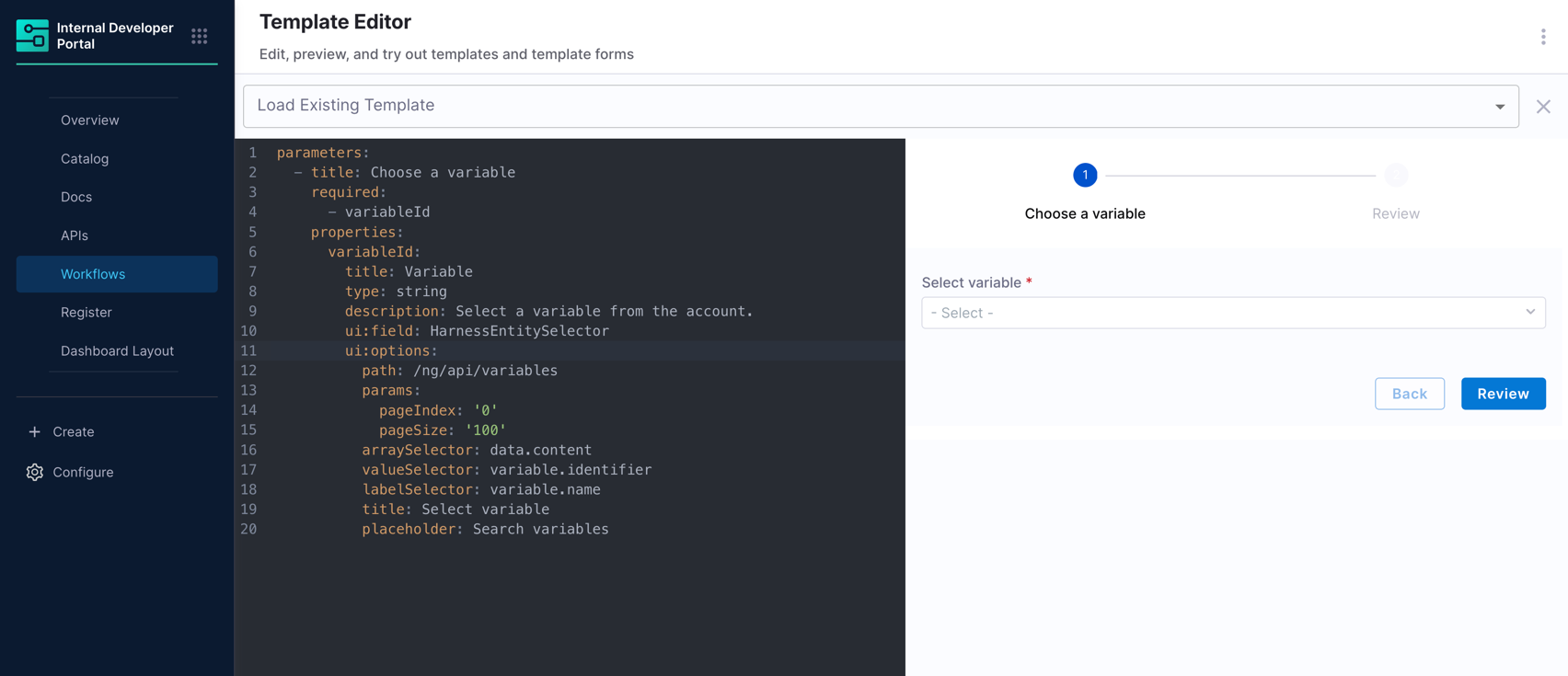
Fetches the first page of variables in the account and lets the user pick one. This is the simplest usage: a `GET` with pagination params and three selectors.
```yaml
parameters:
- title: Choose a variable
required:
- variableId
properties:
variableId:
title: Variable
type: string
description: Select a variable from the account.
ui:field: HarnessEntitySelector
ui:options:
path: /ng/api/variables
params:
pageIndex: '0'
pageSize: '100'
arraySelector: data.content
valueSelector: variable.identifier
labelSelector: variable.name
title: Select variable
placeholder: Search variables
```
`arraySelector: data.content` points at the list inside the JSON response. `valueSelector` and `labelSelector` then read fields from each item in that list. The stored form value is `variable.identifier`.
#### Filtered results using POST
Some Harness APIs require a POST body to filter results. Use `method: POST` and provide the filter in `body`. The body supports Nunjucks templating against `parameters`, so you can pass form values into the request at runtime.
```yaml
parameters:
- title: Project admin lookup
required:
- accountId
- userId
- projectId
properties:
accountId:
title: Account identifier
type: string
userId:
title: User identifier (principal)
type: string
projectId:
title: Project
type: string
description: Select a project where the user is a project admin.
ui:field: HarnessEntitySelector
ui:options:
path: /authz/api/roleassignments/v2/filter
method: POST
params:
pageIndex: '0'
pageSize: '100'
headers:
Content-Type: application/json
body:
roleFilter:
- _project_admin
scopeFilters:
- accountIdentifier: '{{ parameters.accountId }}'
filter: INCLUDING_CHILD_SCOPES
principalFilter:
identifier: '{{ parameters.userId }}'
type: USER
arraySelector: data.content
valueSelector: scope.projectIdentifier
labelSelector: scope.projectIdentifier
title: Select project
setContextData:
selectedProjectId: scope.projectIdentifier
selectedOrgId: scope.orgIdentifier
```
{% hint style="warning" %}
Use `{{ parameters.accountId }}` style references to workflow inputs rather than hard-coded production identifiers in the body.
{% endhint %}
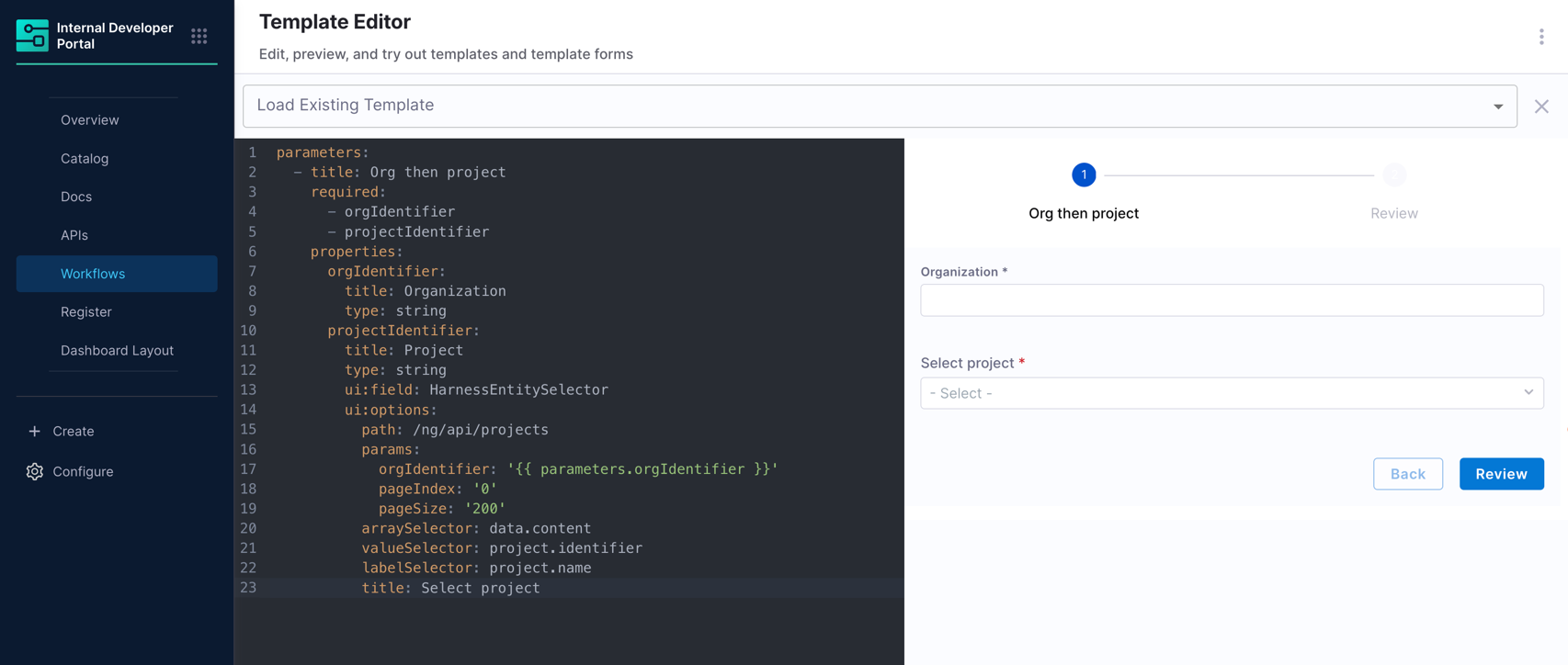
#### 2-chained dropdowns: Org and Project
Any value in `path`, `params`, or `body` can reference a previous field using `{{ parameters. }}`. The field waits until all referenced fields have a value before making the API call. This gives you dependent dropdowns without extra wiring.
```yaml
parameters:
- title: Org then project
required:
- orgIdentifier
- projectIdentifier
properties:
orgIdentifier:
title: Organization
type: string
projectIdentifier:
title: Project
type: string
ui:field: HarnessEntitySelector
ui:options:
path: /ng/api/projects
params:
orgIdentifier: '{{ parameters.orgIdentifier }}'
pageIndex: '0'
pageSize: '200'
arraySelector: data.content
valueSelector: project.identifier
labelSelector: project.name
title: Select project
```
{% hint style="info" %}
The `projectIdentifier` field stays idle until `orgIdentifier` is filled. Order your fields so users fill dependencies first.
{% endhint %}
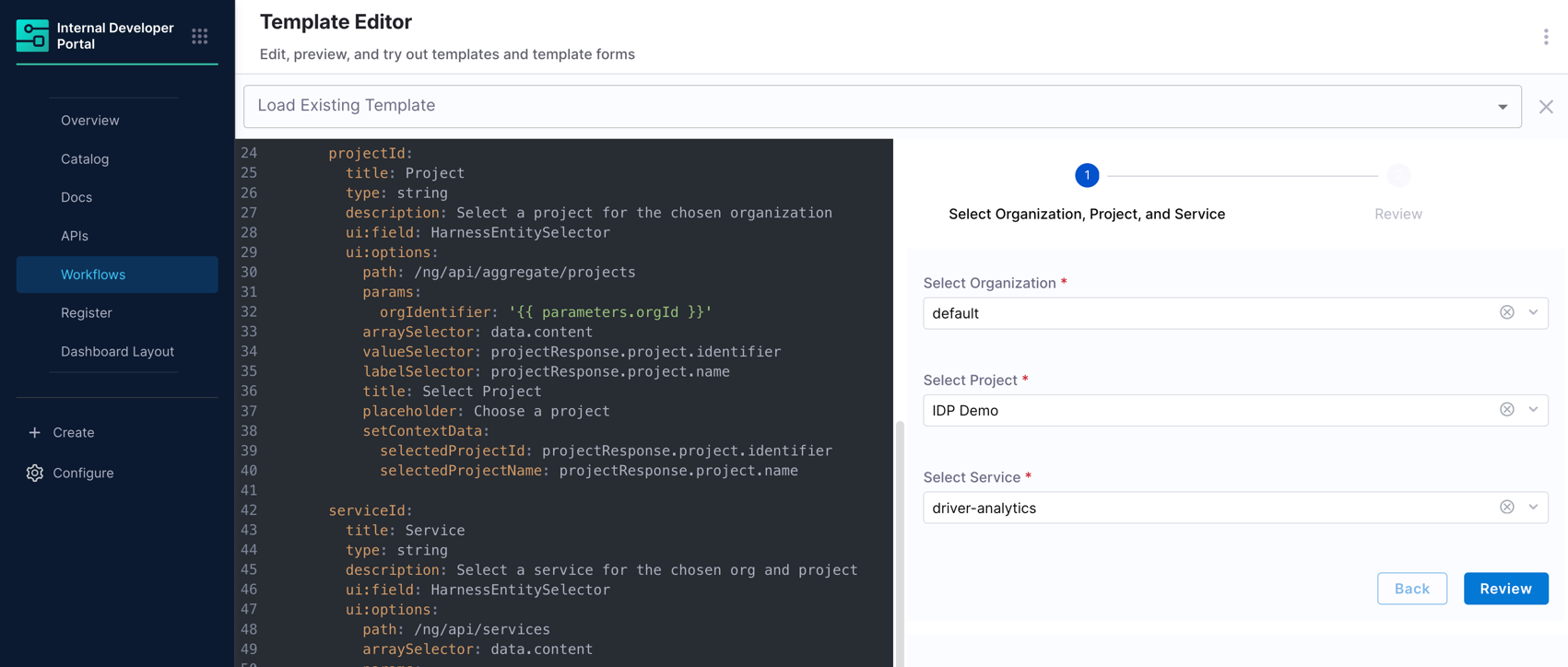
#### 3-chained dropdowns: Org, Project, and service
Three chained pickers in a single step. Each field uses `{{ parameters. }}` so later requests wait until earlier selections exist.
```yaml
parameters:
- title: Select Organization, Project, and Service
required:
- orgId
- projectId
- serviceId
properties:
orgId:
title: Organization
type: string
description: Select an organization
ui:field: HarnessEntitySelector
ui:options:
path: /ng/api/organizations
arraySelector: data.content
valueSelector: organization.identifier
labelSelector: organization.name
title: Select Organization
placeholder: Choose an organization
setContextData:
selectedOrgId: organization.identifier
selectedOrgName: organization.name
projectId:
title: Project
type: string
description: Select a project for the chosen organization
ui:field: HarnessEntitySelector
ui:options:
path: /ng/api/aggregate/projects
params:
orgIdentifier: '{{ parameters.orgId }}'
arraySelector: data.content
valueSelector: projectResponse.project.identifier
labelSelector: projectResponse.project.name
title: Select Project
placeholder: Choose a project
setContextData:
selectedProjectId: projectResponse.project.identifier
selectedProjectName: projectResponse.project.name
serviceId:
title: Service
type: string
description: Select a service for the chosen org and project
ui:field: HarnessEntitySelector
ui:options:
path: /ng/api/services
arraySelector: data.content
params:
projectIdentifier: '{{ parameters.projectId }}'
orgIdentifier: '{{ parameters.orgId }}'
valueSelector: identifier
labelSelector: name
title: Select Service
placeholder: Choose a service
setContextData:
selectedServiceId: identifier
selectedServiceName: name
```
The flow:
1. **Organization** loads immediately, no dependencies.
2. **Project** waits for `orgId`, then fetches with `orgIdentifier` as a query param.
3. **Service** waits for both `orgId` and `projectId`, then lists services scoped to that org and project pair.
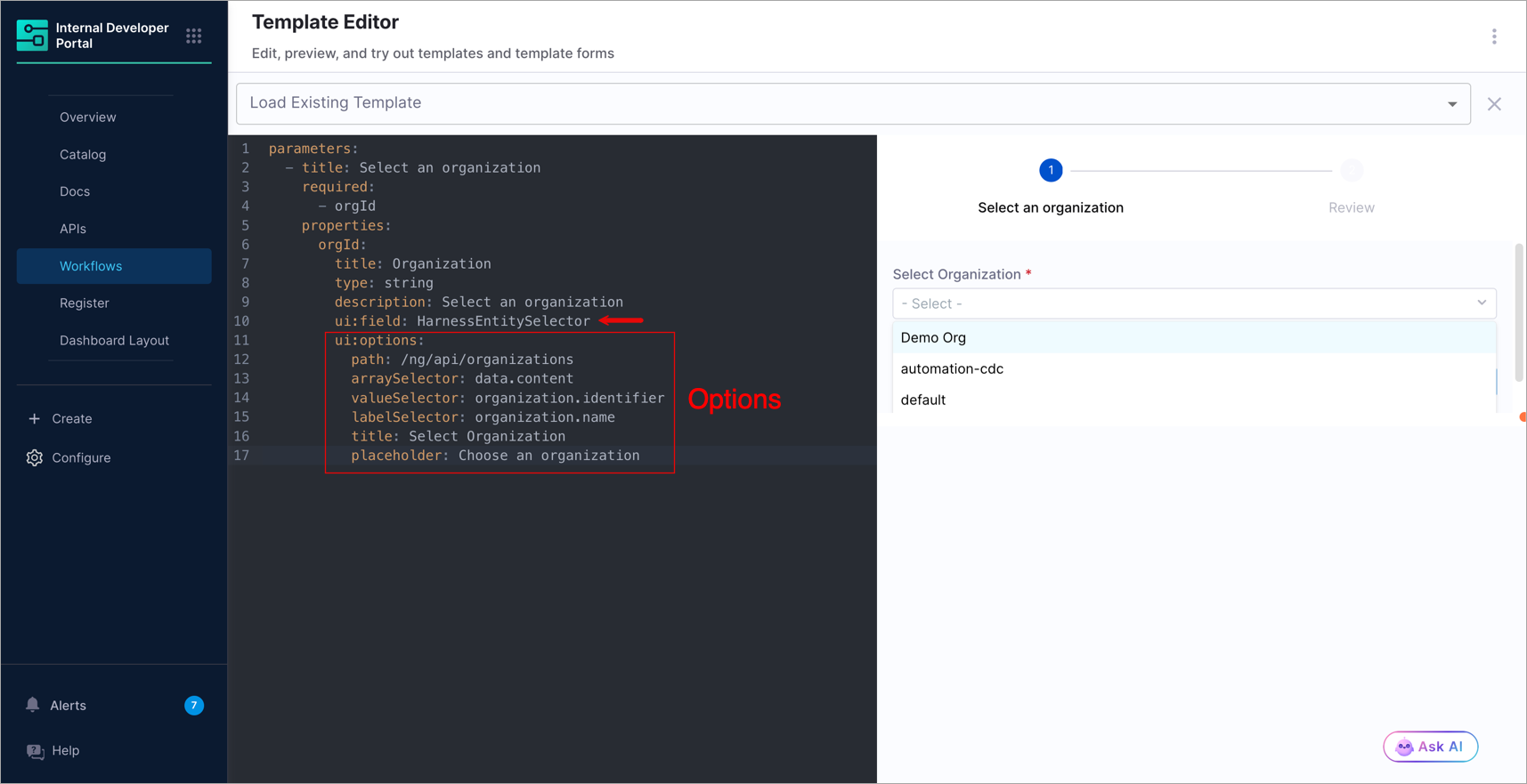
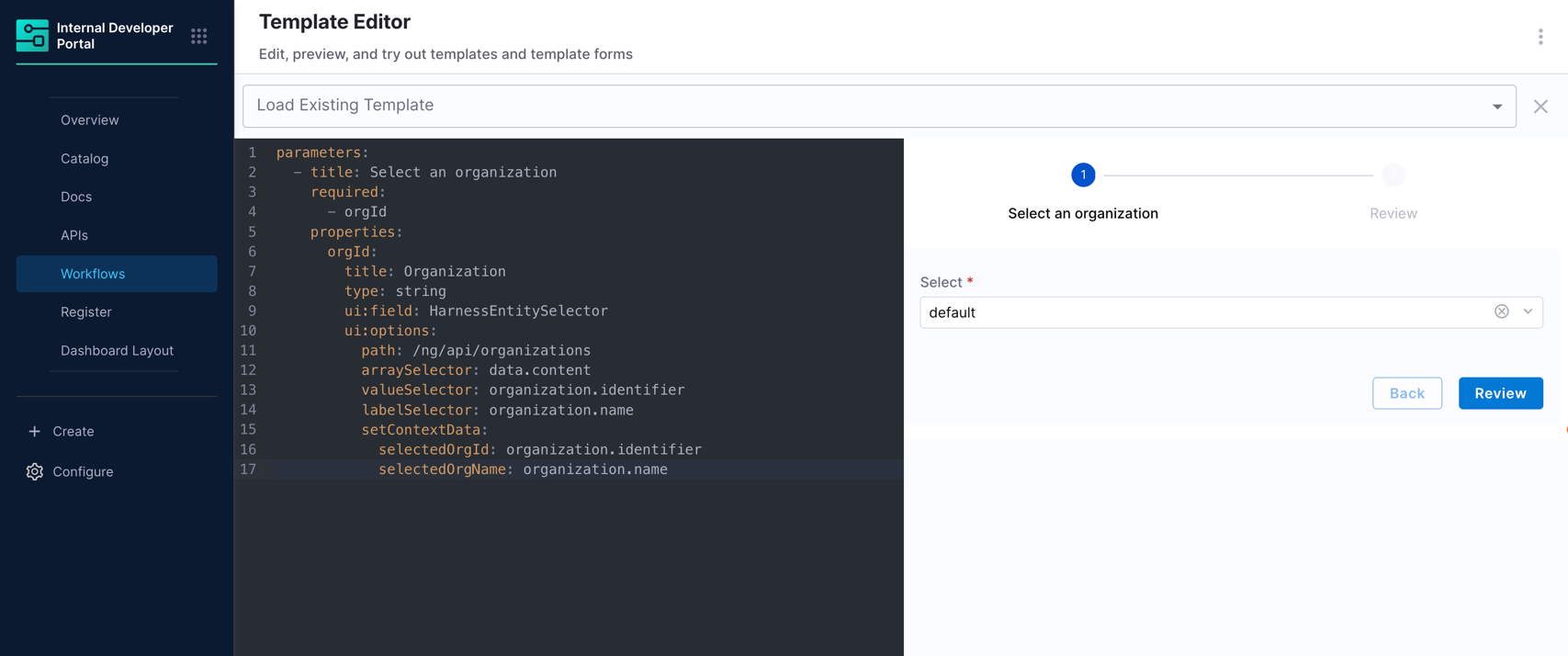
#### setContextData: Pass selection data to downstream steps
When a user selects a row, `setContextData` writes additional fields from that row into the workflow's form context so downstream steps can consume them. Each key under `setContextData` is a context key. Its value is a dot path on the same row object used by `valueSelector` and `labelSelector`.
```yaml
parameters:
- title: Select an organization
required:
- orgId
properties:
orgId:
title: Organization
type: string
ui:field: HarnessEntitySelector
ui:options:
path: /ng/api/organizations
arraySelector: data.content
valueSelector: organization.identifier
labelSelector: organization.name
setContextData:
selectedOrgId: organization.identifier
selectedOrgName: organization.name
```
{% hint style="info" %}
`setContextData` paths must start from the raw row object, not a shortened alias. If your `valueSelector` is `projectResponse.project.identifier`, your `setContextData` paths must also start from `projectResponse`, for example `projectResponse.project.name`, not `project.name`.
{% endhint %}
{% hint style="info" %}
Keys published via `setContextData` are not automatically available under `parameters` for this field's own fetch templates. Design chained dependencies using real form fields with `{{ parameters. }}` references.
{% endhint %}
`setContextData` is ignored for multi-select fields (`type: array`).
#### Search-as-you-type dropdown
When `searchQueryParam` is set, the field passes the user's typed text to that query parameter after a 300 ms debounce. The API must support that parameter.
```yaml
parameters:
- title: Search services
required:
- serviceId
properties:
serviceId:
title: Service
type: string
ui:field: HarnessEntitySelector
ui:options:
path: /ng/api/services
searchQueryParam: searchTerm
params:
pageIndex: '0'
pageSize: '50'
arraySelector: data.content
valueSelector: service.identifier
labelSelector: service.name
title: Select service
```
Use `searchQueryParam` for large lists where loading all options upfront is impractical.
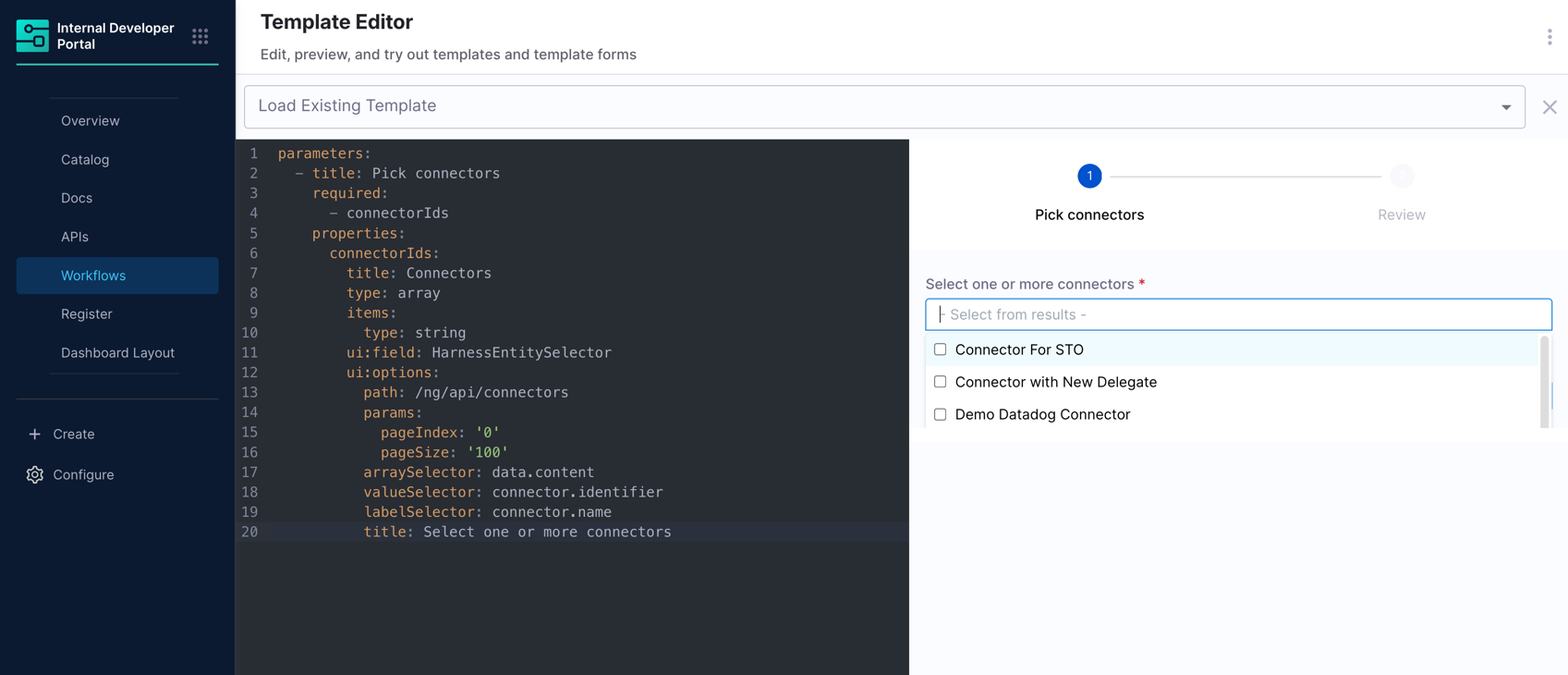
#### Select multiple values
Set the property type to `array` to allow selecting multiple values. The stored form value is `string[]`.
```yaml
parameters:
- title: Pick connectors
required:
- connectorIds
properties:
connectorIds:
title: Connectors
type: array
items:
type: string
ui:field: HarnessEntitySelector
ui:options:
path: /ng/api/connectors
params:
pageIndex: '0'
pageSize: '100'
arraySelector: data.content
valueSelector: connector.identifier
labelSelector: connector.name
title: Select one or more connectors
```
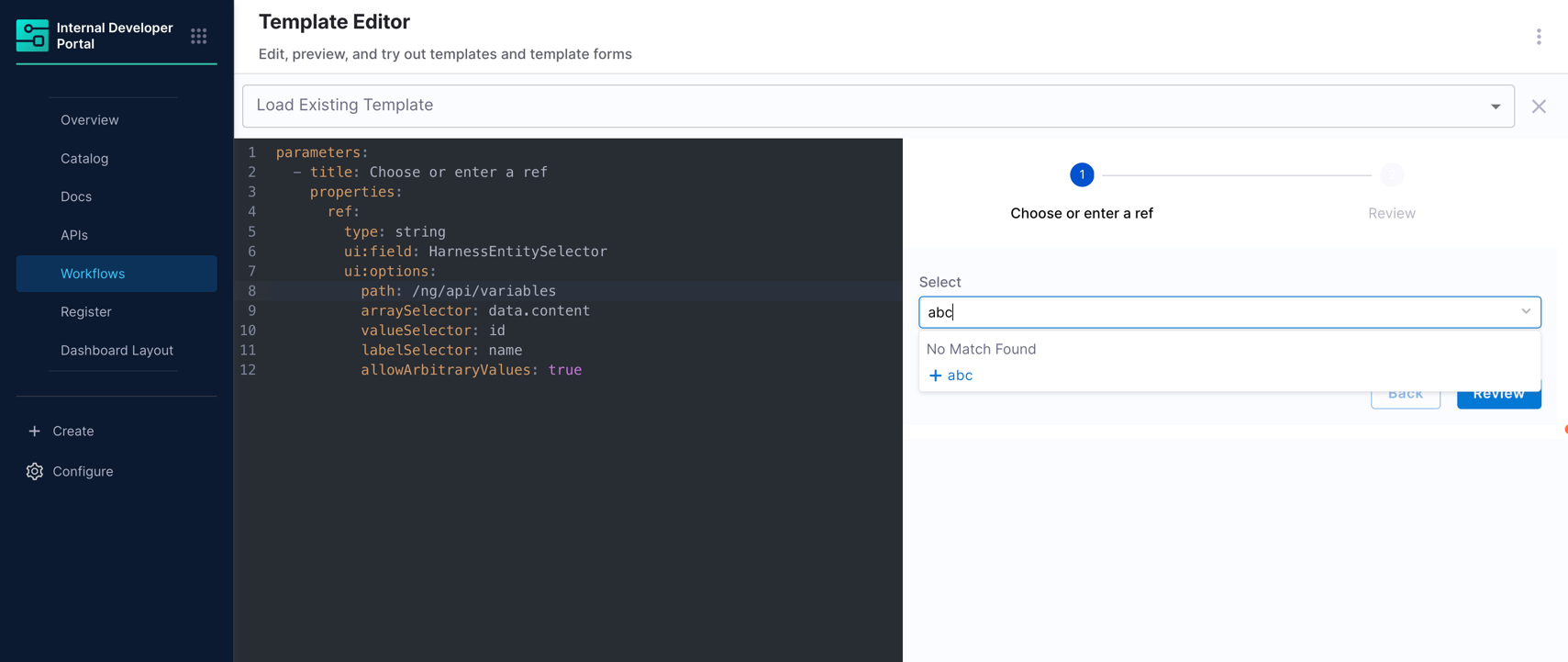
#### Free-text with suggestions
Set `allowArbitraryValues: true` to let users type a value that is not in the API response. Useful when the list is a suggestion, not a strict constraint. Replace `/ng/api/some-list` with a real Harness gateway path for your use case.
```yaml
parameters:
- title: Choose or enter a ref
properties:
ref:
type: string
ui:field: HarnessEntitySelector
ui:options:
path: /ng/api/some-list
arraySelector: data.content
valueSelector: id
labelSelector: name
allowArbitraryValues: true
```
***
### Troubleshooting
| Symptom | Things to check |
| ------------------------------- | ----------------------------------------------------------------------------------------------------------------------------------- |
| Empty dropdown | Wrong `arraySelector`. API returned an empty page. A dependency field is not filled. `valueSelector` does not match the item shape. |
| Field never loads | A `{{ parameters.x }}` reference exists but field `x` has not been filled yet. |
| `setContextData` has no effect | Confirm the workflow provides `updateFormContext`. The field must be single-select. A row must be selected. |
| 400 or 404 from API | Wrong `path` or gateway routing. Incorrect POST `body` shape. Missing org or project scope. |
| "Invalid configuration" message | `path` is missing or `method` has an invalid value. |
{% @harness-feedback/feedback %}