> For the complete documentation index, see [llms.txt](https://developer.harness.io/llms.txt). Markdown versions of documentation pages are available by appending `.md` to page URLs; this page is available as [Markdown](https://developer.harness.io/internal-developer-portal/use-idp/software-catalog/teams/overview.md).
# Teams Overview
Learn what Teams are in Harness IDP and how they connect people to the software they own.
A **Team** in Harness Internal Developer Portal (IDP) represents a real group of people in your organization, such as a squad, a platform team, a department, or a cross-functional working group.
Teams do two jobs at once. They describe how your organization is structured, and they describe who is responsible for which software. A Team can be marked as the owner of a Catalog entity, so the Team you belong to determines both the software you are accountable for and, with the right permissions, the software you can see and change.
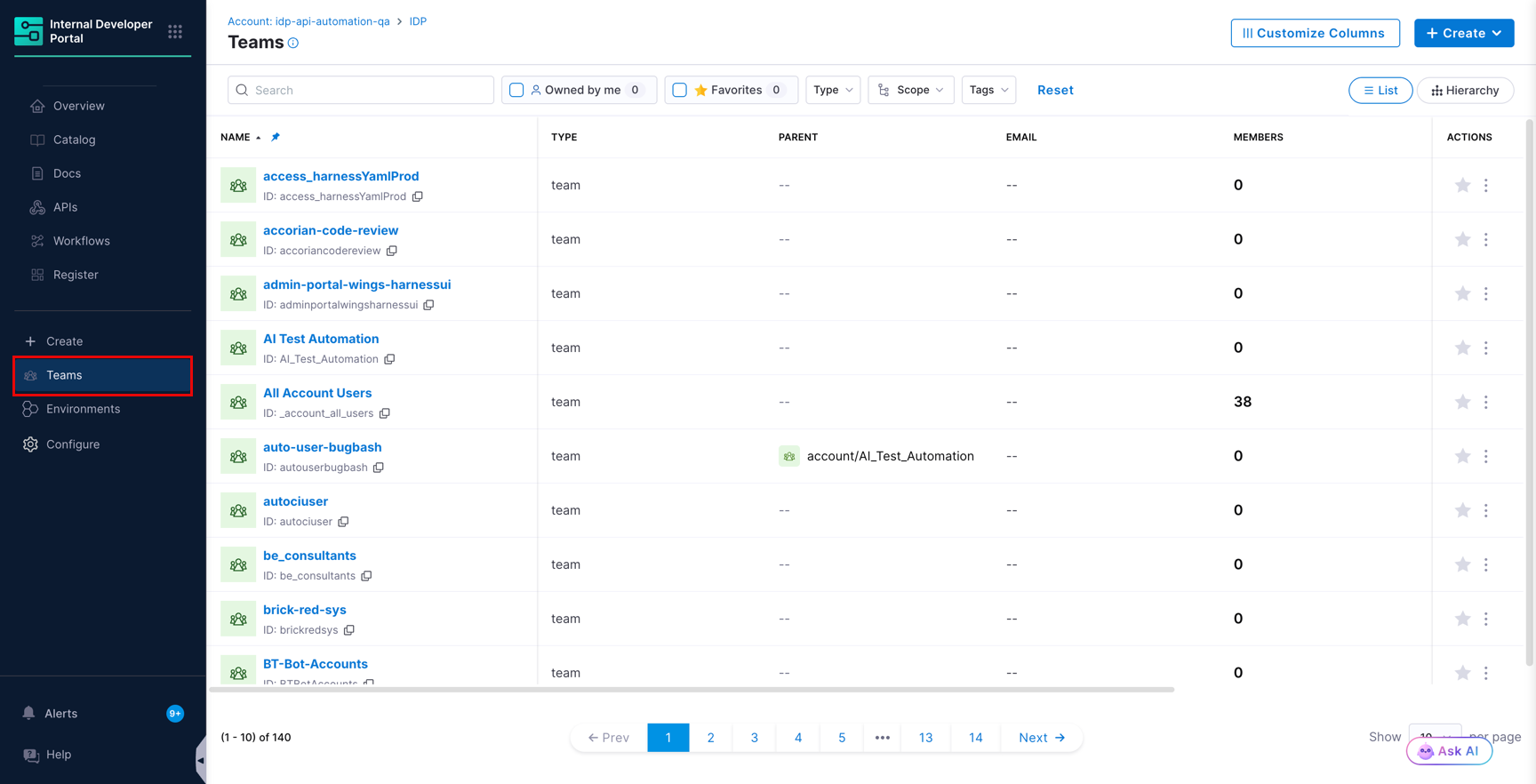
Teams page in the IDP sidebar
***
### Where to find Teams
Teams appear in two places, and both show the same entities.
* **Teams** in the IDP sidebar
* **Team** tab on the **Catalog** page
Go to [Manage Teams](/internal-developer-portal/use-idp/software-catalog/teams/manage-teams.md) to learn how to browse, filter, and customize these views.
***
### What you can do with a Team
| Action | Description |
| ---------------------------------- | ------------------------------------------------------------------------------------------------------------------------------------------------------------------------------------------------------------------------------------------------------------------ |
| **Create Teams at any scope** | Teams can be created at the Account, Organization, or Project scope. Go to [Create a Team](/internal-developer-portal/use-idp/software-catalog/teams/create-a-team.md). |
| **Build a team hierarchy** | A Team can have sub-teams, and those sub-teams can have sub-teams of their own. A Team can take sub-teams from its own scope or from any child scope, so an Organization-level Team can contain Teams from several projects inside that organization. |
| **Own Catalog entities** | Assign services, APIs, resources, and entities of custom kinds to a Team so that responsibility is visible in the Catalog. Go to [Assign entities to a Team](/internal-developer-portal/use-idp/software-catalog/teams/manage-teams.md#assign-entities-to-a-team). |
| **Grant access through ownership** | Permissions granted on a Team extend to the Catalog entities that Team owns. Go to [Team access control](/internal-developer-portal/use-idp/software-catalog/teams/team-access-control.md). |
| **Roll up metrics and scores** | Aggregate metrics from a Team's entities up to the Team itself, and evaluate scorecards against Team entities. Go to [Team metrics and scorecards](/internal-developer-portal/use-idp/software-catalog/teams/team-metrics-and-scorecards.md). |
***
### How a Team is represented
In the Catalog, a Team is an entity of kind `Group` with `type` set to `team`. You see this whenever you work with a Team outside the visual editor, for example in the YAML view, the Entity Inspector, the [Entity API](https://apidocs.harness.io/entities), or the [Catalog Ingestion API](/internal-developer-portal/use-idp/software-catalog/integrate-tools/catalog-ingestion-api.md).
```yaml
apiVersion: harness.io/v1
kind: Group
type: team
identifier: Business_Systems
name: Business Systems
```
Go to [Create a Team](/internal-developer-portal/use-idp/software-catalog/teams/create-a-team.md#create-a-team-using-yaml) for the full field reference.
***
### Next steps
Explore the following pages next:
* [Create a Team](/internal-developer-portal/use-idp/software-catalog/teams/create-a-team.md)
* [Manage Teams and assign ownership](/internal-developer-portal/use-idp/software-catalog/teams/manage-teams.md)
* [Configure Team access control](/internal-developer-portal/use-idp/software-catalog/teams/team-access-control.md)
* [Roll up metrics and run scorecards on Teams](/internal-developer-portal/use-idp/software-catalog/teams/team-metrics-and-scorecards.md)
{% @harness-feedback/feedback %}