> For the complete documentation index, see [llms.txt](https://developer.harness.io/llms.txt). Markdown versions of documentation pages are available by appending `.md` to page URLs; this page is available as [Markdown](https://developer.harness.io/resilience-testing/chaos-engineering/use-chaos-engineering/application-maps.md).
# Application Maps
Visualize and manage your application dependencies and service relationships in chaos engineering
#### Before you begin
* [Service discovery](/harness-platform/use-harness-platform/service-discovery.md)
* [How Harness CE leverages Service Discovery?](/resilience-testing/chaos-engineering/use-chaos-engineering/service-discovery.md#how-does-harness-ce-leverage-discovered-services)
* [Create Discovery Agent](/harness-platform/use-harness-platform/service-discovery/customize-agent.md#create-discovery-agent)
* [What is Application Map?](/harness-platform/use-harness-platform/application-map.md)
#### Create Application Map
Go to [create an application map](/harness-platform/use-harness-platform/application-map.md#create-application-map) and follow the steps, except, navigate to **Chaos** module, and select **Project Settings**, and then select **Discovery**.
{% hint style="info" %}
**NOTE**
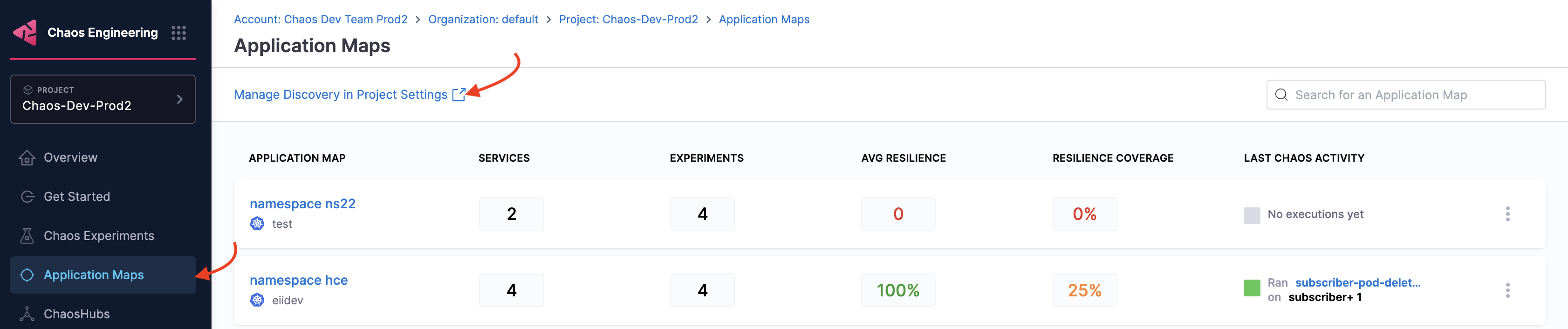
Alternatively, navigate to **Chaos** module -> **Application Maps** -> **Manage Discovery in Project Settings**. This also leads you to the page in step 2.
 {% endhint %}
In the step where you select one or more discovered services, choose a specific service on which you want to inject chaos, and click **Next**.

{% hint style="info" %}
**NOTE**
* To view chaos-enabled experiment map, navigate to **Chaos** module and select **Application Maps**.

* To manually associate the experiment as a part of an application map, specify the tag `applicationmap=` in the experiment.
{% endhint %}
### Next Steps
* [Edit Application Map](/harness-platform/use-harness-platform/application-map.md#edit-application-map)
* [Delete Application Map](/harness-platform/use-harness-platform/application-map.md#delete-application-map)
{% @harness-feedback/feedback %}
{% endhint %}
In the step where you select one or more discovered services, choose a specific service on which you want to inject chaos, and click **Next**.

{% hint style="info" %}
**NOTE**
* To view chaos-enabled experiment map, navigate to **Chaos** module and select **Application Maps**.

* To manually associate the experiment as a part of an application map, specify the tag `applicationmap=` in the experiment.
{% endhint %}
### Next Steps
* [Edit Application Map](/harness-platform/use-harness-platform/application-map.md#edit-application-map)
* [Delete Application Map](/harness-platform/use-harness-platform/application-map.md#delete-application-map)
{% @harness-feedback/feedback %}