> For the complete documentation index, see [llms.txt](https://developer.harness.io/llms.txt). Markdown versions of documentation pages are available by appending `.md` to page URLs; this page is available as [Markdown](https://developer.harness.io/sast-and-sca/prezero/autofix.md).
# AutoFix
AutoFix helps you fix vulnerability findings faster by suggesting a fix and, when enabled, opening a pull request with the change. Qwiet AI by Harness provides the following AutoFix capabilities:
* SAST AutoFix uses large language models (LLMs) to generate potential code-fix suggestions for SAST findings produced by Qwiet AI via Harness analysis. In addition to code changes, SAST AutoFix provides steps to address the vulnerability.
* SCA AutoFix uses Qwiet AI analysis to recommend upgrading a vulnerable open-source dependency to a fixed version and can open a pull request with the version change.
You can enable, disable, and configure each capability independently, but pull requests created by either one use the same Pull Request Credentials. For more information, see [AutoFix Pull Requests](#autofix-pull-requests).
{% hint style="info" %}
This capability is not enabled by default. Please contact Customer Success if you need assistance.
{% endhint %}
***
### SAST AutoFix
AutoFix suggestions are provided in context of a particular analysis and the existing application source code. To generate the fix, the LLM uses data available in the Code Property Graph (CPG) generated during the application analysis, including relevant source code snippets captured only when this capability is enabled. Qwiet AI AutoFix LLMs are deployed in Qwiet AI's virtual private cloud, and none of the data is shared with any third party.
{% hint style="info" %}
* Qwiet AI AutoFix uses large language models (LLMs) to generate potential code fix suggestions for findings produced by Qwiet AI by Harness analyses. In addition to code changes, AutoFix also provides steps to address the vulnerability findings.
* Qwiet AI does NOT do any model training with customer data.
{% endhint %}
AutoFix suggestions are generated automatically while the application is being analyzed in the cloud. This is an asynchronous process, and will not slow down the reporting of findings. Suggestions might take several seconds to be available for a particular finding. At the moment, AutoFix suggestions are generated for the top ten SAST findings for each application, sorted by severity in descending order (critical, high, medium, low).
#### Limitations
Users must always consider the limitations of AI and review and edit the suggestion or pull request to ensure that the resulting code and application are correct, secure, performant, compliant, etc.
Qwiet AI AutoFix capability has the following known limitations:
* The system primarily uses English data. If code and comments are written in other languages, the quality of the suggestions might be diminished.
* The AutoFix suggestion might contain code that is not syntactically correct. Linters and proper test coverage should help mitigate this issue.
* AutoFix suggestions might change the semantics of the application. Good test coverage should help mitigate this issue.
* Some AutoFix suggestions might not fix or resolve the vulnerability finding, and in some cases it might introduce additional issues. Review suggestions carefully.
#### Agentic Workflow
By default, the AutoFix capability is powered by multiple AI agents. These agents collaborate with each other to provide a final result for the user, as well as individual results that could help in the resolution of a finding.
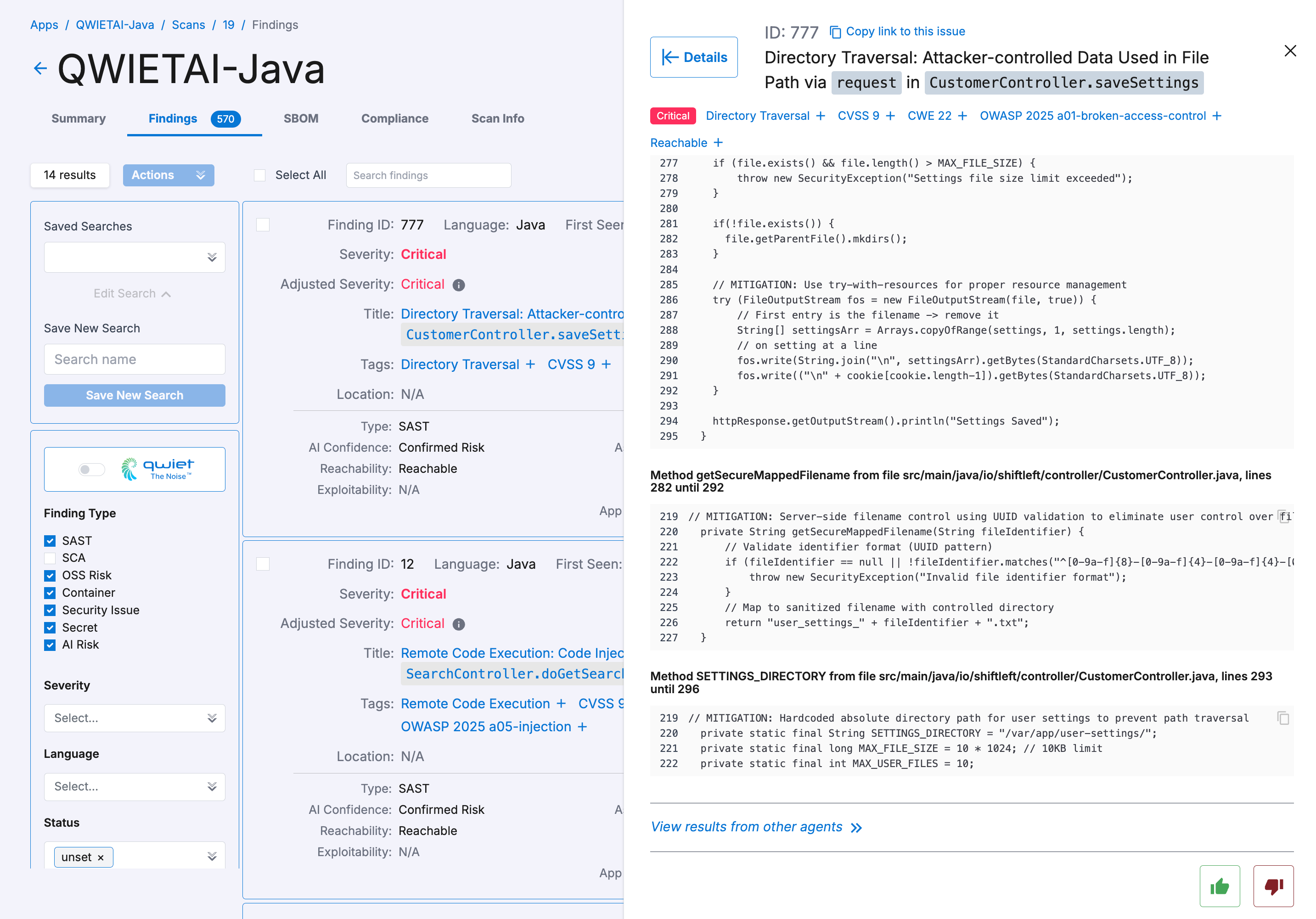
The final result appears at the top of the AutoFix tab, and it is usually provided by **Catherine AppSec Team Lead** or **Nova Refactoring Engineer** (for cases where a code refactoring was necessary).
To view additional results, scroll down and click on **View results from other agents >>**.
Viewing results from other agents
The following agents are currently available:
* **Scout Threat Analyst**: Cybersecurity expert. Identifies potential attack vectors in vulnerable code and generates attack payloads
* **Toby Test Engineer**: Cybersecurity expert and Quality Assurance Engineer. Generates test cases based on attack payloads provided by Scout
* **Clara AppSec Engineer**: Application Security Engineer. Analyzes mitigation notes and test cases provided by Toby and fixes the code accordingly
* **Evan Security Engineer**: Security expert and Software Engineer. Examines the vulnerable code and provides notes suggesting a more effective and improved approach that mitigates the vulnerability
* **Hal Dependency Inspector**: Software and Security Engineer. Assesses the reliability of the dependencies/imports suggested in the fixed code
* **Nova Refactoring Engineer**: Refactoring Engineer. Identifies and rectifies dependency issues, refactoring the code as necessary
* **Catherine AppSec Team Lead**: AppSec team lead. Reviews results from other agents in the team and fixes any additional issues, ensuring that every piece of code maintains high standards of efficiency and security
#### Supported languages
Qwiet AI AutoFix is available for applications written in the following programming languages:
* Apex
* C#
* Go
* Java
* JavaScript
* PHP
* PL/SQL
* Python
* Terraform
* TypeScript
Coming soon:
* C/C++
* Groovy
* Ruby
* Swift
{% hint style="info" %}
In most cases, only the latest "src" CPG frontend is supported (e.g. `--jssrc` instead of `--js`, `--javasrc` instead of `--java`, `--pythonsrc` instead of `--python`). This is the default behavior when language detection is in use.
{% endhint %}
For further assistance or inquiries, please contact your Customer Success representative.
***
### SCA AutoFix
SCA AutoFix uses Qwiet AI analysis to recommend upgrading a vulnerable open source dependency to a fixed version, and can open a pull request with the version bump.
Like SAST AutoFix, SCA AutoFix suggestions are generated automatically after the application is analyzed. You can choose whether pull requests are created automatically or only when you request them manually.
Not every open source vulnerability has a fixed version available. When one is not available, SCA AutoFix does not generate a suggestion for that finding.
#### Supported languages
SCA AutoFix supports the same languages as Intelligent SCA. For the current list, see [Intelligent SCA](/sast-and-sca/prezero/oss-vulnerabilities.md).
***
### Viewing and using AutoFix suggestions
The main goal of Qwiet AI AutoFix suggestions is to help software developers and security practitioners fix vulnerability findings faster.
AutoFix suggestions generally include updated code and steps to address the vulnerability. The user can copy the code, paste it into an IDE or code editor, verify that it works as intended, and then reanalyze the application. The user can also ignore the code and use the steps to address the finding, write their own code, and then reanalyze the application. A combination of both approaches could also work well. For an SCA finding, the suggestion is a recommended dependency version instead of a code change.
To view an AutoFix suggestion, click on a finding in the Vulnerabilities tab in the application details page, and then click on the **AutoFix** tab. The information displayed in the tab depends on the finding type:
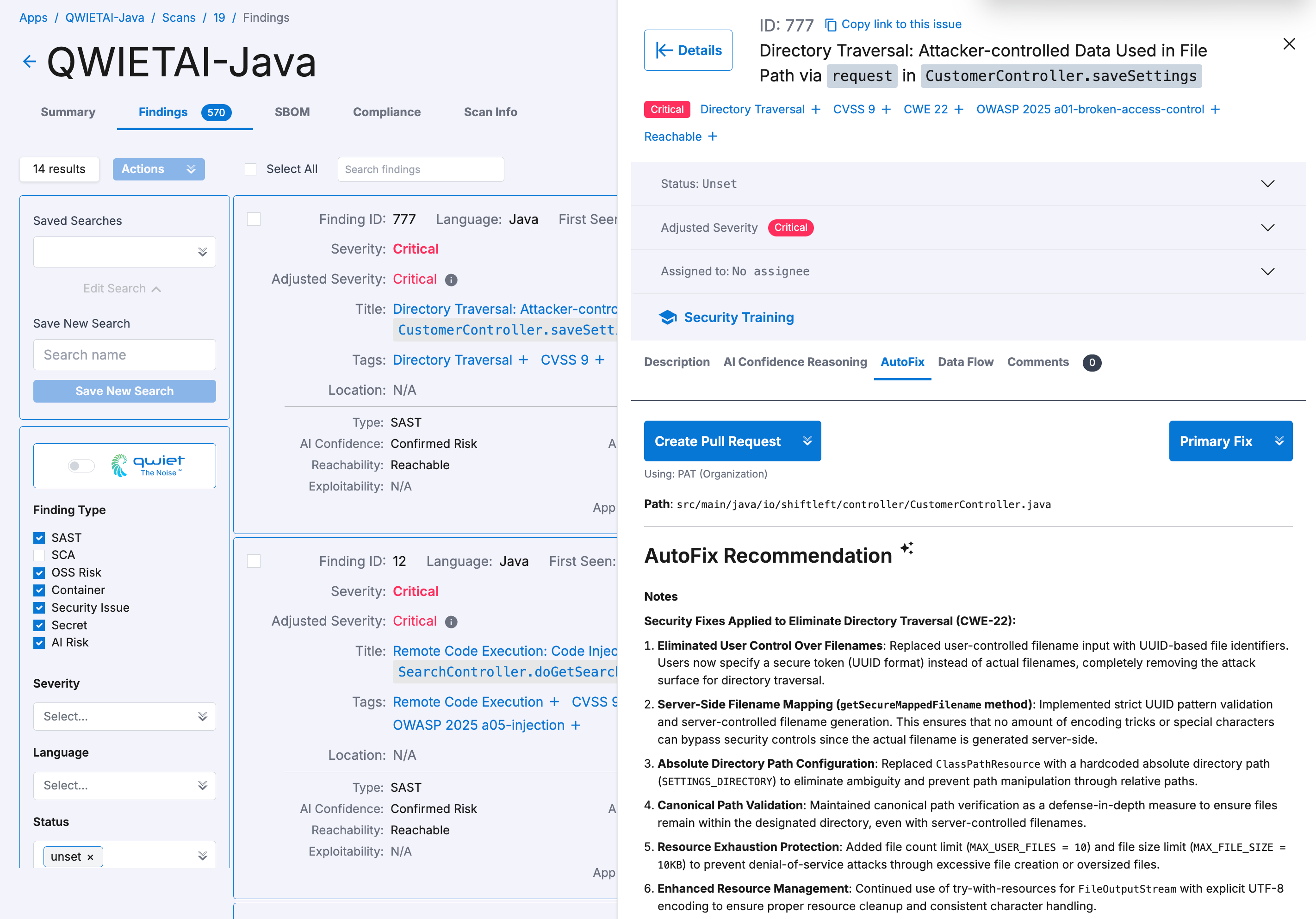
* For a **SAST finding**, the AutoFix tab displays the **AutoFix Recommendation** along with the fix.
SAST Autofix capability
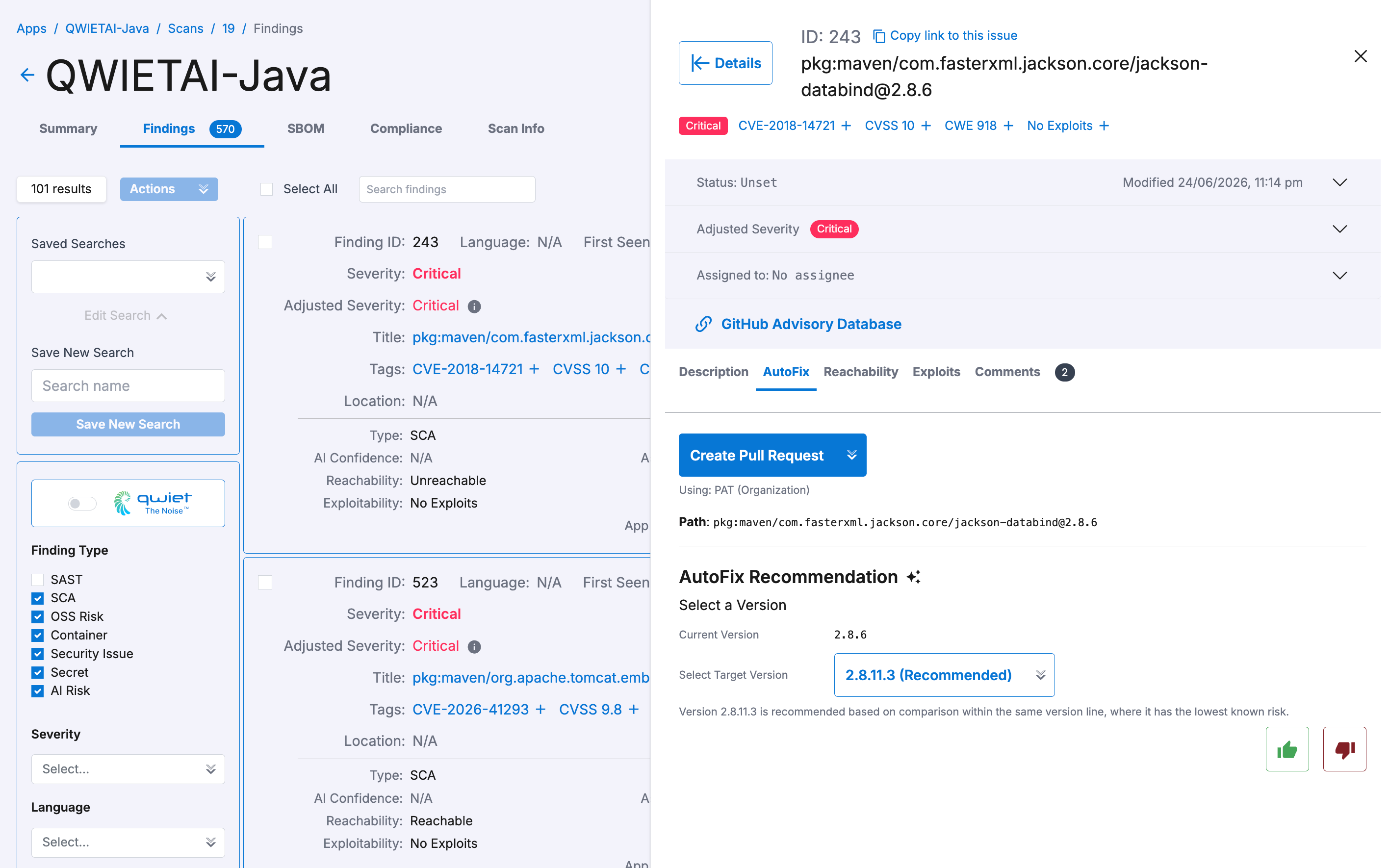
* For an **SCA finding**, the AutoFix tab displays the dependency's current version, a recommended fixed version, and any other available fixed versions. You can select the other available versions from the **Select Target Version** dropdown menu. By default, the recommended fixed version is selected.
SCA Autofix capability
If no fix is available for the finding, the tab shows **AutoFix is not available for this finding**.
To help streamline the amount of information displayed, you can toggle on **Qwiet the Noise**, which filters for only **critical** and **high**-severity vulnerabilities. You can also enable the **AutoFix Available** filter, which lists only findings with an available AutoFix suggestion.
***
### Enabling or disabling AutoFix suggestions
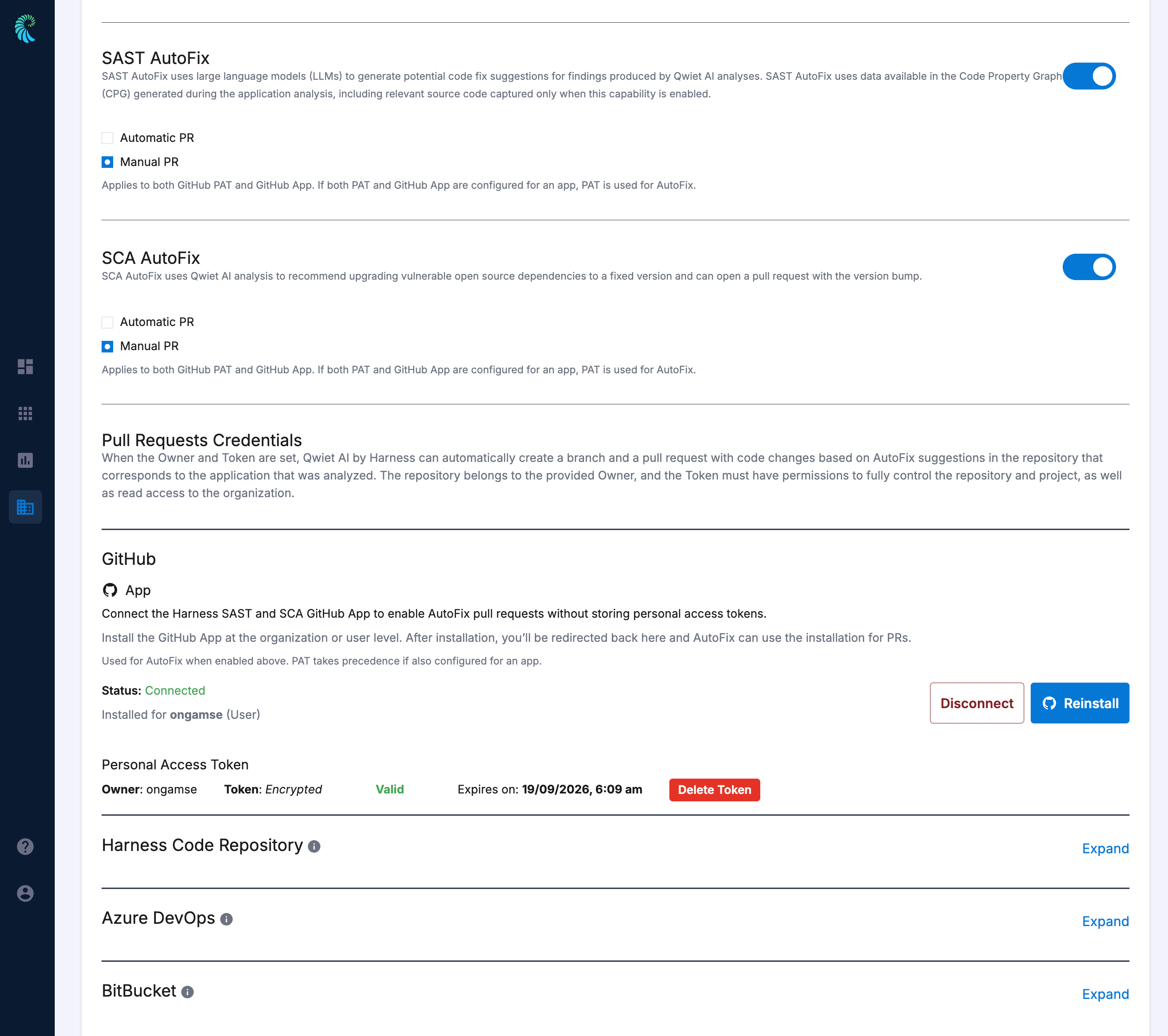
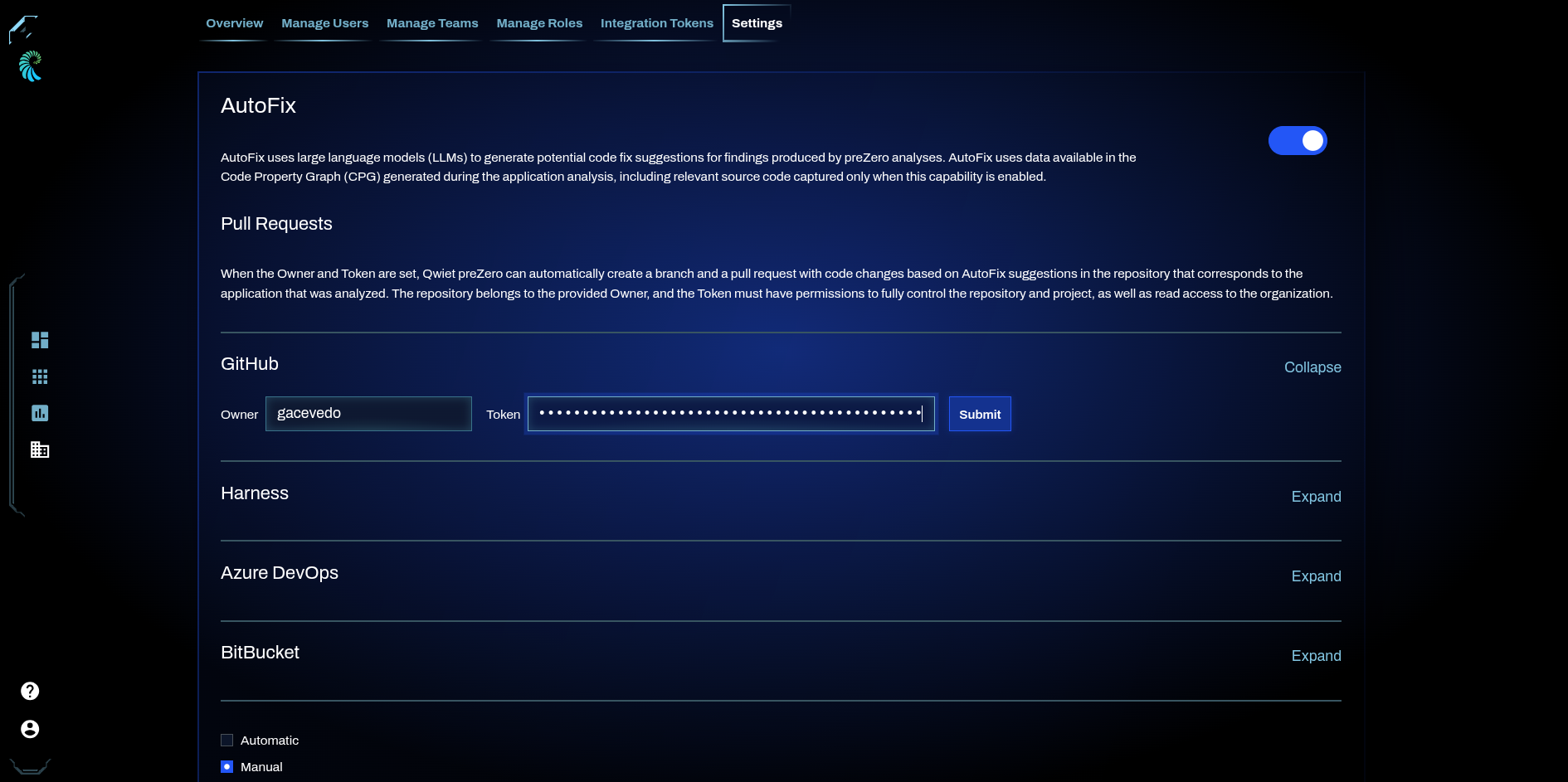
AutoFix can be configured at the organization level, in the **AI Features** section of the [Organization Settings](/sast-and-sca/prezero/ui/organizations.md#settings) page. Use the **SAST AutoFix** and **SCA AutoFix** toggles to independently enable or disable each capability. For each capability, choose whether Qwiet AI by Harness creates pull requests automatically or only when you manually request them, using the **Automatic PR** and **Manual PR** options.
When enabled, **SAST AutoFix** and **SCA AutoFix** work for all applications in the organization unless explicitly disabled for an application, since the default application setting for each is **Inherit** (see below).
Organization Settings
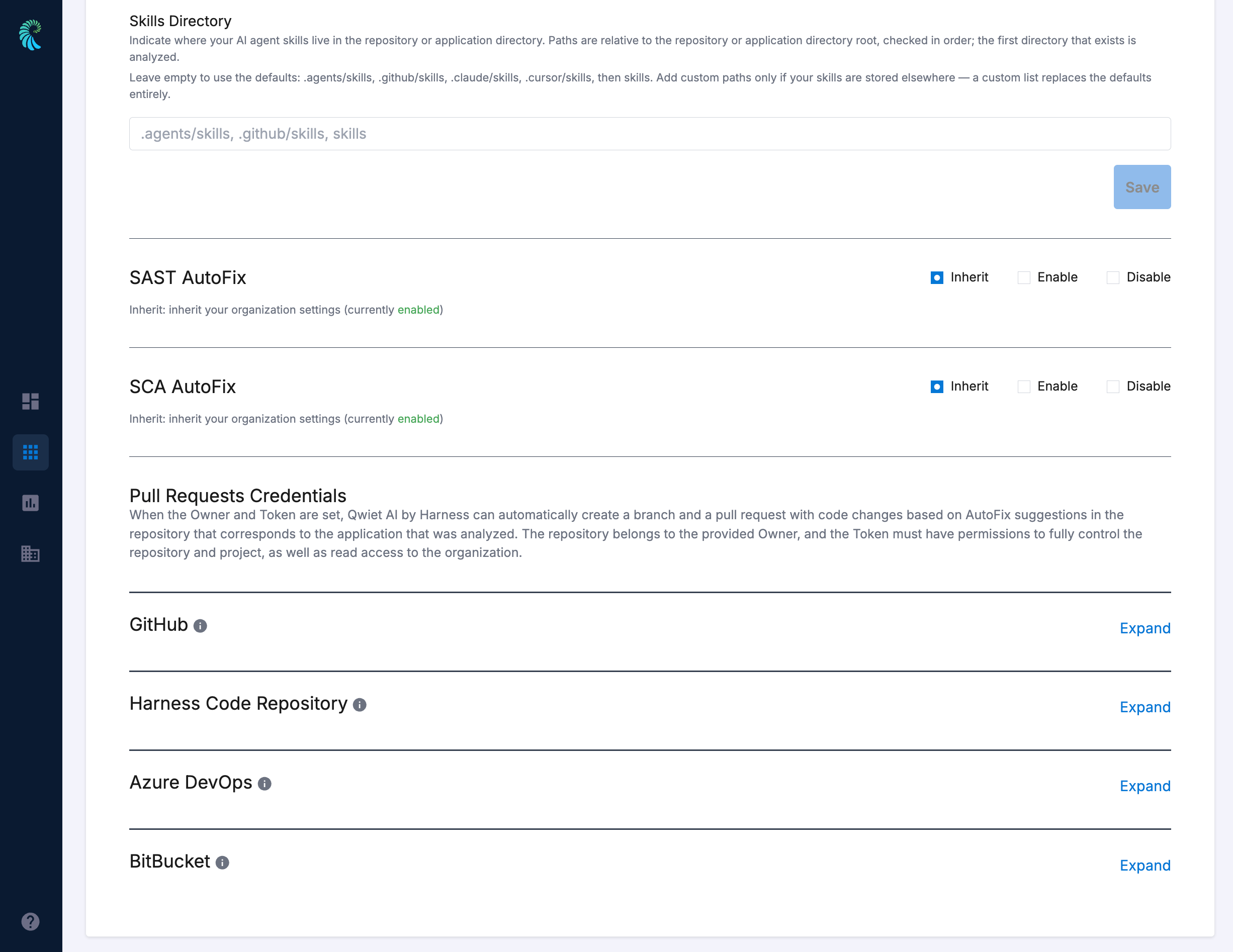
AutoFix can also be configured at the application level, on each application's Settings page. SAST AutoFix and SCA AutoFix each have their own section with three options: **Inherit** (the default), **Enable**, and **Disable**. When **Inherit** is selected, the application follows the organization setting for that capability. When **Enable** or **Disable** is selected, the application setting takes precedence over the organization setting.
Application level settings
***
### AutoFix Pull Requests
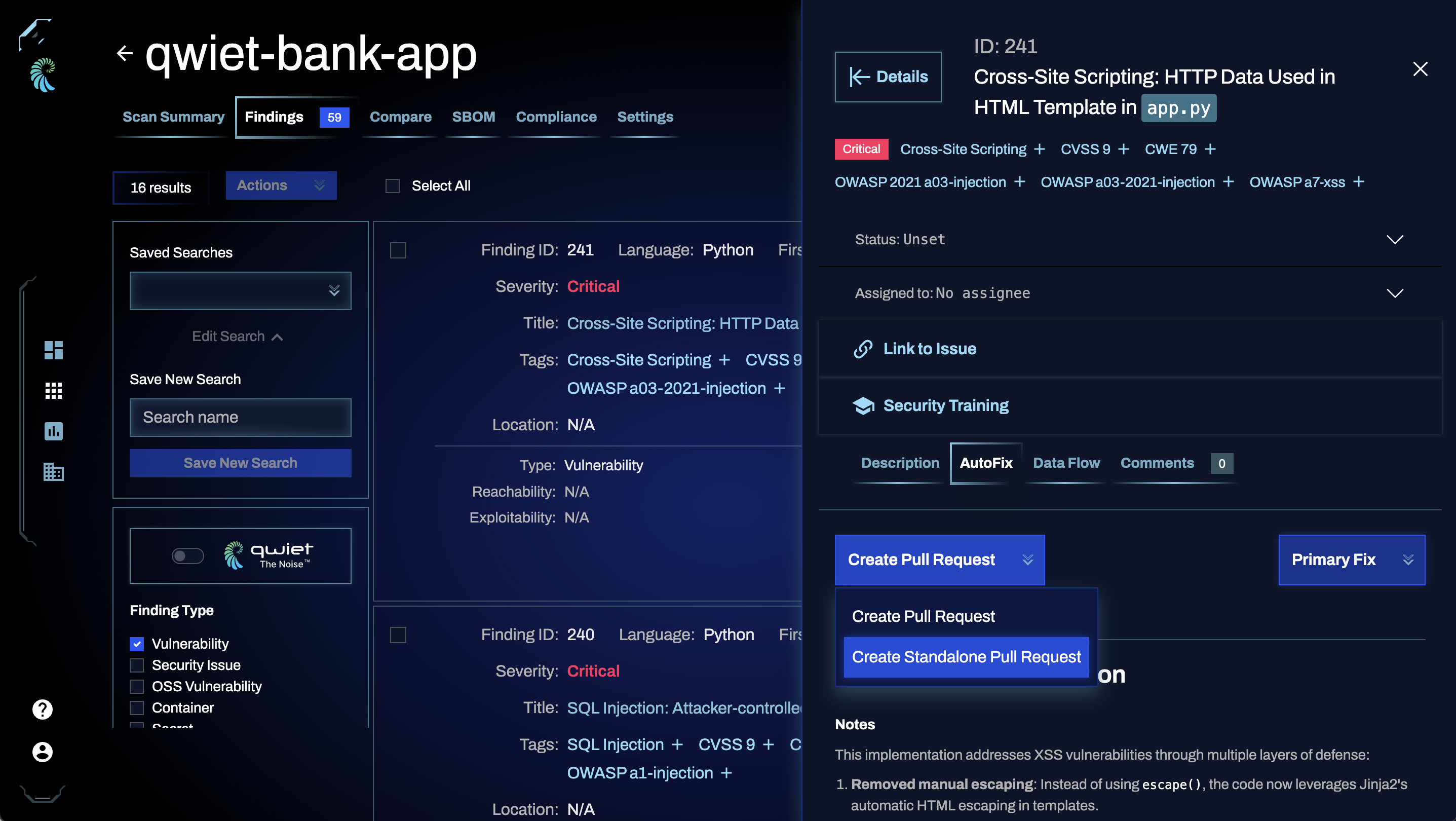
AutoFix can submit a pull request manually or automatically once an application analysis is complete and AutoFix suggestions are available. Note that if the pull request remains open, subsequent analyses will amend the existing pull request rather than create a new one. This behavior can be changed by choosing **Create Standalone Pull Request** when creating a Pull Request. SAST AutoFix and SCA AutoFix pull requests use the same repository credentials, configured below.
{% hint style="info" %}
AutoFix pull requests work with **GitHub**, **Azure DevOps**, **Bitbucket**, **Bitbucket Data Center**, and **Harness** repositories.
{% endhint %}
Once a pull request is created by AutoFix, it can be treated as a normal pull request (e.g. reviewed, approved, receive additional commits).
To enable this functionality, you will need to provide following credentials:
#### Github Repositories
1. Owner (GitHub organization)
2. [Personal Access Token](https://docs.github.com/en/authentication/keeping-your-account-and-data-secure/managing-your-personal-access-tokens)
The following scopes are required for **Tokens (classic)**:
* `repo`
The following scopes are required for **Fine-grained tokens**:
* `Read and Write access to pull requests`
* `Read access to metadata` (automatically added by GitHub)
{% hint style="info" %}
If your GitHub organization has SAML SSO enabled, for example, GitHub Enterprise Managed Users, you must [authorize the PAT](https://docs.github.com/en/enterprise-cloud@latest/authentication/authenticating-with-saml-single-sign-on/authorizing-a-personal-access-token-for-use-with-saml-single-sign-on) after its creation before it can access repositories in the organization.
{% endhint %}
#### Azure DevOps Repos
1. Owner (Azure DevOps organization)
2. [Personal Access Token](https://learn.microsoft.com/en-us/azure/devops/organizations/accounts/use-personal-access-tokens-to-authenticate?view=azure-devops\&tabs=Windows#create-a-pat)
{% hint style="info" %}
Azure DevOps PAT should have a minimum **Code: Read & Write** scopes.
{% endhint %}
#### BitBucket
AutoFix pull requests are supported for Bitbucket repositories. You can configure AutoFix to create pull requests for repositories hosted in **BitBucket Cloud** or **BitBucket DataCenter**.
The configuration requirements differ depending on where your Bitbucket repositories are hosted. The following tabs provide configuration instructions for the different types of Bitbucket repositories:
{% tabs %}
{% tab title="BitBucket Cloud Repositories" %}
1. Owner (BitBucket workspace)
2. Access Token
{% hint style="info" %}
* An access token can be created at the repository, project, or workspace level.
* The name of the token set, which is the **Harness SAST and SCA**, will be used as the author name and shown in Commit history / Pull request updates.
* Token must have **pullrequest:write** scope.
{% endhint %}
{% endtab %}
{% tab title="BitBucket DataCenter Repositories" %}
Configuring AutoFix for Bitbucket DataCenter repositories requires additional connection details to connect to your self-hosted Bitbucket DataCenter instance. You must provide the URL of your Bitbucket DataCenter instance, the project key, and a user’s Personal Access Token with the required permissions.
{% hint style="info" %}
AutoFix supports Bitbucket Data Center **7.0 and later**. Instances running an earlier version are not supported.
{% endhint %}
To configure AutoFix pull requests for Bitbucket Data Center repositories, complete the following steps:
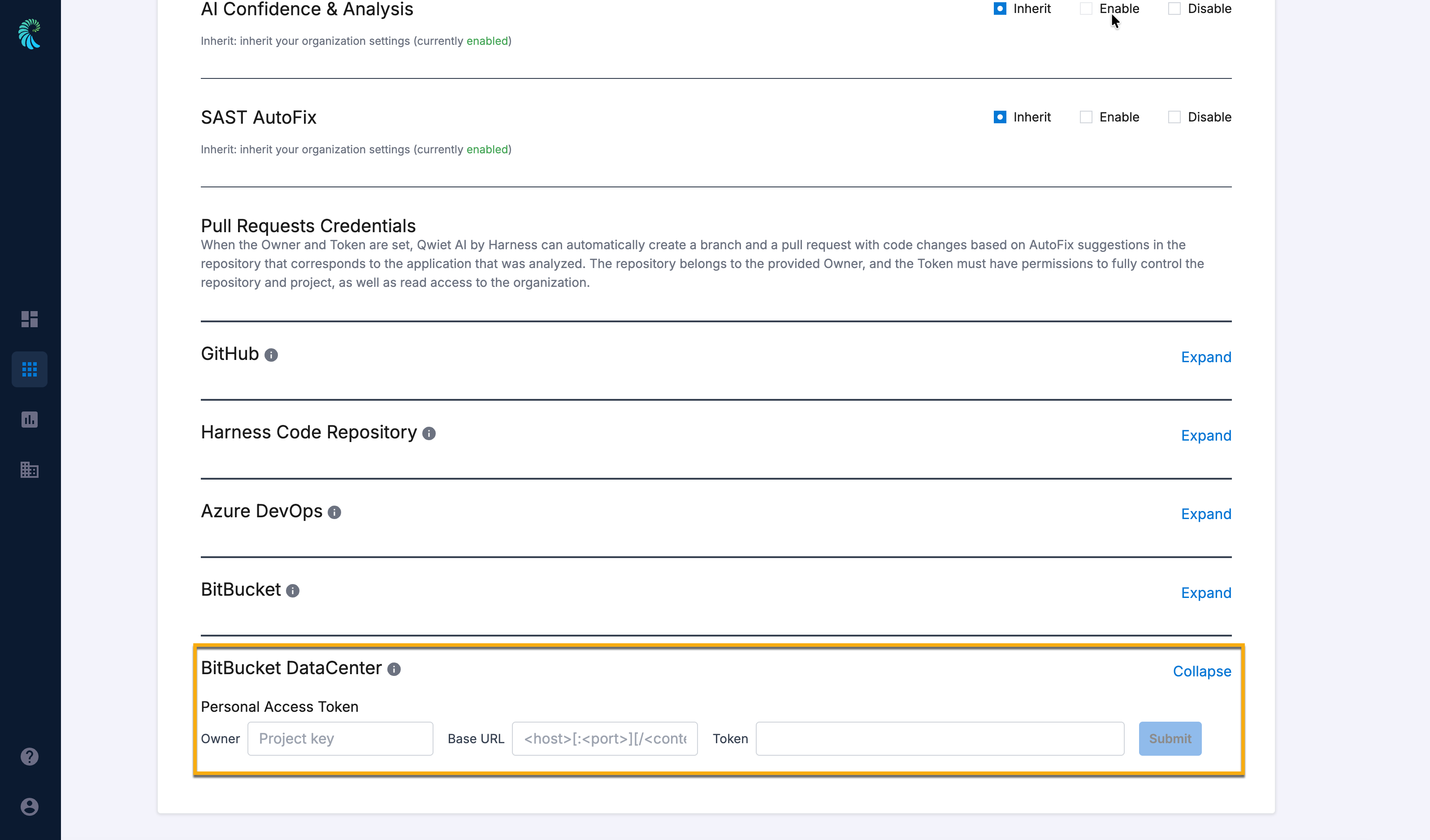
1. Navigate to your onboarded Qwiet application. For more information on onboarding an application, go to [Overview](/sast-and-sca/getting-started/quickstart/overview.md).\
The **Scans** tab opens by default.
2. Select the **Settings** tab to configure the application settings.
3. Scroll down to find the **BitBucket DataCenter** collapsible under **Pull Request Credentials**.
4. Click the **Expand** button next to **BitBucket DataCenter** to view its configuration options.
5. Under **Personal Access Token**, enter the following details:
* Enter the **Project Key** in the **Owner** field.
* Enter the **Base URL** of your BitBucket DataCenter instance in the `https://[:][/]` format.
* Enter the **Personal Access Token** for your BitBucket account in the **Token** field. For more information on creating a Personal Access Token, go to [Personal access tokens](https://confluence.atlassian.com/bitbucketserver0717/personal-access-tokens-1087535496.html).
{% hint style="info" %}
The Personal Access Token must have `REPO_WRITE` permission.
{% endhint %}
{% endtab %}
{% endtabs %}
#### Harness Code Repos
1. Owner (Repo Owner's Account ID)
2. [Personal Access Token](https://developer.harness.io/docs/platform/automation/api/api-quickstart/#create-a-harness-api-key-and-token) or [Service Account Token](https://developer.harness.io/docs/platform/automation/api/add-and-manage-api-keys/#create-service-account-api-keys-and-tokens)
{% hint style="info" %}
The Harness Service Account Token should have at least the **Users:view** and **Repository:view, review, push** permissions. The built-in **Code Contributor** role has all these permissions.
{% endhint %}
#### Configuring PAT Credentials
These credentials can be provided at the user, application, team, and organization levels. AutoFix will look for the credentials in the following order:
1. User
2. Application
3. Team
4. Organization
For example, if the credentials are provided in an Application's settings, in the application's Team settings, and in Organization's Settings, but not provided for the organization user, it will use the PAT provided in the Application's settings and ignore any Team and Organization credentials.
Note that only the following roles or custom roles with the `autofix_pat:read` scope can read a PAT and use it to create an AutoFix Pull Request:
* Organization
* Owner
* Super admin
* Power user
* Team
* Team admin
* Team manager
* Team developer
See the [User permissions](/sast-and-sca/prezero/users/permissions.md) page for additional details about permissions.
#### Organization-level PAT configuration
For the Organization, provide PAT credentials in the **Enable AutoFix** section of the [Organization Settings](/sast-and-sca/prezero/ui/organizations.md#settings) page.
You can choose whether the pull request should be created automatically (default) or manually with the **Create Pull Request** button, when reviewing findings that have an AutoFix suggestion available. Go to [Viewing and using AutoFix suggestions](#viewing-and-using-autofix-suggestions) to see an example.
#### Team-level PAT configuration
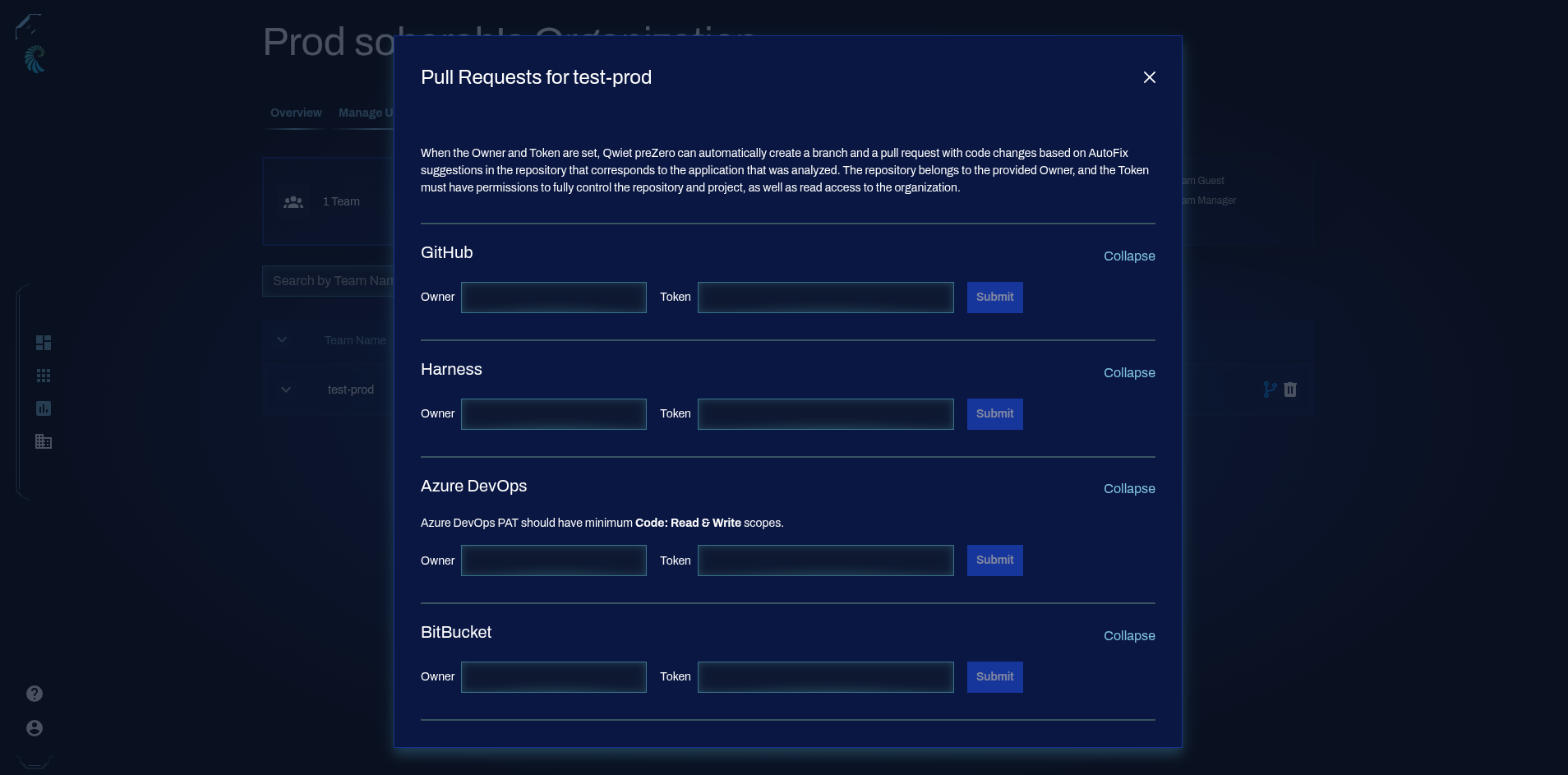
For teams, provide the PAT credentials in the [Manage Teams](/sast-and-sca/prezero/ui/organizations.md#manage-teams) page by clicking on the Pull Requests button.
#### Application-level PAT configuration
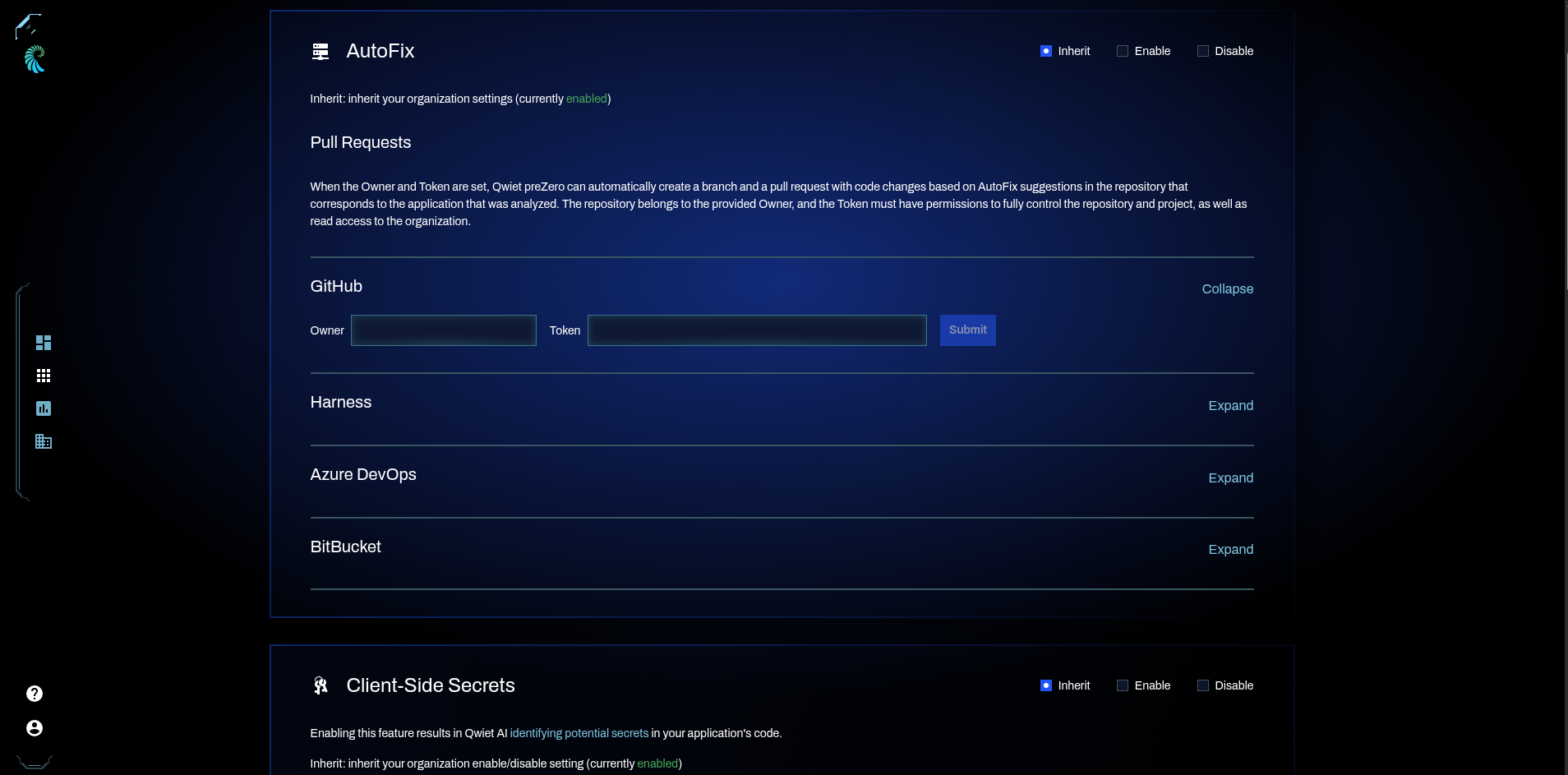
For apps, provide the GitHub credentials in the **Application Settings** page, under the **AutoFix** section.
#### User-level PAT configuration
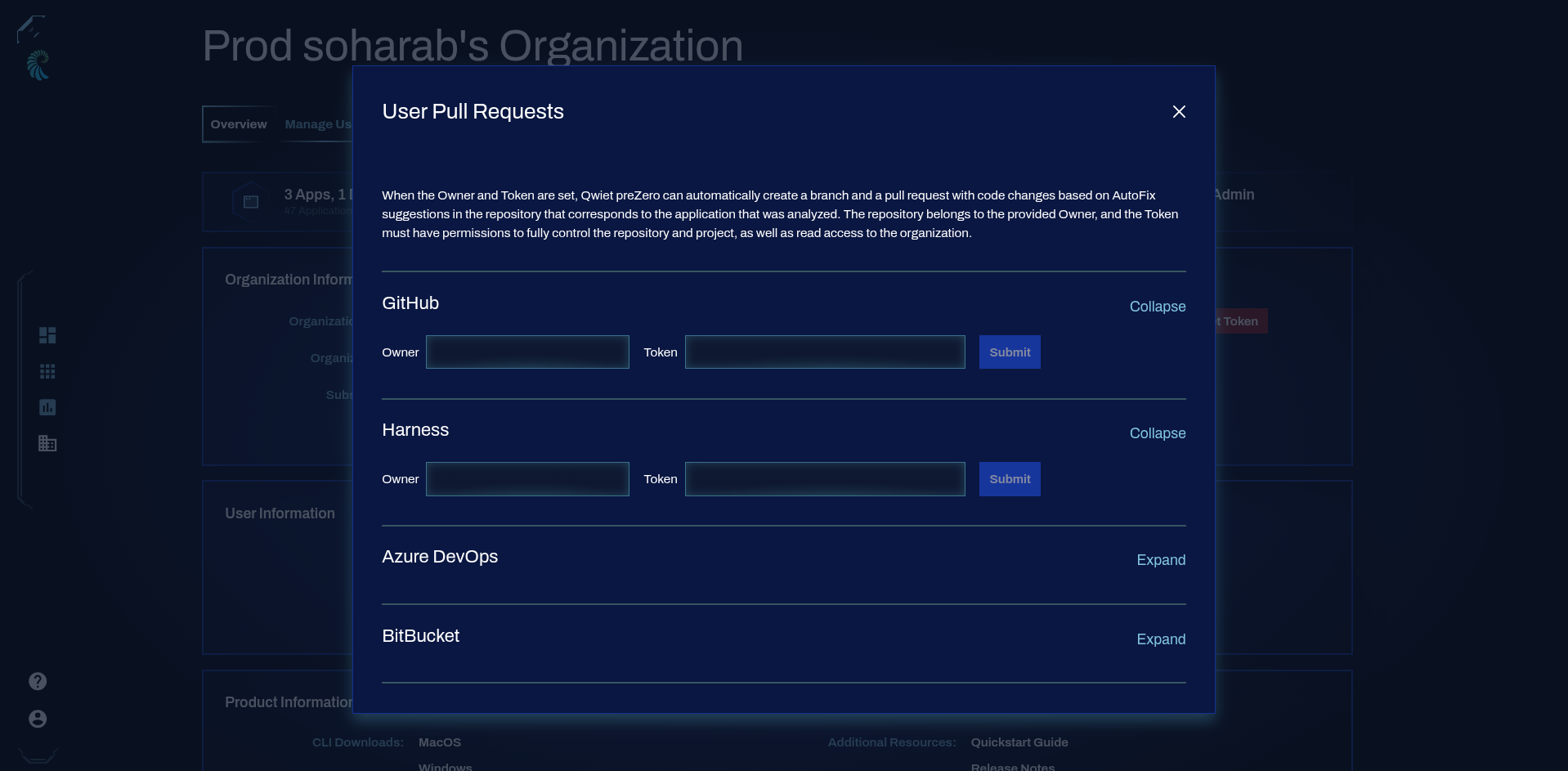
Users can provide their PAT credentials in the **Organization Overview** page, under the **User Information** section.