> For the complete documentation index, see [llms.txt](https://developer.harness.io/llms.txt). Markdown versions of documentation pages are available by appending `.md` to page URLs; this page is available as [Markdown](https://developer.harness.io/security-testing-orchestration/use-sto/set-up-sto-scans/built-in-scanners.md).
# Built-in scanners
Scan targets without scan tool licenses or configuration.
Built-in scanners in STO are [supported scanners](/security-testing-orchestration/new-to-sto/sto-whats-supported/sto-deployments.md) that require no additional setup or licensing. They use free or open-source versions of the tools. You do not need commercial scanner licenses.
STO configures built-in scanners automatically. Harness executions still incur billing charges. Built-in scanners reduce scanner setup and licensing requirements.
The following table lists built-in scanners by scan type. Select a scanner name to configure it. Go to [Set up a built-in scanner](#setup-a-built-in-scanner) to add one to a pipeline.
| Scan type | Built-in scan supported scanners |
| ------------------------------------------- | ------------------------------------------------------------------------------------------------------------------------------------------------------------------------------------------------------------------------------------------------------------------------------------------------------------------------------------------------- |
| Static Application Security Testing (SAST) | [Semgrep v1.102.0](/security-testing-orchestration/use-sto/sto-scanner-configuration/semgrep/semgrep-scanner-reference.md#configure-semgrep-as-a-built-in-scanner) |
| Software Composition Analysis (SCA) | [OWASP Dependency Check v12.0.0](/security-testing-orchestration/use-sto/sto-scanner-configuration/owasp-scanner-reference.md#configure-owasp-dependency-check-as-a-built-in-scanner), [OSV v1](/security-testing-orchestration/use-sto/sto-scanner-configuration/osv-scanner-reference.md#configure-osv-as-a-built-in-scanner) |
| Secret Detection | [Gitleaks v8.22.1](/security-testing-orchestration/use-sto/sto-scanner-configuration/gitleaks-scanner-reference.md#configure-gitleaks-as-a-built-in-scanner) |
| Container Scanning | [Aqua Trivy v0.58](/security-testing-orchestration/use-sto/sto-scanner-configuration/trivy/aqua-trivy-scanner-reference.md#configure-aqua-trivy-as-a-built-in-scanner), [Anchore Grype v0.86.1](/security-testing-orchestration/use-sto/sto-scanner-configuration/grype/grype-scanner-reference.md#configure-anchore-grype-as-a-built-in-scanner) |
| Dynamic Application Security Testing (DAST) | [Zed Attack Proxy (ZAP) v2.16.0](/security-testing-orchestration/use-sto/sto-scanner-configuration/zap/zap-scanner-reference.md#configure-zap-as-a-built-in-scanner) |
| Infrastructure as Code (IaC) | [Checkov v3.2.352](/security-testing-orchestration/use-sto/sto-scanner-configuration/checkov-iac-scan.md#configure-checkov-as-a-built-in-scanner) |
### Set up a built-in scanner
Set up a built-in scanner in any supported scan type. STO configures the scanner automatically.
1. In your **Build** or **Security** stage, click **Add Step**.
2. In the **Security Tests** category, select **Built-in Scanners**.
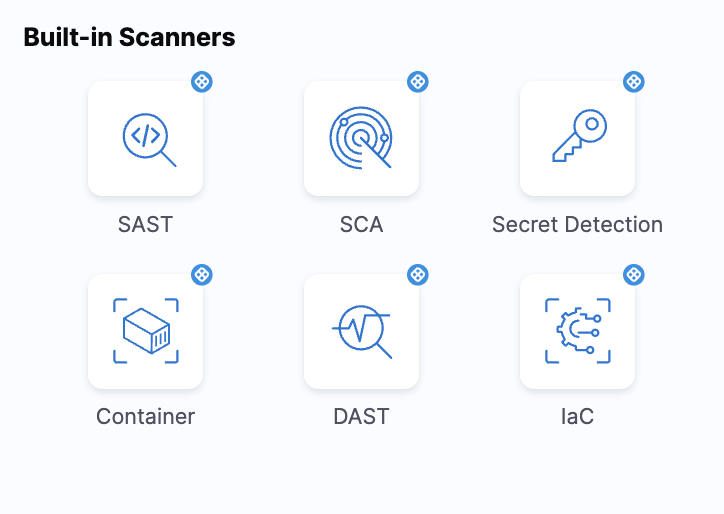
3. Select the scan type you want to run.
Click to view full size image
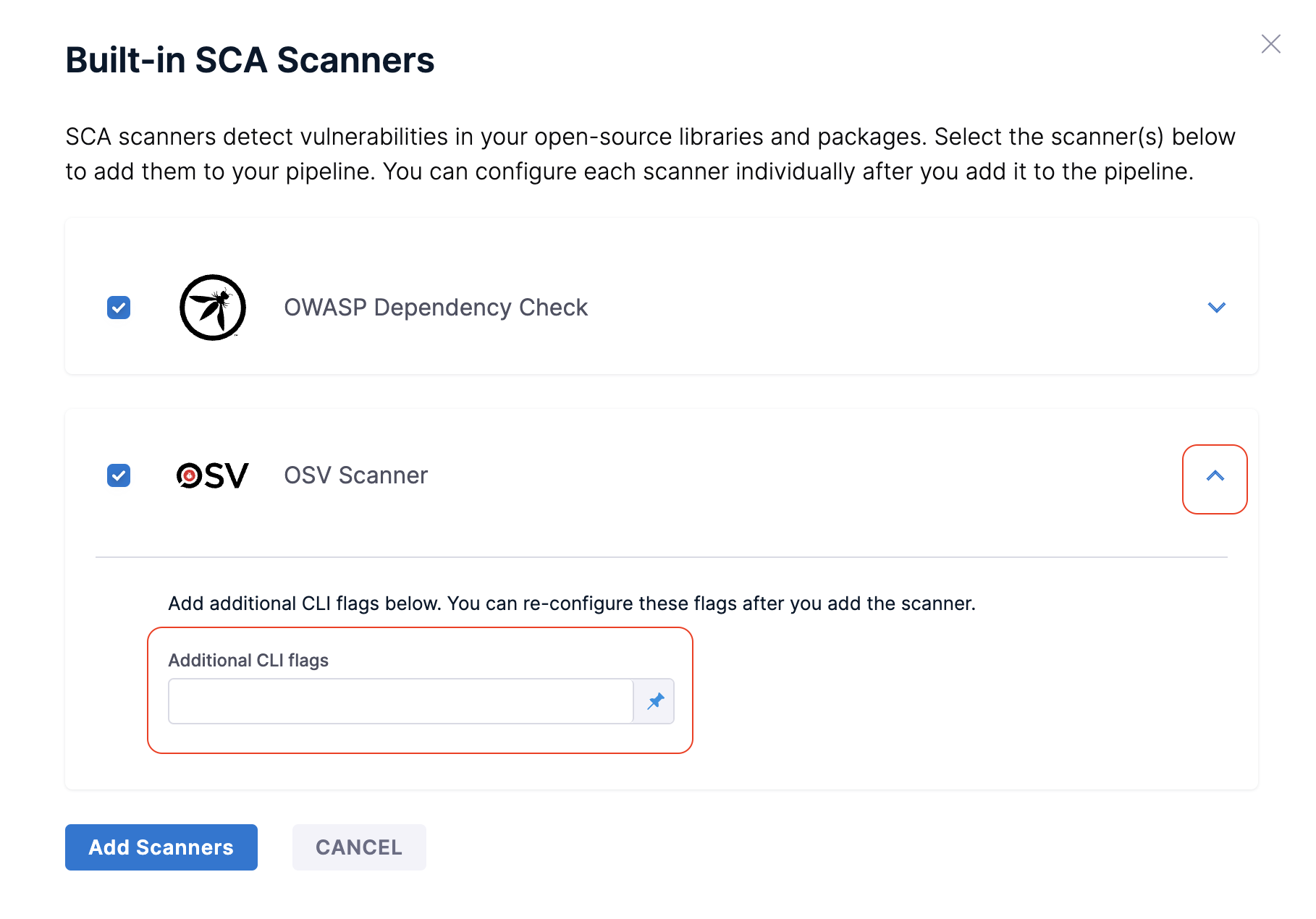
4. Select a scanner for the scan type. If needed, expand the scan step and enter **Additional CLI Flags**.
Click to view full size image
5. For **Container** or **DAST** steps, enter **Container Information** or **Domain Information**.
6. Click **Add Scanner**. STO automatically detects the target and variant.
To modify the step configuration, select the scan step in the pipeline. **Log Level** and **Fail on Severity** use their default values.
{% @harness-feedback/feedback %}