> For the complete documentation index, see [llms.txt](https://developer.harness.io/llms.txt). Markdown versions of documentation pages are available by appending `.md` to page URLs; this page is available as [Markdown](https://developer.harness.io/security-testing-orchestration/use-sto/severity-override/manual-override.md).
# Manual Severity Override
Override the severity level of a vulnerability.
Harness STO automatically assign severity level of an issue based on [standardized scoring system](/security-testing-orchestration/new-to-sto/key-concepts/severities.md) such as CVSS. However, these severity levels do not always reflect your organization’s specific risk posture, business impact, or runtime environment.
Manual Severity Override enables you to adjust the severity of a security issue when the severity assigned by Harness STO does not align with your internal risk assessment. This allows you to prioritize vulnerabilities based on real-world context, such as asset criticality, exploit exposure, compensating controls, or production impact.
Severity overrides function as a contextual overlay on top of the original scan results. They do not modify the underlying scan data or CVSS scores; instead, they provide an organization-specific risk perspective while preserving scan integrity and traceability.
Severity overrides apply at the project level scope and are reflected across [All Issues](#override-severity-from-the-issues-page) page, [Vulnerabilities](#view-overridden-severity-on-vulnerabilities-page) and Exemptions page of scan results.
{% hint style="info" %}
This feature is behind the feature flag `STO_ISSUE_OVERRIDE`. Contact [Harness Support](mailto:support@harness.io) to enable the feature.
{% endhint %}
## Override Severity from the Issues Page
You can manually override the severity only from the Issues page.
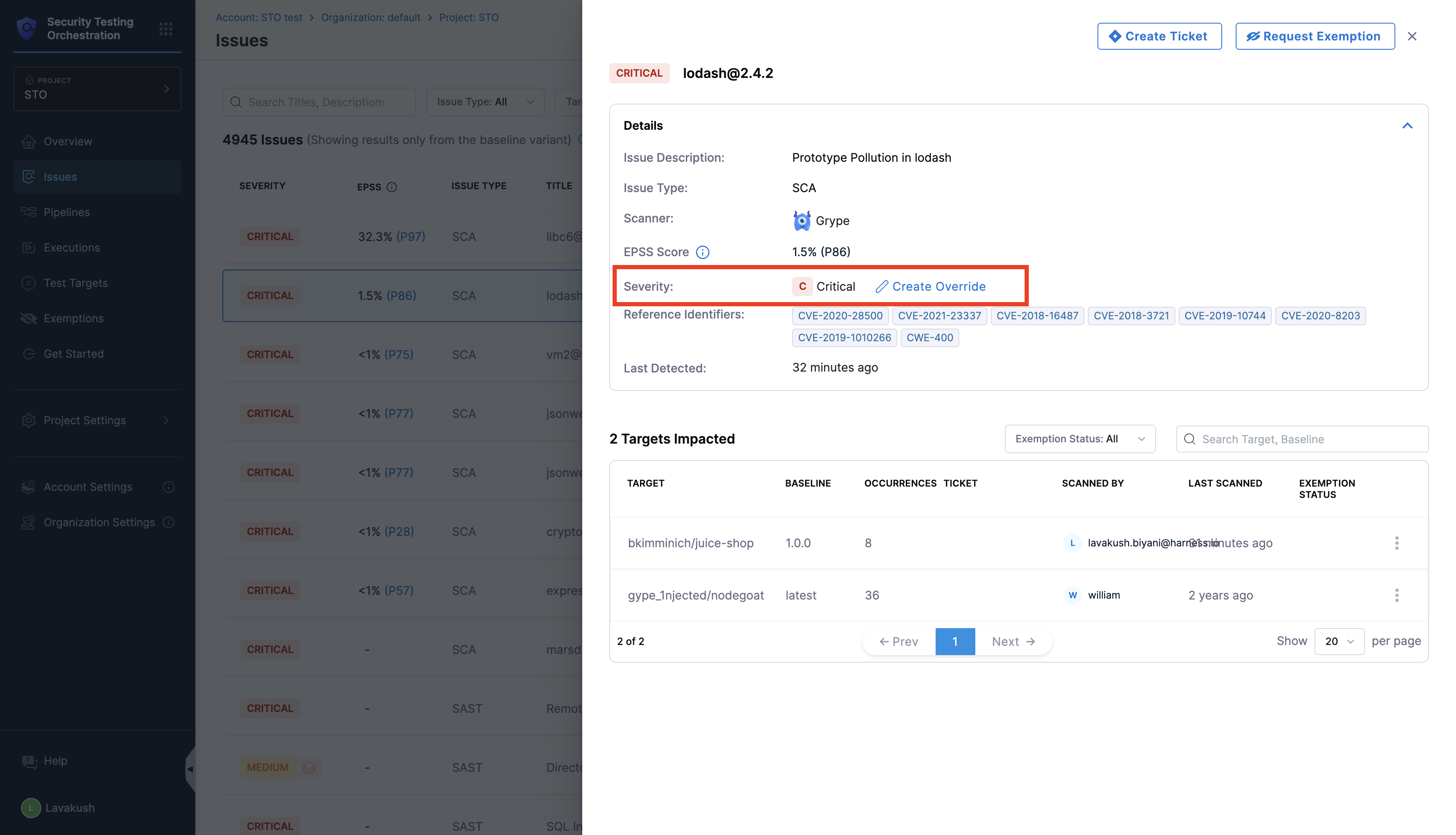
1. Go to Issues page from the left navigation and Select the issue you want to override severity. Click on the `Create Override`.
Click to view full size image
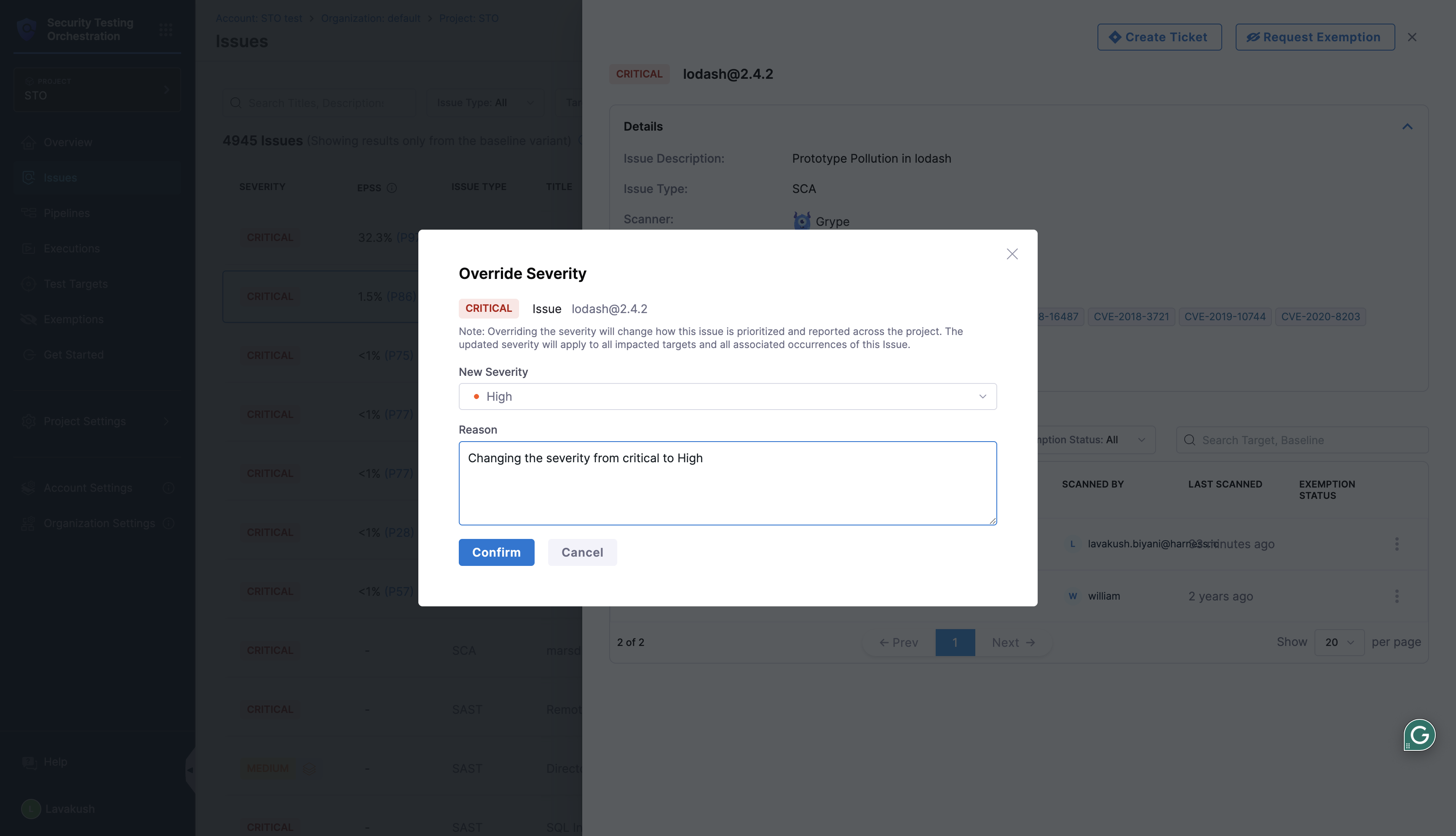
2. Select the new severity from the dropdown, add a comment explaining the reason for the severity change, and click **Continue**. Once applied, the updated severity is reflected immediately on the Issues and Exemptions pages. On the Vulnerabilities page, the overridden severity becomes visible after the next scan.
Click to view full size image
{% hint style="info" %}
* Manually overriding the severity will change how the issue is prioritized and reported across the project. The updated severity will apply to all impacted targets and all associated occurrences of this Issue.
* The new severity will be applied from the next scan.
{% endhint %}
## View Overridden Severity on Vulnerabilities Page
* On Vulnerabilities page, you can view the new overridden severity being applied from the next scan. You can also add the `Severity Overridden` filter to view only the issues with overridden severity.
Click to view full size image
## Audit Trails
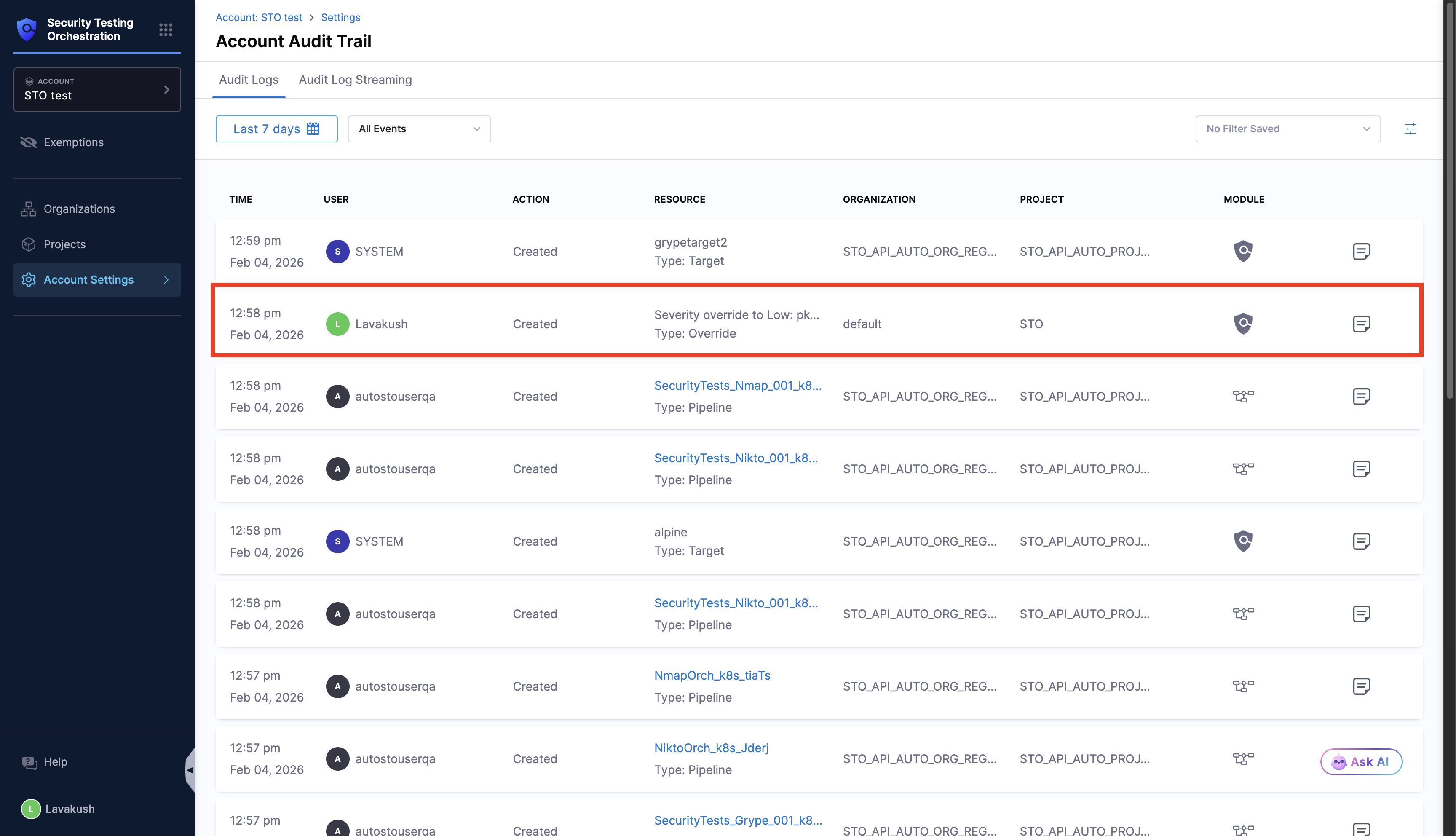
From the [Audit Trails](/harness-platform/3.0/harness-platform-resources/governance/audit-trail.md) page, you can view who has manually overridden the severity and when it was done, and which security issue was overridden to which severity.