> For the complete documentation index, see [llms.txt](https://developer.harness.io/llms.txt). Markdown versions of documentation pages are available by appending `.md` to page URLs; this page is available as [Markdown](https://developer.harness.io/security-testing-orchestration/use-sto/severity-override/scanner-override.md).
# Scanner Severity Override
Override the severity level of a vulnerability.
Scanner Severity Override allows you to configure the scan step to use severity levels reported directly by the security scanner. By default, STO assigns [severity](/security-testing-orchestration/new-to-sto/key-concepts/severities.md) based on numeric scores such as CVSS. When scanner severity override option is enabled, STO bypasses its internal severity mapping and uses the severity levels reported by the scanner (for example, Critical, High, Medium, and Low).
## Enable Scanner Severity Override
You can enable the scanner severity override behavior in either of the following below 2 ways:
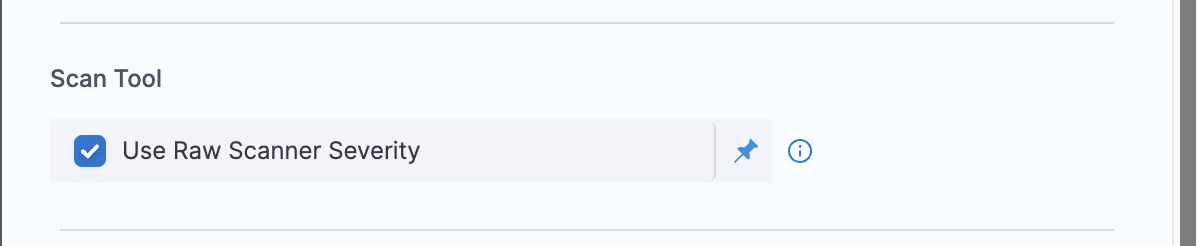
1. In the scan step configuration, enable `Use Raw Scanner Severity` option.
Click to view full size image
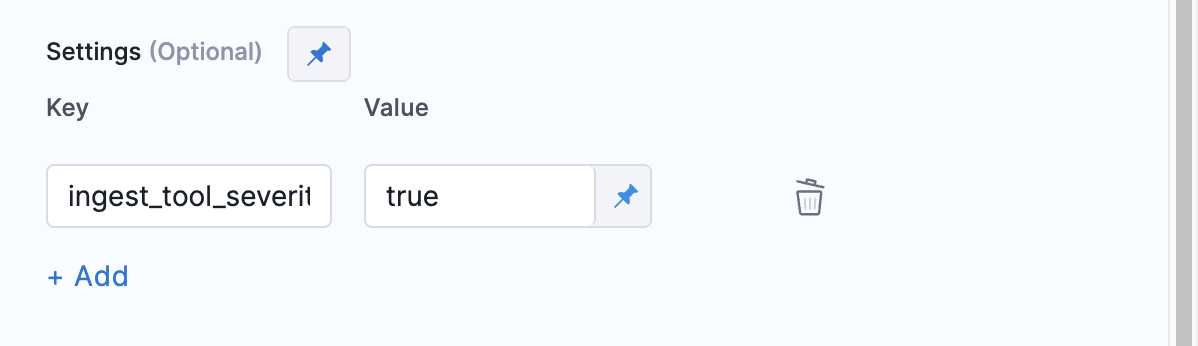
2. In the scan step configuration, add `ingest_tool_severity: true` in the Settings section.
Click to view full size image
## Supported Scanners List
Scanner Severity Override is supported for the following scanners:
* [Checkmarx](/security-testing-orchestration/use-sto/sto-scanner-configuration/checkmarx/checkmarx-scanner-reference.md#use-raw-scanner-severity)
* [CheckmarxOne](/security-testing-orchestration/use-sto/sto-scanner-configuration/checkmarx/checkmarxone-scanner-reference.md#use-raw-scanner-severity)
* [Anchore](/security-testing-orchestration/use-sto/sto-scanner-configuration/anchore-enterprise-scanner-reference.md#scan-tool)
* [Snyk](/security-testing-orchestration/use-sto/sto-scanner-configuration/snyk/snyk-scanner-reference.md#scan-tool)
* [Prisma Cloud(formerly Twistlock)](/security-testing-orchestration/use-sto/sto-scanner-configuration/prisma-cloud-scanner-reference.md#scan-tool)
{% @harness-feedback/feedback %}