> For the complete documentation index, see [llms.txt](https://developer.harness.io/llms.txt). Markdown versions of documentation pages are available by appending `.md` to page URLs; this page is available as [Markdown](https://developer.harness.io/security-testing-orchestration/use-sto/sto-chatbot/sto-chatbot.md).
# AppSec Chatbot
Learn about the AppSec STO Chatbot
The AppSec Chatbot in Harness STO lets you explore STO data using natural language. Instead of navigating multiple dashboards or applying several filters, you can ask questions like "List all the issues of type `secret`in the project".
The AppSec chatbot retrieves the relevant information from STO and responds in an easy-to-read format.
### Scope
* The AppSec Chatbot in STO is currently scoped to the project level, and cross-project queries are not supported. The chatbot can answer queries related to STO issues, pending exemptions, approved or rejected exemptions, and issue level insights.
* If a question is not related to Harness STO, you'll see the message: "The query is not related to Harness, as it is outside the scope of Harness functionalities."
{% hint style="info" %}
**PREREQUISITES & SUPPORT**
* Make sure you enable the Harness AI at the account level settings.
* Currently, the AppSec Chatbot is not supported on SMP.
{% endhint %}
### Sample Questions
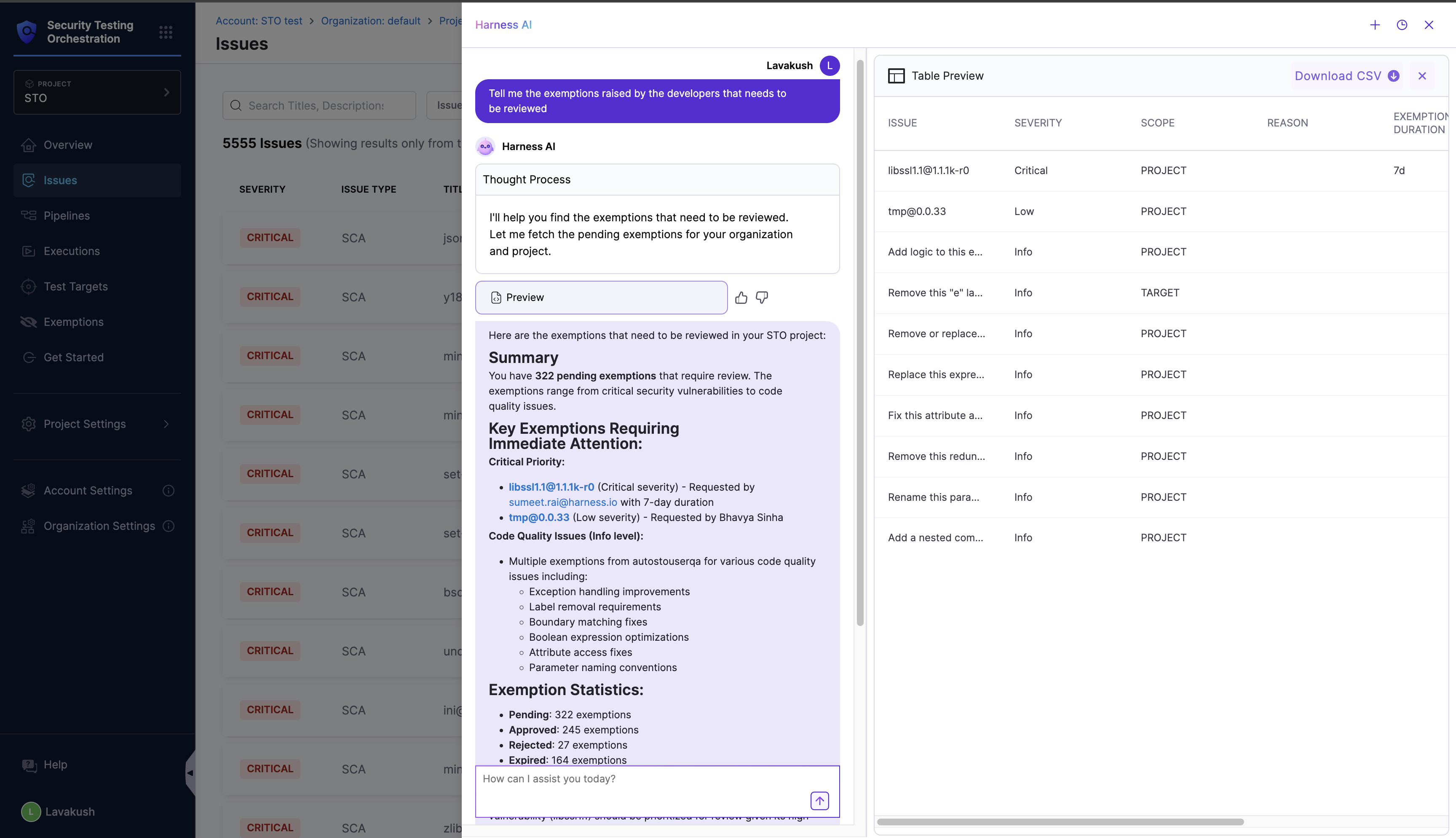
The following are some examples of the types of questions you can ask the AppSec Chatbot along with sample responses:
* Tell me the exemptions raised by the developers that needs to be reviewed.
* Approve all pending exemptions in this project of issue type `secret`.
* List all the issues of severity `High` in the project.
Click to view full-size image
### Caveats
The AppSec chatbot displays up to 10 results by default for readability. For larger datasets, refine your query to narrow the output (for example: List me the next 10 issues of issue type `SCA`).
### Feedback Mechanism
Each response supports feedback so you can help improve the model:
**Thumbs Up** - Positive feedback.\
**Thumbs Down** - Opens a comment box where you can describe what went wrong or what you expected.
Feedback signals are used by Harness to enhance future model versions.
{% @harness-feedback/feedback %}