> For the complete documentation index, see [llms.txt](https://developer.harness.io/llms.txt). Markdown versions of documentation pages are available by appending `.md` to page URLs; this page is available as [Markdown](https://developer.harness.io/self-managed-enterprise-edition/use-self-managed-enterprise-edition/advanced-configuration/smp-zendesk-configuration.md).

# Zendesk Integration for Support Tickets

{% hint style="info" %}
**FEATURE AVAILABILITY**

This feature is available in Self-Managed Enterprise Edition 0.32.x and later. Admin access is required for "SMP Key Management" functionality.
{% endhint %}

The Zendesk integration enables access to Harness support tickets from Self-Managed Platform without having to login separately from Harness SAAS.

This integration requires generating a unique key pair where the private key remains secure on the local system while the public key is shared with Harness Support for account mapping and integration activation.

#### Generate and register your SMP key <a href="#generate-and-register-your-smp-key" id="generate-and-register-your-smp-key"></a>

{% tabs %}
{% tab title="Interactive" %}
{% embed url="<https://app.tango.us/app/embed/b117a2ff-5f39-45c3-b08d-0a2e2415cdfa>" %}
{% endtab %}

{% tab title="Manual" %}

1. Navigate to **Account Settings** → **General** → **SMP Key Management**.
2. Click **Generate SMP key** to create a unique public key for your account.
3. Download the public key file and send it to [Harness Support](mailto:support@harness.io) for account mapping.

   <div data-gb-custom-block data-tag="hint" data-style="info" class="hint hint-info"><p>Harness does not have access to your private keys. Only the public key is shared with Harness Support to enable this functionality.</p></div>

   <div data-gb-custom-block data-tag="hint" data-style="info" class="hint hint-info"><p><strong>IMPORTANT NOTE</strong></p><p>To rotate your key (either as a security best practice or if it has been compromised), click <strong>Rotate SMP Key</strong> and confirm.</p><p>After rotation, you must send the new public key to Harness Support for remapping. Until the new key is mapped, the Zendesk integration will not work.</p></div>
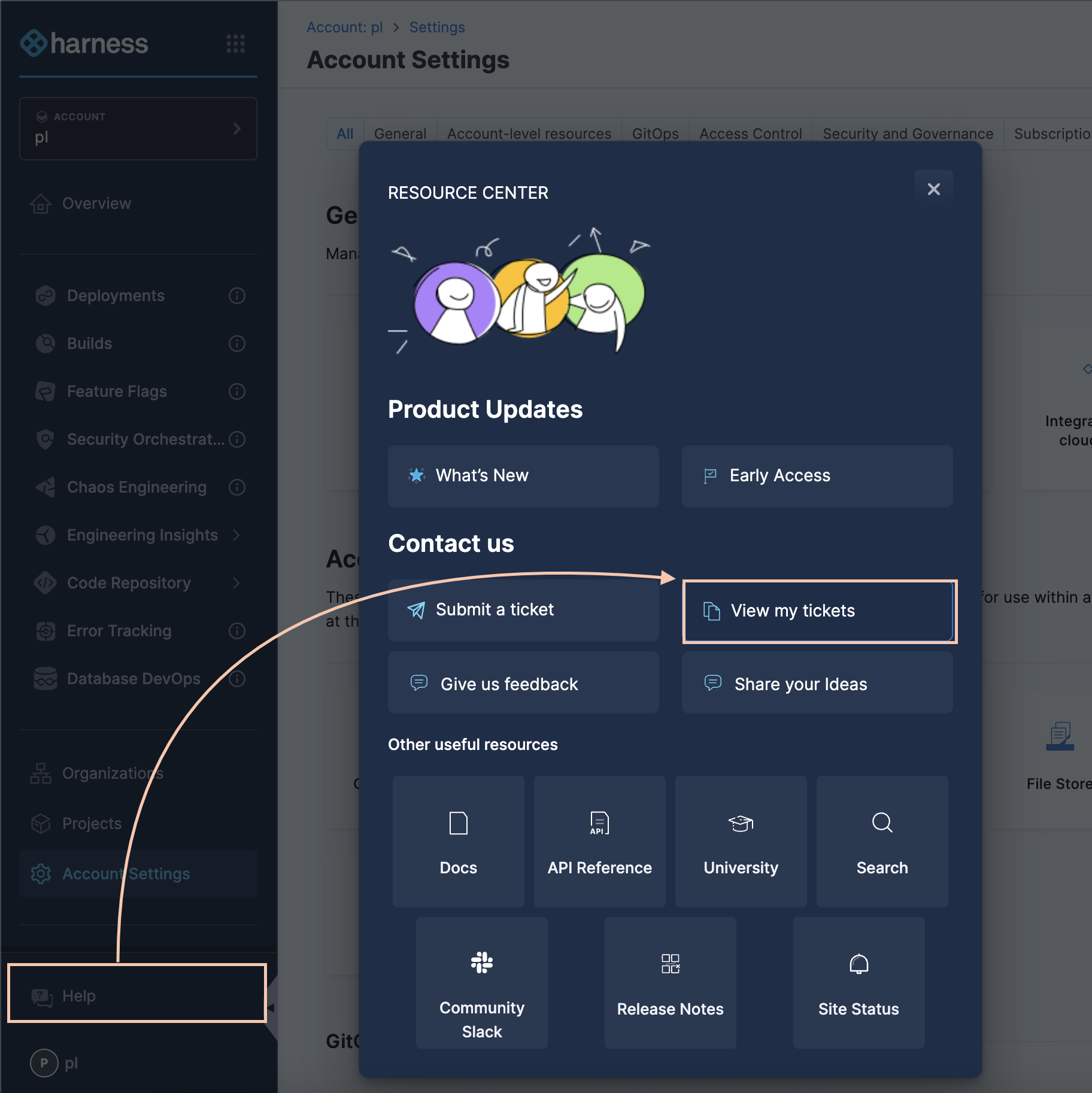
4. Once enabled, access your tickets by navigating to **Help** → **View my tickets**.

   <figure><img src="/files/1qFsMDNQhqJa5d5pCpi5" alt=""><figcaption></figcaption></figure>

{% endtab %}
{% endtabs %}