> For the complete documentation index, see [llms.txt](https://developer.harness.io/llms.txt). Markdown versions of documentation pages are available by appending `.md` to page URLs; this page is available as [Markdown](https://developer.harness.io/software-supply-chain-assurance/use-scs/dashboards-and-reports/component-summary.md).
# Component Summary
View component summary dashboard across Artifacts and Code Repositories
The Component Summary Dashboard displays all unique components across artifacts and repositories within your account. It provides a centralized view, eliminating the search across projects, and offers a single point of access, especially useful during zero-day attacks.
Follow the below steps to view component summary for artifacts. You can follow the same process to view Component summary for code repositories.
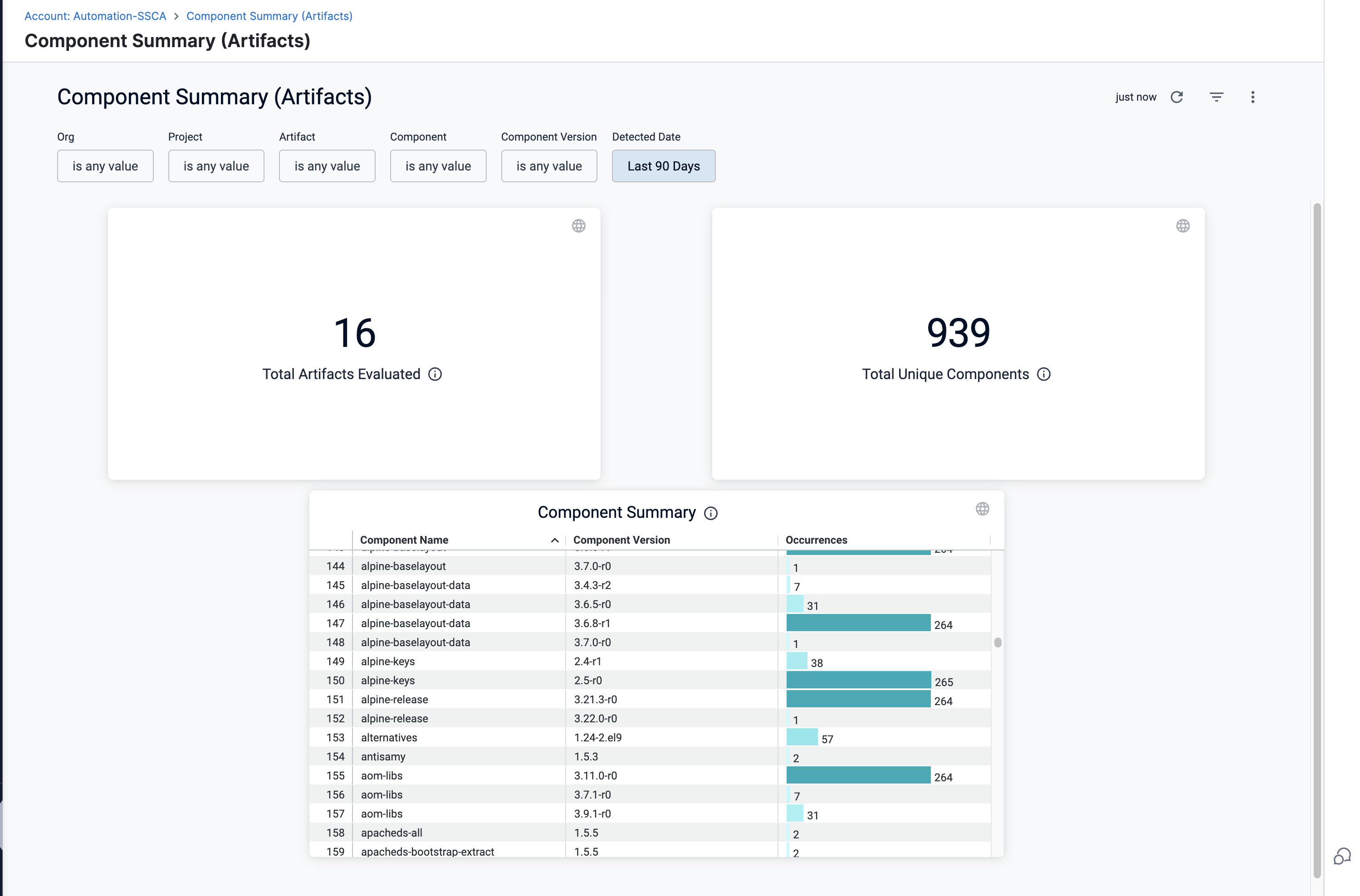
* **Total Artifacts Evaluated:** Unique count of artifacts that have undergone the SBOM orchestration step.
* **Total Unique Components:** The total count of all unique components identified across artifacts and its digests.
Click to view full size image
You can apply filters to drill down and navigate across the following key dimensions:
**Organization:** Filter data by the selected Harness Organization.
**Project:** Limit results to a specific project within the organization.
**Artifact:** Filter issues based on the artifact name.
**Component:** Filter results by the name of the component used within artifacts and projects.
**Component Version:** Narrow down results to a specific version of the selected component to track usage.
**Detected Date:** Filter results using predefined date ranges of up to 30 days.
Click the ellipsis icon, in the top-right corner of the dashboard to download the component summary report (PDF or CSV), or set up automated delivery (daily, weekly, or monthly).
#### Component summary
**Component:** Displays the name of the component identified within the artifact during SBOM Orchestration step.
**Component Version:** Indicates the specific version of the component detected in the artifact.
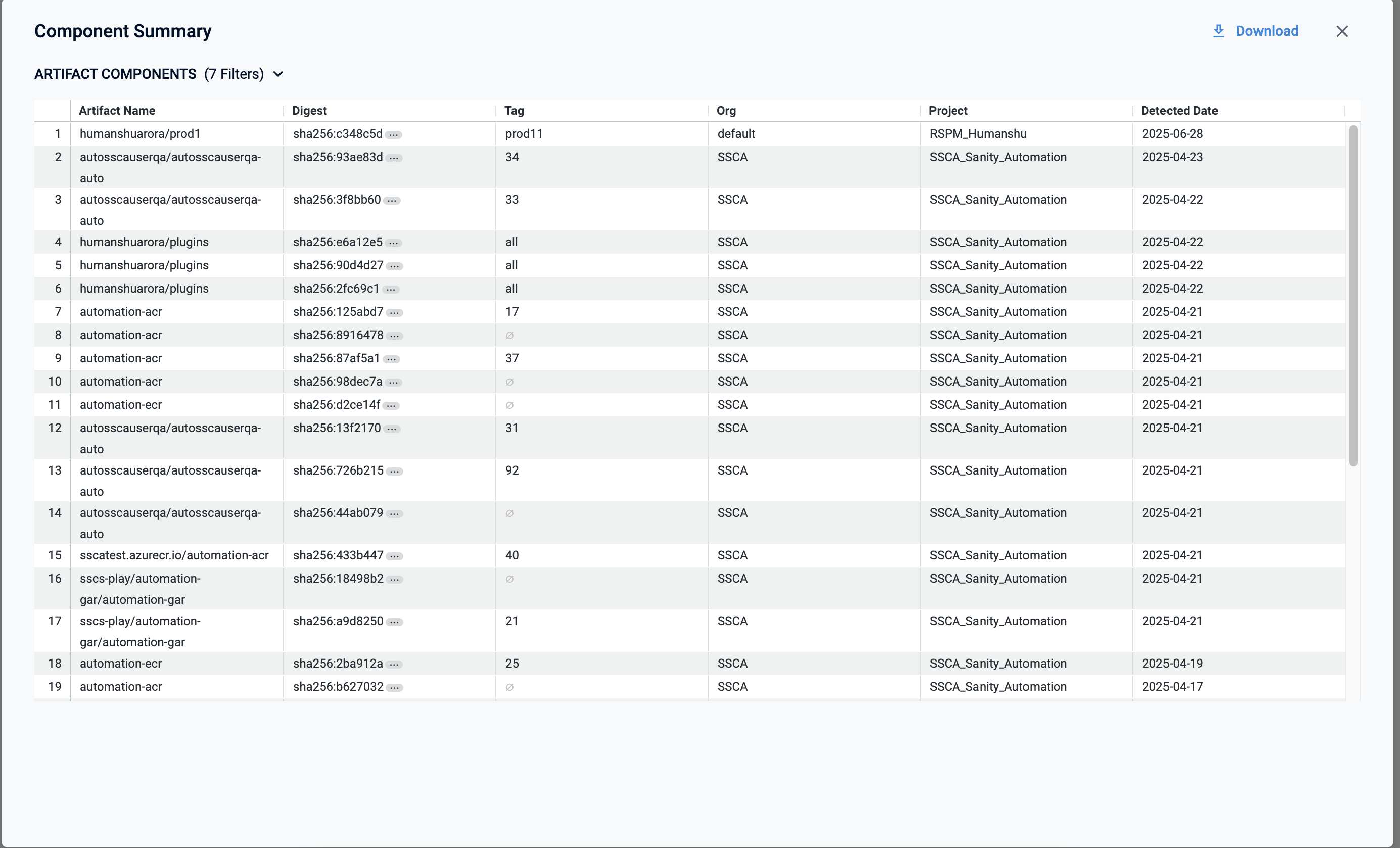
**Occurrences:** Number of times a component or component version appears across artifacts and projects. When you **Click on** the occurrences count, this opens a pop-up table with the following columns:
* **Artifact Name:** Name of the artifact where the component was detected.
* **Digest:** The digest (unique identifier) of the artifact. On click, it redirects to the SBOM tab.
* **Tag:** The tag associated with the artifact.
* **Org:** The organization where the artifact resides.
* **Project:** The project under which the artifact is managed.
* **Detected Date:** The date when the component was detected in the artifact.