> For the complete documentation index, see [llms.txt](https://developer.harness.io/llms.txt). Markdown versions of documentation pages are available by appending `.md` to page URLs; this page is available as [Markdown](https://developer.harness.io/software-supply-chain-assurance/use-scs/dashboards-and-reports/component-violations.md).
# Component Violations
View Component Violations for Artifacts and Code Repositories
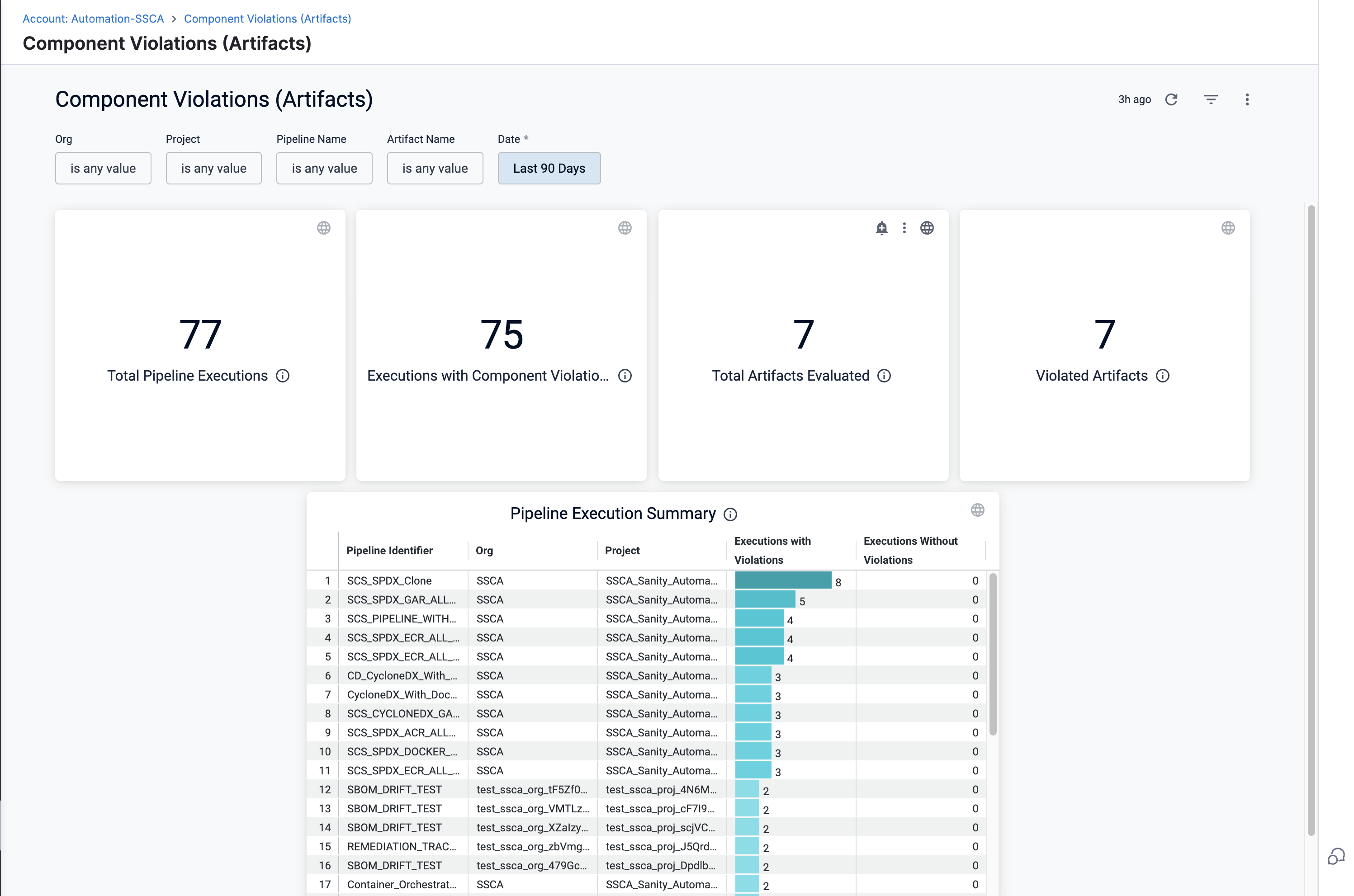
The Component Violations Dashboard for Artifacts and Repositories displays pipelines flagged for SBOM policy violations. It provides a centralized view across organizations and projects.
Follow the below steps to view component violations for artifacts. You can follow the same process to view Component violations for code repositories.
* **Total Pipeline Executions:** Count of all pipeline executions that include the SBOM Policy Enforcement step for artifacts.
* **Pipeline Executions with Component Violations:** Count of pipeline executions that resulted in SBOM policy violations for artifacts.
* **Total Artifacts Evaluated:** Unique count of artifacts that underwent the SBOM orchestration step.
* **Violated Artifacts:** Total number of artifacts that violated SBOM policies.
Click to view full size image
You can apply filters to drill down and navigate across the following key dimensions:
* **Organization:** Filter data by the selected Harness Organization.
* **Project:** Limit results to a specific project within the organization.
* **Pipeline Name:** Filter issues based on the pipeline name that executed the SBOM Policy Enforcement step.
* **Artifact Name:** Filter results by artifact name.
* **Date:** Filter by predefined presets (e.g., last 7 days) or a custom date range.
Click the ellipsis icon, in the top-right corner of the dashboard to download the component violations report (PDF or CSV), or set up automated delivery (daily, weekly, or monthly).
#### Pipeline execution summary
Pipeline Execution Summary table lists the pipelines that violated the SBOM Allow/Deny List policy.
* **Pipeline Identifier:** Unique name/ID of the pipeline.
* **Org Identifier:** The organization to which the pipeline belongs.
* **Project Identifier:** The project the pipeline resides in.
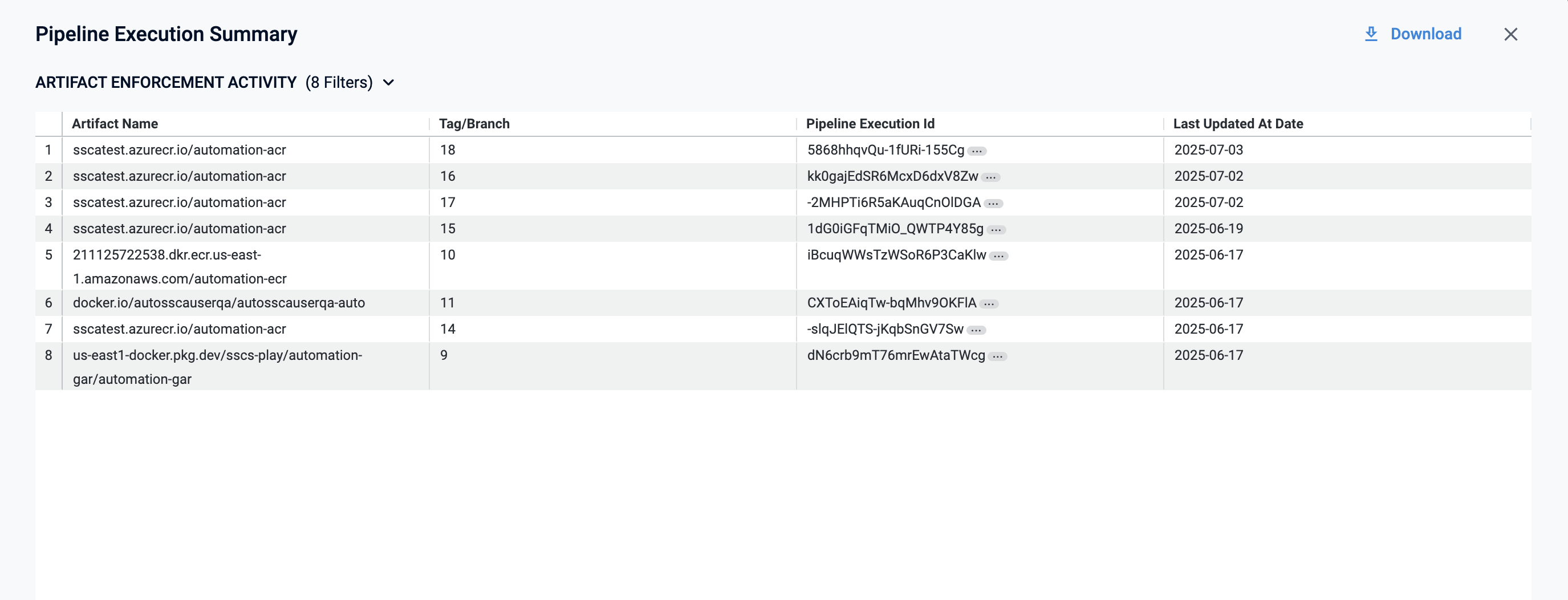
* **Executions With Violations:** Number of pipeline executions that failed SBOM policy checks. When you **Click on** the violations count, this opens a pop-up table with the following columns:
* **Artifact Name:** Name of the Artifact.
* **Tag/Branch:** Branch or tag associated with the artifact.
* **Pipeline Execution ID:** Unique ID of the pipeline execution. On click, it redirects you to the pipeline execution tab.
* **Last Updated At Date:** Date when the pipeline execution was last updated with violation information.
* Executions Without Violations: Number of executions that passed the SBOM policy checks.