Open Source Security and Risk Management
Manage and mitigate security risks in your open source components effectively.
Open source software plays a critical role in the software landscape, with studies showing that over 90% of codebases contain open source components. While it accelerates development and innovation, it can also introduce security risks if not managed carefully. By assessing the components listed in your Software Bill of Materials (SBOM) against OWASP Top 10 risks helps to uncover risks such as outdated, unmaintained or end of life components, ensuring your OSS dependencies remain secure, reliable, and up to date. Running OSS risk checks plays a vital role in strengthening your software supply chain and maintaining trust in your applications.
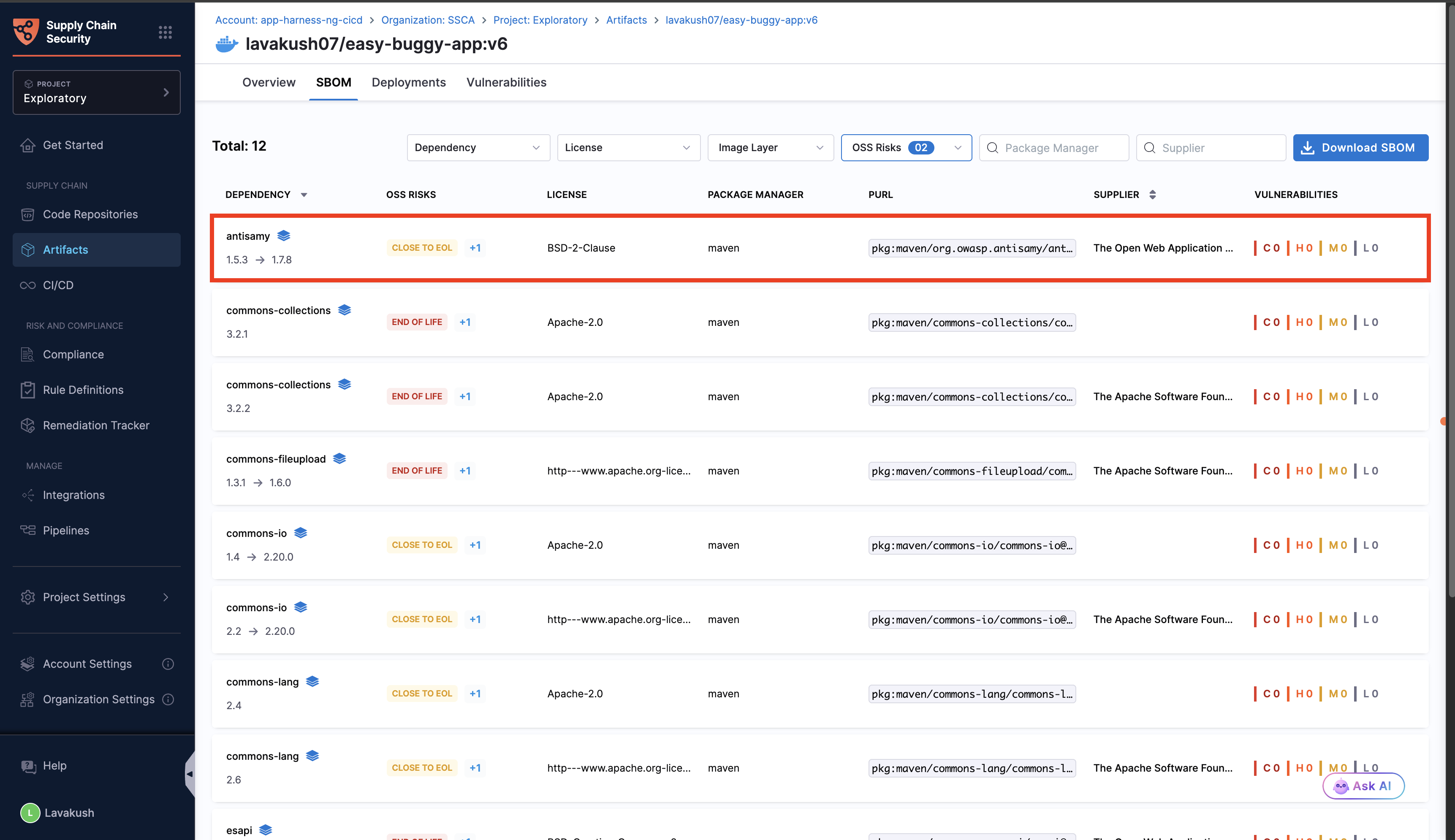
After completing the SBOM Orchestration step for your artifacts or repositories, the SBOM tab will display the below components marked with specific icons that indicate their current status.
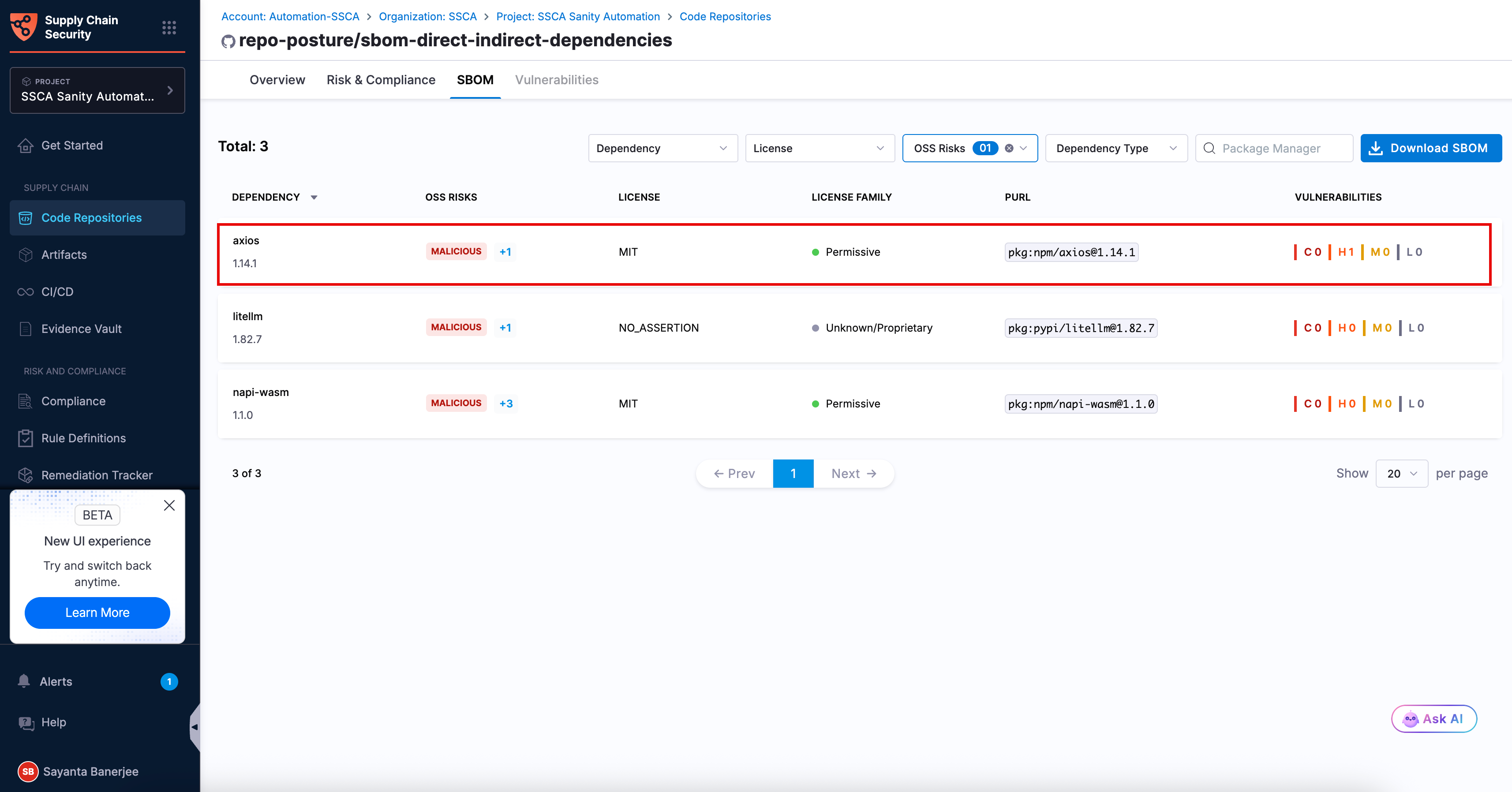
Malicious packages
A dependency is considered to have a malicious package OSS risk when it has been identified as containing harmful or intentionally deceptive code that may compromise your software supply chain.
In the SBOM tab, you can filter dependencies by Malicious Package OSS risk to identify high-risk packages. Click the flagged dependency to open the side panel. Review the detailed summary in the OSS Risks section. The summary explains why the dependency was flagged and its potential security impact. Review these dependencies immediately and replace them with verified trusted alternatives.

Typosquatting
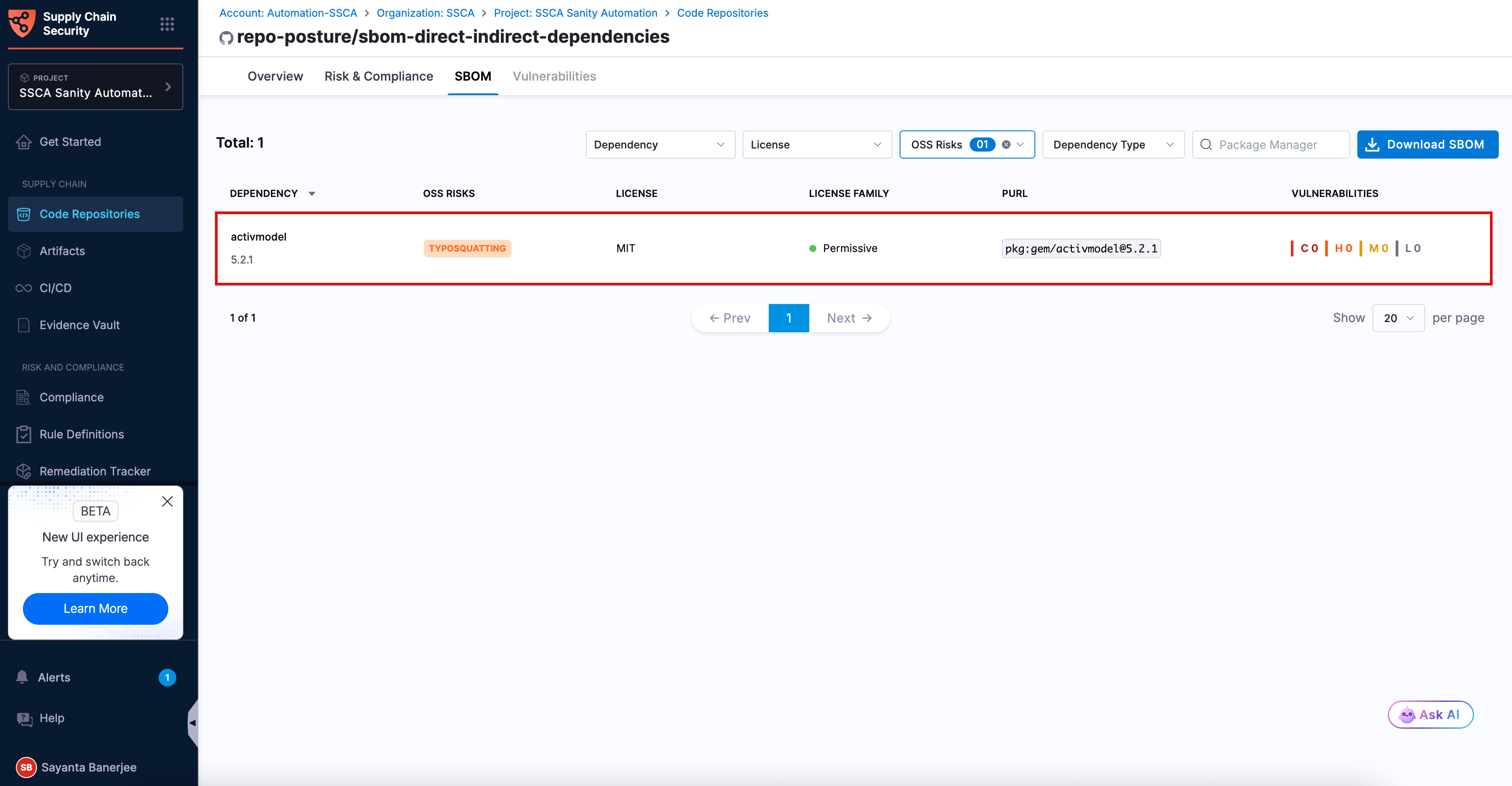
A dependency is considered to have a typosquatted OSS risk when its package name closely resembles a legitimate and commonly used package but contains minor spelling variations, added characters, or substitutions intended to deceive users into installing an unintended dependency.
In the SBOM tab, you can filter dependencies by Typosquatting OSS risk to identify potentially deceptive packages introduced through naming errors or malicious impersonation. Click the flagged dependency to open the side panel. Review the detailed summary in the OSS Risks section. The summary explains why the dependency was flagged and its potential impact. Verify the package name against the intended trusted dependency and replace it if necessary.

Vulnerabilities in SBOM components (OSS risk - 1)
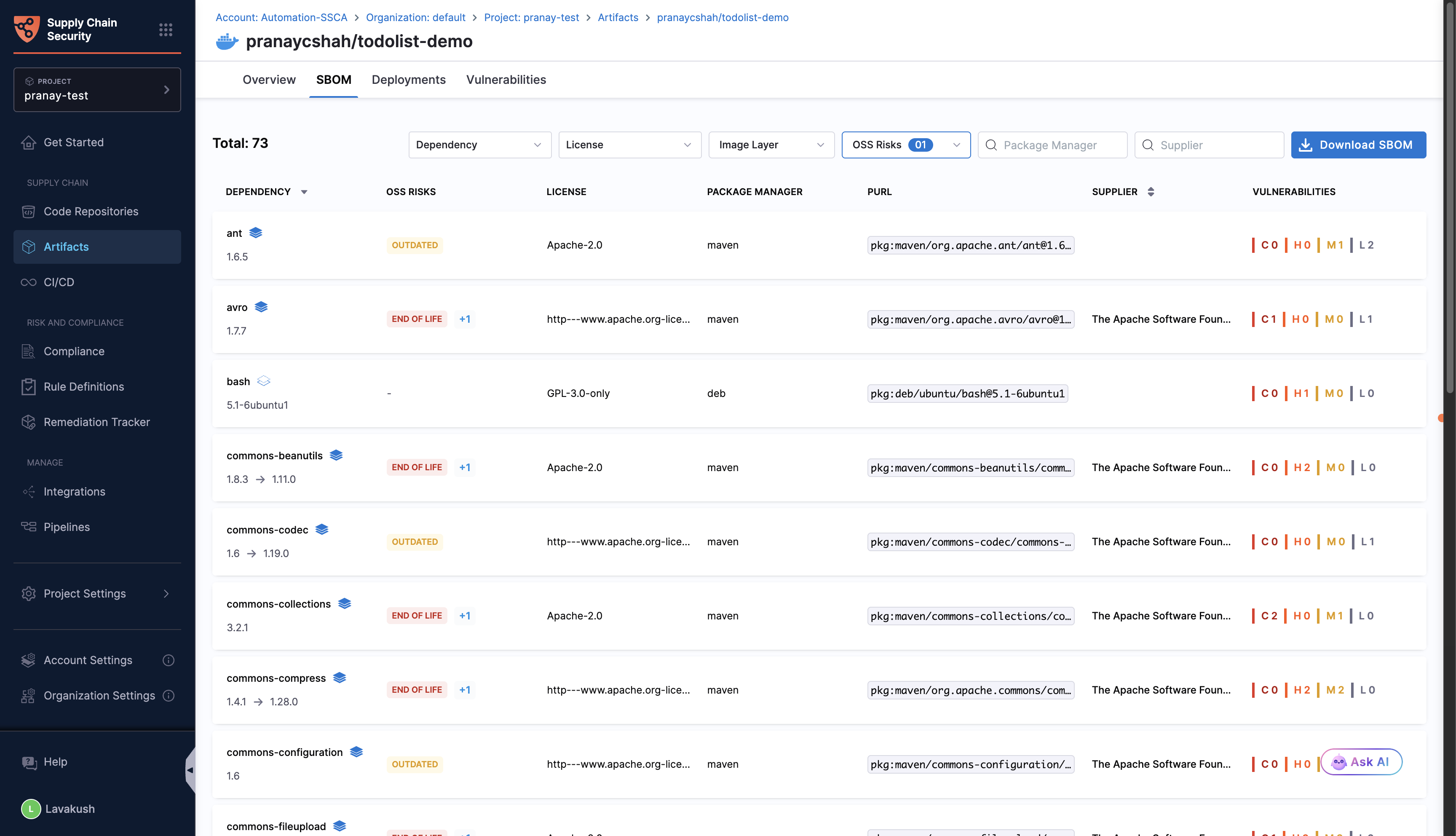
After you run the SBOM Orchestration step followed by an STO scan using any scanner required for component-level vulnerability mapping, the SBOM tab displays vulnerabilities for the components identified by the selected scan tool. This helps you effectively identify and prioritize open source risks.
You can also filter out the components, based on the OSS Risks.

Outdated components (OSS risk - 5)
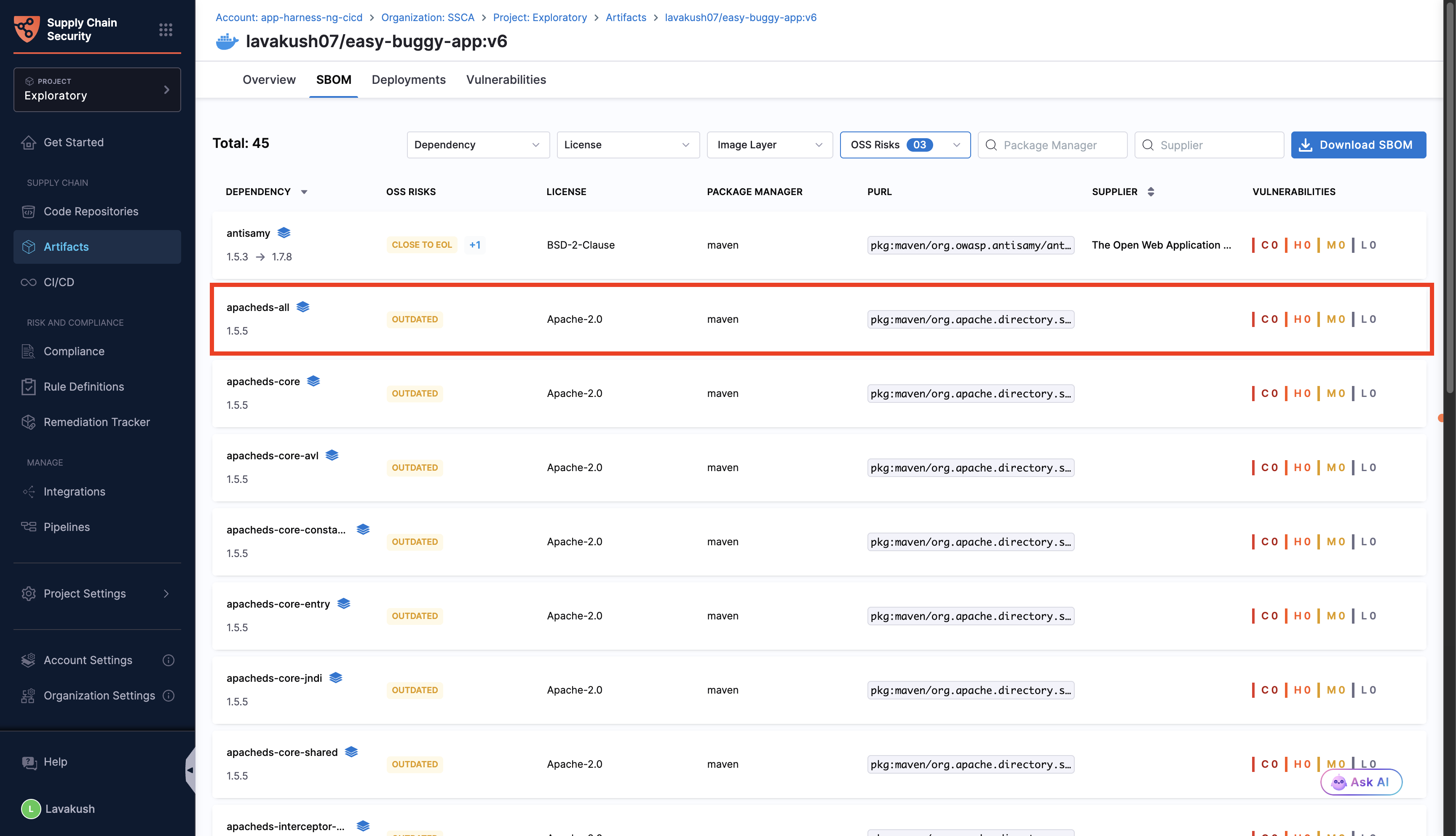
A component is considered outdated when its current version is lower than the latest available version. In the SBOM tab, outdated components are indicated by a warning symbol next to their version. Create a Jira ticket to update the component version to the latest available version.

Unmaintained components (OSS risk - 4)
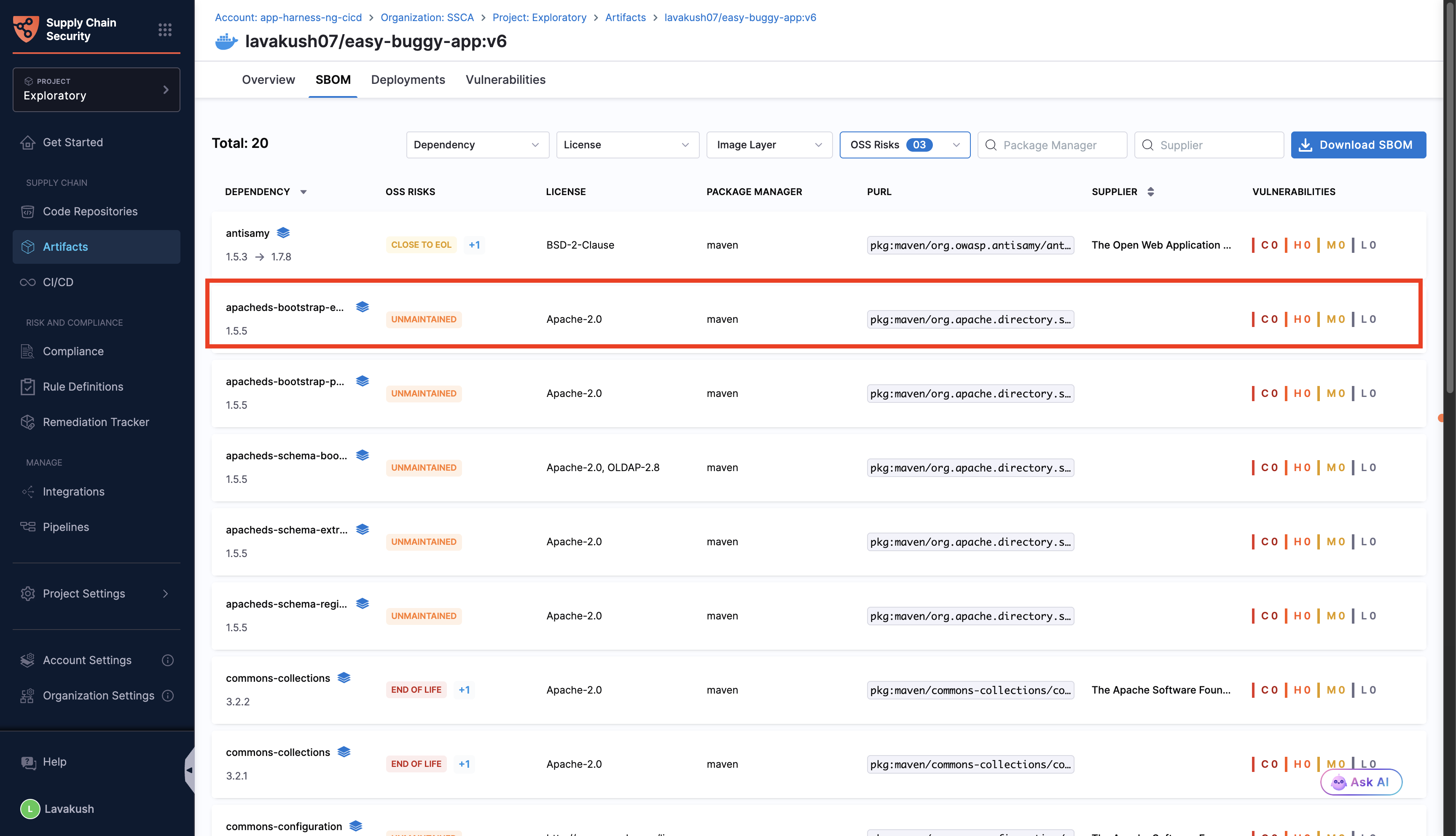
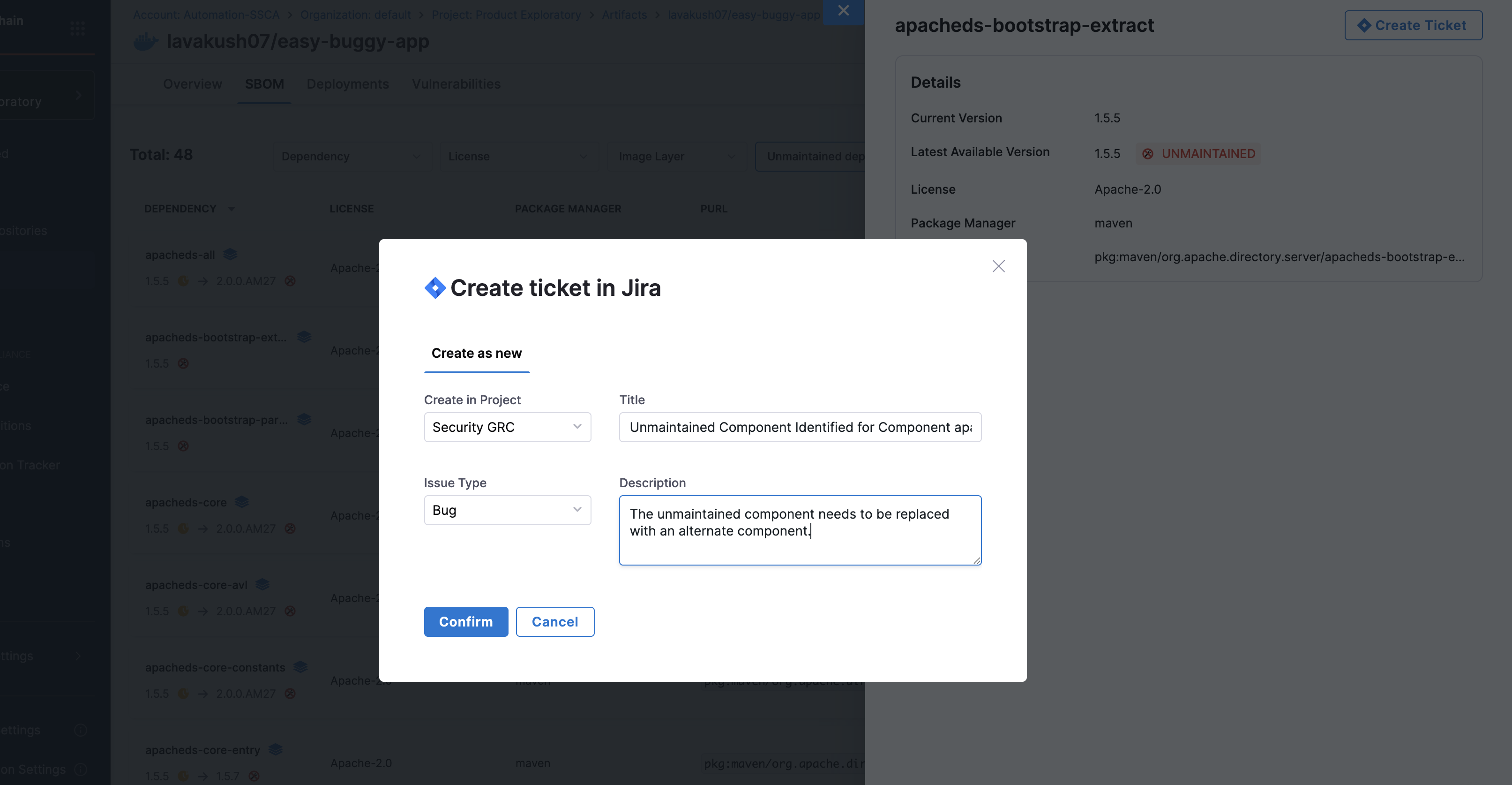
An unmaintained component is one that has not received any version upgrades in the past year. In the SBOM tab, such components are marked with an alert symbol. Create a Jira ticket to replace it with an alternative component.

Close to end of life components
A component is considered Close to End of Life if its EOL risk score falls between 30 and 59. This score is based on warning signals such as declining maintenance, lack of updates, or unresolved security issues, which indicate that the component may soon reach EOL.

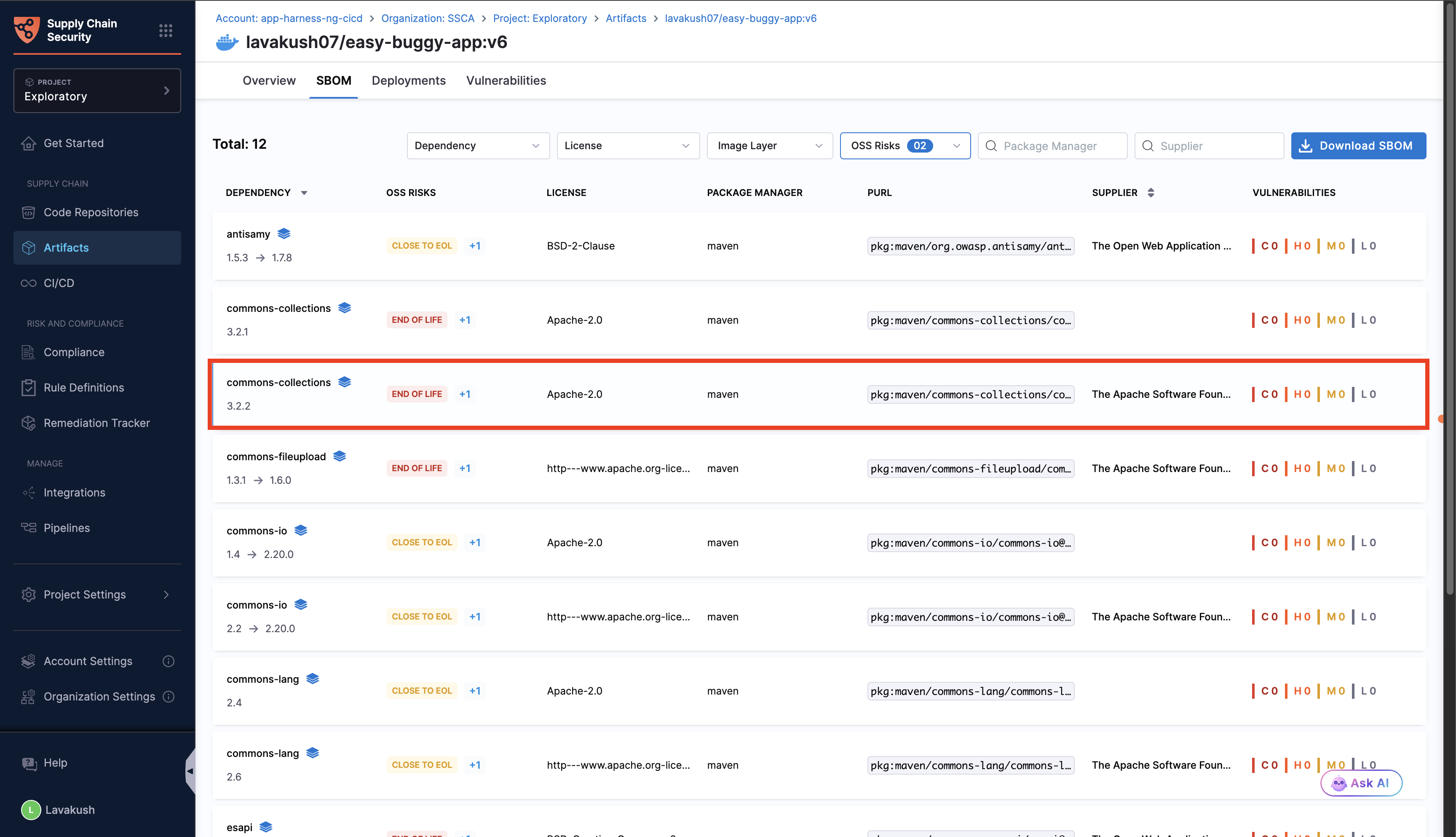
End of life components
A component is considered End of Life if its EOL risk score falls between 60 and 100. These components are typically no longer maintained or have been officially deprecated, making them risky to use in production. Harness SCS categorizes EOL into two types:
Derived: No official deprecation, but inferred based on risk signals and EOL scoring.
Definite: Confirmed end-of-life, such as when the package or repository is archived or officially deprecated.
When you click on any Close to EOL or EOL component, a side panel opens where you can view detailed information about the component, including its EOL status, risk score, and key findings. Go to EOL Scoring System to understand how the score is calculated.

Create jira ticket
As a prerequisite, configure a Jira connector. Click on the module selector at the top left of the side bar, go to Unified View, and create the connector at the project level.
Select the outdated/unmaintained dependency, close to EOL or EOL components, which will open a side panel. Click on Create Ticket.
Create in Project: Select the Jira project where the issue should be created. This list is populated based on your configured Jira connector.
Issue Type: Choose the type of Jira issue to create.
Title: The field will be auto-populated in the format below:
For outdated components - Outdated Component Identified - Upgrade
<component_name>from<current_version>to<latest_version>For unmaintained components - Unmaintained Component Identified -
<component_name>version<current_version>For close to end of life components - Close to EOL risk:
component-namedependency requires upgrade or alternative.For end of life components - EOL risk:
component-namedependency requires alternative.
Description: Add the details that you want to include in the Jira ticket description.
Once the ticket is created, its number and current status will be displayed. Any changes to the status of the ticket will automatically synced and be reflected in the side panel.

Enforce policy
In the SBOM Orchestration step, you can enforce an OPA policy to block pipelines that include End of Life (EOL) components based on their count. The following is a sample policy:
Last updated
Was this helpful?