> For the complete documentation index, see [llms.txt](https://developer.harness.io/llms.txt). Markdown versions of documentation pages are available by appending `.md` to page URLs; this page is available as [Markdown](https://developer.harness.io/university/instructions.md).
# Hands-on Instructions
Hands-on Labs Instructions
{% hint style="info" %}
These instructions are in support of our Admin and Architect level certification exams and Instructor-Led Training.
{% endhint %}
### Video of the Exam Experience
Video of your expected Harness Certification Hands-on Exam experience.
{% embed url="" %}
### Accessing your Hands-on Exam
{% stepper %}
{% step %}
After registering for the administrator or architect level exam, the final question will be the hands-on exam.
{% endstep %}
{% step %}
Once you access the hands-on exam, you will see instructions to open the Instruqt Hands-on exam by copy and pasting the exam URL in a new tab.

{% endstep %}
{% step %}
Follow the instructions provided within the hands-on exam to complete the exercises. Make sure to finish all the exercises.
Once you have completed all the exercises, a secret password will be displayed which will be used for credit.
{% endstep %}
{% step %}
Return to the main exam window and answer the question related to the secret password. This step ensures that you have finished all the exercises.
{% endstep %}
{% endstepper %}
By following these steps, you will be able to access and complete the hands-on exam using Instruqt. Good luck!
### Admin/Architect Certifications Cloud Shell - Navigating Hands-on Exam
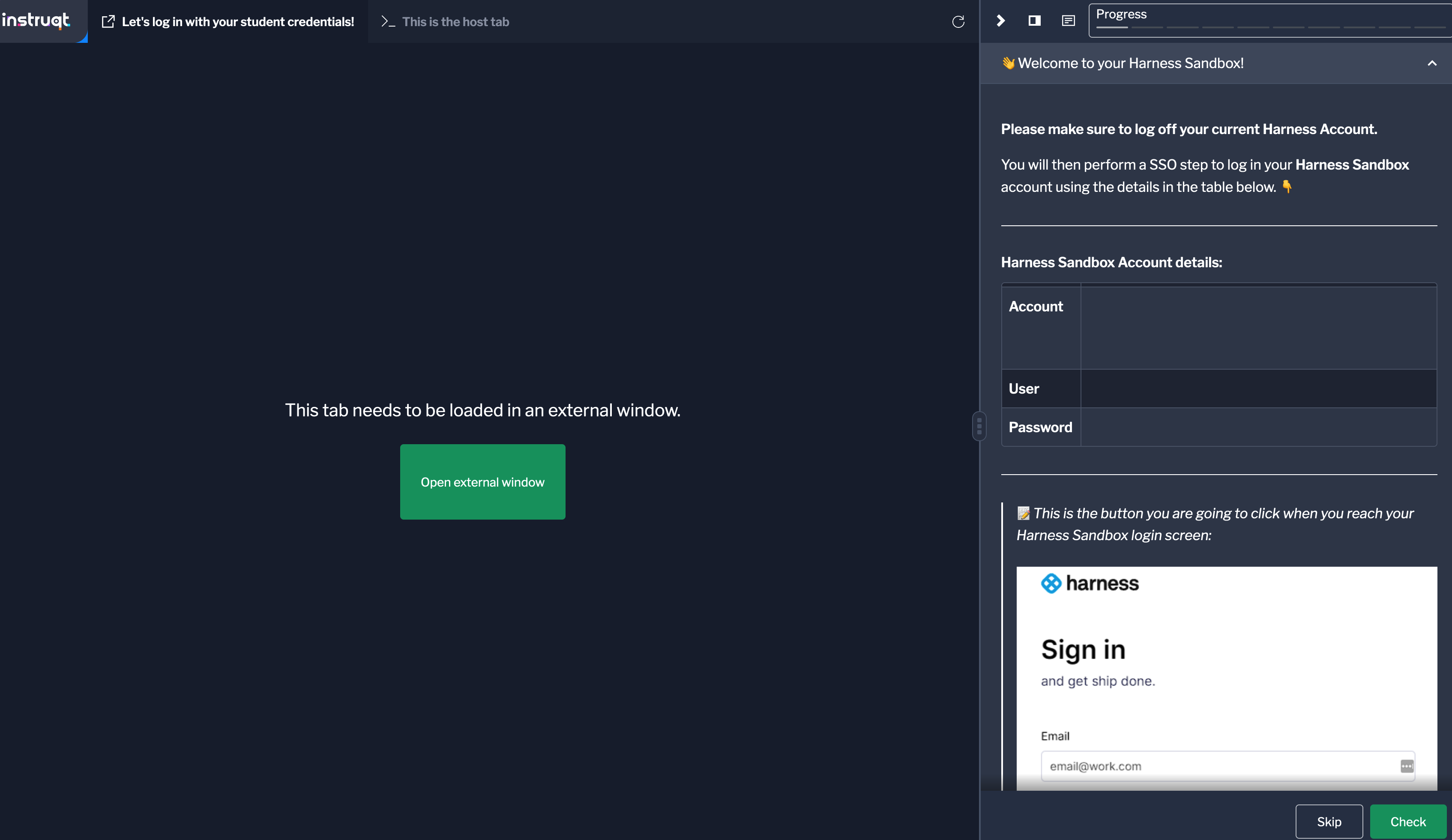
For our hands on exams, we are using a cloud shell provider, Instruqt. The following screenshot depicts a cloud shell you will see during an exam.
{% stepper %}
{% step %}
On the lab page, you will find information about the lab, such as its duration, difficulty level, and objectives. Take a moment to read through this information to familiarize yourself with the lab.
{% endstep %}
{% step %}
To start the lab, click on the "Start Lab" button located on the right side of the lab page.
{% endstep %}
{% step %}
Instruqt will now launch the lab environment for you. You may need to wait for a few moments while the environment initializes.
{% endstep %}
{% step %}
Once the lab environment is ready, you will be presented with a web-based terminal or console interface. This interface allows you to interact with the lab environment and perform the required tasks.
{% endstep %}
{% step %}
Follow the instructions provided within the lab environment to complete the hands-on exercises. The instructions will guide you through the necessary steps and provide any additional information or resources you may need.
{% endstep %}
{% step %}
As you progress through the lab, make sure to read the instructions carefully and perform the tasks as directed.
{% endstep %}
{% endstepper %}
### Video of the Instructor-Led Training Experience
Video of your expected Harness Instructor-Led Training experience. For our Instructor-Led Training, we are using a cloud shell provider, Instruqt.
{% embed url="" %}
### Troubleshooting
Please see our [FAQ](/university/policies-and-faqs.md) section for troubleshooting tips. You can also email our certification team at .
{% @harness-feedback/feedback module="university" pagePath="university/instructions" %}