

Wiz integration
Integrate Traceable with Wiz and configure the permissions required to push Traceable vulnerabilities to Wiz
Wiz scans every layer of your cloud environment to provide complete visibility into every technology running in the cloud. Wiz connects to AWS, Azure, GCP, and Kubernetes using APIs across virtual machines, containers, and serverless functions. Traceable protects APIs hosted in this infrastructure and implements application business logic. As part of the integration, Traceable identifies threats for each APIs. These threats and issues in Wiz can be mapped directly in the Traceable Threat Activity screens. This allows you to understand the overall risks for the cloud-native application across API, Kubernetes, serverless, and underlying infrastructure.
To integrate Traceable with Wiz, you need the client ID and secret of the Wiz account. Traceable maps Kubernetes instances, services, VMs, and so on by utilizing the information our tracing agents capture at runtime to query Wiz for the relevant resources. This ensures you do not have to track the resources these APIs are running to understand the overall risk. Traceable allows you to pull Wiz-identified issues or push Traceable-identified issues to Wiz.
What you will learn from this topic
By the end of this topic, you will be able to;
Configure the Wiz integration in Traceable.
Push logged and blocked threat activity events from Traceable to Wiz.
Pull Wiz issues and view them in Traceable.
Push Traceable vulnerability findings to Wiz.
Before you begin
Make a note of the following before proceeding with Wiz integration:
Ensure you have access to the Wiz Client ID and Wiz Secret Access Key from the Wiz management console.
Ensure you have the information on relevant services in Traceable, which has cloud resources visible in the Wiz Console.
Ensure you have read and completed the steps mentioned in the Wiz documentation for integration with Traceable.
Ensure that Traceable has the following permissions in Wiz:
Push notifications: System Activities and External Data Ingestion permissions.
Pull issues: Resources and Issues permissions.
Push Vulnerability: Required permissions to create or update vulnerability findings in Wiz.
The document assumes that you have reasonable knowledge of the Wiz management console, such as how to look for containers, VMs, and serverless functions under the Overview tab.
Configuration
To configure Wiz integration in Traceable, log in to your account and complete the following steps:
Navigate to the Integrations page.
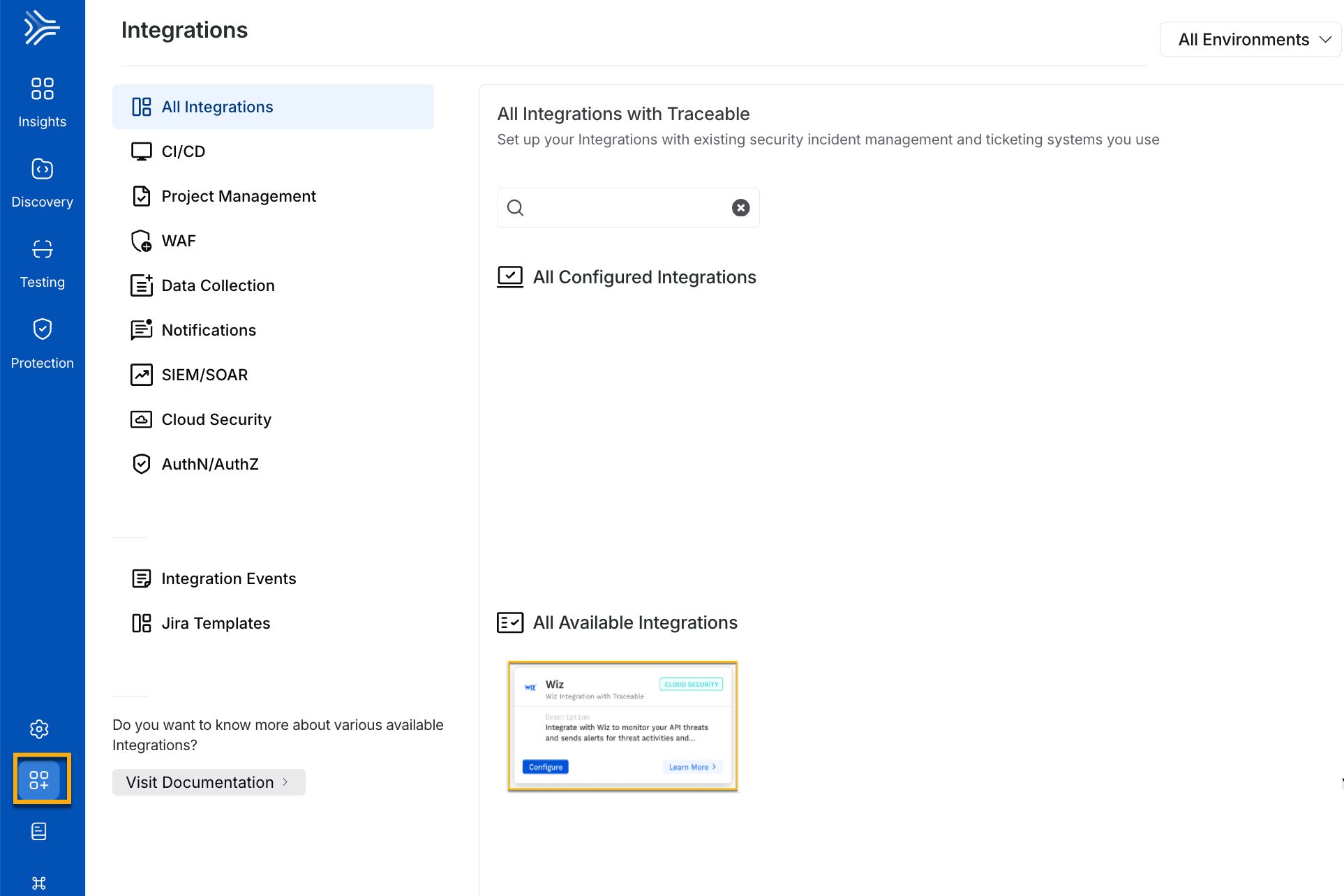
Click Configure to specify the configuration details:
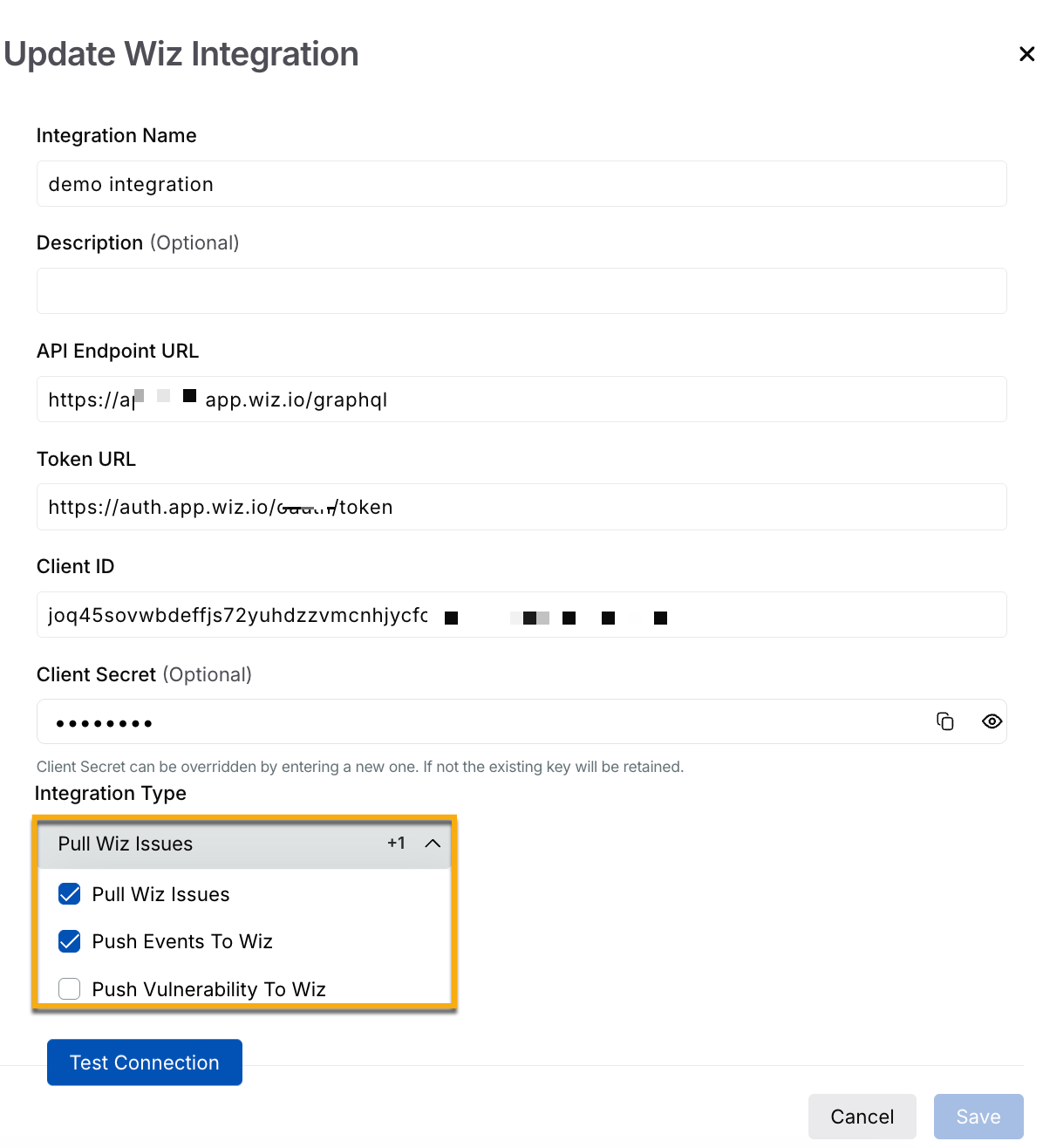
API Endpoint URL: The Wiz Integration API has a single GraphQL endpoint, such as https://api.<region>.app.wiz.io/graphql. The region defines where the tenant resides, for example, us1, us2, eu1, or eu2.
Token URL: The token URL is an Auth0 or Amazon Cognito endpoint, depending on your service account's identity provider.
Client ID and secret: These are the OAuth credentials required to request a new API token with every API call. A token lasts 24 hours.
Choose whether to pull or push the issues or vulnerabilities from Wiz.
Click Test Connection to see whether Traceable can integrate with Wiz with the given credentials. If the connection fails, an error message is displayed. In case of an error, check the credentials you entered. The Save button is enabled only when the test connection succeeds.
Push events to Wiz
Traceable can push events based on the configuration that you completed above. You can view these events under Protection → Threat activity. The events that are pushed to Wiz are of the following two types:
Logged threat activity
Blocked threat activity
To push the events to Wiz, you need to set up notifications. Complete the following steps:
Navigate to Settings → Configurations → Notifications.
Click Create Notification to create a new notification.
Select Wiz Integration from the Who should receive the notification drop-down list on the Create Notification page.
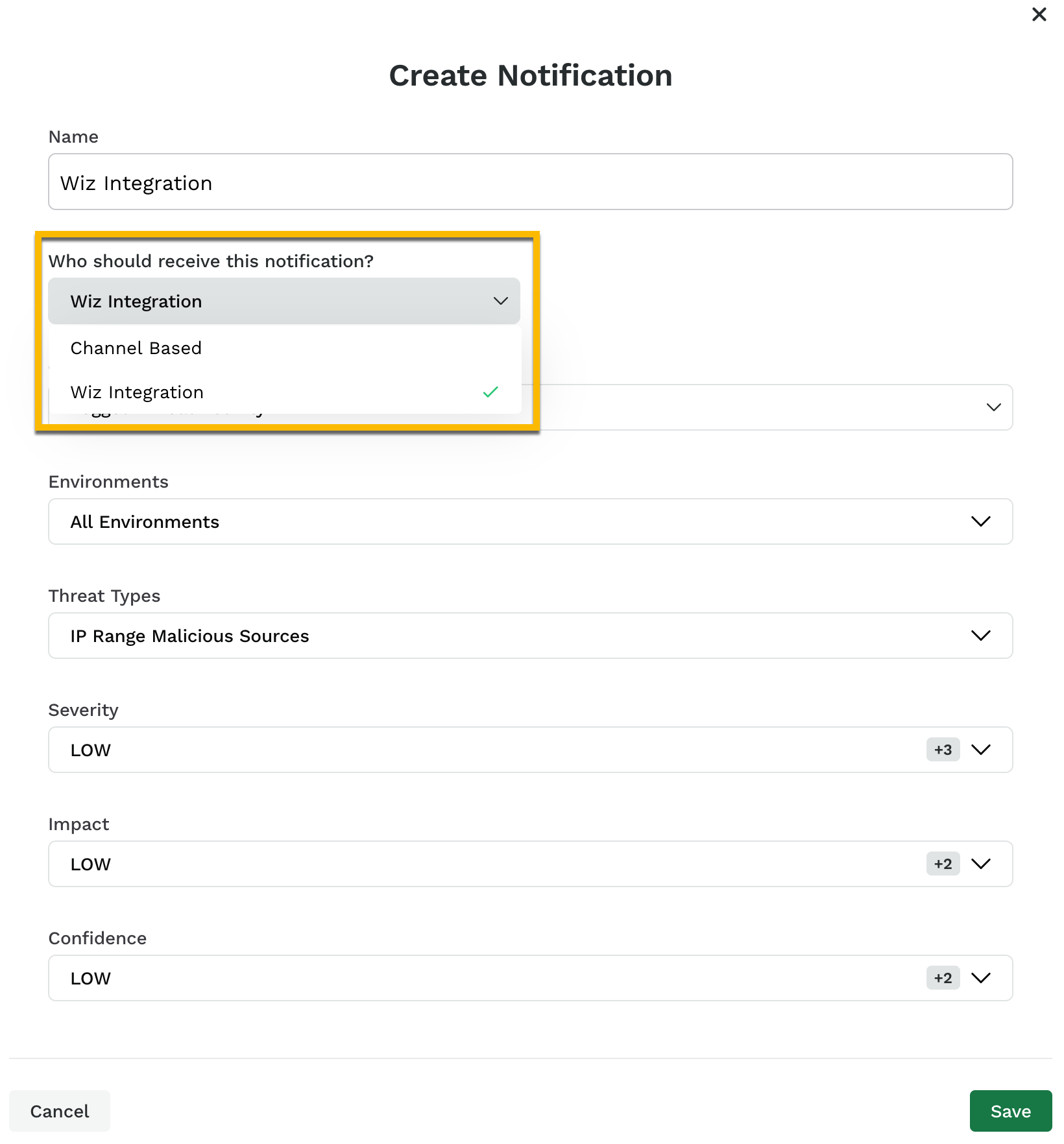
traceable_wiz_integration_notification_select_channel Select Logged Threat Activity or Blocked Threat Activity from the Category drop-down list.
Configure the remaining options and click Save.
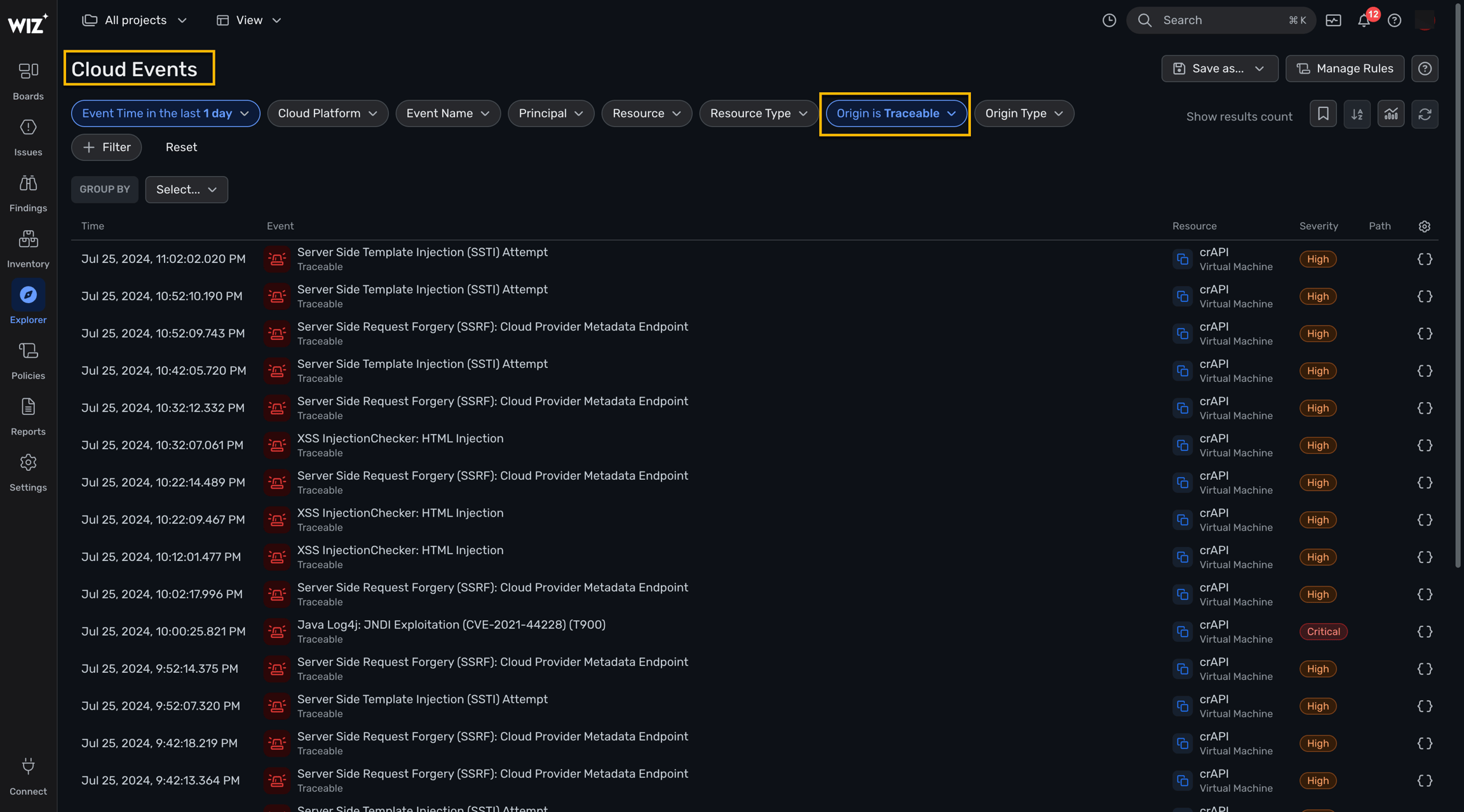
Traceable sends a maximum of 250 events in the 24-hour time window, representing the total count of logged and blocked threat activity. You can view these events in the Cloud Events section of Wiz.
You can view the events pushed to Wiz by navigating to Cloud Events as shown below:
Pull issues from Wiz
You can view the Wiz issues in Traceable by navigating to Protection → APIs Under Threat. To list the Wiz issues in Traceable, group by Service Name, as shown in the screenshot below.
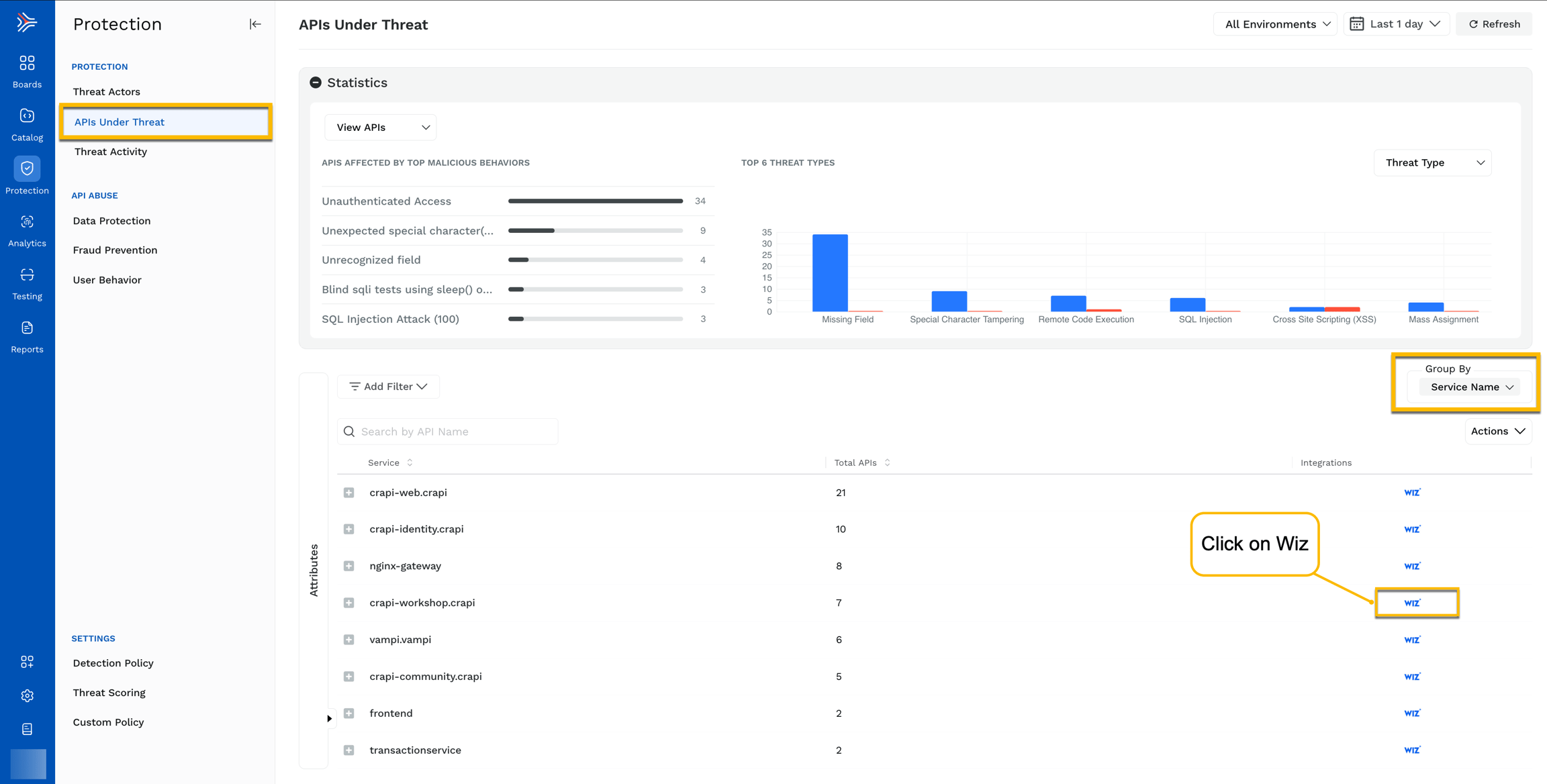
You can click Wiz under the Integrations column to view the Issues found through Wiz.
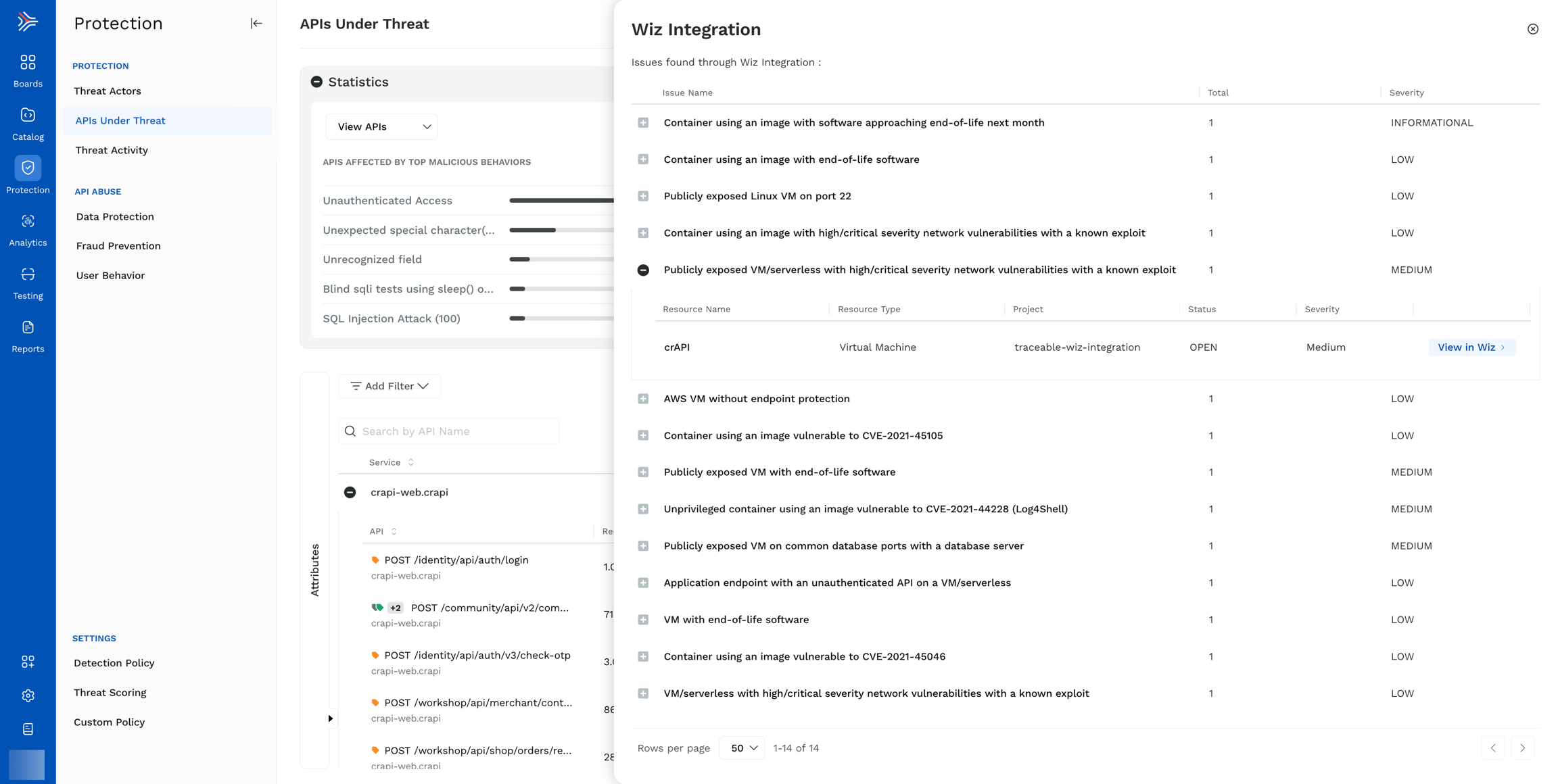
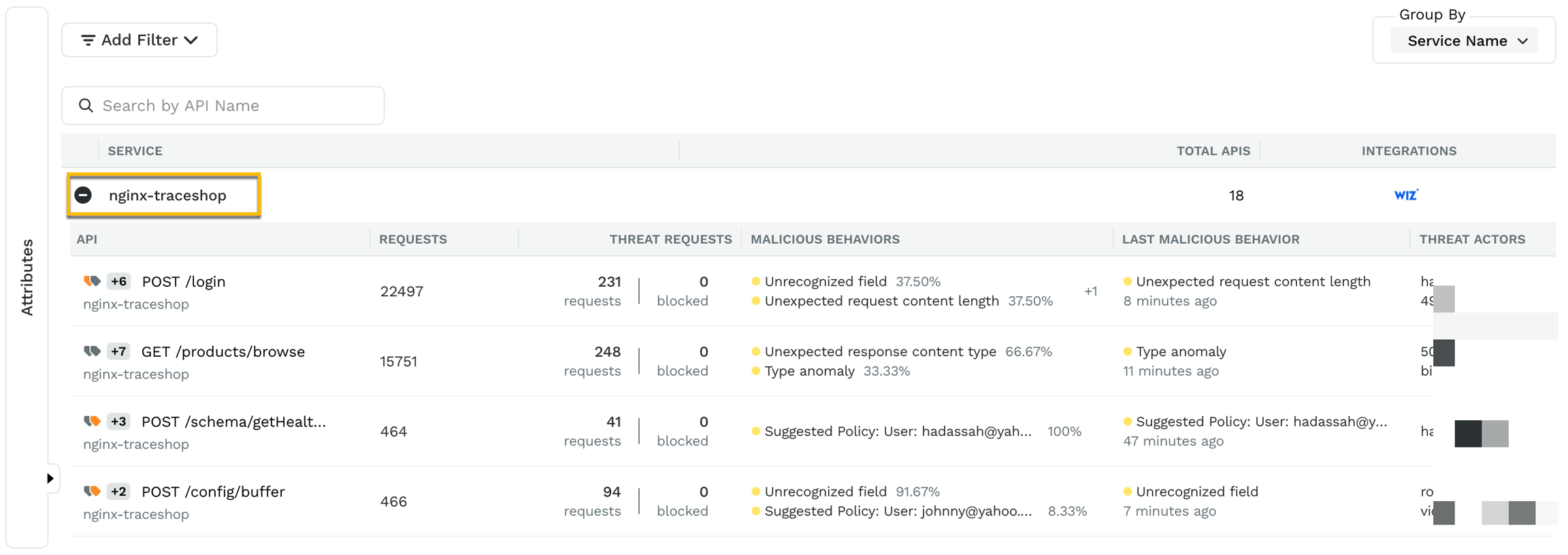
Traceable automatically determines which APIs are running on cloud resources that Wiz protects. You can further drill down into details by clicking any of the service names as shown below:
Push vulnerability to Wiz
Traceable can push vulnerability findings to Wiz, allowing you to view and manage Traceable vulnerabilities alongside findings from your cloud environment. To enable this capability, configure the Wiz integration with the required permissions to create or update vulnerability findings.
Was this helpful?