> For the complete documentation index, see [llms.txt](https://developer.harness.io/llms.txt). Markdown versions of documentation pages are available by appending `.md` to page URLs; this page is available as [Markdown](https://developer.harness.io/web-application-and-api-protection-waap-protection-protection/settings/configuration/session-configuration.md).

# Session Configuration

Traceable allows you to define the maximum duration for both active and idle sessions, after which Traceable logs users out of their Traceable account. This helps you control how and when users are logged out, keeping access secure while maintaining flexibility for your team.

## What you will learn in this topic

By the end of this topic, you will understand:

* The steps to define the maximum session duration and the idle session duration, after which Traceable logs users out.

***

## Configure session durations

You can configure session durations from the **Session Configuration** page in Traceable. To configure the session durations, complete the following steps:

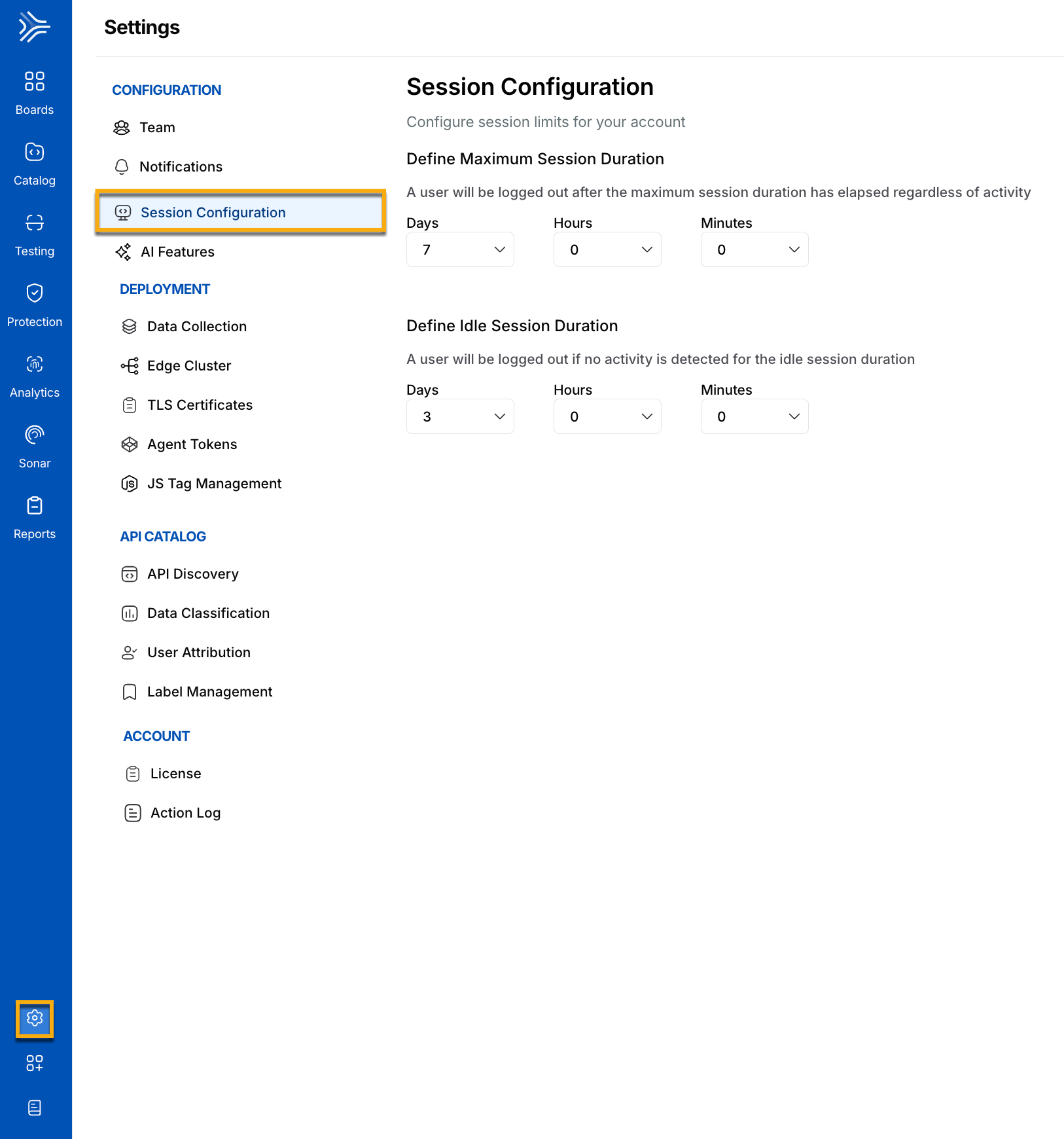
1. Navigate to **Settings** → **Configuration** → **Session Configuration**.
2. In **Maximum Session Duration**, use the **Days**, **Hours**, and **Minutes** drop-down lists to specify how long a user can stay logged in, regardless of activity. For example, `7` days.

   <div data-gb-custom-block data-tag="hint" data-style="info" class="hint hint-info"><p><strong>Note</strong></p><p>Traceable allows you to set the maximum session duration to <em>seven</em> days regardless of activity.</p></div>
3. In **Idle Session Duration**, use the **Days**, **Hours**, and **Minutes** drop-down lists to specify how long a user can remain inactive before Traceable logs them out. For example, `3` days.

<figure><img src="https://1414883571-files.gitbook.io/~/files/v0/b/gitbook-x-prod.appspot.com/o/spaces%2Fdr7UJpJrdGkkSGT6AFTu%2Fuploads%2Fgit-blob-7d6f6a1dca6249764772f06afeb33df4d5d5f21e%2FTraceable_session_config-1--lb1vr8.gif?alt=media" alt="" width="563"><figcaption><p>Session Configuration</p></figcaption></figure>

After you configure these durations, Traceable logs out a user when the maximum session duration ends, regardless of activity. If Traceable detects no activity, it logs out the user when the idle session duration ends.

{% @harness-feedback/feedback %}